VYROX Very Intelligent Platform (VIP)
How to Register an ERP on LHDN MyInvois for e-Invoice
1. Introduction
E-invoicing streamlines invoice management through digital means, offering an efficient, secure, and environmentally friendly alternative to traditional paper-based invoices. The MyInvois Portal, provided by LHDNM, is a dedicated platform offering free digital invoicing services tailored for businesses in Malaysia, especially MSMEs. This introduction highlights the portal's capabilities and user-friendly features, specifically developed to simplify the e-invoicing process. This guide provides step-by-step instructions for VYROX VIP, allowing users to navigate, generate, and manage electronic invoices efficiently.
2. How to Put e-invoice in VYROX VIP
3. How to Register an ERP for Accounting Software on the MyInvois Portal?
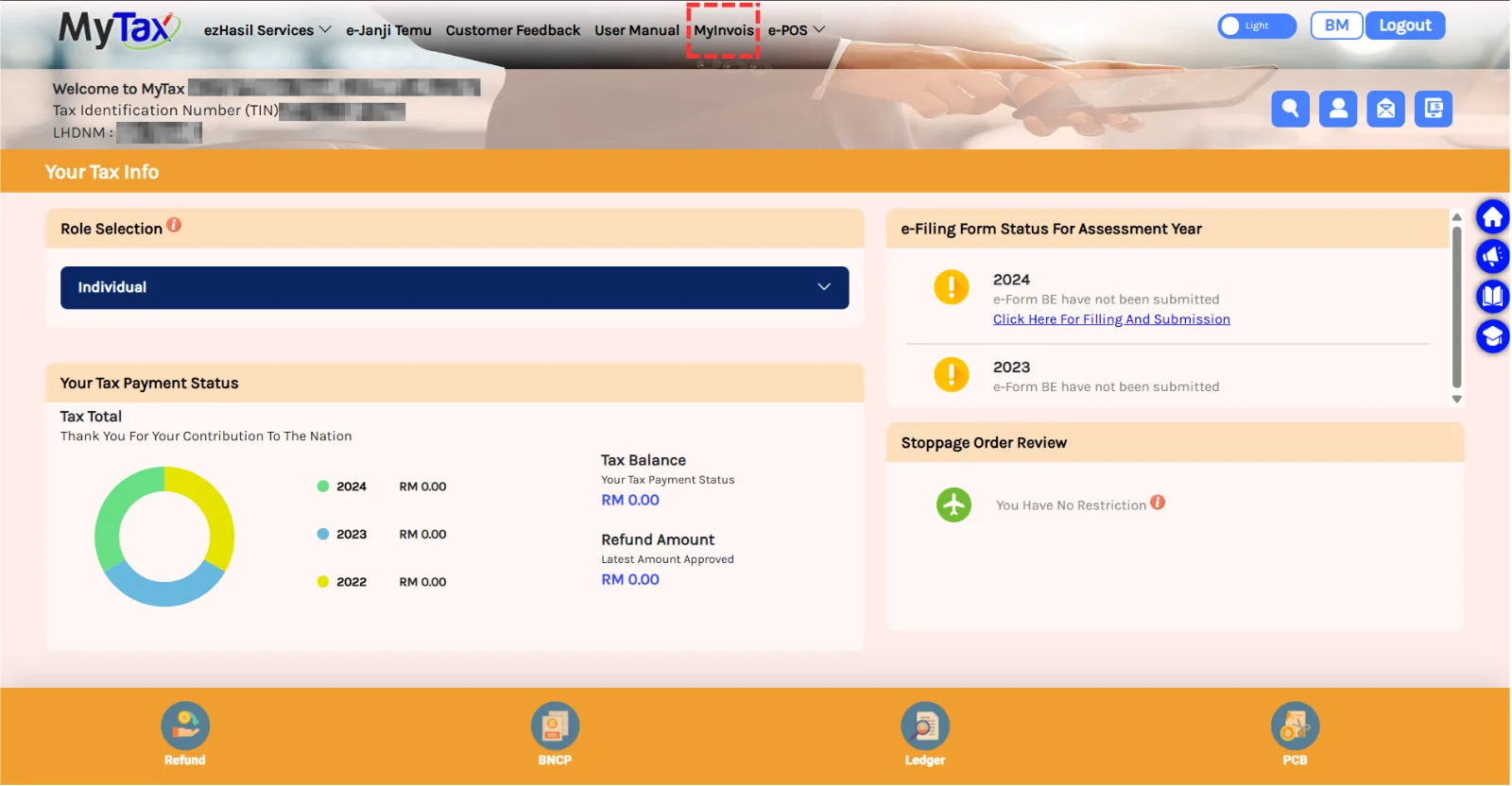
3.1 Step 1
Visit https://mytax.hasil.gov.my/ and click on MyInvois.
3.2 Step 2
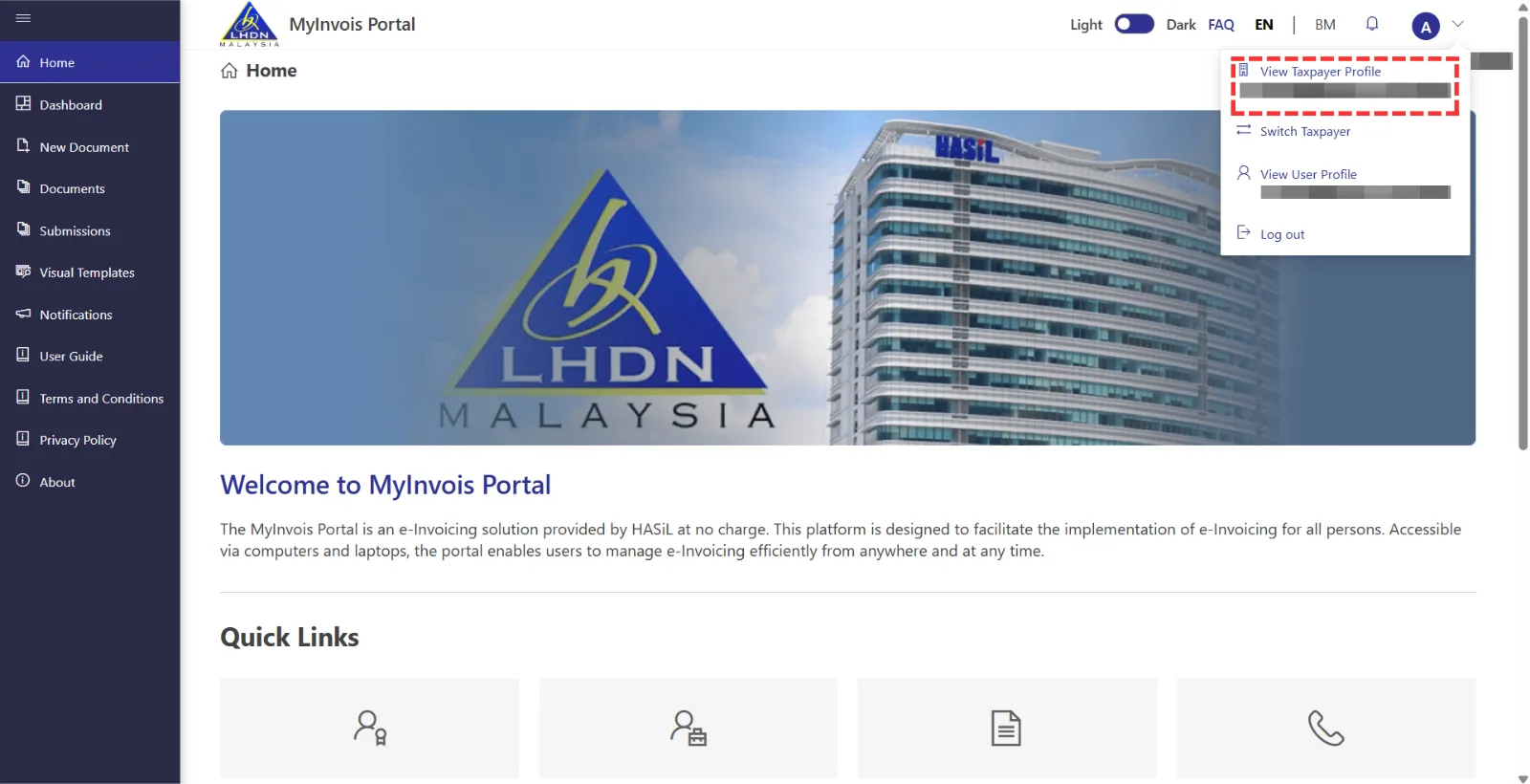
Click on the profile icon at the top right, then select “View Taxpayer Profile“.
3.3 Step 3
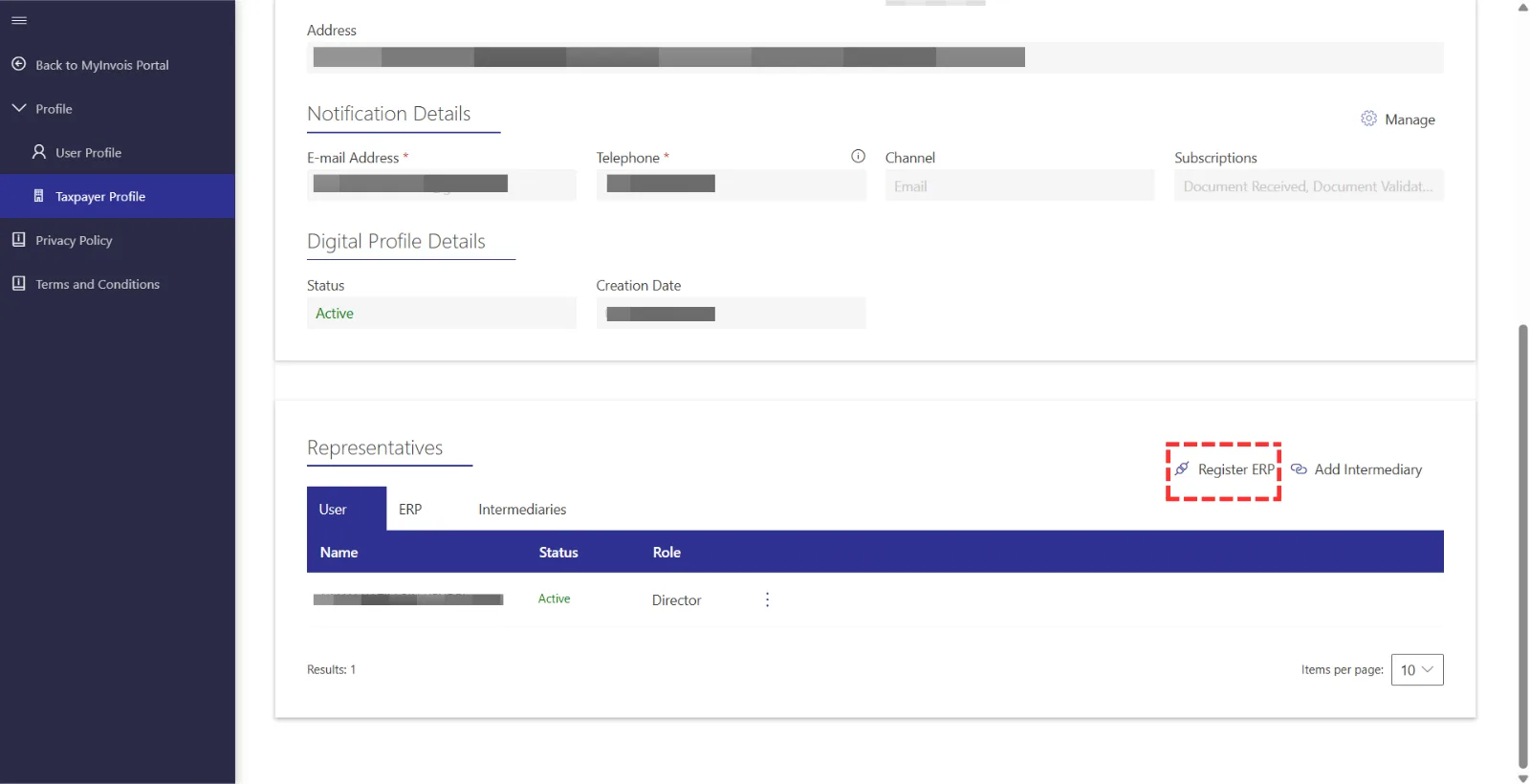
Scroll down to the “Register ERP” section and click Register ERP.
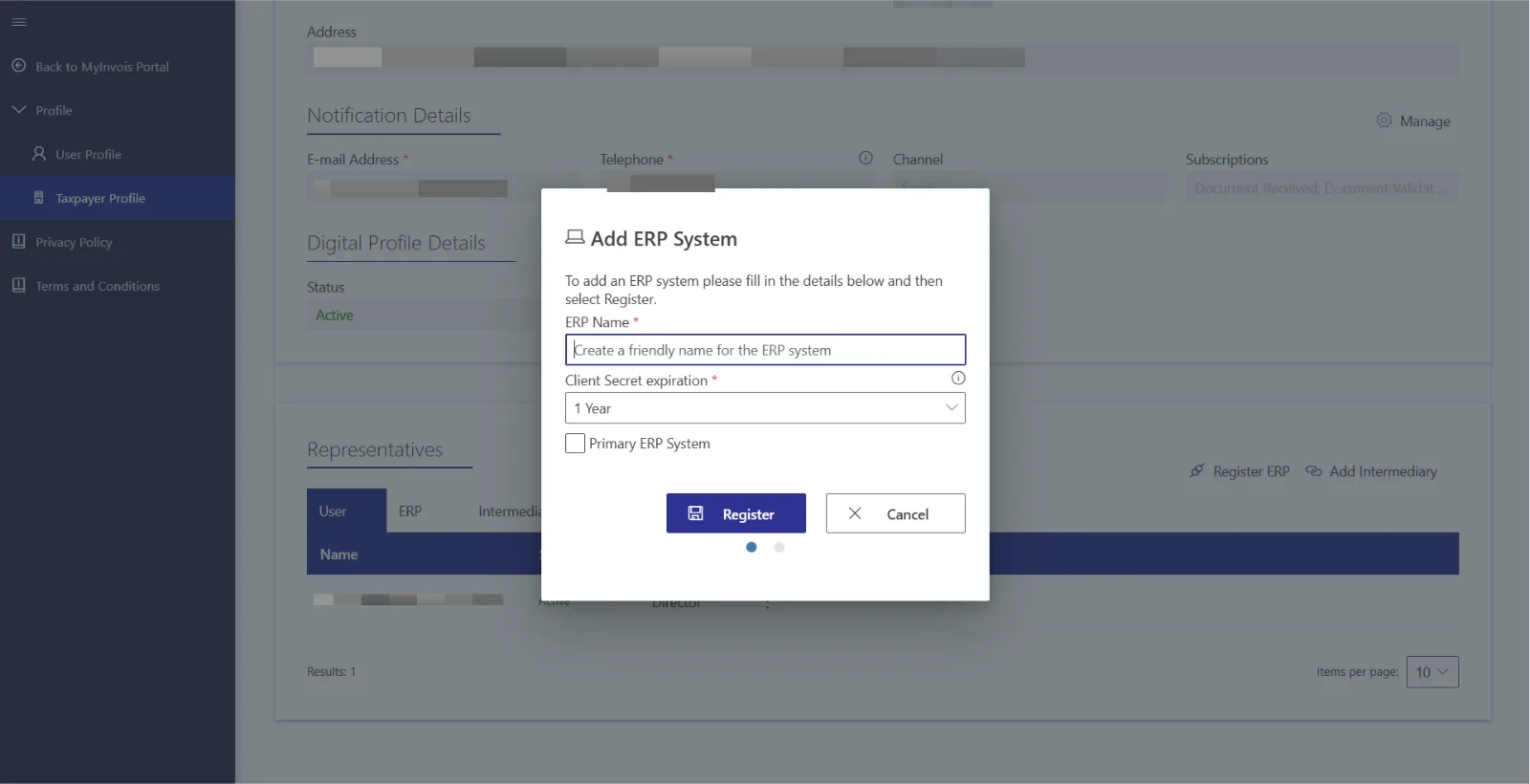
Enter an ERP name, like "VYROX Account ERP", and choose a secret expiration period, ideally three years. Set it as the primary ERP system and complete the registration.
3.4 Step 4
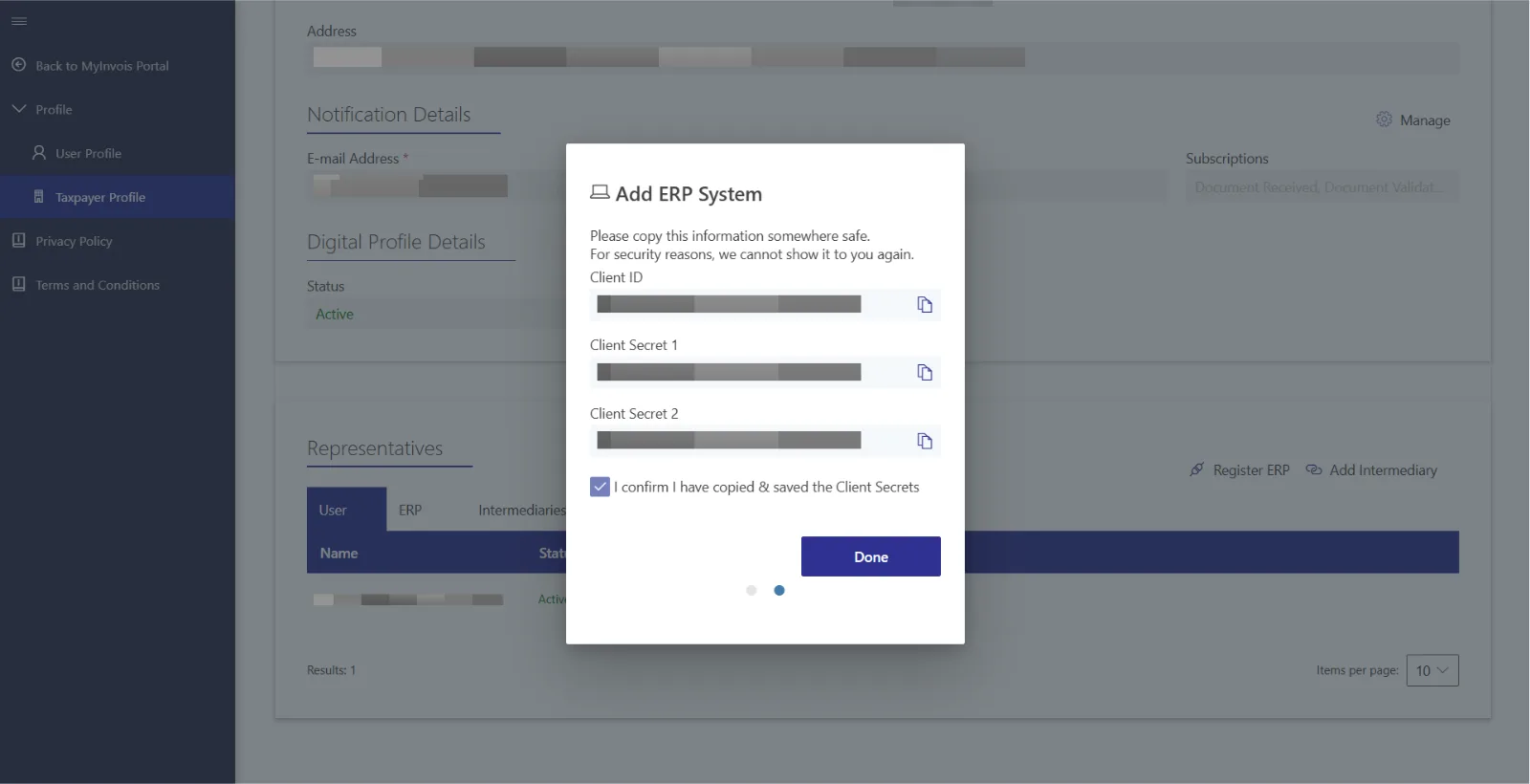
Please copy the Client ID, Secret 1, and Secret 2 individually and paste them into Vyrox Platform > Admin Console > Name Management Boodies > Edit > Copy and paste Name ERP, Client ID, Client Secret 1, and Client Secret 2.
**Note: Company name, BRN, and TIN are required fields.