VYROX Very Intelligent Platform (VIP) · Very Intelligent Platform: Management Guide
E-invoicing streamlines invoice management through digital means, offering an efficient, secure, and environmentally friendly alternative to traditional paper-based invoices. The MyInvois Portal, provided by LHDNM, is a dedicated platform offering free digital invoicing services tailored for businesses in Malaysia, especially MSMEs. This introduction highlights the portal's capabilities and user-friendly features, specifically developed to simplify the e-invoicing process. This guide provides step-by-step instructions for VYROX VIP, allowing users to navigate, generate, and manage electronic invoices efficiently.
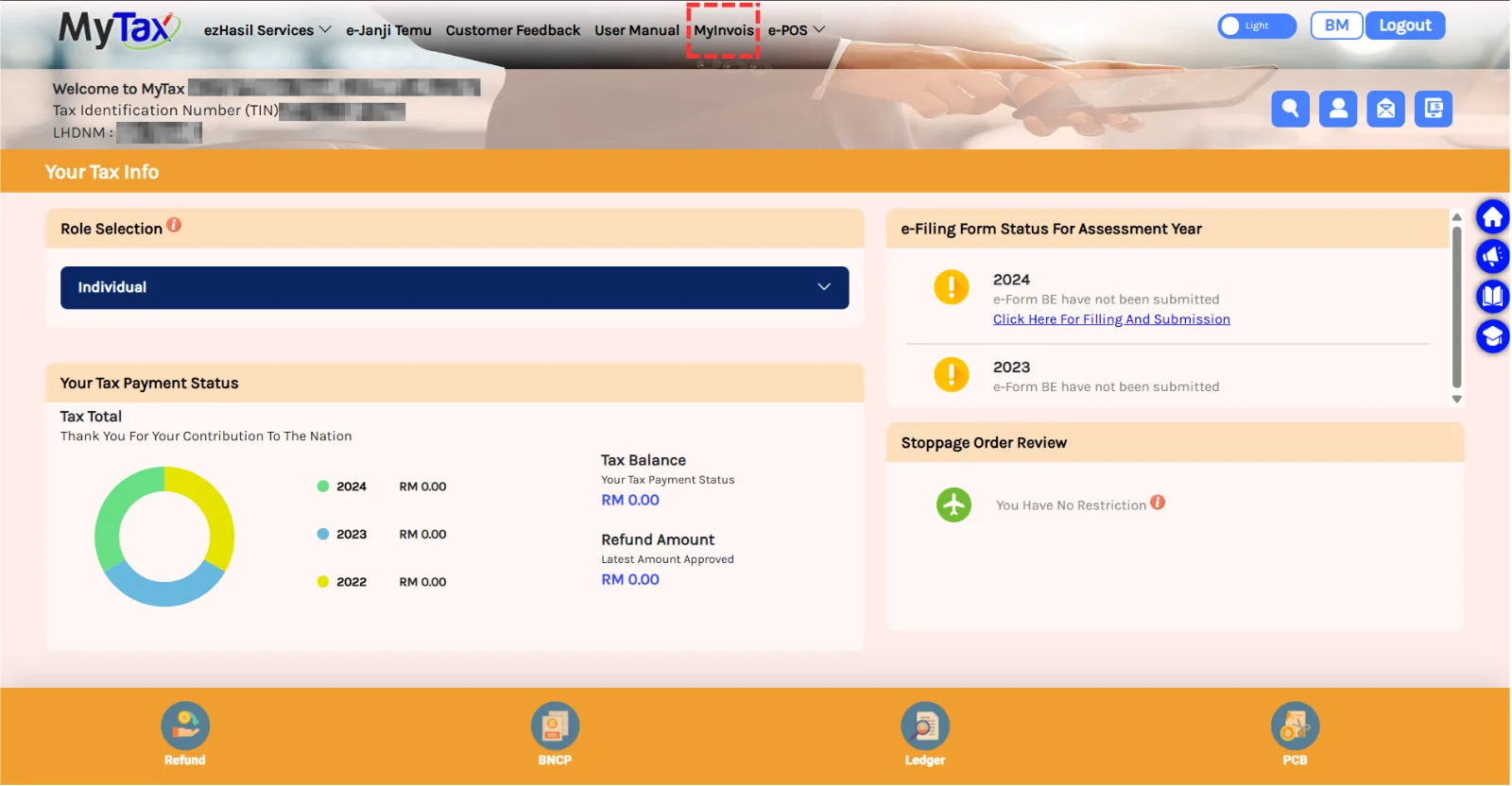
Visit https://mytax.hasil.gov.my/ and click on MyInvois.
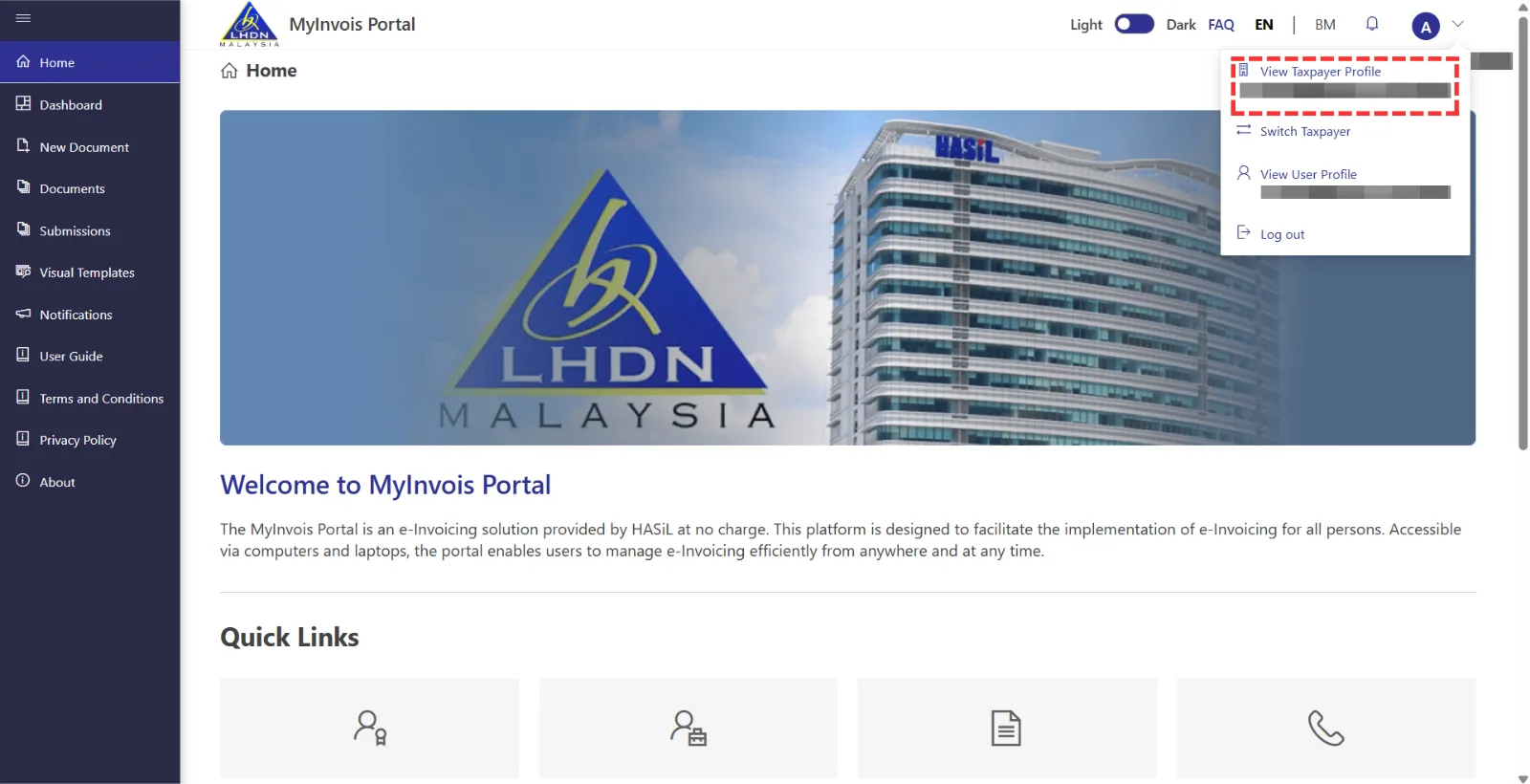
Click on the profile icon at the top right, then select “View Taxpayer Profile“.
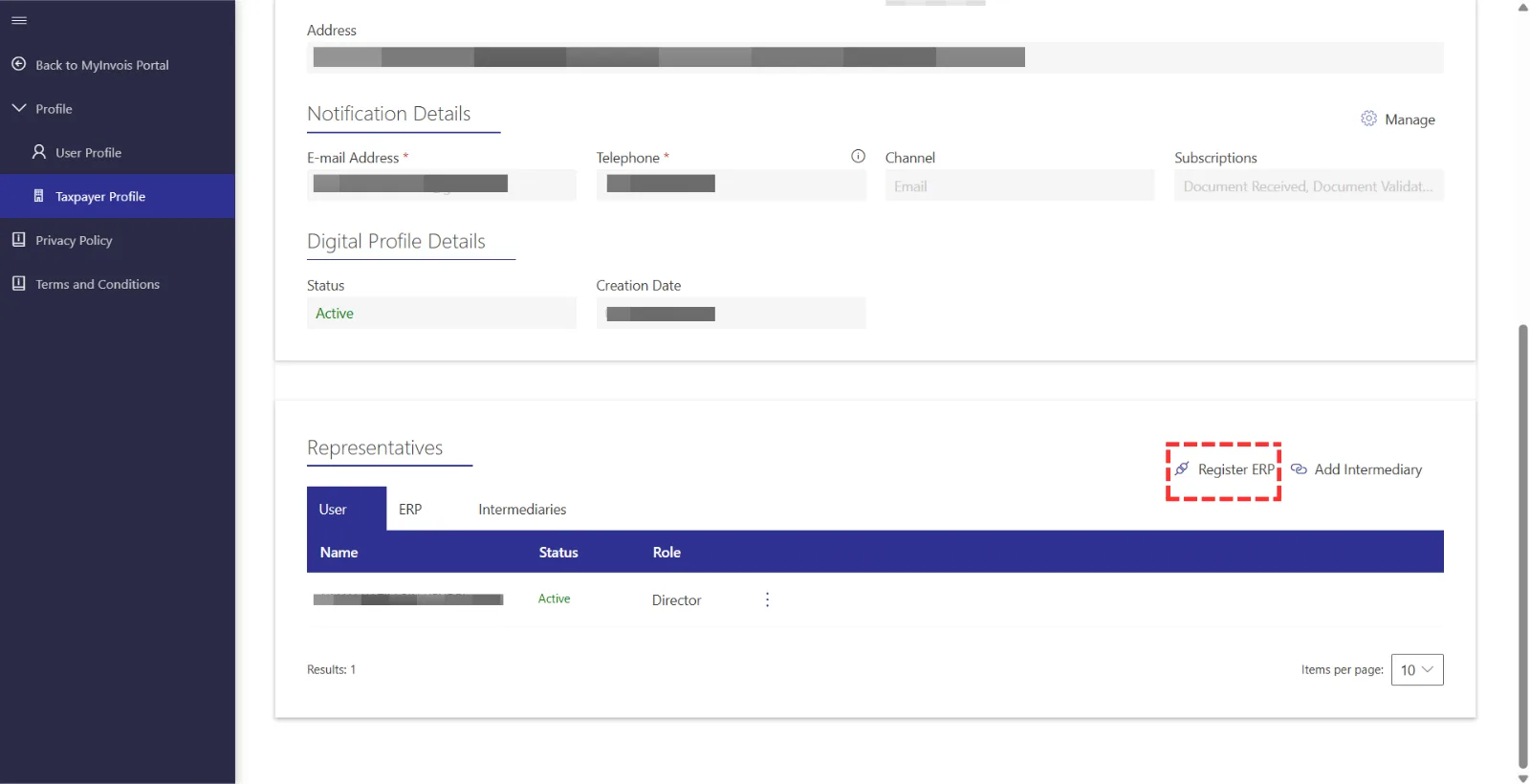
Scroll down to the “Register ERP” section and click Register ERP.
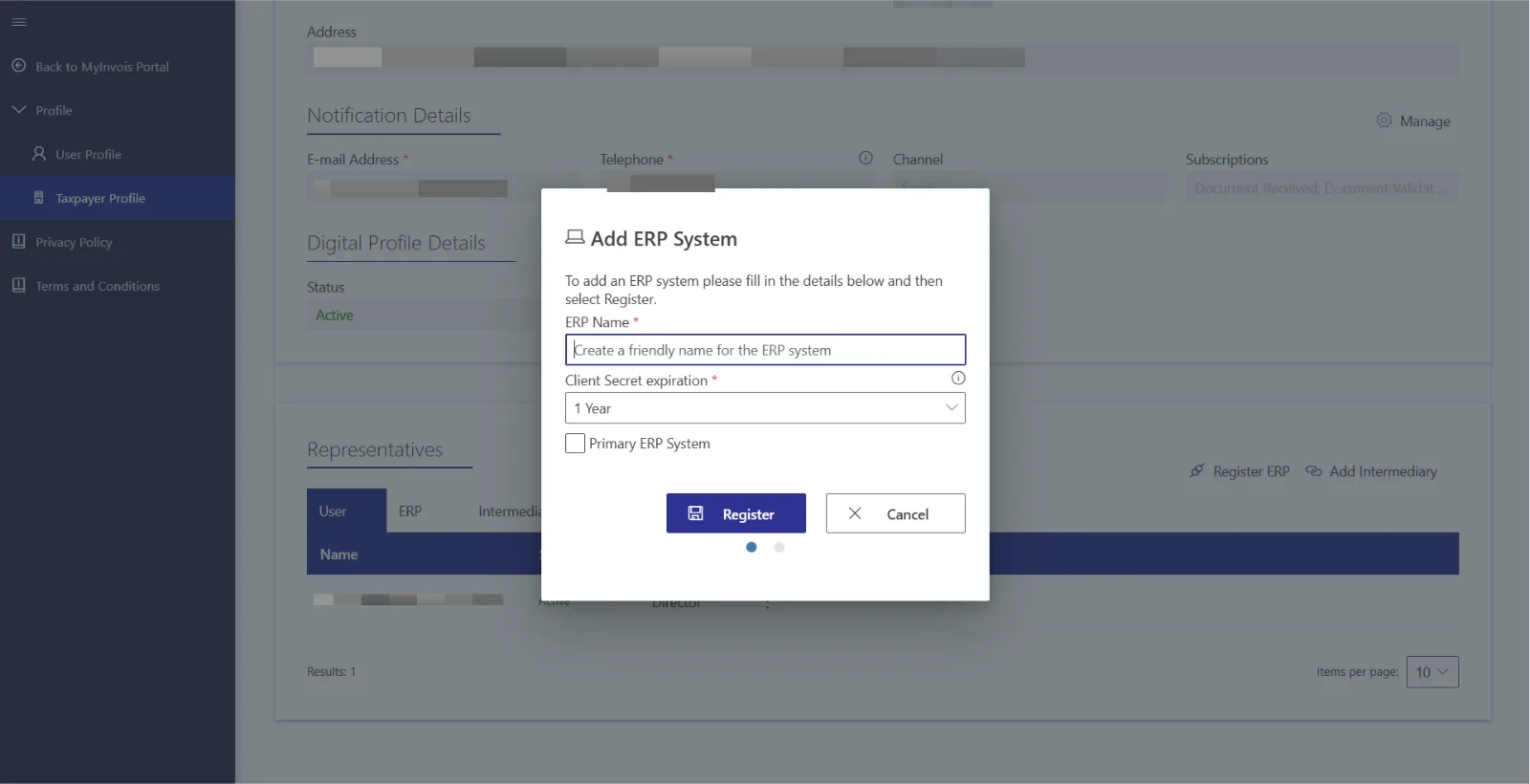
Enter an ERP name, like "VYROX Account ERP", and choose a secret expiration period, ideally three years. Set it as the primary ERP system and complete the registration.
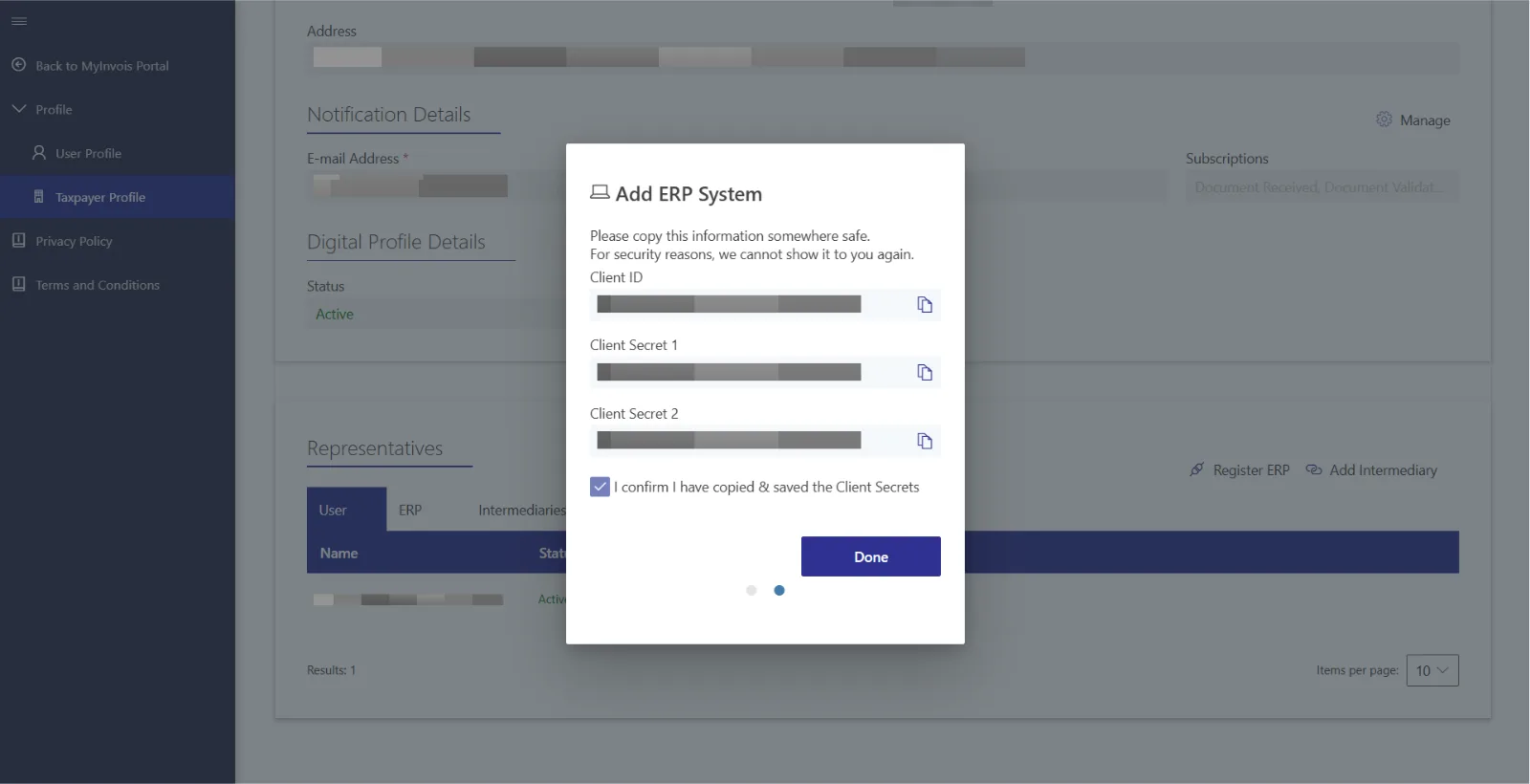
Please copy the Client ID, Secret 1, and Secret 2 individually and paste them into Vyrox Platform > Admin Console > Name Management Boodies > Edit > Copy and paste Name ERP, Client ID, Client Secret 1, and Client Secret 2.
**Note: Company name, BRN, and TIN are required fields.