VYROX Very Intelligent Platform (VIP)
Complaints in the Resident App
Introduction
This guide is designed to streamline the process of managing complaints. It provides step-by-step instructions for using the complaints management system, enabling you to track, resolve, and improve the overall experience for users.
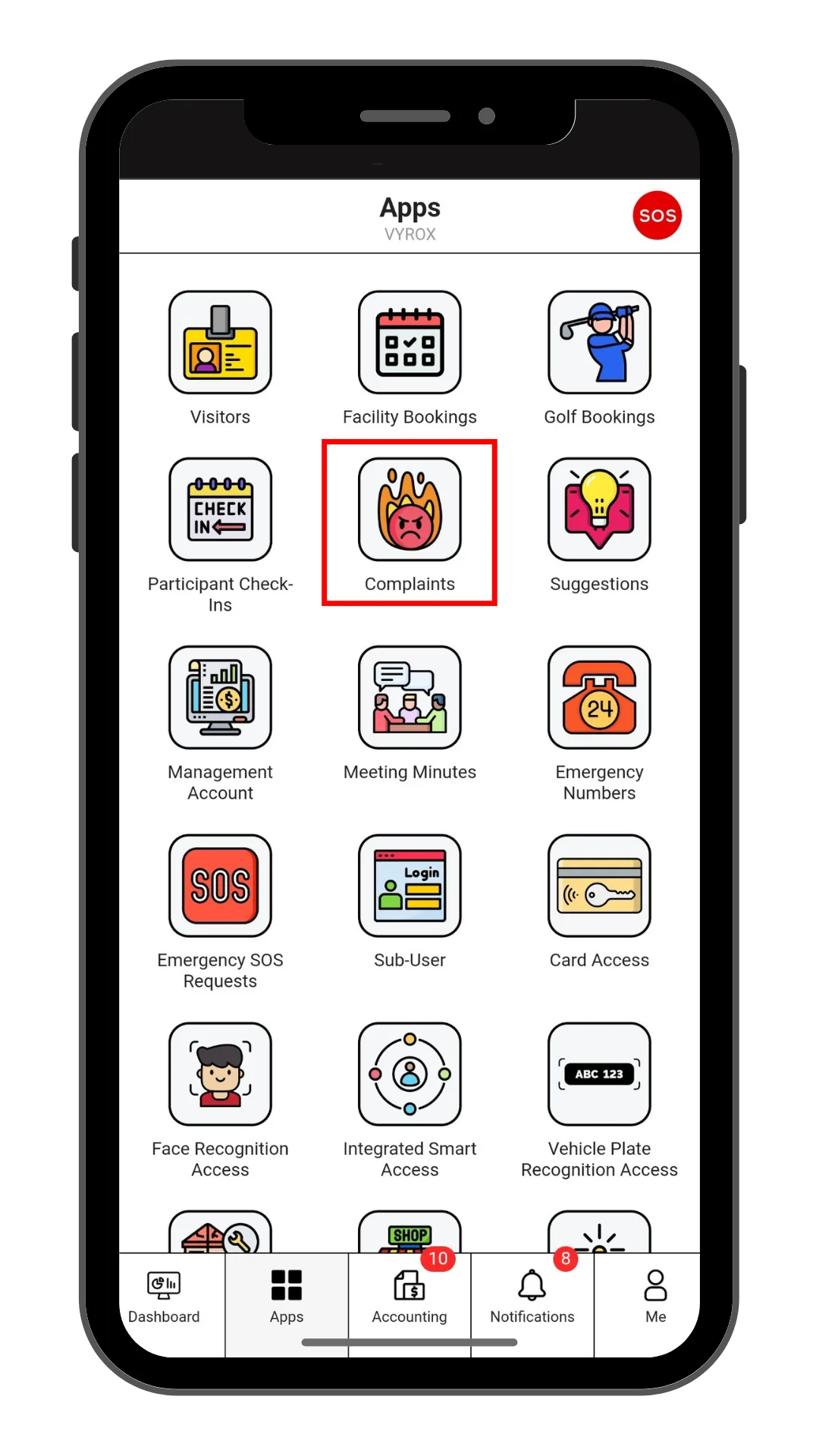
Step 1: Complaints
Click “Complaints” icon
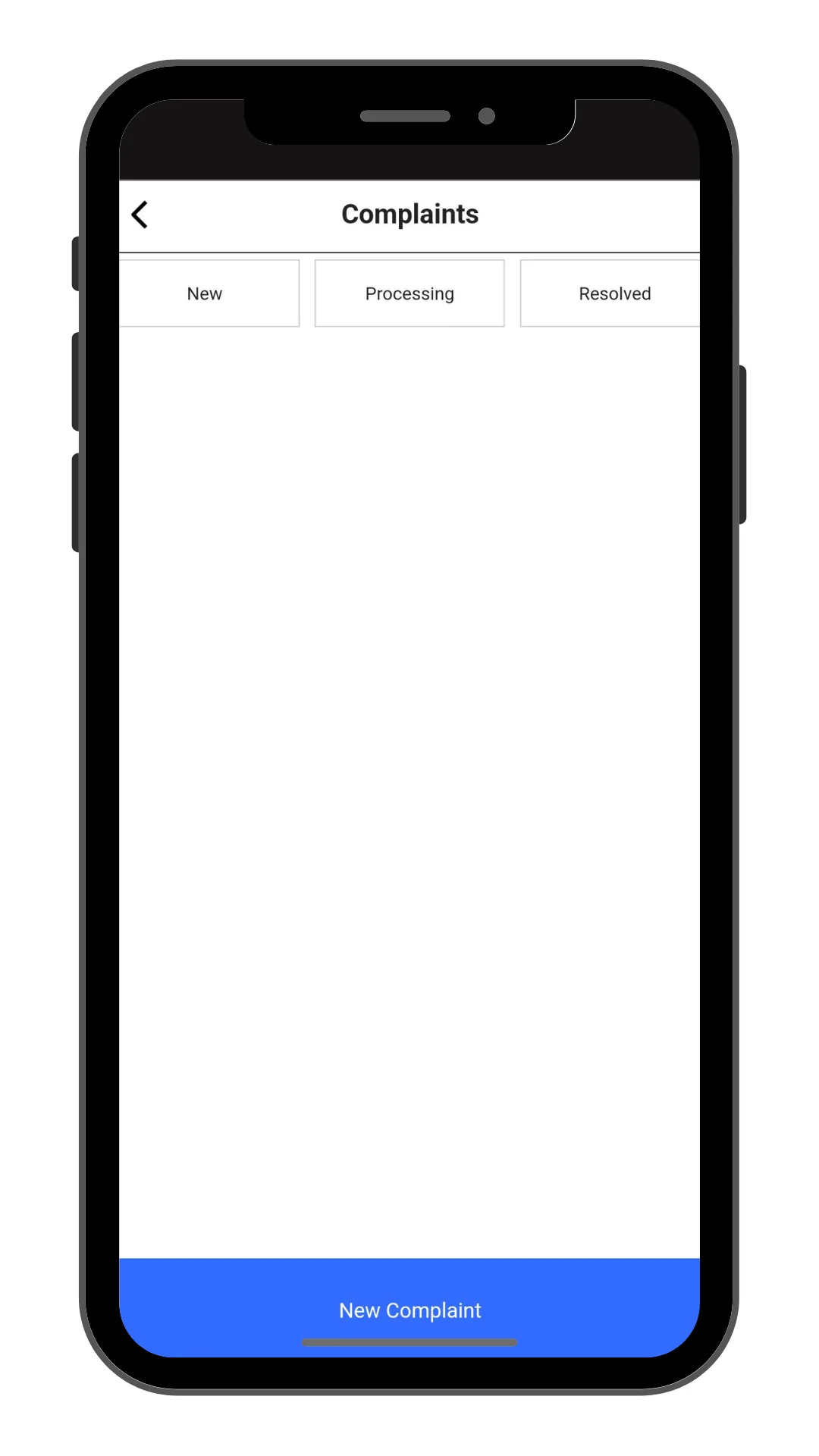
Step 2: Create New Complaints
Click “New Complaints” to make a new compliant.
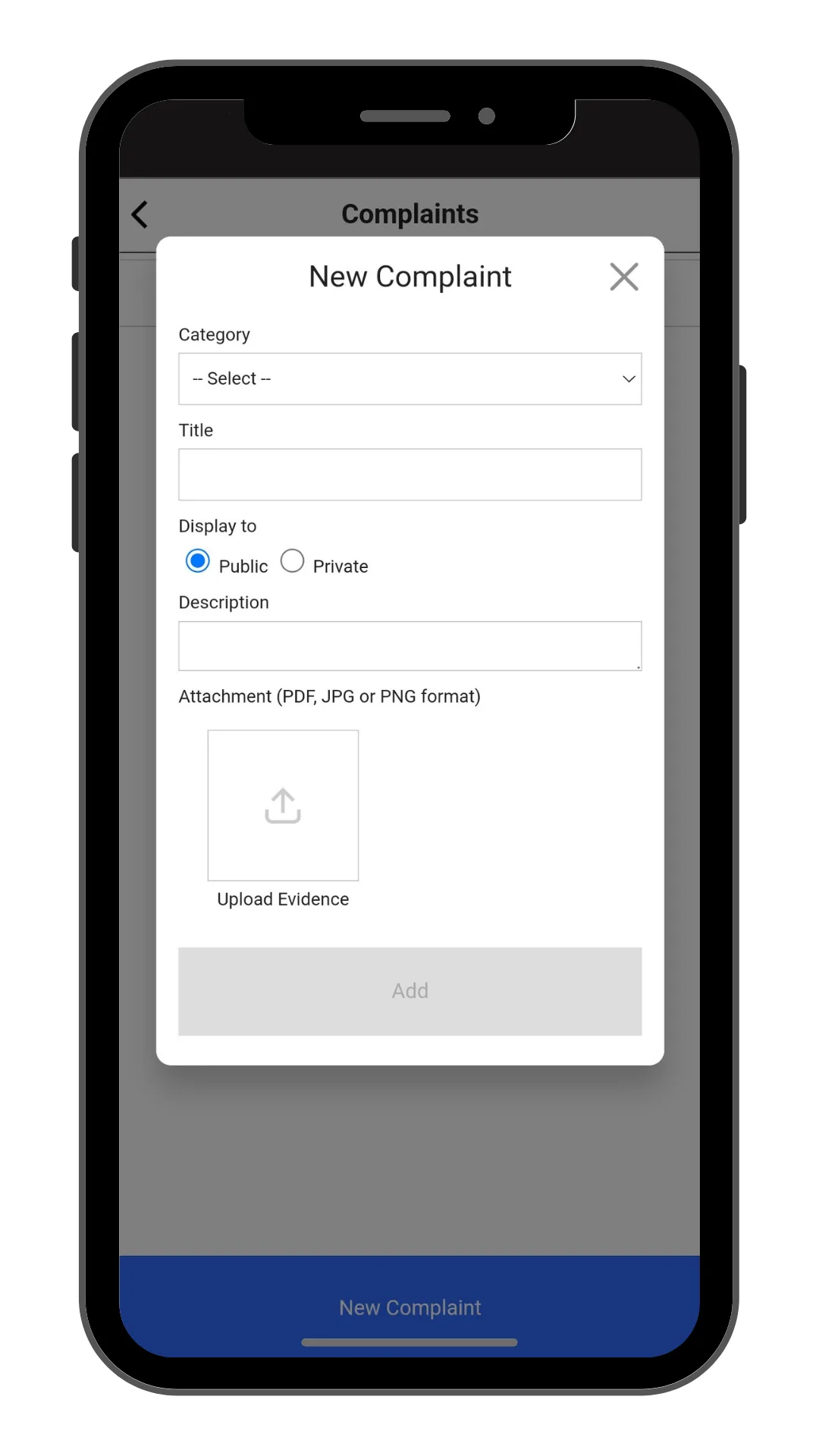
Step 3: Fill in Complaint details
Fill in Catagory, Title, Description, and Select display Public or Private.
Click “Add” to create.