
user_integrated_smart_access
This is an old revision of the document!
Table of Contents
User Guide: Integrated Smart Access
Introduction
This guide explains how to apply for integrated smart access. Follow the outlined steps to submit your application and activate your smart access credentials for seamless facility entry.
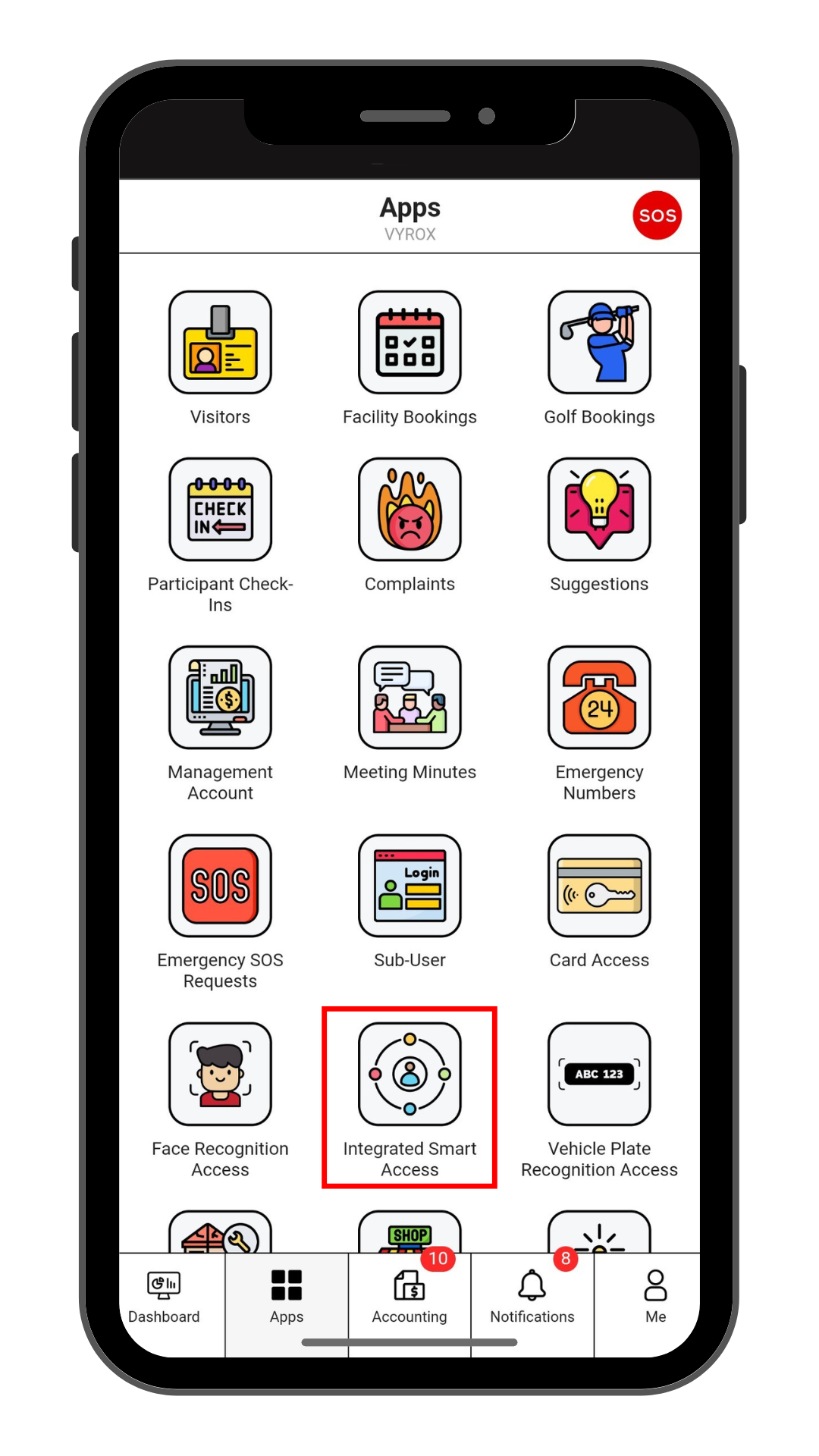
Step 1: Complaints
Click “Integrated Smart Access” icon
 |
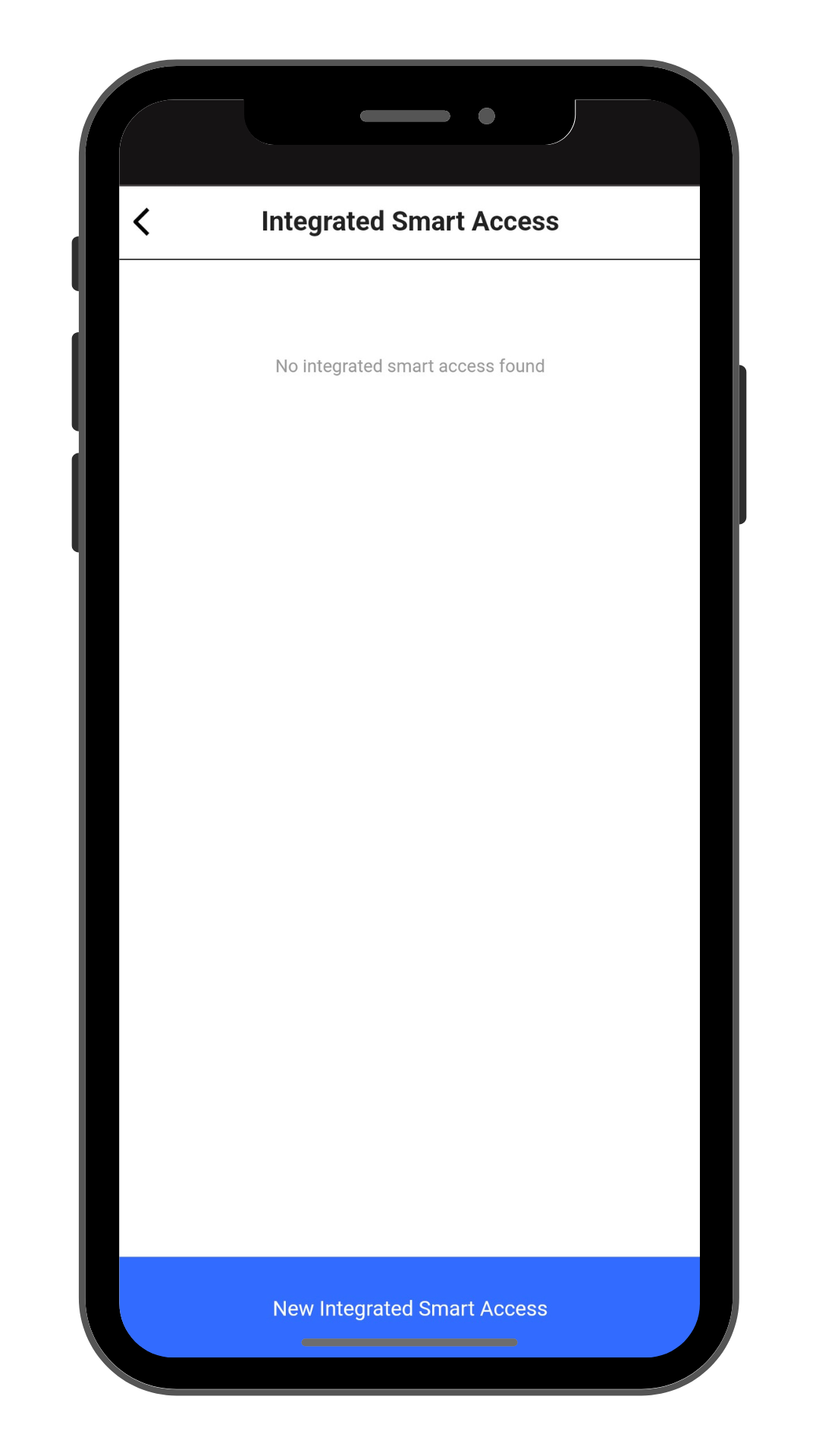
Step 2: Create New Complaints
Click “New Integrated Smart Access” to make a new Integrated Smart Access.
 |
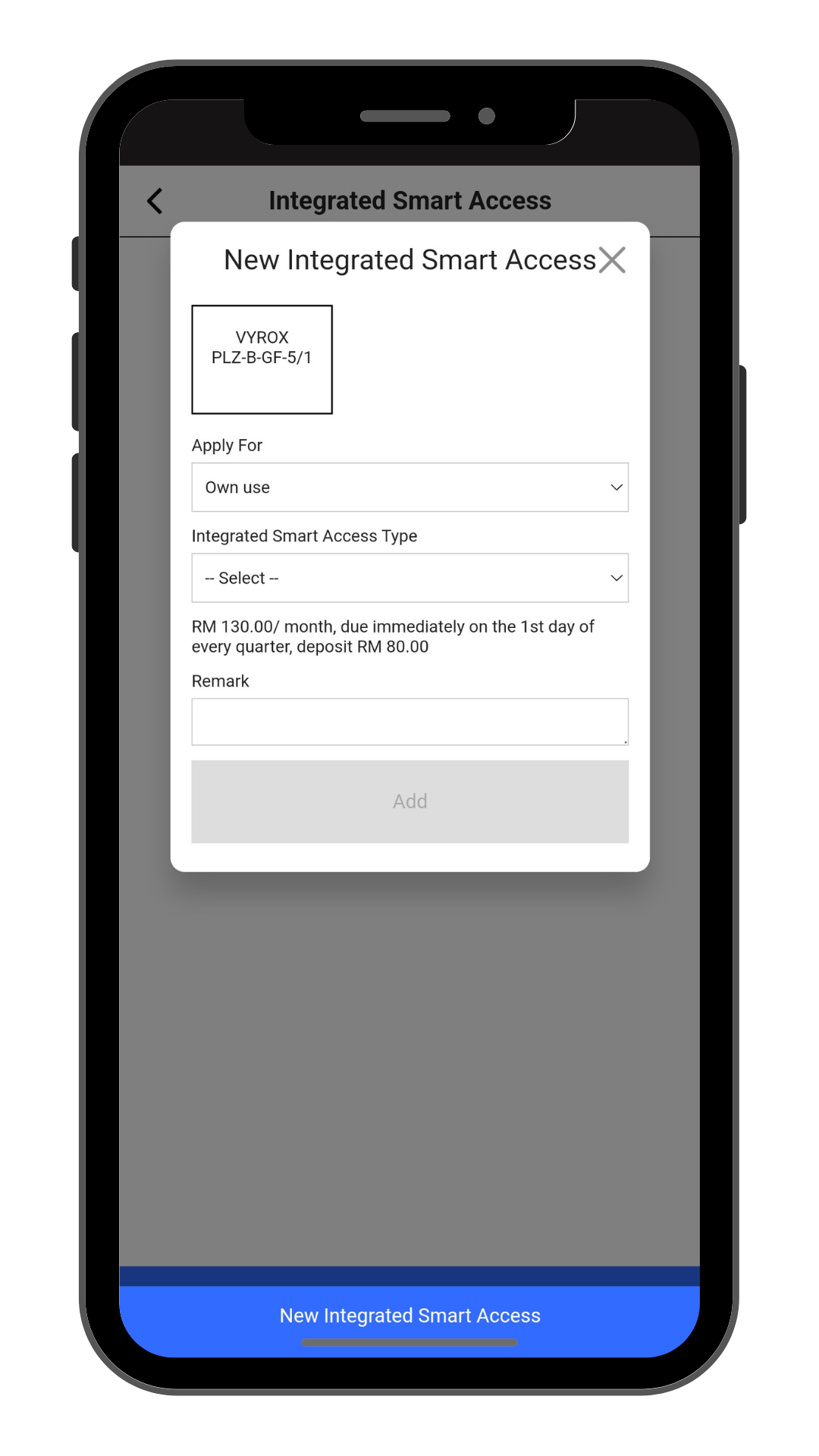
Step 3: Fil in Complaint details
Select Integrated Smart Access Type and Remarks.
Click “Add” to create.
 |
user_integrated_smart_access.1735864890.txt.gz · Last modified: by yong