
Table of Contents
Properties
1. Introduction
This guide provides step-by-step instructions for managing property information within the system. Learn how to register new properties, update existing details, and ensure all property-related records are accurate and up-to-date. This guide is designed to streamline property management and support efficient organization and record-keeping.
2. Properties
This section provides an overview of the tools and features available for managing properties in the system. From adding new properties to ensuring accurate categorization , each feature is designed to provide a secure and efficient way to maintain property information.
Properties are catagorized into
- Parking Lot Types
- Parking Lots
- Parking Zones
- Common Areas
- Towers/Blocks
- Levels
- Units
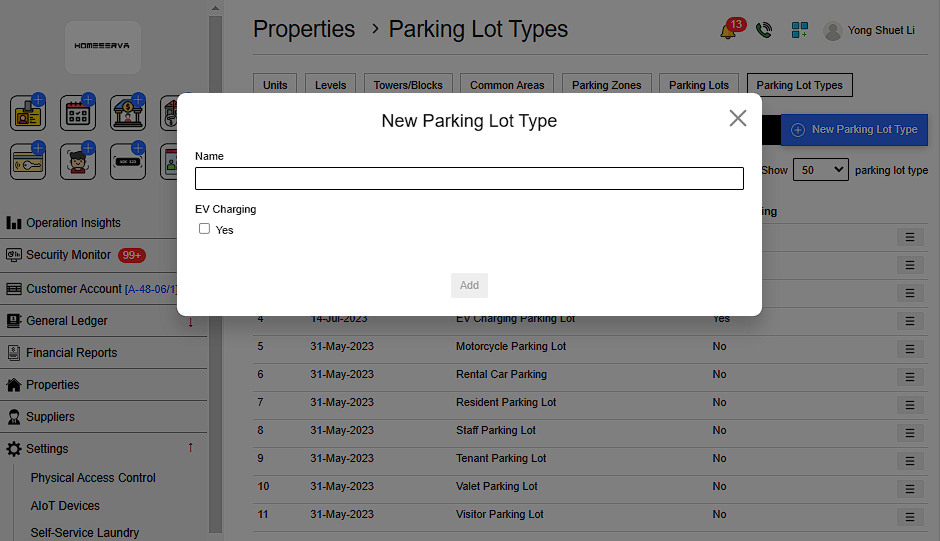
2.1 Add New Parking Lot Types
Go to Properties > Parking Lot Types > New Parking Lot Type > Fill in details
Details include:
- Name of Parking Lot Types
- Whether there is EV charging
 |
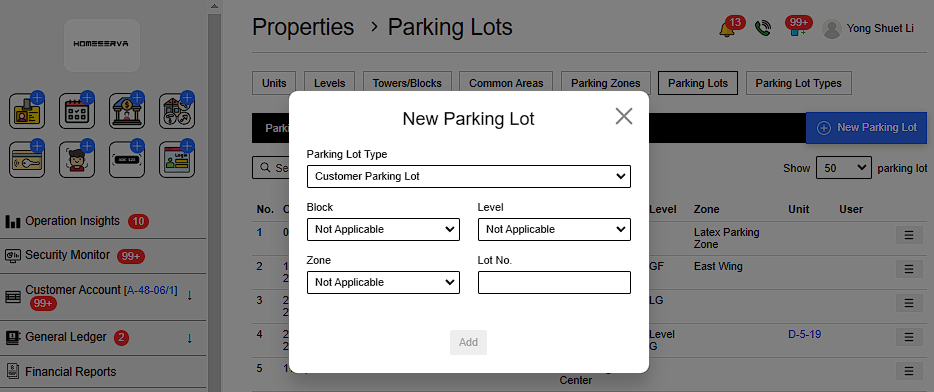
2.1 Add New Parking Lots
Go to Properties > Parking Lots > New Parking Lot > Choose details
Details include:
- Parking Lot Types
- Block
- Level
- Zone
- Lot no
(If these are not established yet , go to the next step and fill in details when return)
 |
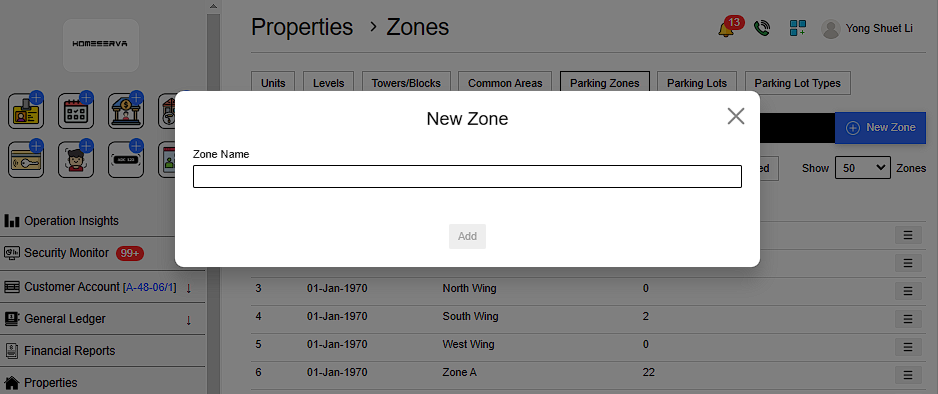
2.1 Add New Parking Zones
Go to Properties > Parking Zones > New Parking Zone > Fill in details
Details include:
- Name of Parking Zones
 |
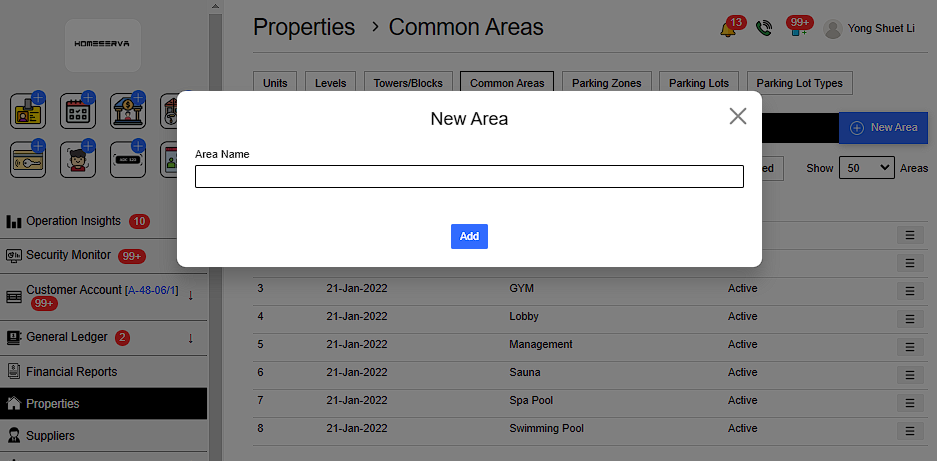
2.1 Add New Common Areas
Go to Properties > Common Areas > New Common Area > Fill in details
Details include:
- Name of Common Area
 |
2.1 Add New Towers/Blocks
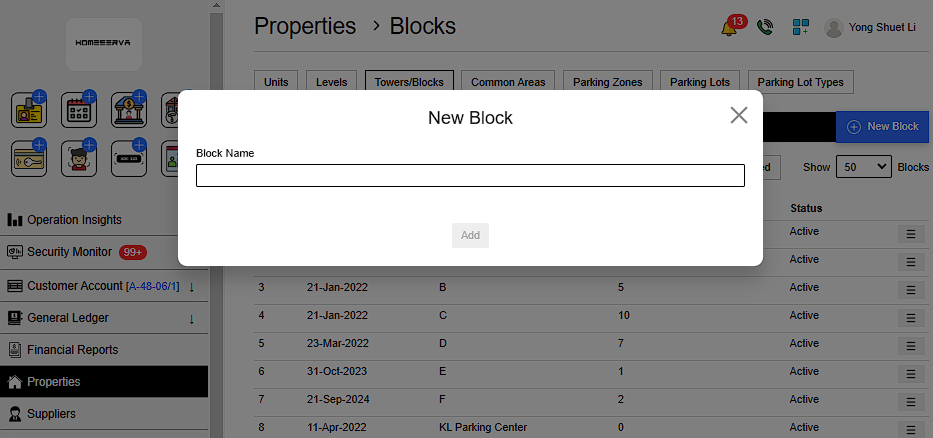
Go to Properties > Towers/Blocks > New Block > Fill in details
Details include:
- Name of Block
 |
2.1 Add New Levels
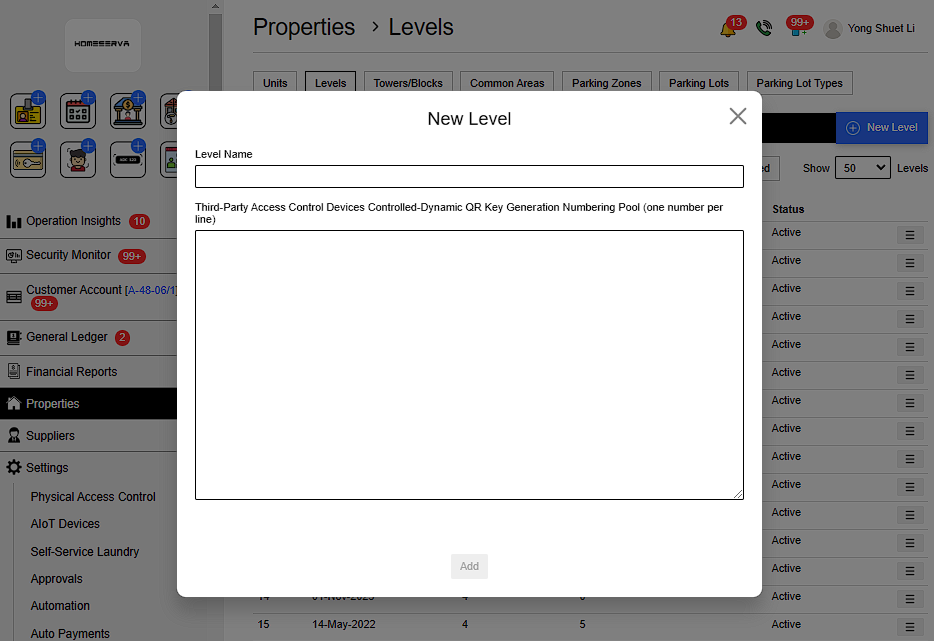
Go to Properties > Levels > New Level > Fill in details
Details include:
- Name of Level
- AnyThird-Party Access Control Devices Controlled-Dynamic QR Key Generation Numbering Pool (one number per line)
 |
2.1 Add New Units
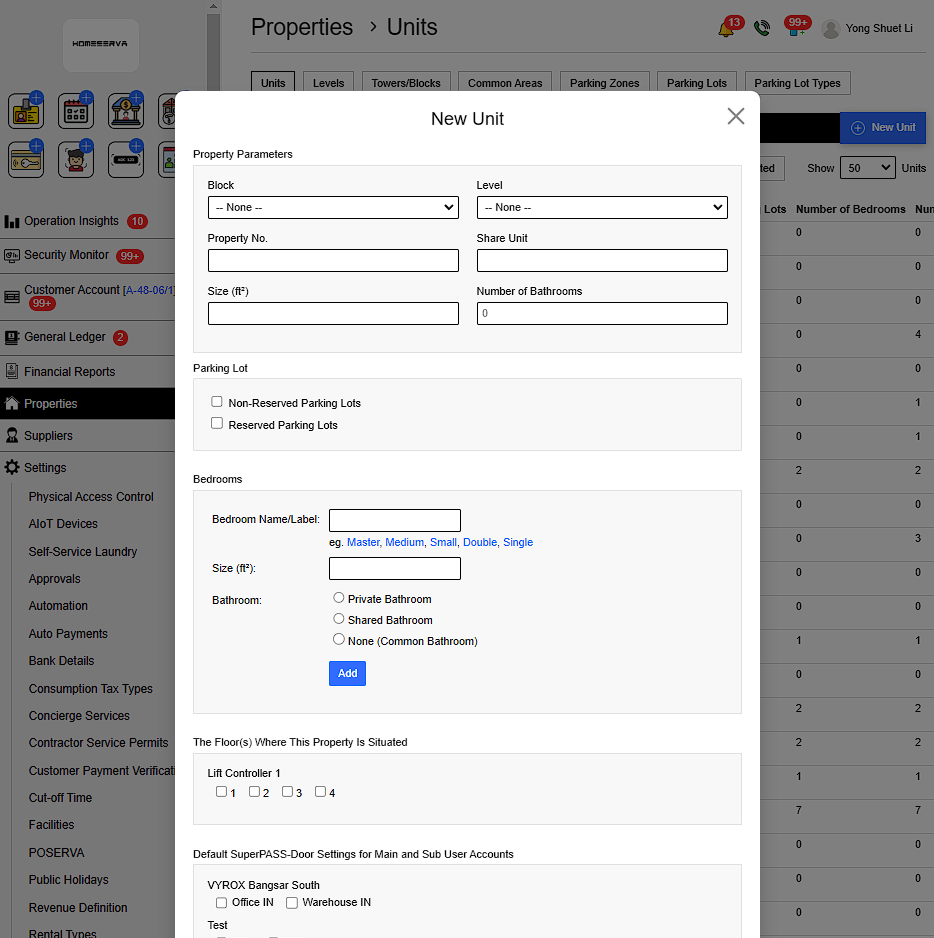
Go to Properties > Units > New Unit > Fill in details
Details include:
- Block
- Level
- Property No
- Size (ft²)
- Number of Bathrooms
- Parking Lot
- Bedrooms Name Size and Bathroom
- The Floor(s) Where This Property Is Situated
- Default SuperPASS-Door Settings for Main and Sub User Accounts
- Default SuperPASS-Lift Settings for Main and Sub User Accounts
- Default UltraPASS-Face Settings for Main and Sub User Accounts
- Default UltraPASS-Vehicle Settings for Main and Sub User Accounts
- Utility and Tax Account Numbers ( Electricity, Water Sewerage, Internet , Phone, Property Assessment Tax (Cukai Tafsiran/Pintu), Land/Parcel Tax (Cukai Tanah/Petak).)
- Select Visitor Type(s) Available for Selection During New Visitor Registration For This Property
 |