
change_password
Table of Contents
Change Password
Introduction
This guide will help you update your login password quickly and securely. Follow the steps below to change your password and ensure your account stays protected.
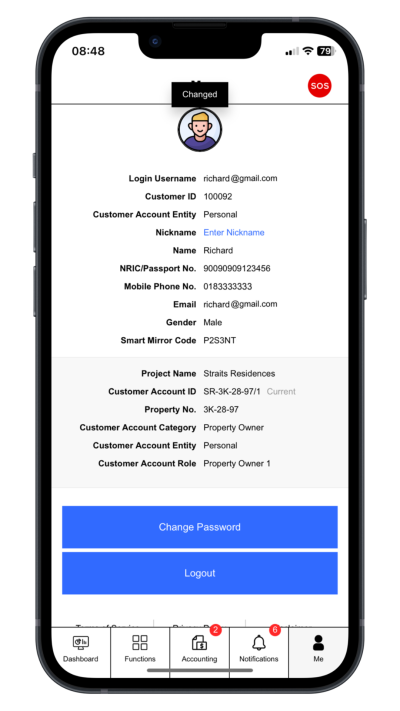
Step 1: Go to Profile Page
Click “Me”.
 |
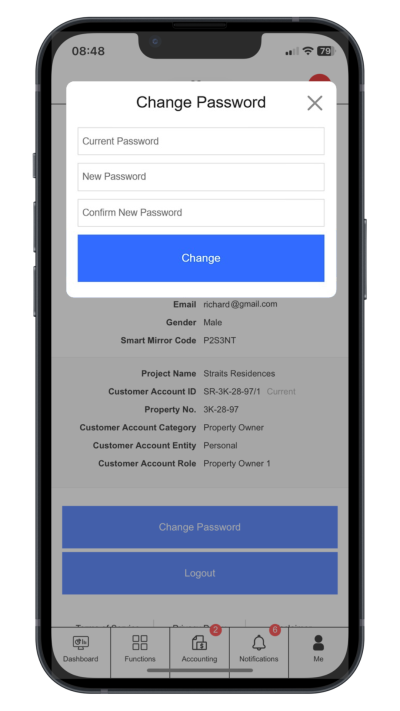
Step 2: Change Login Password
Click “Change Password”. Enter current password, new password and comfirm new password
 |
change_password.txt · Last modified: by yong