
Table of Contents
Integrated Smart Access
Introduction
This guide explains how to apply for Integrated Smart Access, helping you activate your credentials for seamless facility entry. Integrated Smart Access combines card access, virtual smart cards, facial recognition, QR codes, and more. Seamlessly managed via an intuitive app, it ensures secure and flexible access to lifts, doors, and gates, tailored for both users and administrators.
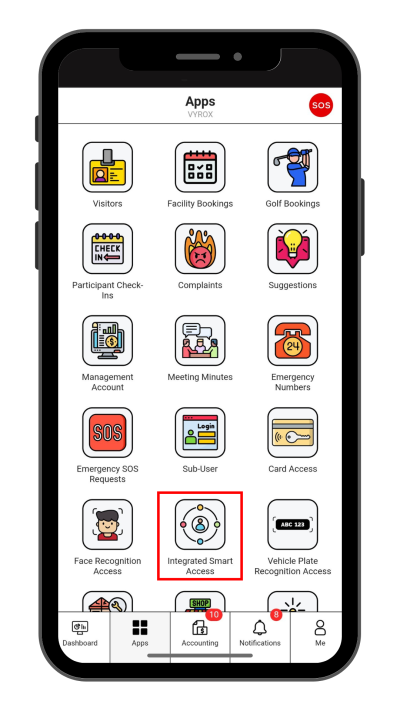
Step 1: Integrated Smart Access
Click “Integrated Smart Access” icon
 |
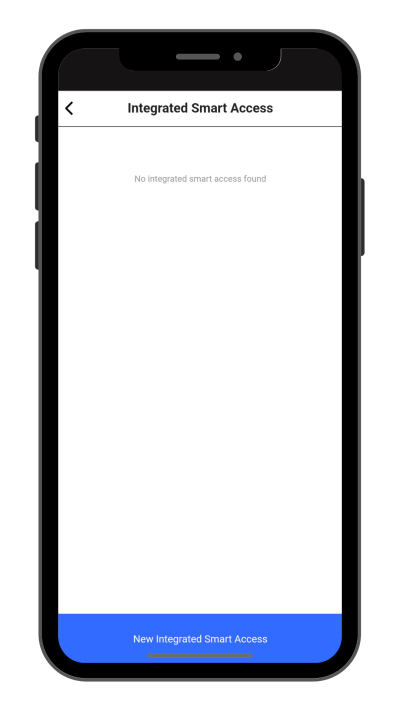
Step 2: Create New Integrated Smart Access
Click “New Integrated Smart Access” to make a new Integrated Smart Access.
 |
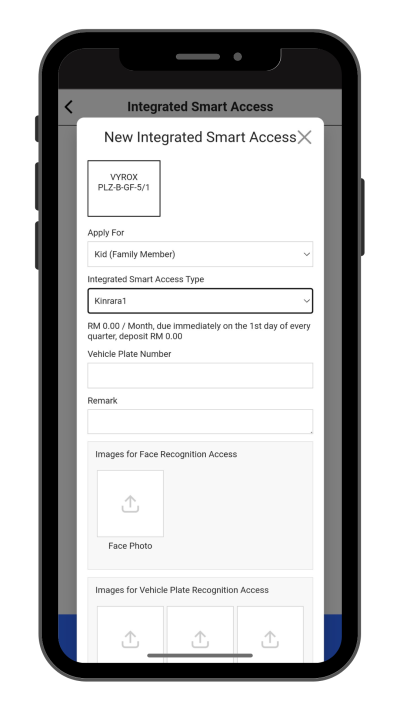
Step 3: Fill in Integrated Smart Access details
Select Apply for , Integrated Smart Access Type ,Vehicle Plate Number , Remarks and include Pictures for Facial Recognition Access , Vehicle Plate Recognition and Relevant documents.
Click “Add” to create.
 |
Step 4: Wait for Manangement Approval
Manangement will need to approve access.
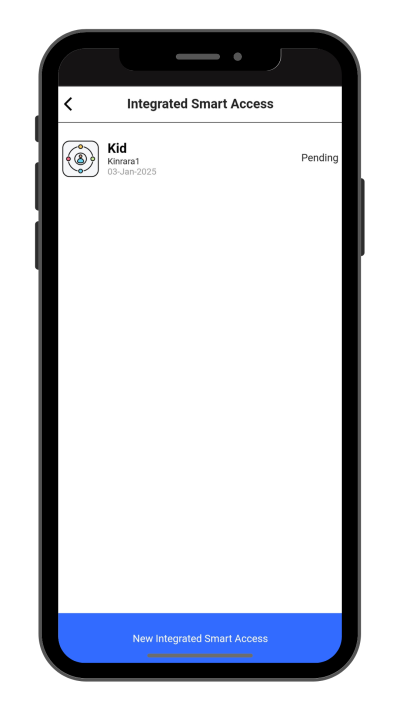 |
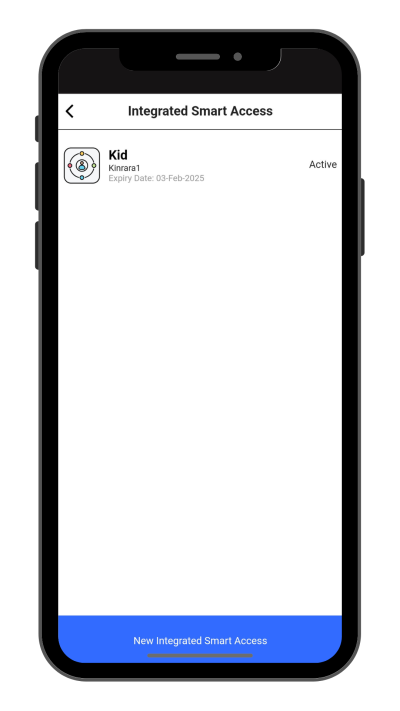
Step 5: Check New Created Access Status
New created access will be listed in this page.
 |