
quit_game
Table of Contents
5. Quit a Game and Auto Switch OFF Table Lights
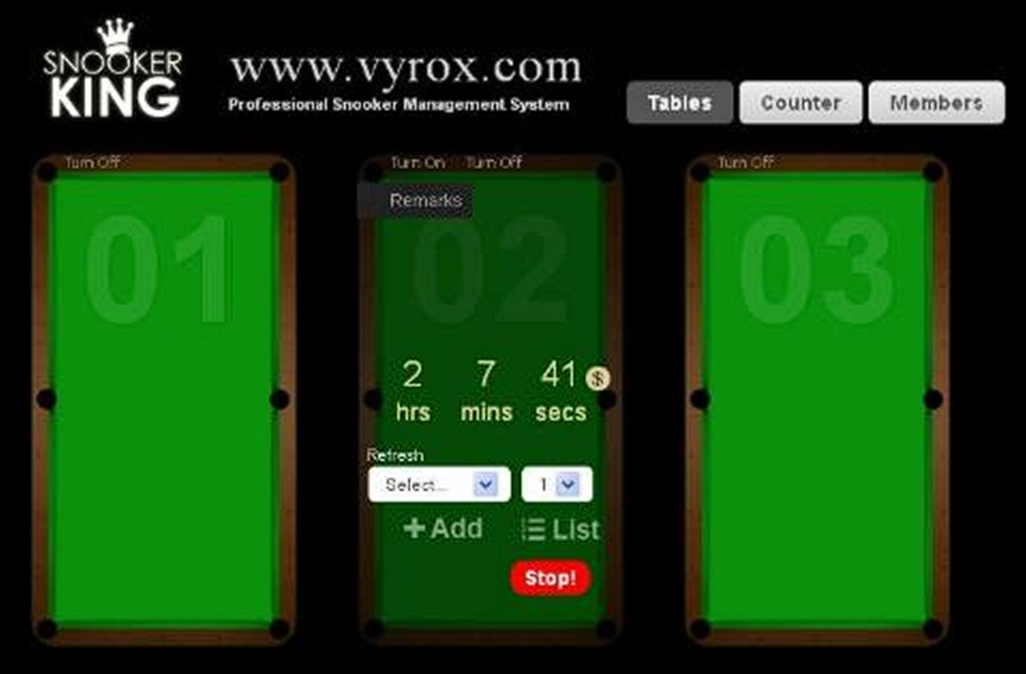
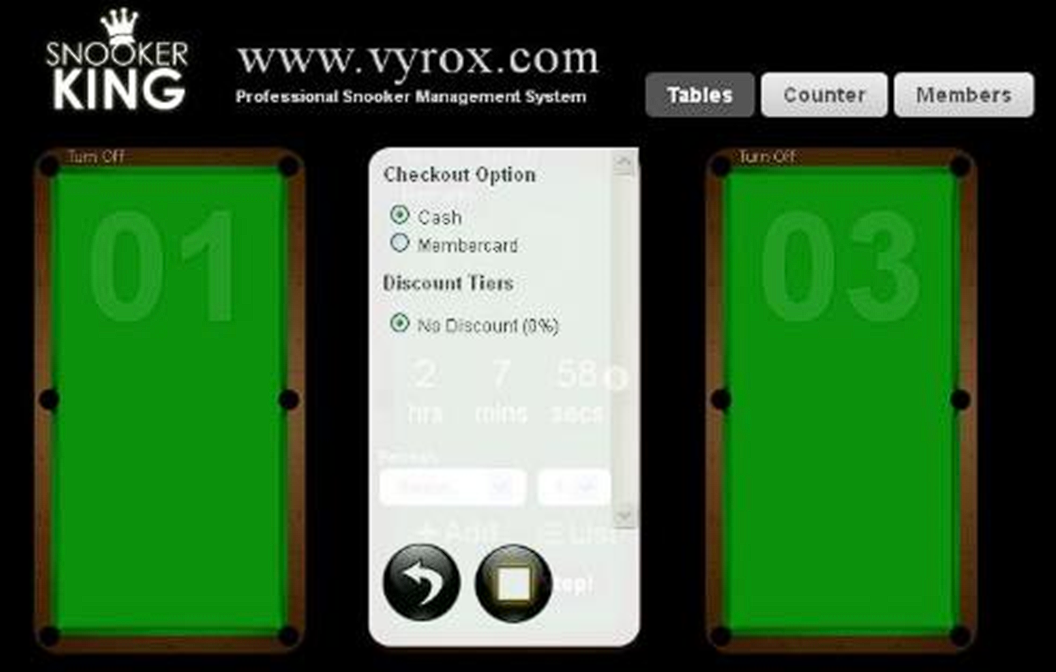
5.1 Checkout with Cash.
Click “Stop!” icon to checkout > Select “cash” > click Square icon to checkout > collect cash from customer based on the rate shown in software.
 |
 |
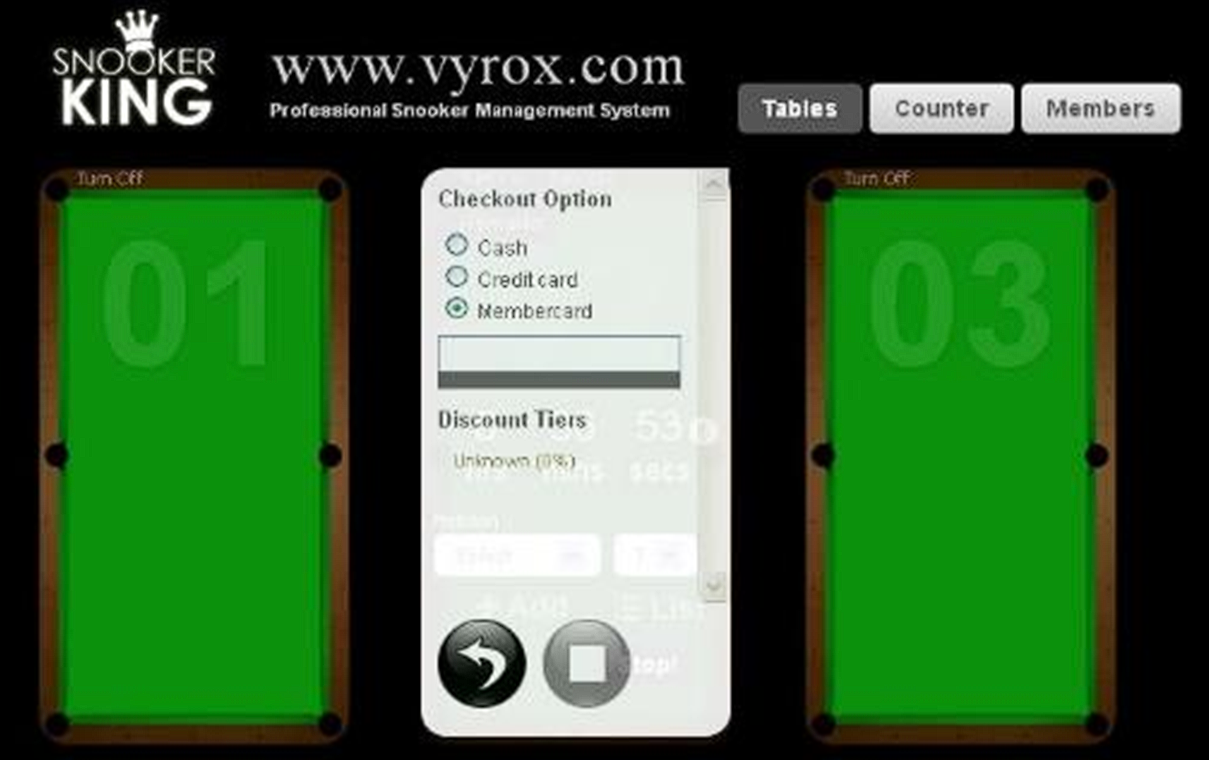
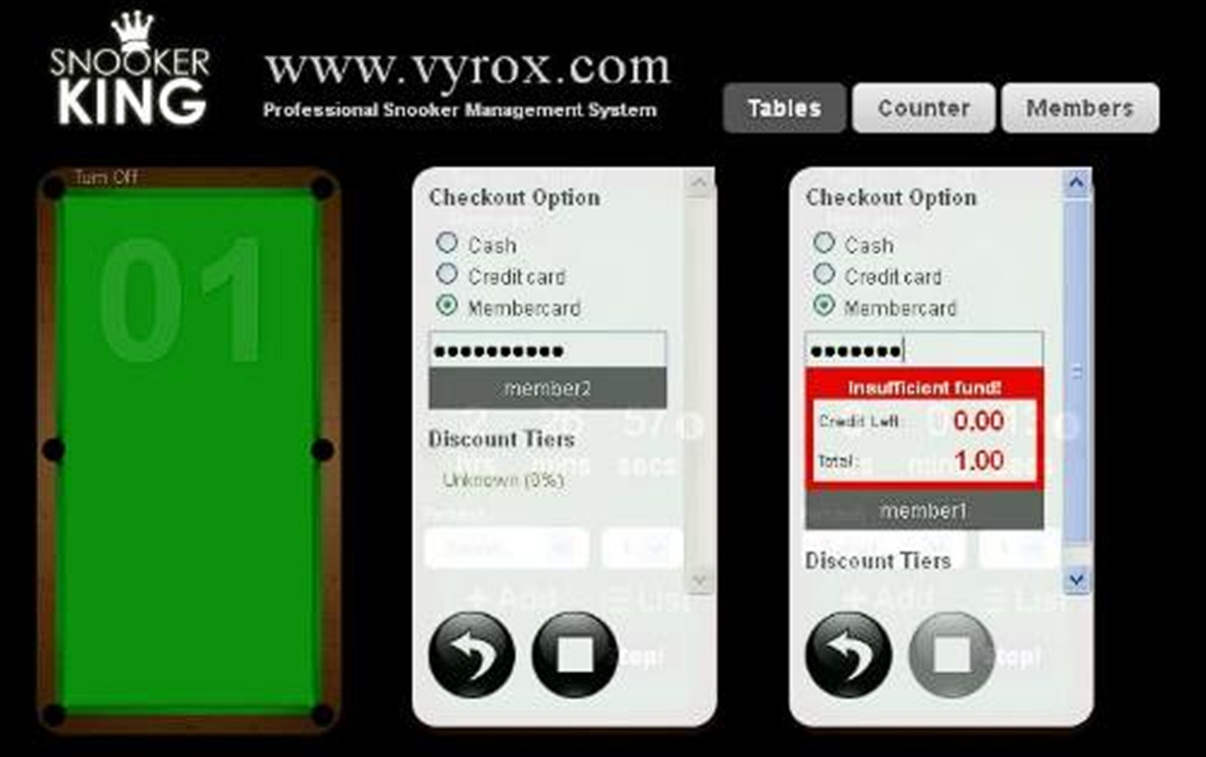
5.2 Checkout with Membership Card.
Click “Stop!” icon > Select “membership card” > click Square icon to checkout > enter membership card ID > Only enough credit membership ID able to check out > collect cash from customer based on the rate shown in software.
 |
 |
quit_game.txt · Last modified: by yong