
This is an old revision of the document!
Table of Contents
Security Guard Guide
Introduction
This guide outlines the procedure for managing the check-in and check-out of individuals entering and exiting the premises. Learn how to log visitor details, verify credentials, and maintain accurate records to ensure efficient and secure access control. It provides step-by-step instructions to streamline the security guard's duties related to monitoring and recording entry and exit activities.
1. Check-in for Walk-in Visitors:
Step 1: Register visitor
When visitor arrives at the gate or entrance. Receptionist/guard will need to requests visitor details (name, contact info, and purpose of visit) and manually register it in the system.
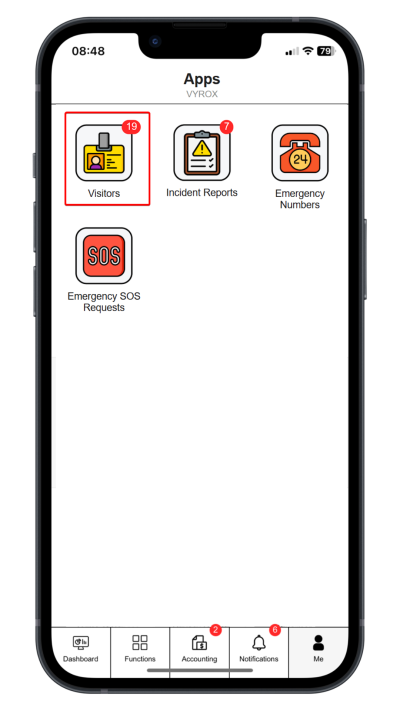
Click “Visitors”.
 |
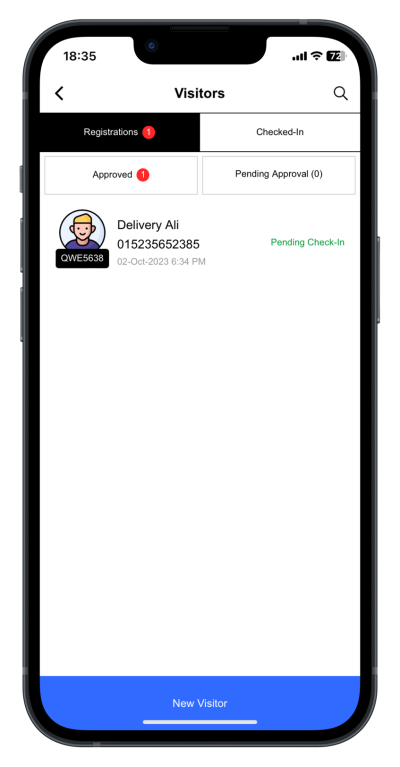
Click “New Visitor”.
 |
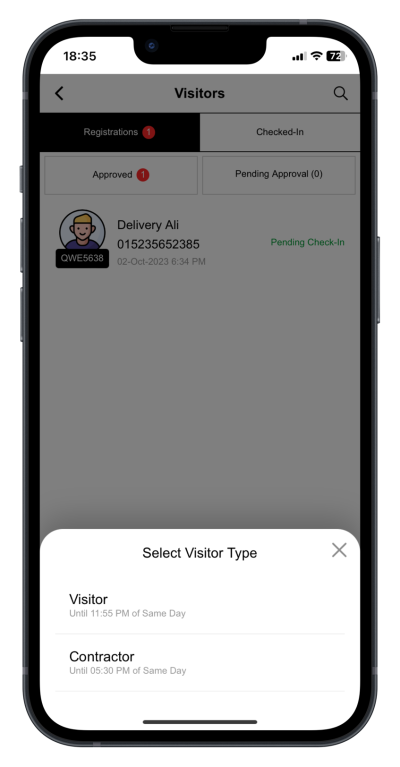
Select Visitor Type
 |
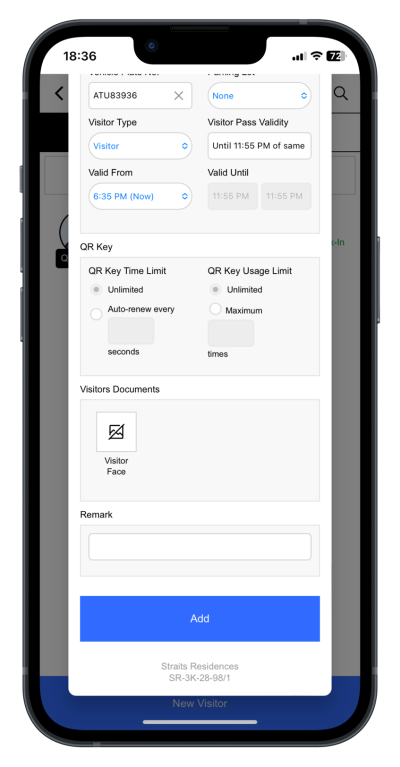
Fill in details
 |
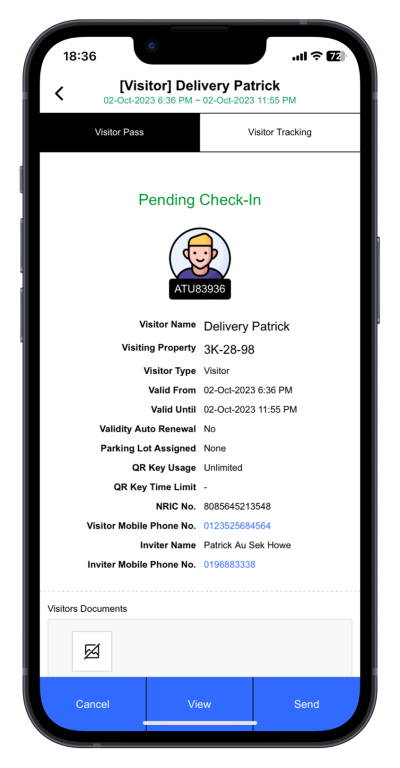
Step 2: Share Visitor Pass
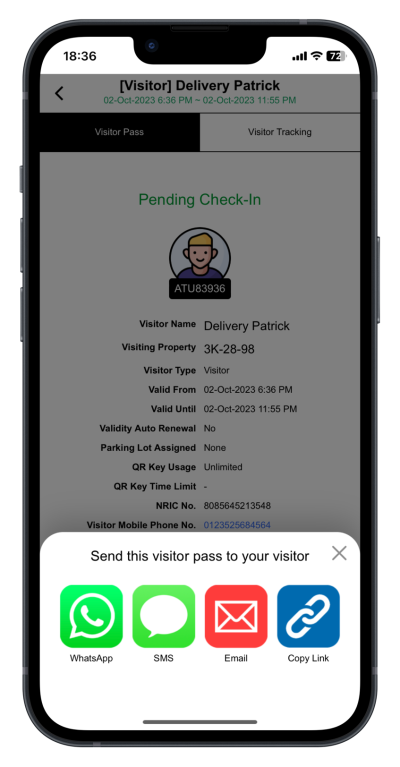
System generates a temporary visitor pass (could be digital or printed) with details such as visit time, and access points allowed. The visitor proceeds to the host’s location with their visitor pass.
Click “Send” to share the visitor pass link.
 |
Select messaging or sharing services
 |
2. Check-in for Pre-Registered Visitors (QR Code):
Step 1: QR code
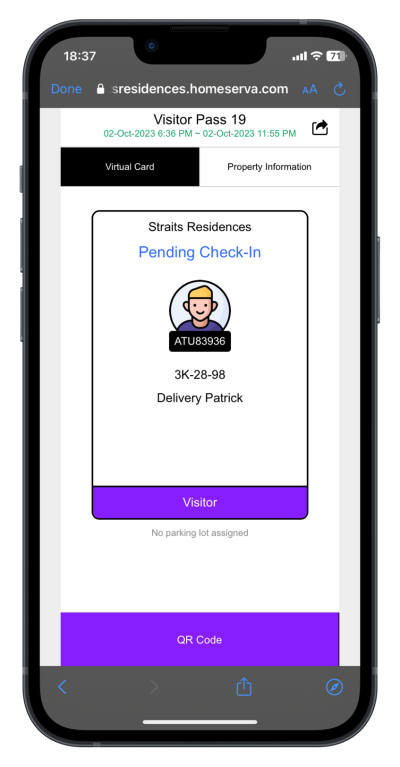
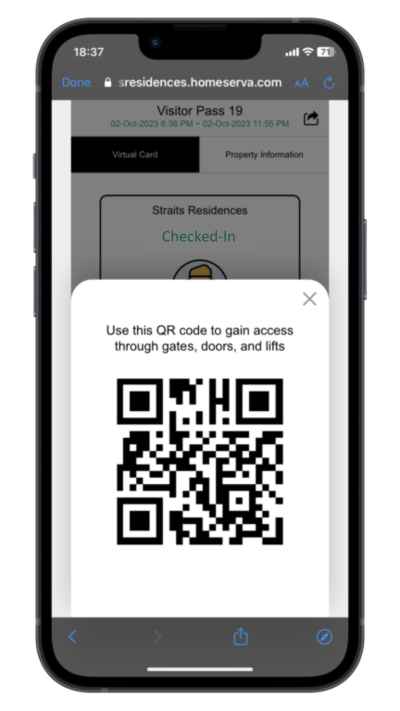
After visitor has received a QR code from the host or house owner (via email, SMS, or an app). Visitor arrives at the gate or entrance and scans the QR code. The system recognizes the QR code, pulls up the pre-registered details, and verifies the visitor’s identity.
Visitor click the visitor pass link sent . Click “QR Code” to generate QR Code to access the building.
 |
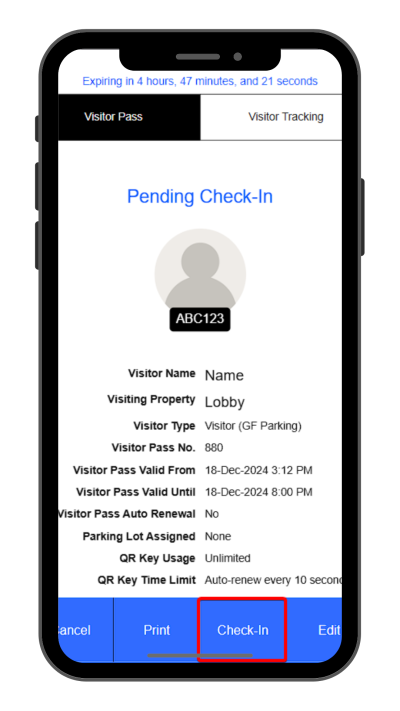
Step 2: Check-In
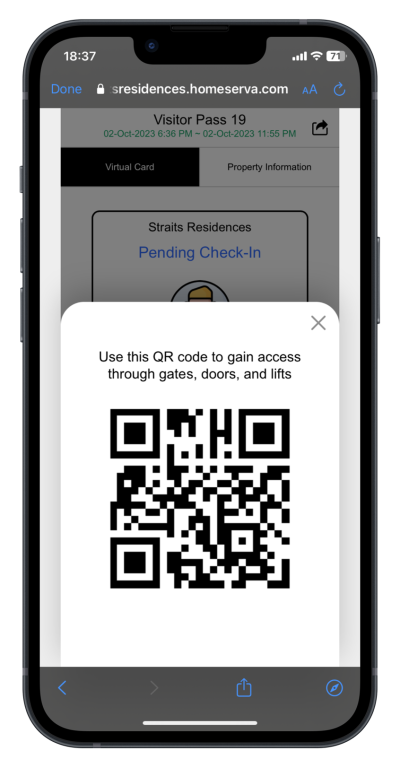
System automatically registers the visitor as checked in and generates a visitor pass (digital or printed).The visitor proceeds to the host’s location with their visitor pass.
Visitors present their QR Code Pass to the guard for check-in.
 |
 |
3. Check-out for Visitors:
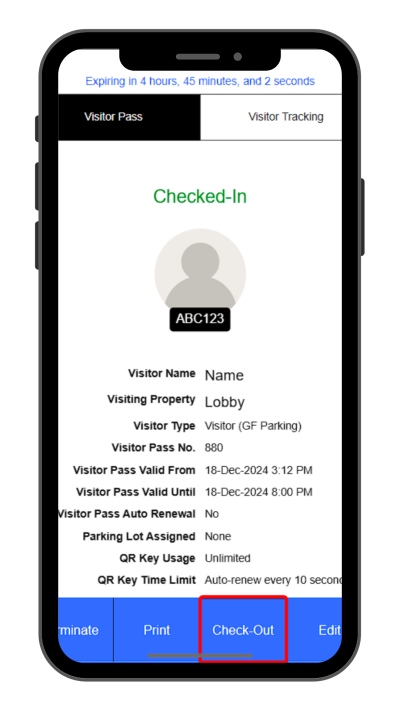
Step 1: Check-out
To check-out, visitor arrives at the gate or exit point to check out and presents their visitor pass or the system scans the visitor’s QR code.
 |
 |
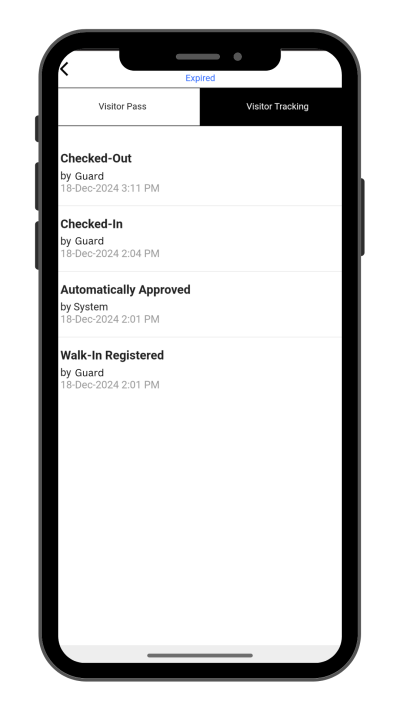
Step 2: Confirmation
The system records the time of check-out and marks the visitor as checked out.If applicable, security confirms the visitor is leaving (e.g., checking if any materials were taken or if they are leaving during a restricted period).The visitor is free to leave the premises.
 |