
Table of Contents
Projects
1. Introduction
This guide provides step-by-step instructions on recording, sorting, and managing projects associated with each management body. Learn how to organize projects under the appropriate management structure, monitor their progress, and analyze their outcomes to support strategic objectives.
2. Projects
This section offers an in-depth overview of the tools and features available for linking and managing projects under specific management bodies. From planning resources to maintaining accurate records of project milestones and responsibilities, each feature is designed to improve efficiency and ensure accountability within the organizational framework.
2.1 Add New Projects
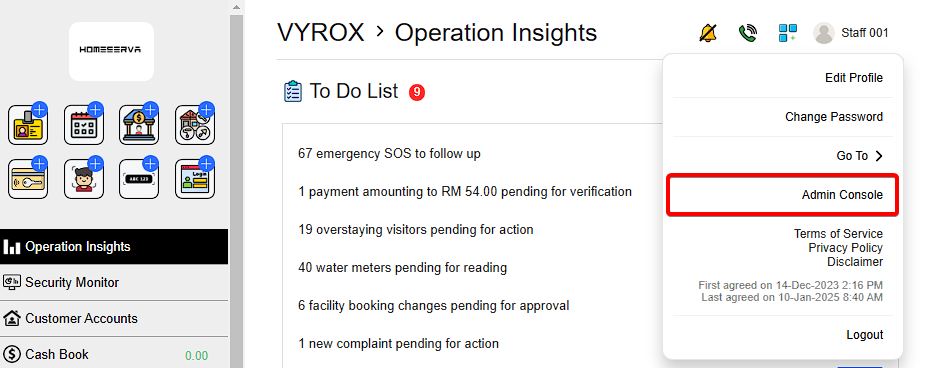
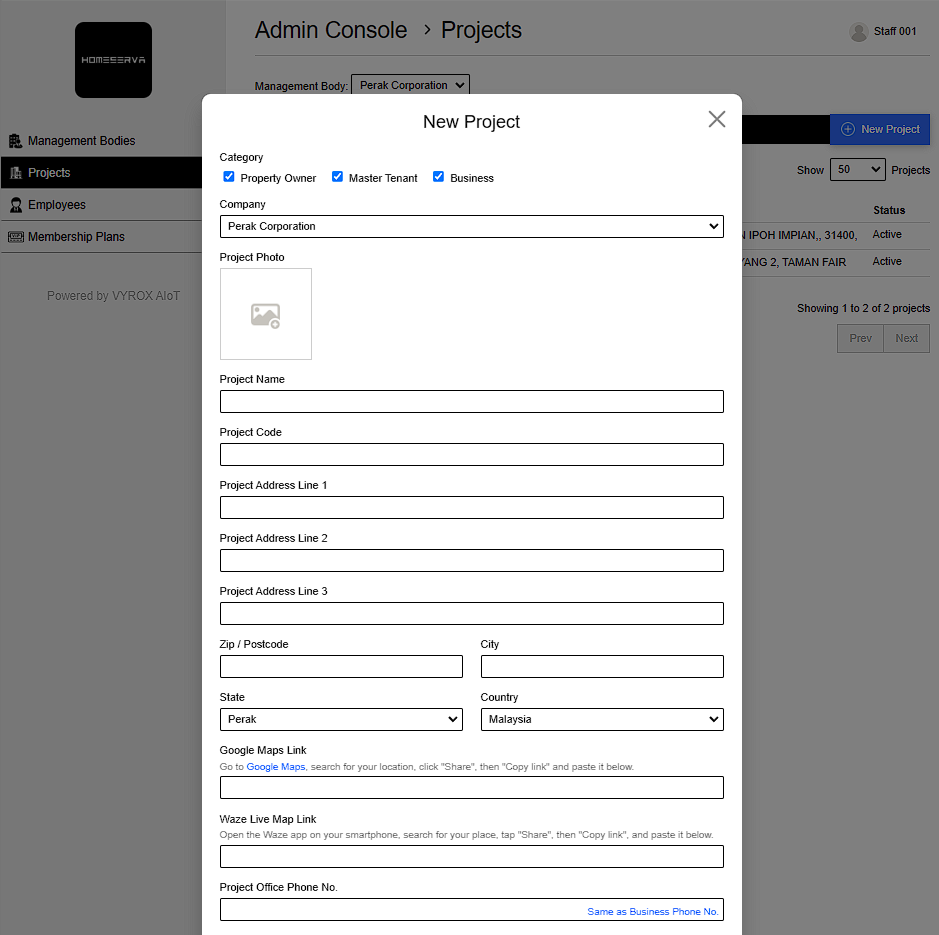
Go to Profile > Admin Console > Projects > New Project > Fill in details > Add
Details include:
- Catagory
- Project Photo
- Project Name
- Project Code
- Project Address
- Google Maps Link( Go to Google Maps, search for your location, click “Share”, then “Copy link” and paste it below.)
- Waze Live Map Link( Open the Waze app on your smartphone, search for your place, tap “Share”, then “Copy link”, and paste it below.)
- Project Office Phone No. (Same as Business Phone No.)
- Project Office Fax No. ( Same as Business Fax No. )
- Project Office Email Address (Same as Business Email Address.)
- Parking Map
- Parking Guide (Parking instruction or tips for visitors)
- Project Description
- Choose Payment Methods
- Currency Configurations
- Choose Available Apps
 |
 |
2.2 Projects Details shown
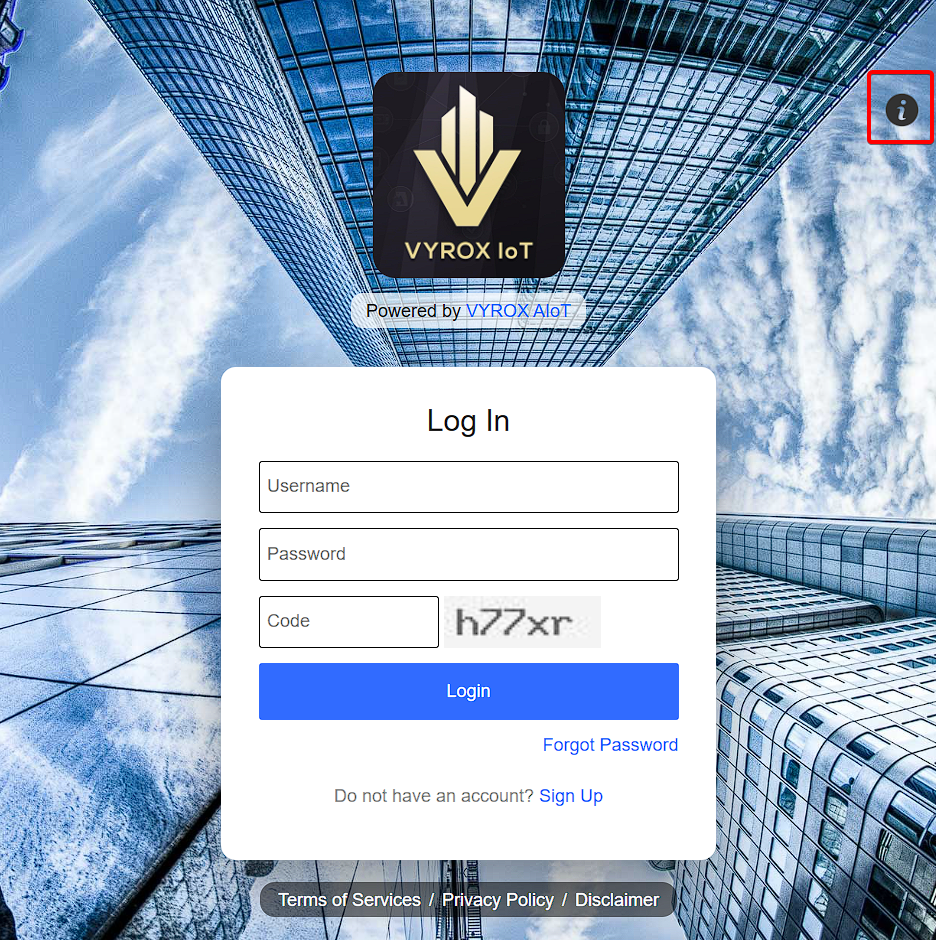
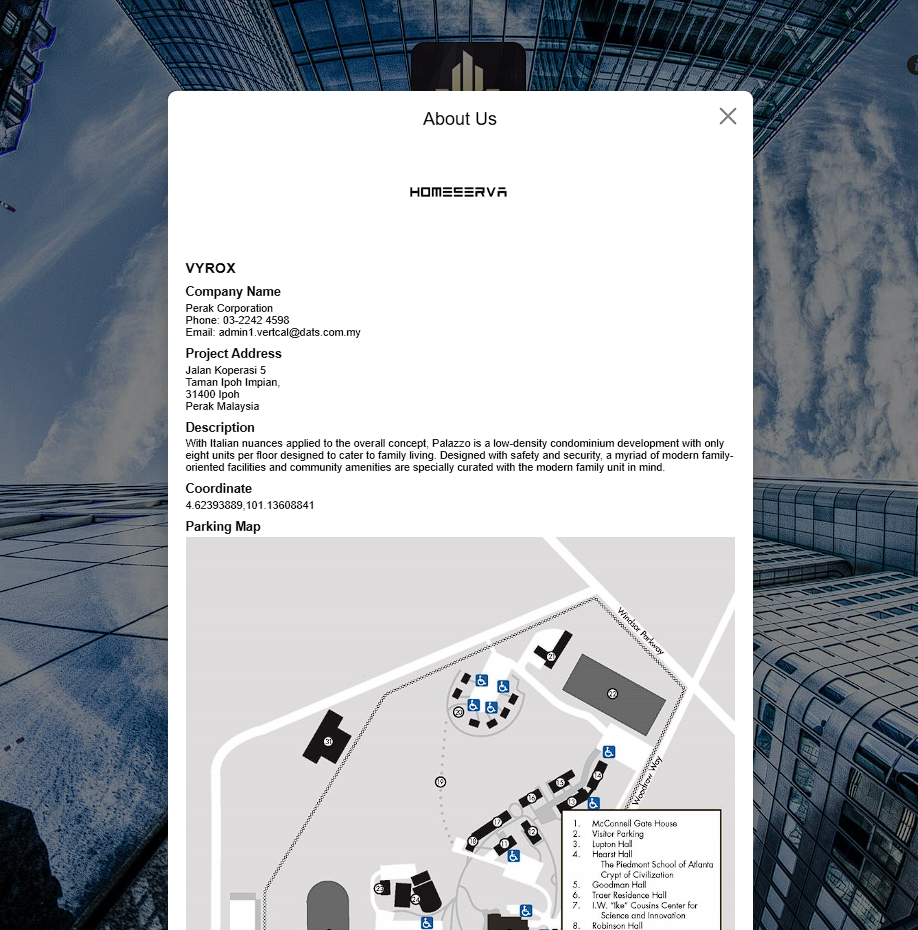
After adding Project Details, the informations will be dispayed at the login page of User App Inteference
Click Icon i
 |
 |