
user_suggestion
This is an old revision of the document!
Table of Contents
User Guide: Suggestion
Introduction
This guide outlines how to share your valuable suggestions to improve our services and facilities. Follow these steps to submit, update, and track your suggestions for consideration
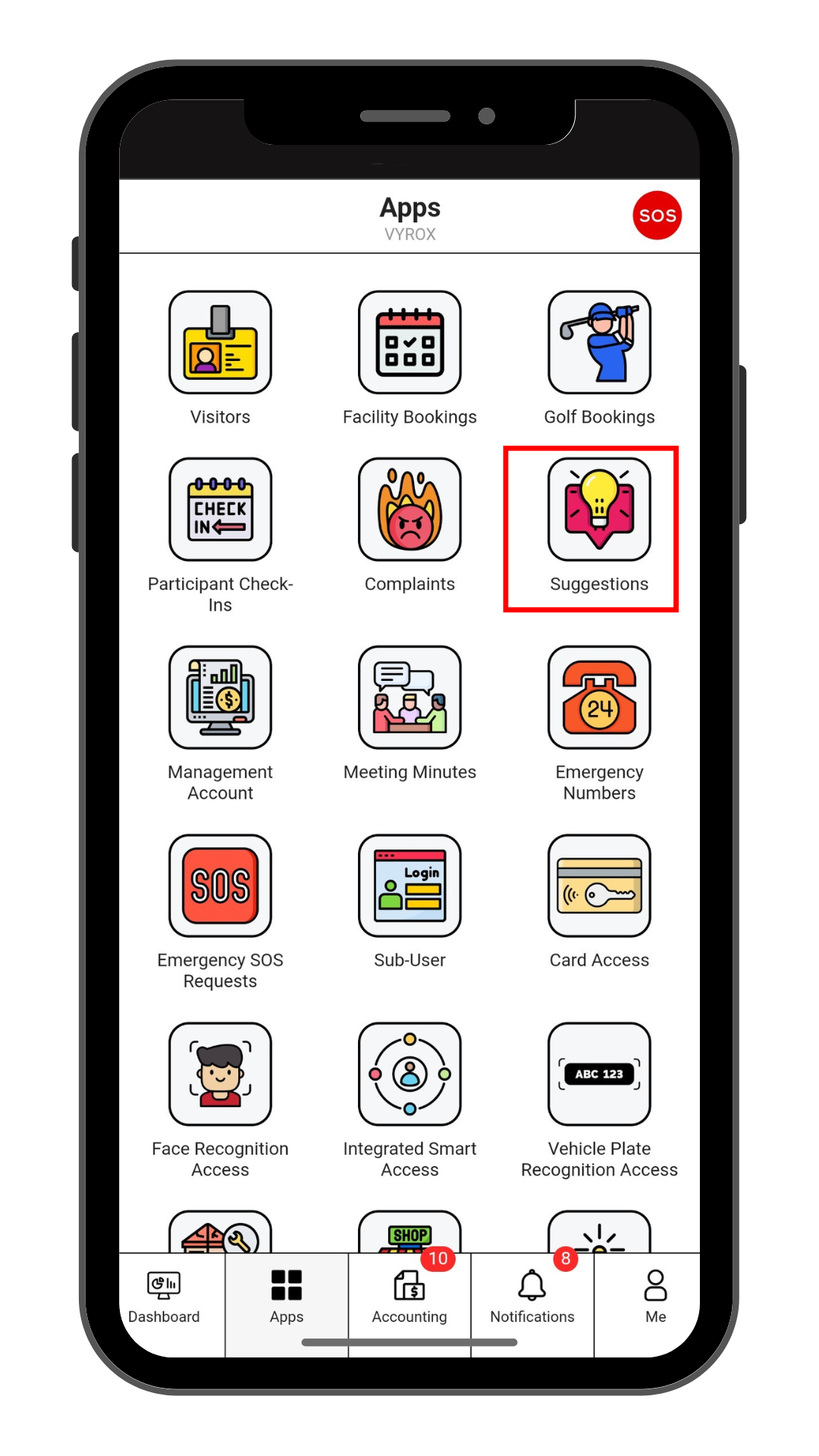
Step 1: Suggestion
Click “Suggestion” icon
 |
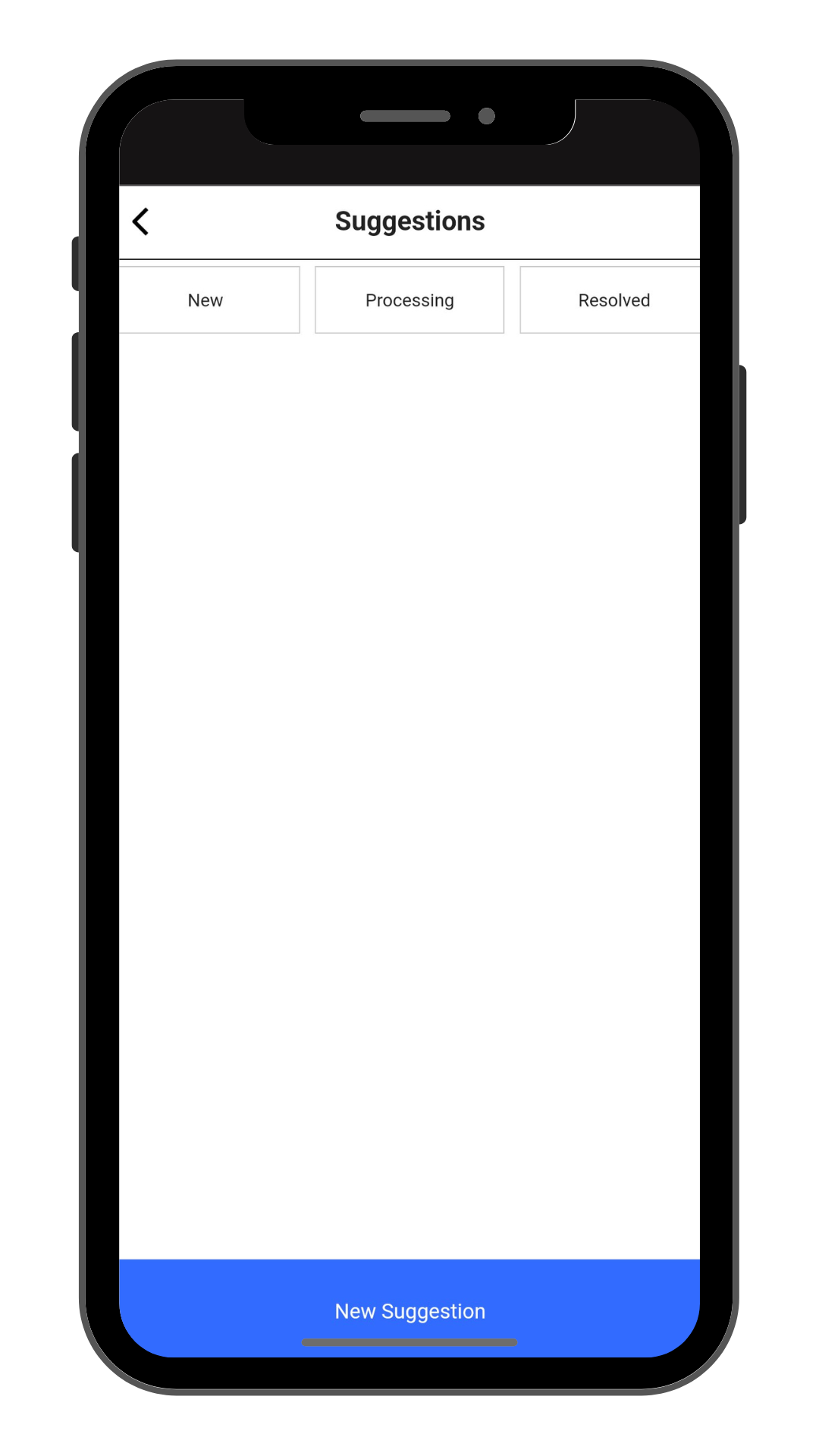
Step 2: Create New Complaints
Click “New Suggestion” to make a new suggestion.
 |
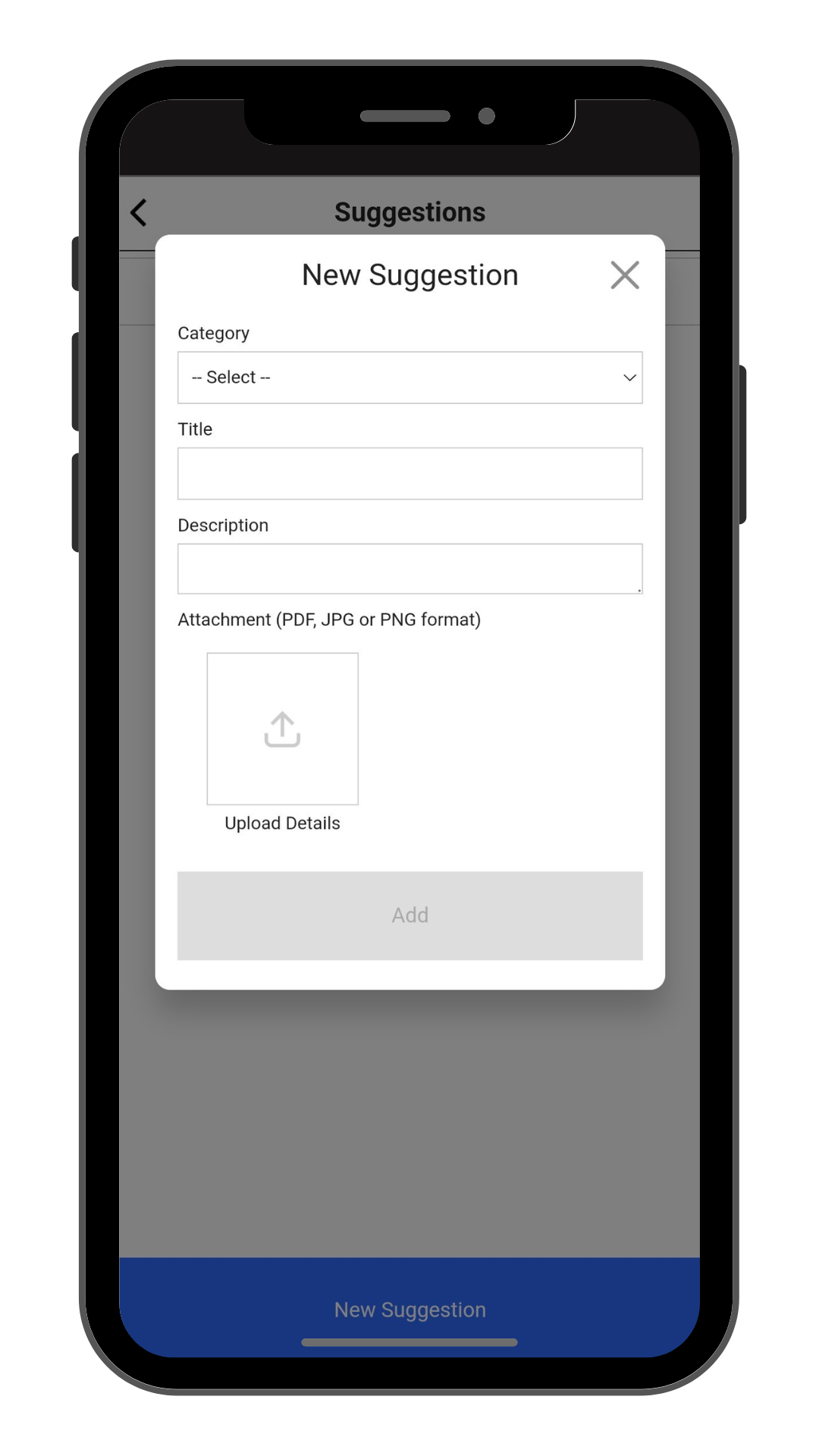
Step 3: Fil in Suggestion details
Fill in CCatagory, Title, Description. Click “Add” to create.
 |
user_suggestion.1735782429.txt.gz · Last modified: by yong