
user_sub-user
This is an old revision of the document!
Table of Contents
User Guide: Sub-Users
1. Introduction
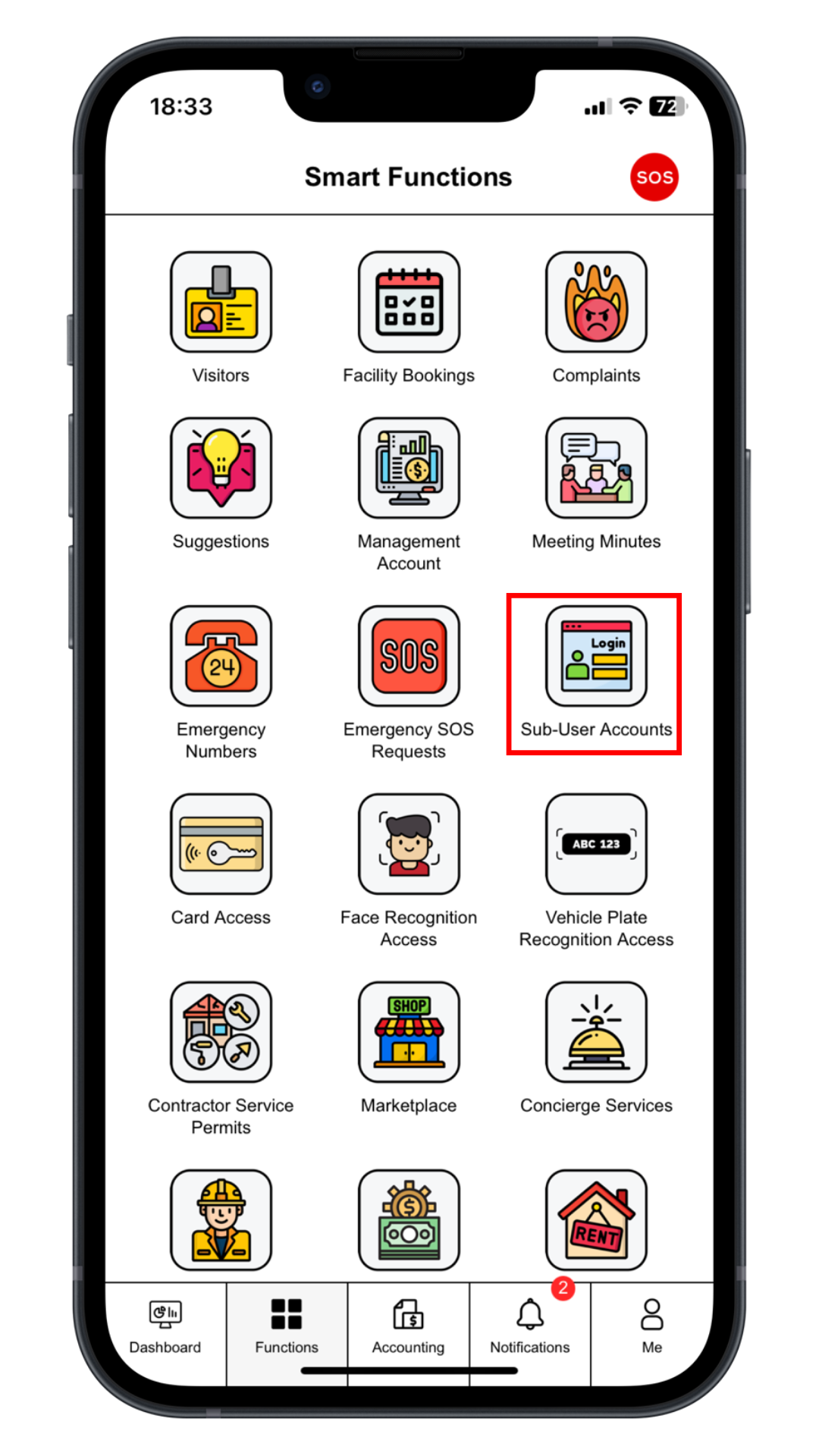
Step 1: Create Sub-Accounts
Click “Sub-User Account” to create accounts for family members or tenants.
 |
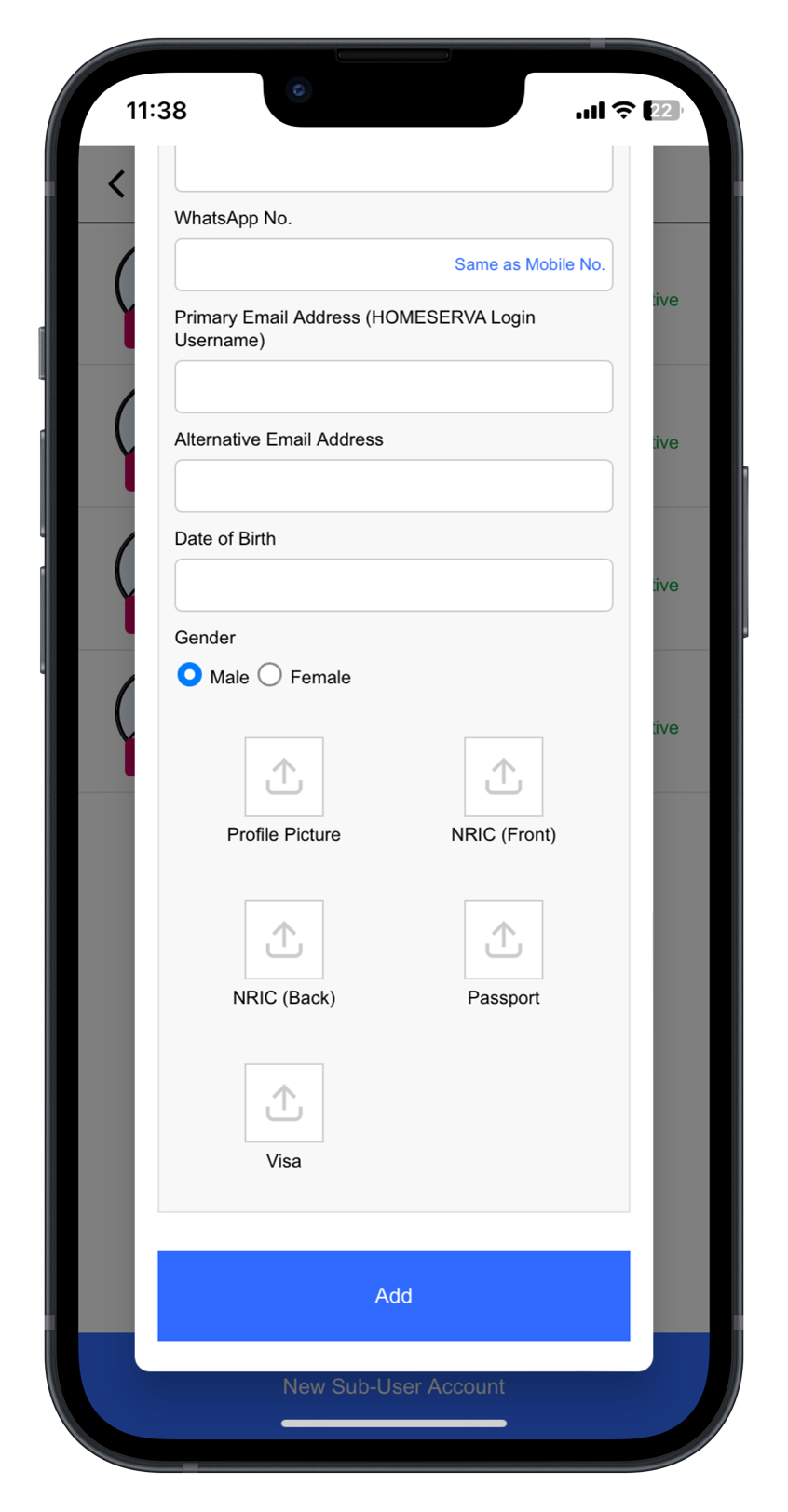
Step 2: Fill In Sub Accounts Details
Fill in Sub-user Name, NRIC / Passport No., Mobile Phone No. and Email Address.
Click “Add” to create.
 |
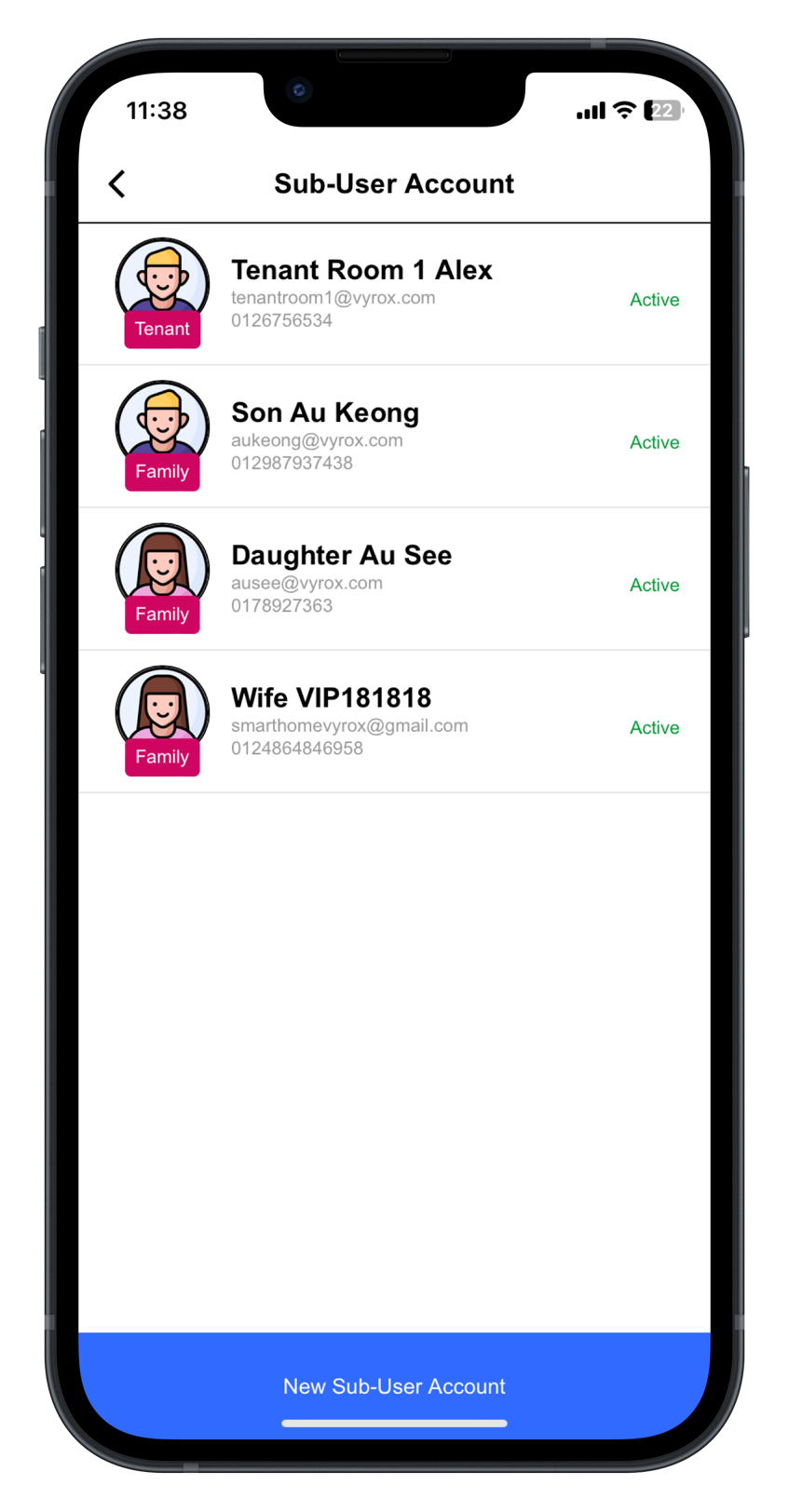
Step 3: Check new created account status
New created sub accounts will be listed in this page.
 |
user_sub-user.1735782269.txt.gz · Last modified: by yong