
user_facility_booking_system
This is an old revision of the document!
Table of Contents
User Guide: Facility Bookings
Step 1: Book Facility
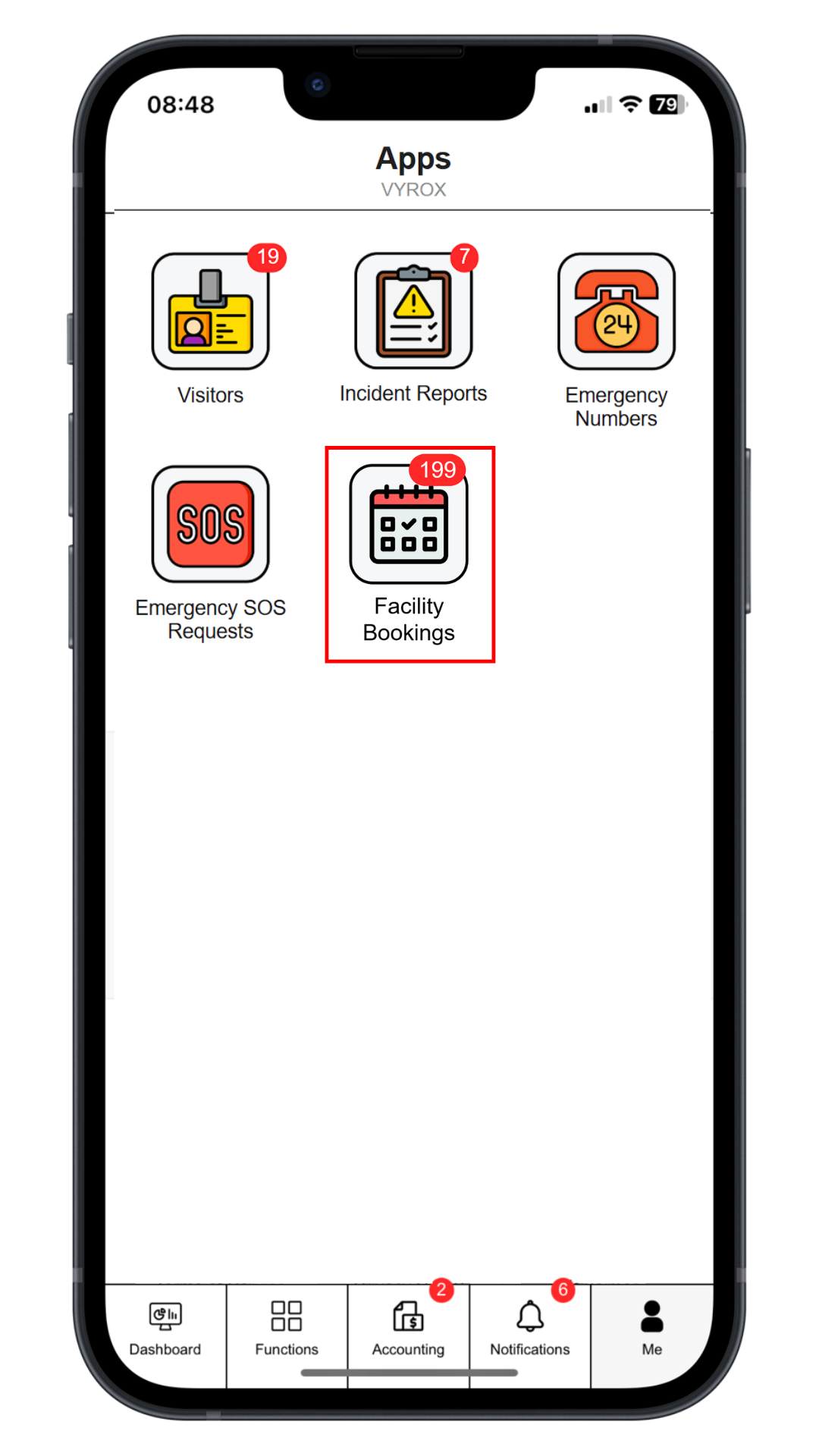
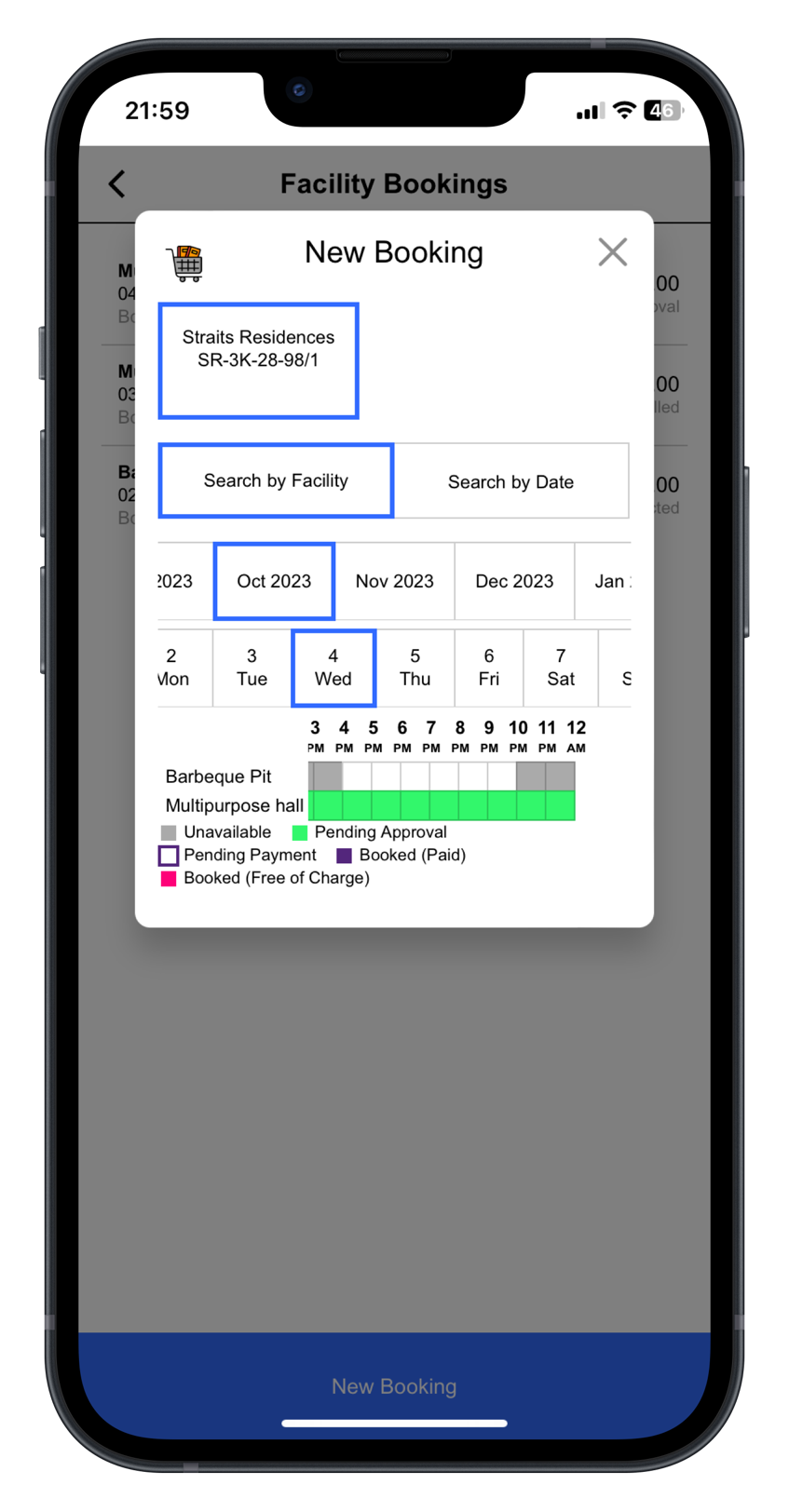
Click “Facility Bookings” icon, select date and time, select “Facility”, select slot.
 |
 |
Step 2: Confirm The Booking
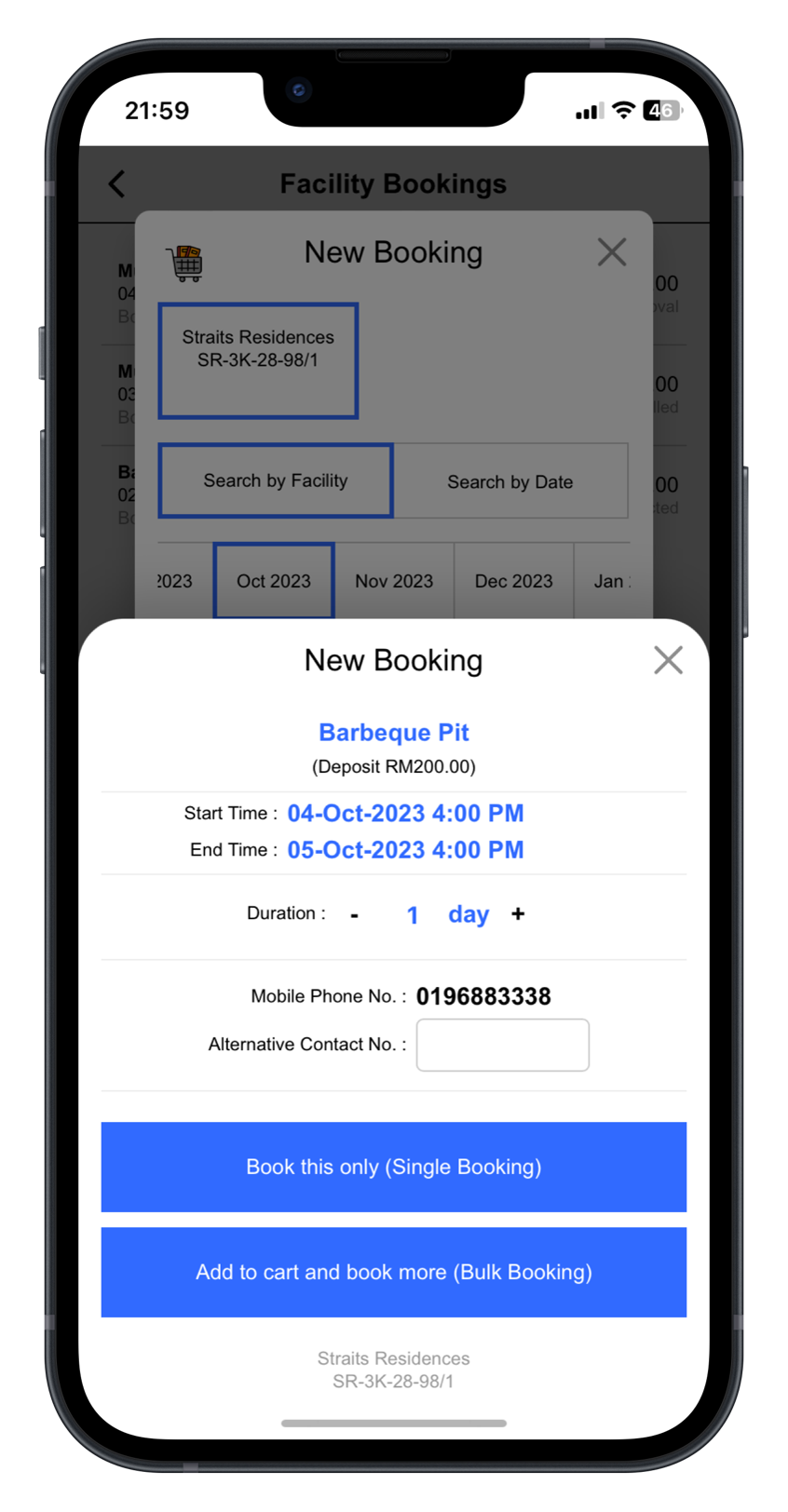
Click “Book this only” for single booking. Click ”Add to cart and book more’ for multiple bookings.
 |
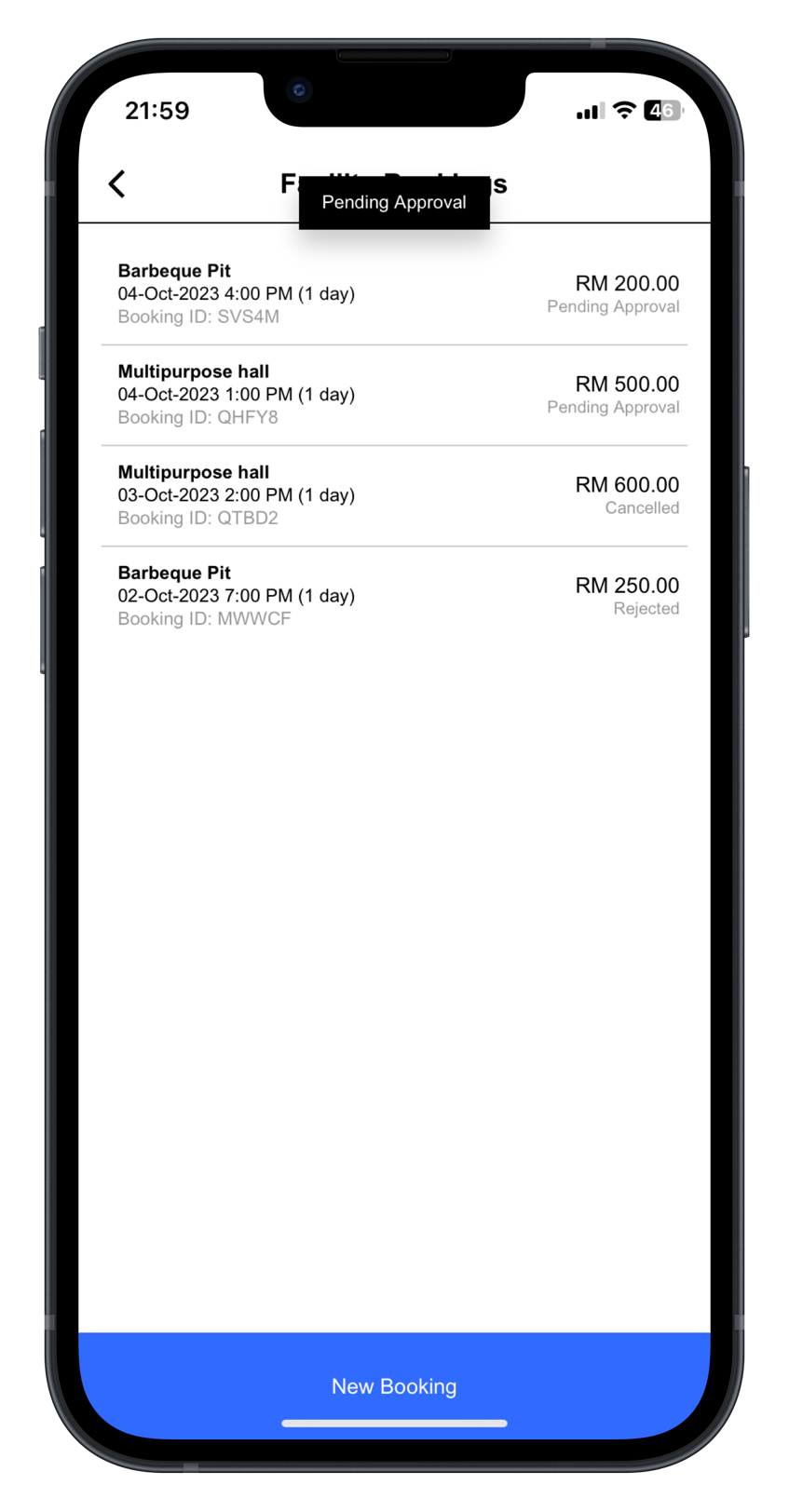
Step 3: Pending Management Approval
Approved booking slots will be listed in this page.
 |
Step 4: Payment
user_facility_booking_system.1735546929.txt.gz · Last modified: by yong