
This is an old revision of the document!
Table of Contents
Management User Guide: Suggestion
1. Introduction
This guide is designed to optimize the process of handling suggestions. It offers step-by-step instructions for utilizing the suggestions management system, empowering you to gather feedback, evaluate ideas, and implement valuable improvements.
2. Suggestion
This section provides an in-depth look at the tools and features available for effective suggestions management. From submission tracking to implementation, every feature is built to foster a culture of continuous improvement.
2.1 Add New Suggestions
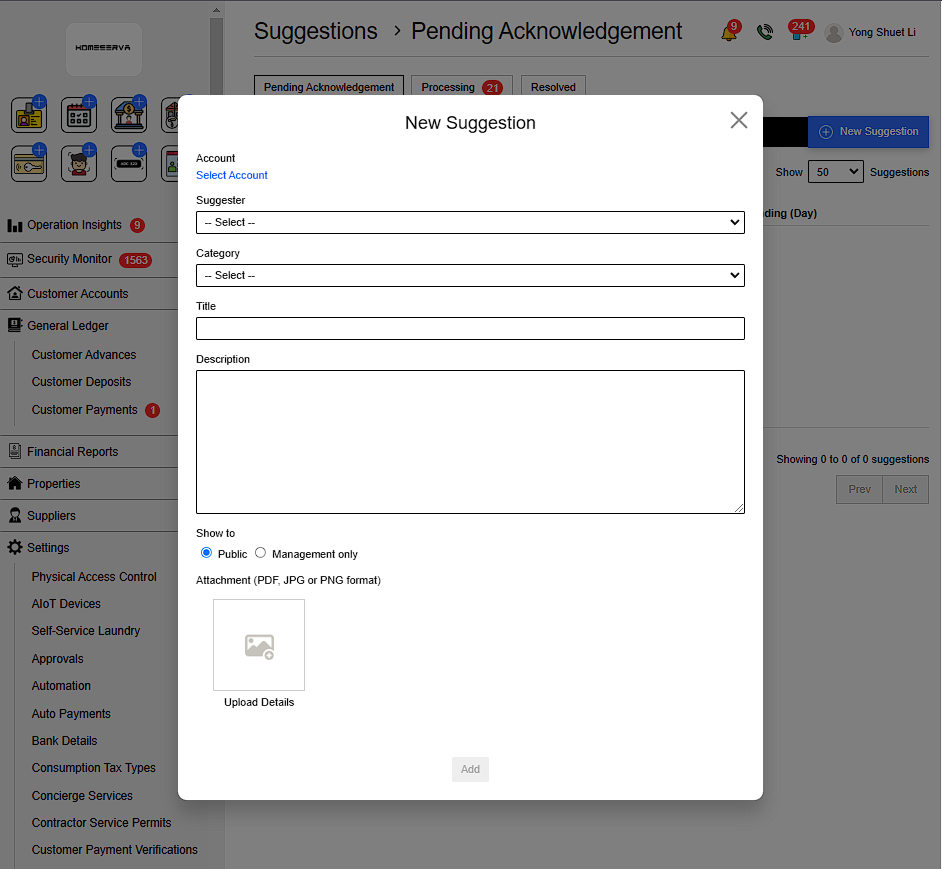
Go to Suggestions > New Suggestions > Fill in details > Add
Details include:
- Select Customer account
- Complainant
- Catagory
- Title
- Description
- Select Show to Public or Manangement only
- Attachment to upload evidance ( PDF, JPG or PNG format )
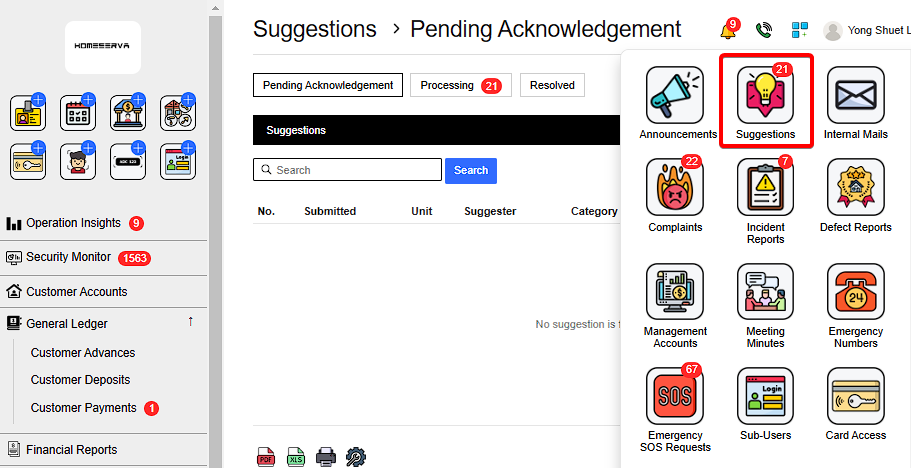 |
 |
2.2 Acknowledge Process and Resolve Suggestions
After New Complaints is filed , Goto Pending Acknowlegement page and click “Acknowleged”.
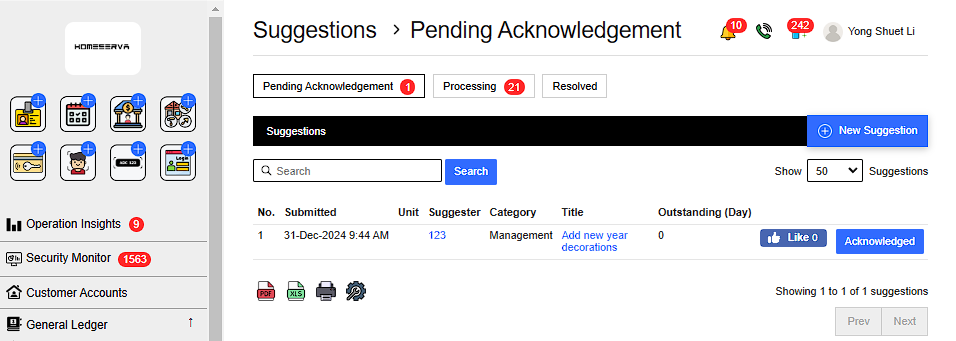 |
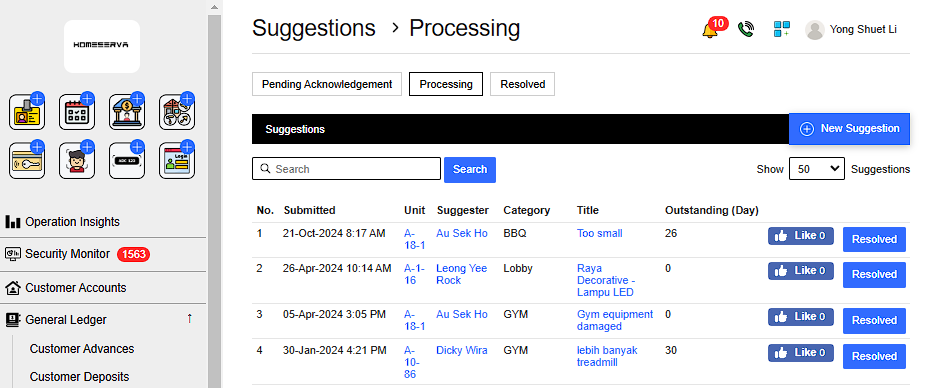
After Acknowleged Suggestions , management can see processing complaints in Processing page .
After management have resolved the suggestions , Goto Processing page and click “Resolved”.
 |
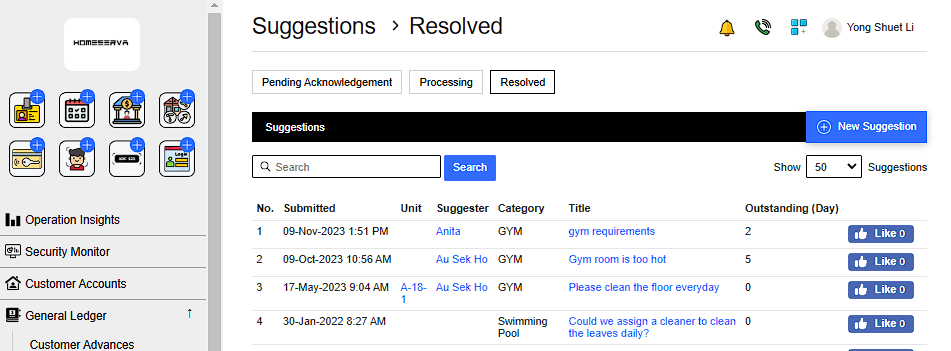
Management can refer to previously resolved suggestions as reference at Resolved page
 |