
sub-user
This is an old revision of the document!
Table of Contents
Management User Guide: Sub-Users
1. Introduction
2. Sub-Users
2.1 Add New Sub-User
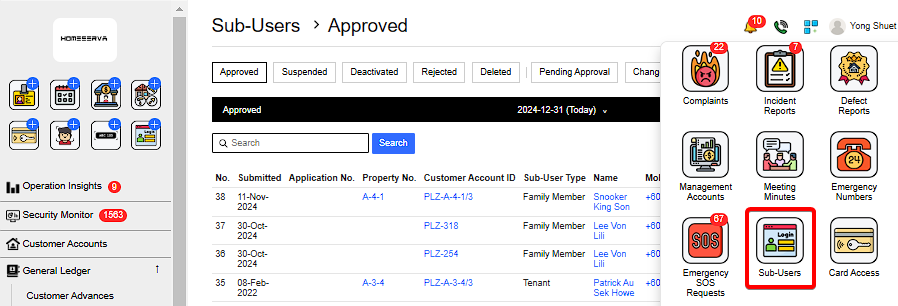
Go to Sub-Users > New Sub-User > Fill in details > Add
 |
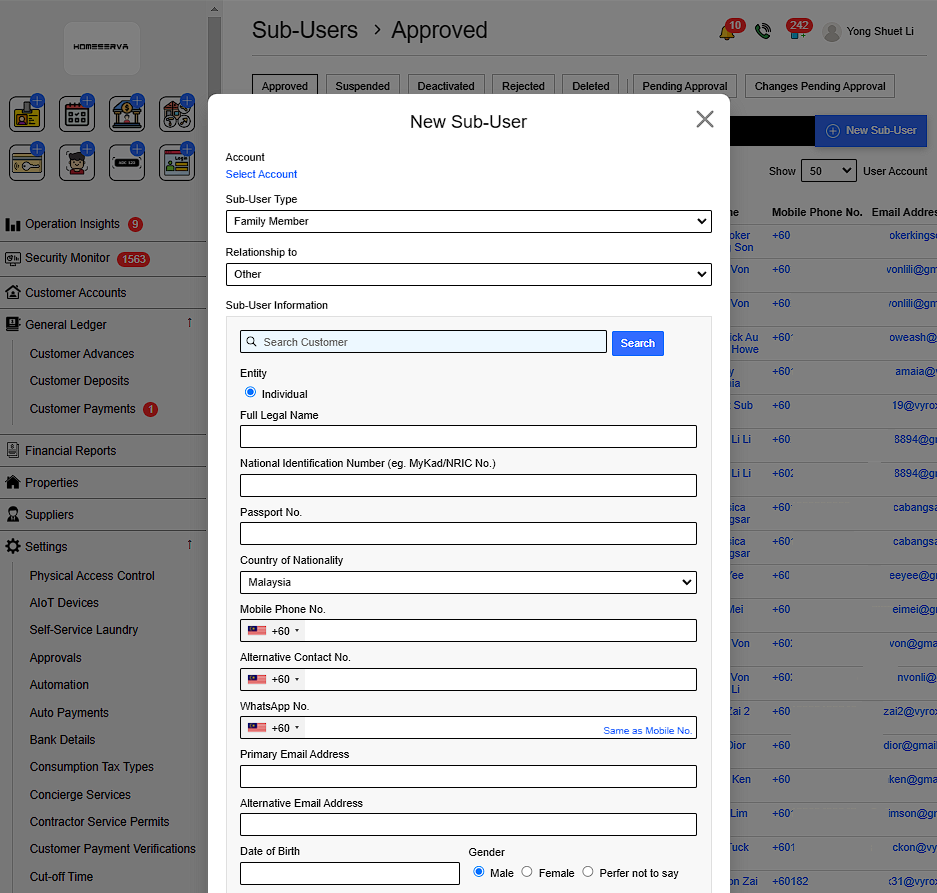
Details include:
- Select Customer account
- Sub-User Type
- Relationship to
- Select Sub-user account
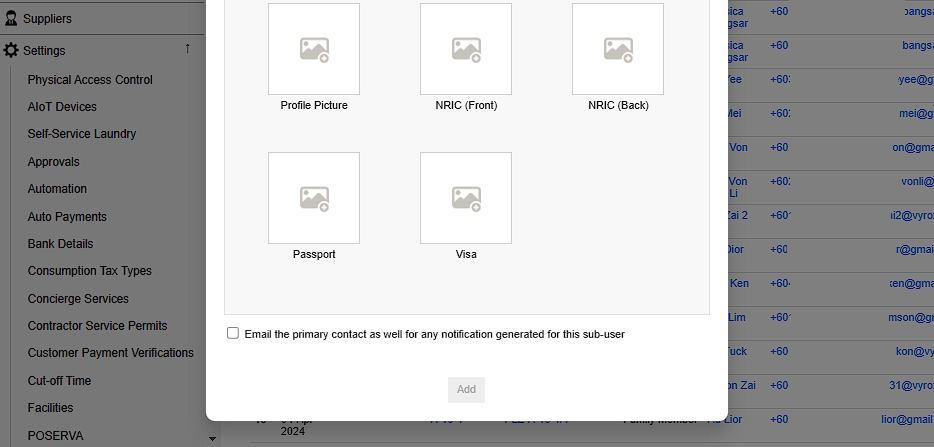
- Select whether to Email the primary contact as well for any notification generated for this sub-user
If subuser account already exist , the following information are autofilled. Otherwise , manual fill in details are required.
- Select Entity type
- Sub-User Full legal name
- Sub-User National Identification Number (eg. MyKad/NRIC No.)
- Sub-User Passport No.
- Sub-User Country of Nationality
- Sub-User Mobile Phone No.
- Sub-User Alternative Contact No.
- Sub-User WhatsApp No.
- Sub-User Primary Email Address
- Sub-User Alternative Email Address
- Sub-User Date of Birth
- Sub-User Gender
- Insert Sub-User Profile Picture
- Insert Sub-User NRIC Picture (Front & Back)
- Insert Sub-User Passport Picture
- Insert Sub-User Visa Picture
 |
 |
sub-user.1735619705.txt.gz · Last modified: by yong