This is an old revision of the document!
Table of Contents
Management User Guide: Membership & Membership Price
1. Introduction
This guide is designed to help you seamlessly manage memberships and set pricing for your facility booking system. With a user-friendly approach , you’ll find it simple to handle member accounts, subscriptions, and billing efficiently, ensuring a smooth experience for both management and customers.
2. Membership Management
2.1. Add Membership Plan
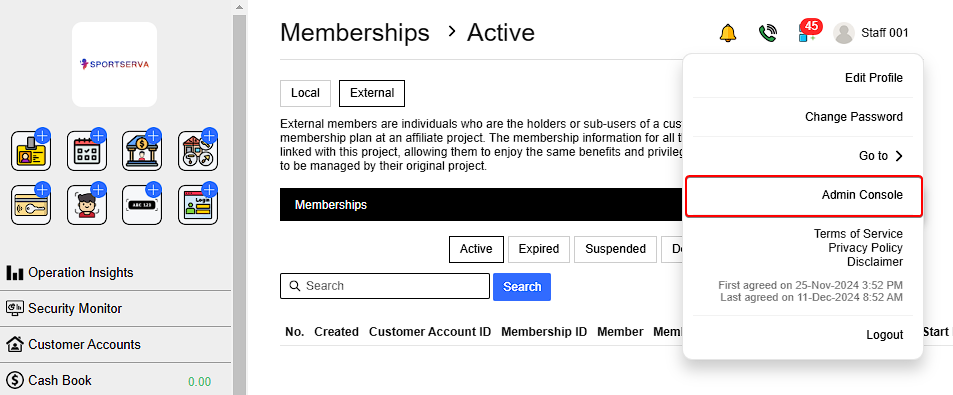
Go to Profile > Admin Console > Membership Plans > New Membership Plan
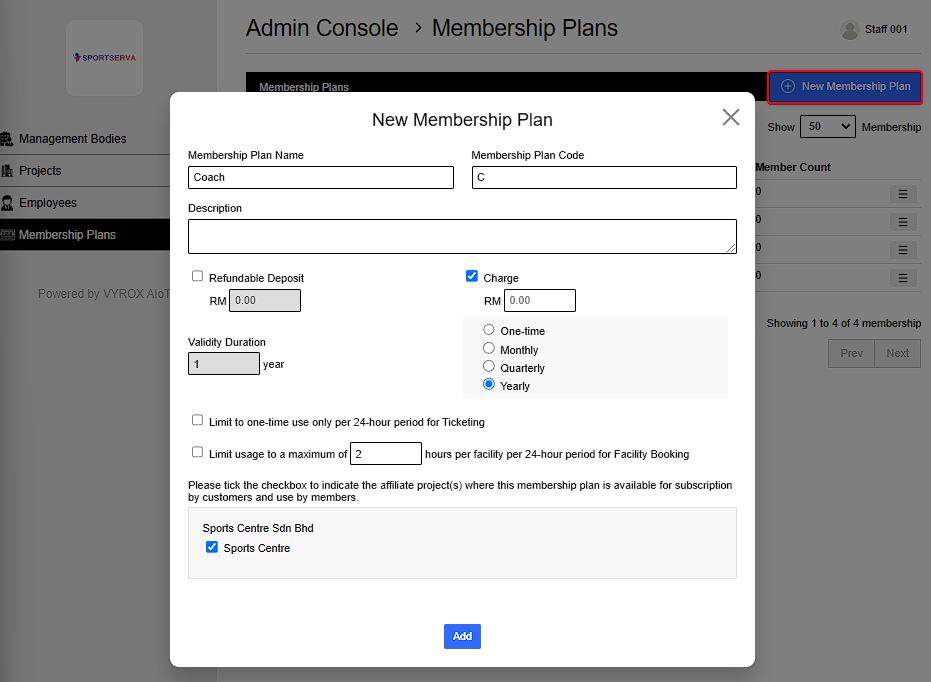
Fill in details such as Membership Plan Name , Plan code and select charging rate , refundable deposit , validty durtion and projects affiliated. The membership can
- Limit to one time use only per 24 hour period for ticketing
- Limit usage to maximum of selected hours per facility for Facility Booking
 |
 |
2.2. Membership Special Rate
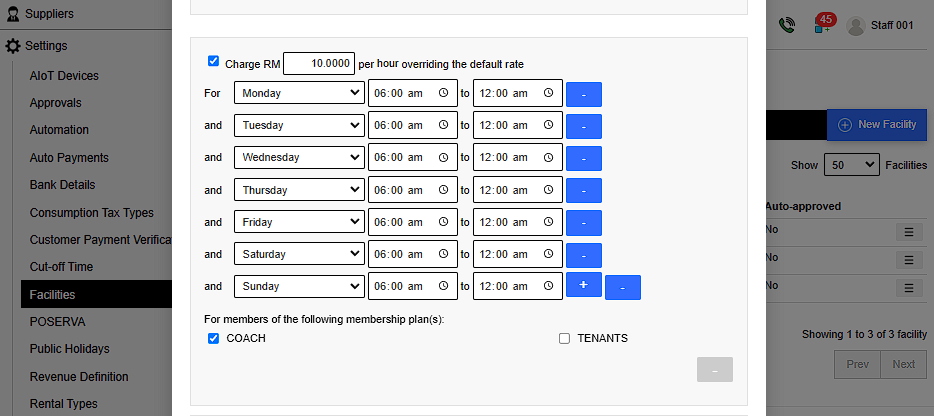
Go to Settings > Facilites > Select facility previously added > Edit > Tick checkbox and fill in membership plan , timing and prices , for facility to charge membership special rate
 |
2.3. Add customer As Members
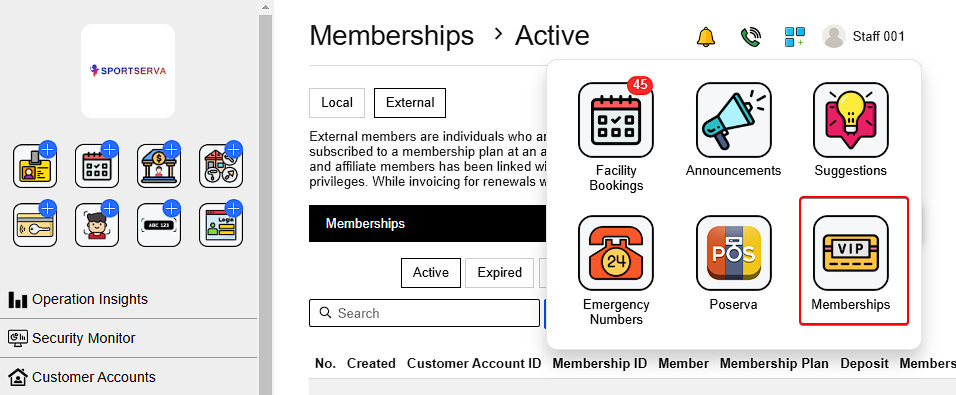
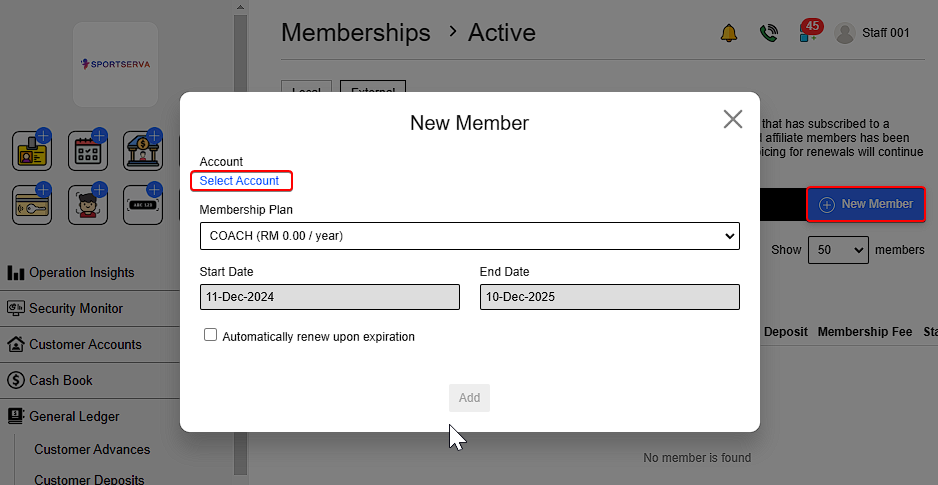
Go to More options > Memberships > New Member > Select account > Select membership plan > Select whether to automatically renew upon expiration > Add .
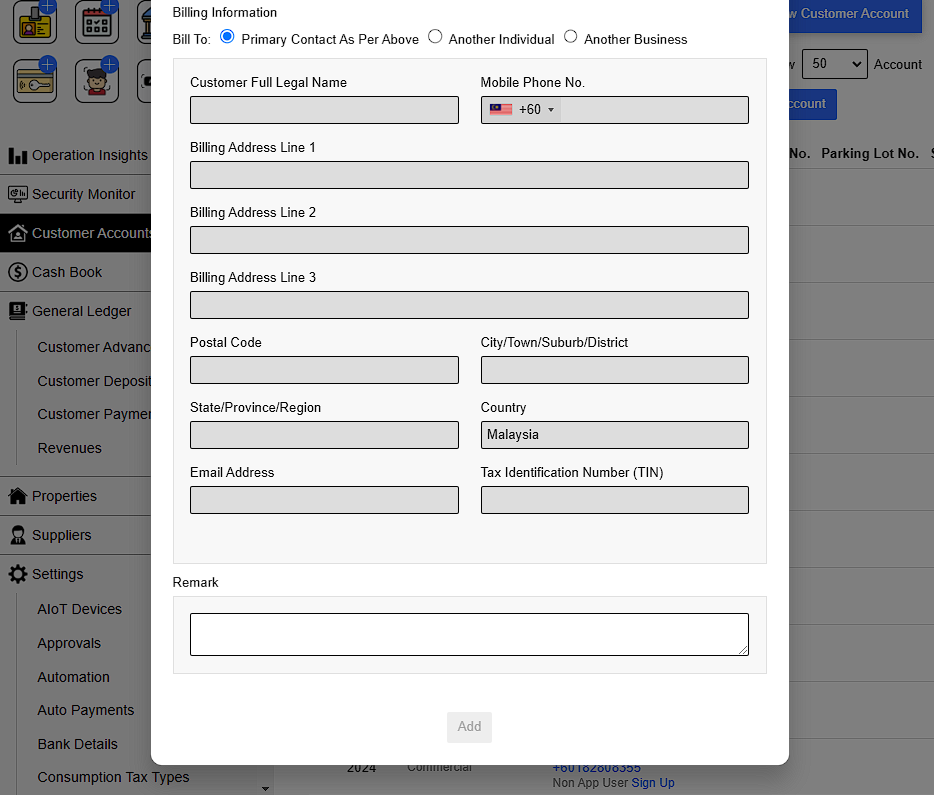
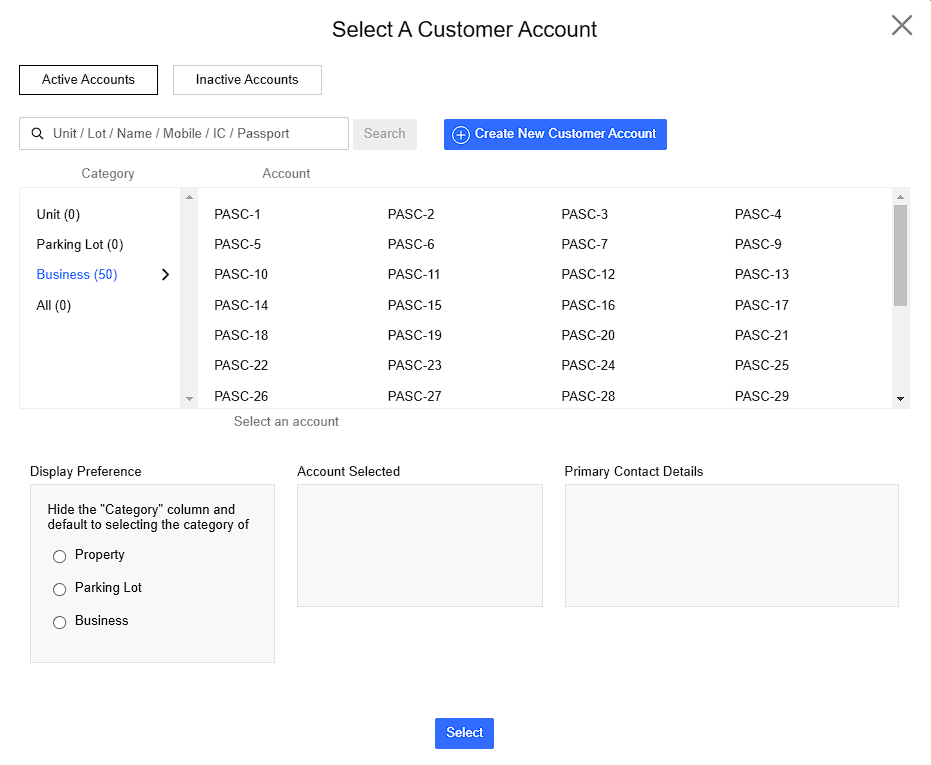
2.4 Select An Account & Billing Information
Existing Customer : Can be search based on name , phone number or by catagory.
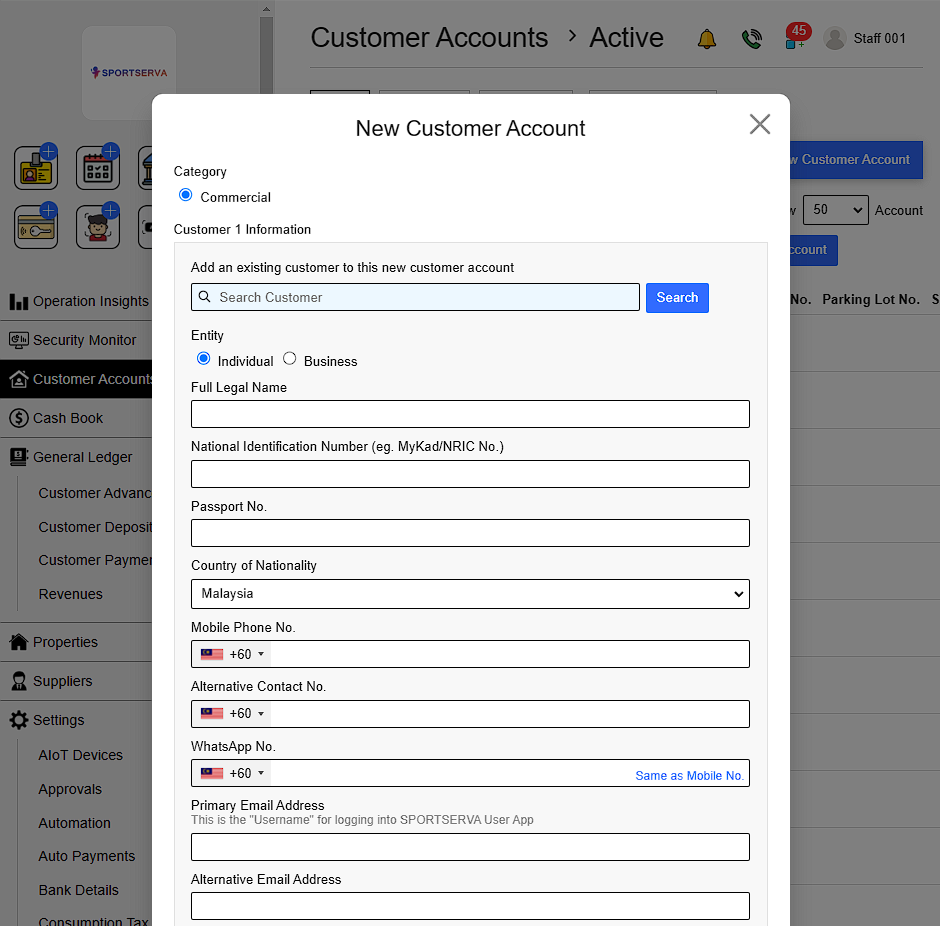
New customer : Go to Create New Customer Account > Fill in details Details include :
- Full Name
- NRIC (National Registration Identity Card)
- Country of Nationality
- Phone number
- Email Address
- Date of birth
- Gender
- Customer Picture (upload)
- Picture of NRIC (upload)
- Customer 2 information (optional)
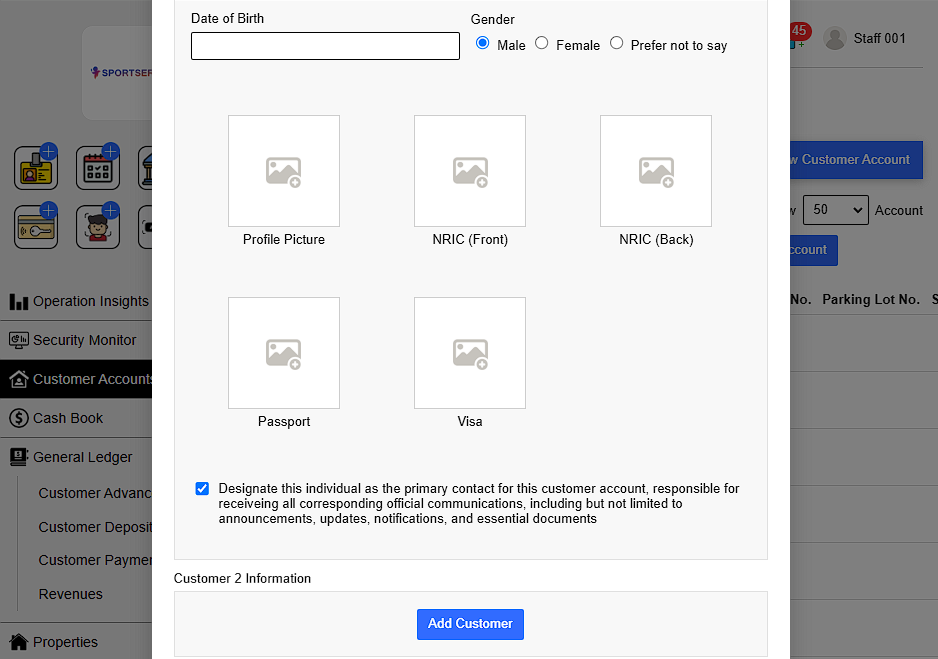
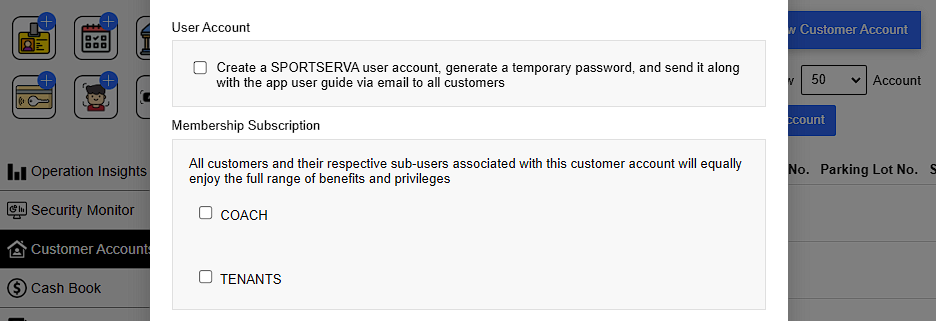
Management can choose to Create a SPORTSERVA user account , generate a tempory password and send it along with the app user guide via email to all customer. This ensures customers can access their accounts securely, start using the system immediately, and understand its features without any confusion.
Choose Membership Subscription:
This ensures that all customers and their sub-users under the same account can equally enjoy the full range of benefits and privileges, creating a unified and inclusive experience.
Finally Add billing information , Remarks and click add when finish to create account. After that , repeat the process of Add customer as members to finalize add customers to membership.