
change_password
This is an old revision of the document!
Table of Contents
User Guide: Change Password
Introduction
This guide will help you update your login password quickly and securely. Follow the steps below to change your password and ensure your account stays protected.
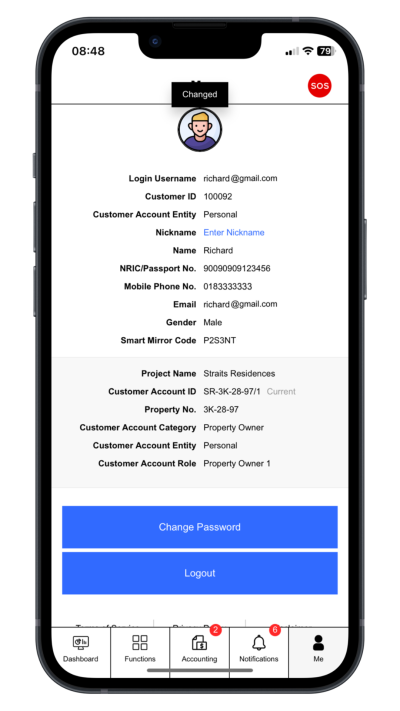
Step 1: Go to Profile Page
Click “Me”.
 |
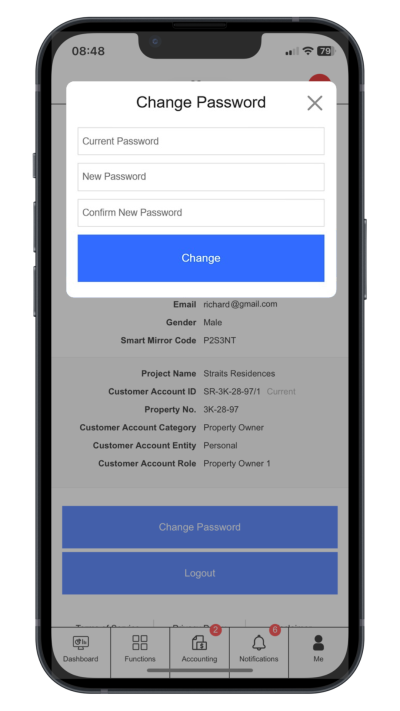
Step 2: Change Login Password
Click “Change Password”. Enter current password, new password and comfirm new password
 |
change_password.1736469170.txt.gz · Last modified: by yong