LOCAL · ON-PREM · OFFLINE

Run AI on your own hardware.

Stop renting it. A private Large Language Model on hardware you own: full data privacy, offline capable, no monthly subscription.

VRAM · Qwen3-Coder 30B @ Q418 / 32 GB

Private. Offline-capable. No tokens metered. Runs on a single workstation in your office.

Row of AI data center server racks with glowing green status LEDs receding down a raised-floor aisle
Your hardware. Your building. Your model.

Engineered in Kuala Lumpur · deployed across Malaysia & Southeast Asia · MY · SG · TH · ID · PH · VN · BN

OllamavLLMLM StudioOpen WebUIQwen3.6Kimi K2.6GLM-5.1DeepSeek V4Gemma 4Llama 4GPT-OSSNVIDIAApple SiliconAMDLangGraphMCP
10+years building production systems
51+open models we deploy & tune
100%on hardware you own & keep
7motypical payback vs cloud AI

Founded 2015 · led by Ts. Dr. Leong Yee Rock - engineers who size, build & commission the system, then hand it over working. No black box, no lock-in.

What is VYROX AI

The missing layer between a raw LLM and a company that actually runs on it.

A foundation model like Qwen3.6, Kimi K2.6 or DeepSeek V4 is a brilliant generalist - and it knows nothing about your company. It has never seen your product catalogue, your pricing, your customers, your past decisions or your KPIs. Plugging staff straight into a raw LLM gets you generic, forgettable answers. VYROX AI is the value-creating layer in between - the engineering, the fine-tuning, and the continuously learning system that turns a generic model into your company's private intelligence, working for your employees, your customers and your decision-makers, every day, on hardware you own.

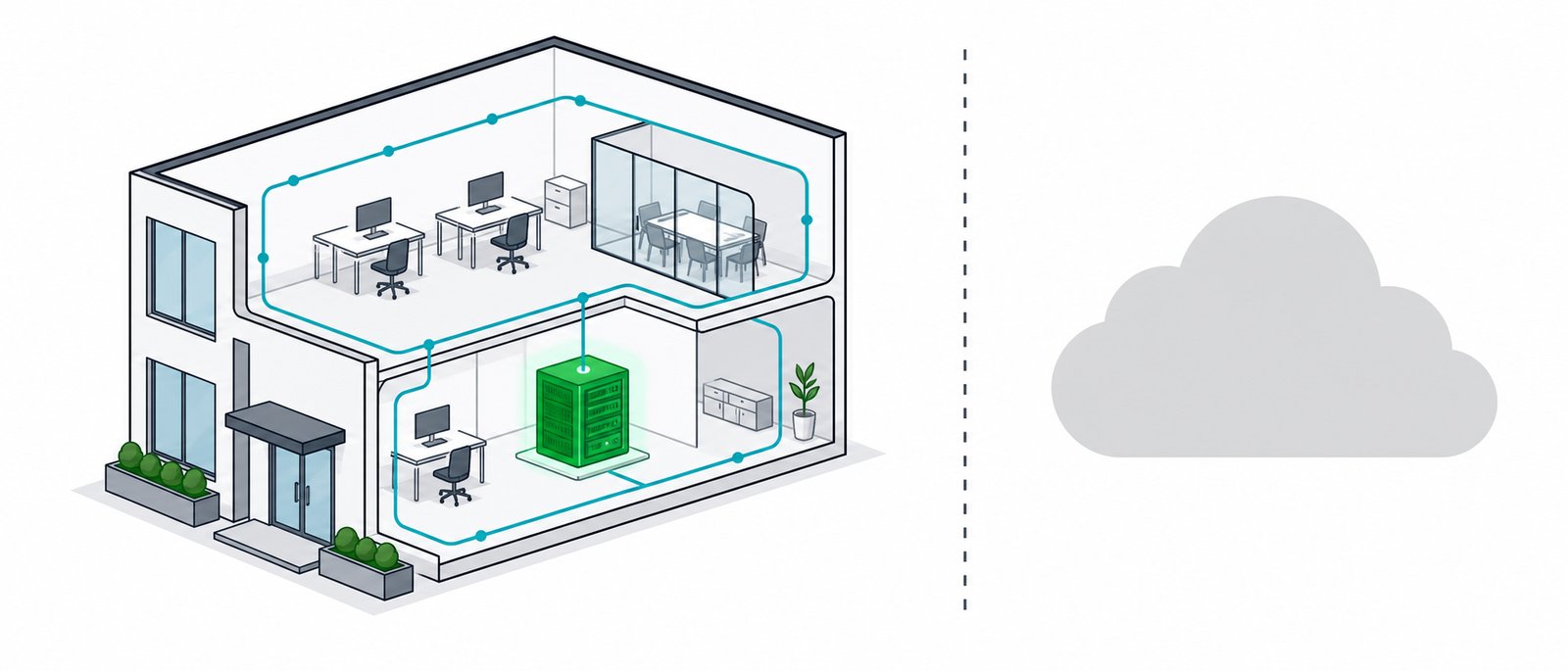
Diagram showing company data circulating inside the building on a local AI server, with the external cloud disconnected
Your data works inside your building. Nothing is sent to an outside cloud.
Without VYROX AI - a raw, generic LLM
  • Knows public internet knowledge, not your business
  • Can't tell your products, prices or policies apart from a competitor's
  • Has no memory of your past decisions, goals or KPIs
  • Answers in a generic voice, not your brand's
  • Same mediocre output on day 1 and day 1,000
  • Nothing but a chat window - no agents, no automation
With VYROX AI - your company's private model
  • Fine-tuned on your product, service, customer and support data
  • Answers grounded in your real facts, tone and brand style
  • Remembers your decisions, goals, targets and KPIs
  • Speaks with one consistent voice to staff and customers alike
  • Gets measurably more accurate the more your team uses it
  • Ships as agents that plan, act and automate your workflows
LLM Qwen3.6 · Kimi K2.6 DeepSeek V4 · GLM-5.1 raw, generic intelligence VYROX AI adapts both sides tunes the model to your business, and shapes your workflows to the model for maximum results learns continuously, both ways COMPANY Employees · Customers Decision-makers goals, data, KPIs, decisions fine-tune ↦ ↤ raw capability answers, agents ↦ ↤ data, goals, KPIs LLM ⟷ VYROX AI ⟷ COMPANY

VYROX AI doesn't just sit in the middle - it adapts both sides at once: fine-tuning the model toward your business, and shaping your workflows to what the model does best, so the two meet in the middle for the best possible outcome.

The more your company uses it, the more valuable it gets - the flywheel.

1
Fine-tune on your product, service, customer & support data
2
Employees & customers use it daily for real decisions and questions
3
Every decision, outcome & KPI update feeds back into the model
4
Recommendations get sharper, more goal-aligned, more trusted - repeat

This is the difference between renting a generic chatbot and owning a compounding intelligence asset. A subscription to ChatGPT or Claude never learns your business - it resets every conversation. VYROX AI is built to remember, accumulate and improve, so the value it creates keeps growing for as long as your company uses it.

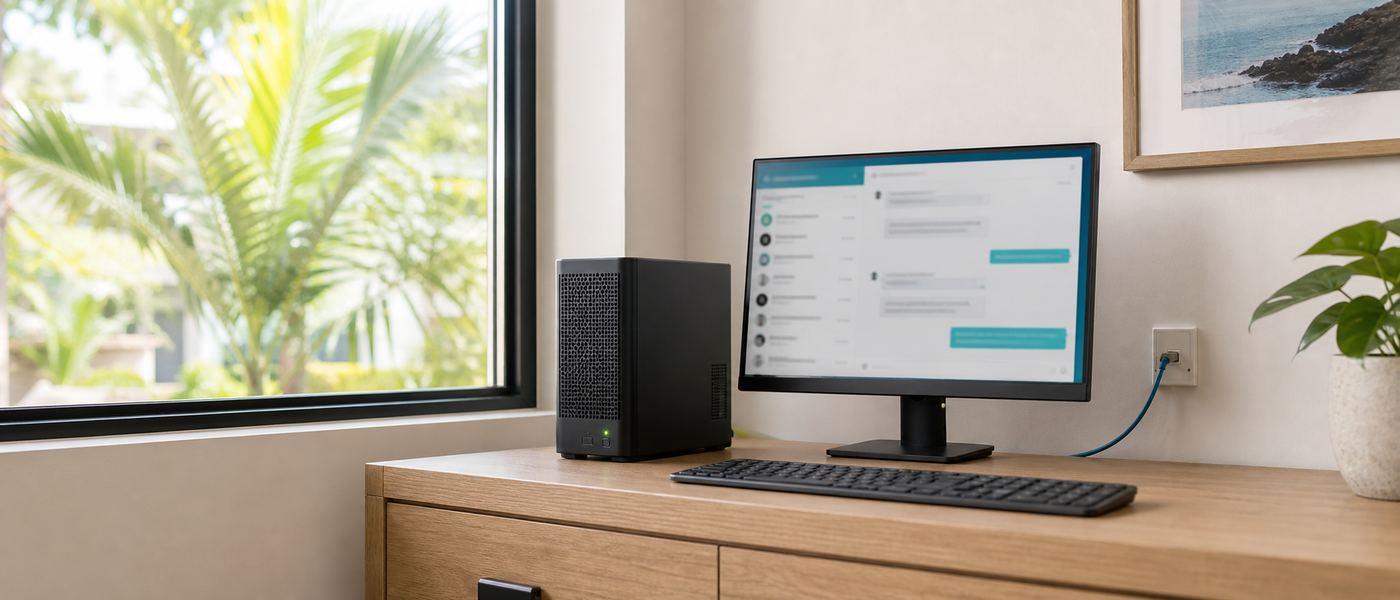
Compact on-premise AI server and workstation running quietly in a small business office
Sized for a real office. Quiet, local, and yours.

A shared source of truth that aligns people - and sharpens every decision.

Most AI tools optimise for one person typing one prompt. Because VYROX AI is trained on the whole company's data and fed by everyone who uses it, its biggest impact shows up a level higher - in how teams talk to each other, and in how leadership decides.

Sharper communication & coordination
  • One consistent voice - sales, support and operations pull answers from the same trained model, so no two departments give a customer conflicting information.
  • Faster hand-offs - context (customer history, past decisions, open issues) travels with the conversation instead of living in one person's inbox or head.
  • Cross-team visibility - a single query can surface how sales, support and operations each touched a case, closing the gaps where things normally fall through the cracks.
  • Less status-chasing - anyone can ask "where do we stand on X?" and get a grounded answer instead of pinging three people and waiting.
  • Institutional memory that survives turnover - tribal knowledge locked in senior staff's heads becomes a shared, queryable asset the whole team can draw on.
Better strategy formulation & decision-making
  • Evidence over instinct - recommendations are weighed against your actual historical outcomes, goals and KPIs, not gut feel or the loudest voice in the room.
  • Options, not opinions - decision-makers see multiple viable paths with trade-offs laid out, plus a recommended choice, before committing.
  • Faster consensus - a shared, data-grounded analysis gives every stakeholder the same starting point, cutting the back-and-forth that stalls decisions.
  • Forward-looking, not just reporting - goes beyond dashboards that show what happened, to modelling what's likely to happen if a given strategy is chosen.
  • Continuously recalibrated - as targets shift and new outcomes come in, the model's guidance updates with them, instead of running on a stale quarterly plan.

Five engineering layers, not a prompt template.

"Adapting both sides" isn't a slogan - it's a concrete technical pipeline VYROX builds and operates for you, using the same techniques the frontier AI labs publish, applied to your business.

Swipe to see all columns

LayerWhat it doesBuilt with
1 · Data layerIngests and cleans your product, service, customer, support-ticket, design and decision data into a structured, searchable knowledge base.Document parsing, embeddings, vector DB (Qdrant)
2 · Knowledge layer (RAG)Retrieves the exact facts relevant to a question before the model answers, so responses are grounded and citable, not hallucinated.Retrieval-Augmented Generation, nomic-embed
3 · Alignment layer (fine-tune)Shapes the model's tone, format and judgment to match your brand voice, support style and internal standards - behaviour, not just facts.LoRA / QLoRA fine-tuning on curated examples
4 · Goal layerEncodes your current goals, targets and KPIs as context the model weighs in every recommendation, so outputs stay commercially relevant.Structured KPI/goal context, decision-history RAG
5 · Feedback layerCaptures outcomes - which recommendation was chosen, what happened - and periodically retrains the model so it keeps improving.Continuous fine-tuning cycle, human review gate

Layers 1-2 typically ship first (fast, low-risk, immediately useful); layers 3-5 are added as your team's usage and data mature - the same crawl-walk-run path used across our chatbot → workflow → agentic spectrum.

01 / THE BRIDGE

An intermediary layer, not a raw model

VYROX AI stands between the open-weight LLM and your organisation. It handles everything the raw model can't do on its own - understanding your business context, staying current, enforcing your rules - so employees and customers get a system that speaks fluent "your company," not a generic chatbot.

02 / TRAINED ON YOU

Fine-tuned on your own data

We fine-tune the custom LLM on your product and service catalogue, customer records and history, design and brand style, and your customer-support tone - so answers sound like your company and are backed by your facts, not the model's generic guesses.

03 / GROWS WITH YOU

Gets smarter the more it's used

Every interaction - past decisions, current goals, targets and KPIs - feeds back into the model through the feedback layer above. The more your team uses their VYROX AI, the more accurate and business-aware it becomes.

04 / DECISION SUPPORT

Proposes, predicts and plans

Because it's grounded in your real decision-making history, goals and KPIs, VYROX AI can lay out solution alternatives with a recommended option, forecast outcomes, and help design the strategy and roadmap a decision-maker needs to raise profit and cut cost.

05 / AGENTIC AUTOMATION

Builds AI agents, not just answers

Beyond conversation, VYROX AI designs and deploys agentic AI agents that plan, call your internal tools and systems, and execute multi-step workflows on their own - automating the repetitive operational work behind the scenes.

06 / FOR EMPLOYEES

An instant expert colleague

Staff get accurate answers on policy, process, products and pricing in seconds instead of hunting through documents or waiting on a senior colleague - trained on your SOPs, not generic best practice.

07 / FOR CUSTOMERS

Support & sales that know your catalogue

Customer-facing chat and voice that actually knows your products, stock, pricing and support history - consistent, on-brand, and available around the clock without adding headcount.

08 / FOR LEADERSHIP

A strategy co-pilot, not just a report

Leadership gets a system that reasons over the company's own goals and numbers - not a static dashboard, but a co-pilot that can be asked "what should we do about this?" and answer with your context in mind.

For decision-makers, VYROX AIWhat that looks like in practice
Proposes alternativesLays out multiple viable solutions to a business problem, each with trade-offs, and highlights the one it recommends.
Predicts outcomesUses your historical decisions and current KPIs to forecast where a choice is likely to land.
Plans & designs strategyDrafts the roadmap and milestones to move from where the company is to where its targets say it should be.
Optimises profit & costAligns every recommendation to your stated goals - maximise revenue and margin, minimise waste and spend.
Automates the follow-throughHands the repetitive execution to purpose-built AI agents, so people focus on the decisions only they can make.
Keeps it private & compliantRuns on hardware you own, so the goals, KPIs and decisions it learns from never leave the company - see Security & compliance.

VYROX AI vs. a ChatGPT/Claude subscription with "custom instructions"

Swipe to see all columns

DimensionCloud subscription + custom promptVYROX AI
Business knowledgeWhatever you paste into the prompt each time - shallow, easy to forget or omitFine-tuned + RAG over your full product, customer and support data
Learns from usageNo - every conversation starts from zeroYes - feedback layer retrains on real outcomes over time
Data residencyLeaves your building to a third-party cloudStays on hardware you own; PDPA-aligned by design
Cost modelRecurring per-seat / per-token, scales with usage foreverOne-time build; then the cost of electricity
AutomationManual copy-paste or fragile browser add-onsNative agentic workflows wired into your systems via MCP
OwnershipYou rent access; vendor can change price, limits or termsYou own the model, the data pipeline and the infrastructure
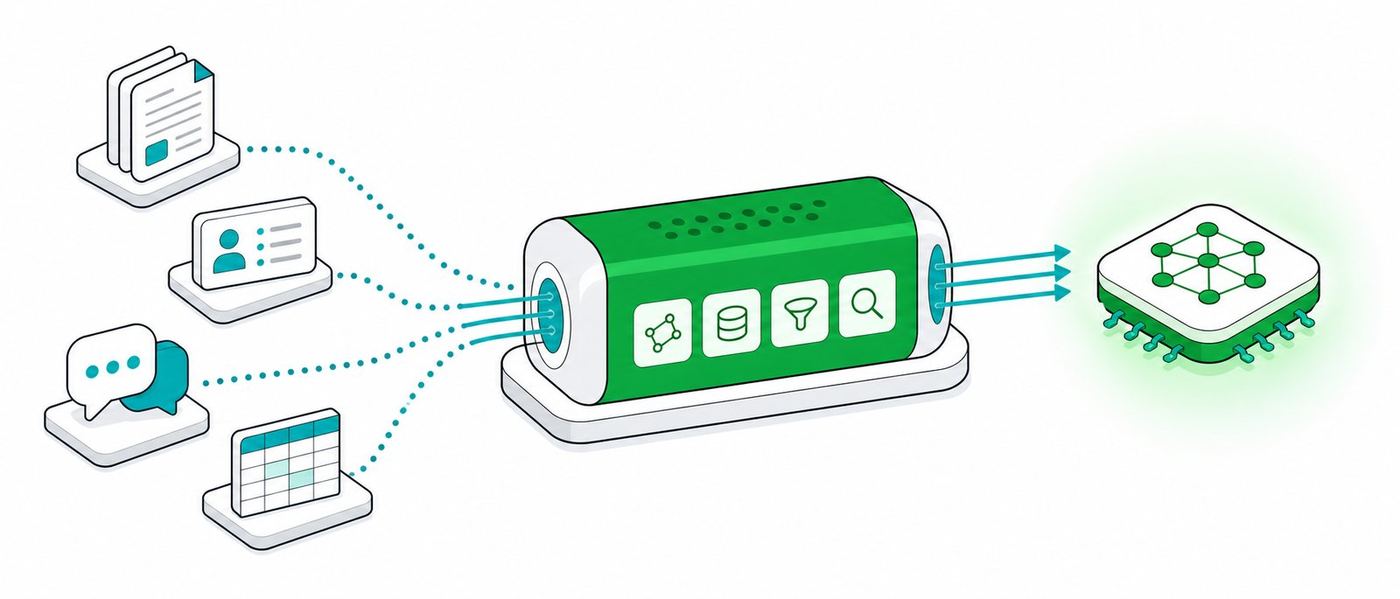
Flat isometric illustration of a company's data flowing into a fine-tuning pipeline that feeds a private local AI model
Five engineering layers turn a generic model into your private intelligence.

VYROX AI is not "another chatbot." It's the trained, private, continuously-learning layer that turns a generic LLM into your company's own intelligence.

It knows your business, thinks toward your goals, and gets more valuable every day your people use it. Anyone can point staff at a public chatbot - only VYROX AI turns that raw model into a private system trained on your data and built to compound in value, so the intelligence your company owns tomorrow is smarter than the one it has today.

Everything you need to decide - one topic at a time.

The full picture lives across six focused pages: what a private LLM can do for you, which models and hardware fit, what it costs, and why local wins. Start anywhere.

01 / SOLUTIONS

17 things businesses run on a private LLM

From document Q&A and RAG chatbots to workflow and fully agentic AI - plus the AI Doctor, AI Accountant and AI Lawyer co-pilots for regulated professions.

See the use cases
02 / MODELS & HARDWARE

51+ open models, mapped to real GPUs

Benchmarks, the full GPU and Apple-Silicon map, a VRAM calculator, "what can my machine run?", and a live token-speed simulator - size your build with real numbers.

Explore models & hardware
03 / PRICING

Four build tiers, RM 9k to RM 500k+

Desk, Studio, Engine and Rack builds with itemised parts, a TCO calculator against your cloud spend, and the typical 7-month break-even - in writing.

Run the cost math
04 / GOVERNMENT

Sovereign AI on government-owned hardware

Citizen and state data that never crosses a border - air-gapped deployments aligned with PDPA, public-sector data classification and national AI governance.

Read the sovereign-AI case
05 / WHY LOCAL

Privacy, security and offline - by architecture

Why prompts that never leave your building beat any vendor policy: the security model, deployment modes, and the assurances we put behind every build.

See why local wins
06 / RESOURCES

FAQ, glossary and the AI-transformation essay

Plain-language answers to the questions everyone asks, a jargon-free glossary, and our essay on giving the right people the right AI - not everyone a chatbot.

Browse the resources
07 / BY INDUSTRY

Find your sector, see the first use case

Manufacturing, retail and distribution, education, property management, logistics and hospitality: what a private AI does first in each, and what not to start with.

Browse industries
08 / GETTING STARTED

How to run a pilot that proves something

Preparing your documents, scoring a first use case, the week-by-week pilot, what to measure, and the eight reasons first projects stall.

Start here
09 / SECURITY

The questions a security reviewer will ask

Threat model, access control and roles, what gets logged, network isolation and air-gap, prompt injection, backup and recovery, plus a hardening checklist.

Review the controls
10 / GLOSSARY

Every AI word, in plain English

67 terms defined without jargon, grouped by what you are trying to do, plus the pairs people most often confuse.

Look up a term
Prefer the 5-minute version? Watch the pitch.

The whole VYROX AI story - problem, solution, numbers - as a fast slide deck you can forward to your boss.

Open the pitch
How VYROX delivers

From first call to in-production - in 4 to 8 weeks.

A clear, six-phase engagement. Indicative timelines for a typical SME deployment; you get something concrete at every step.

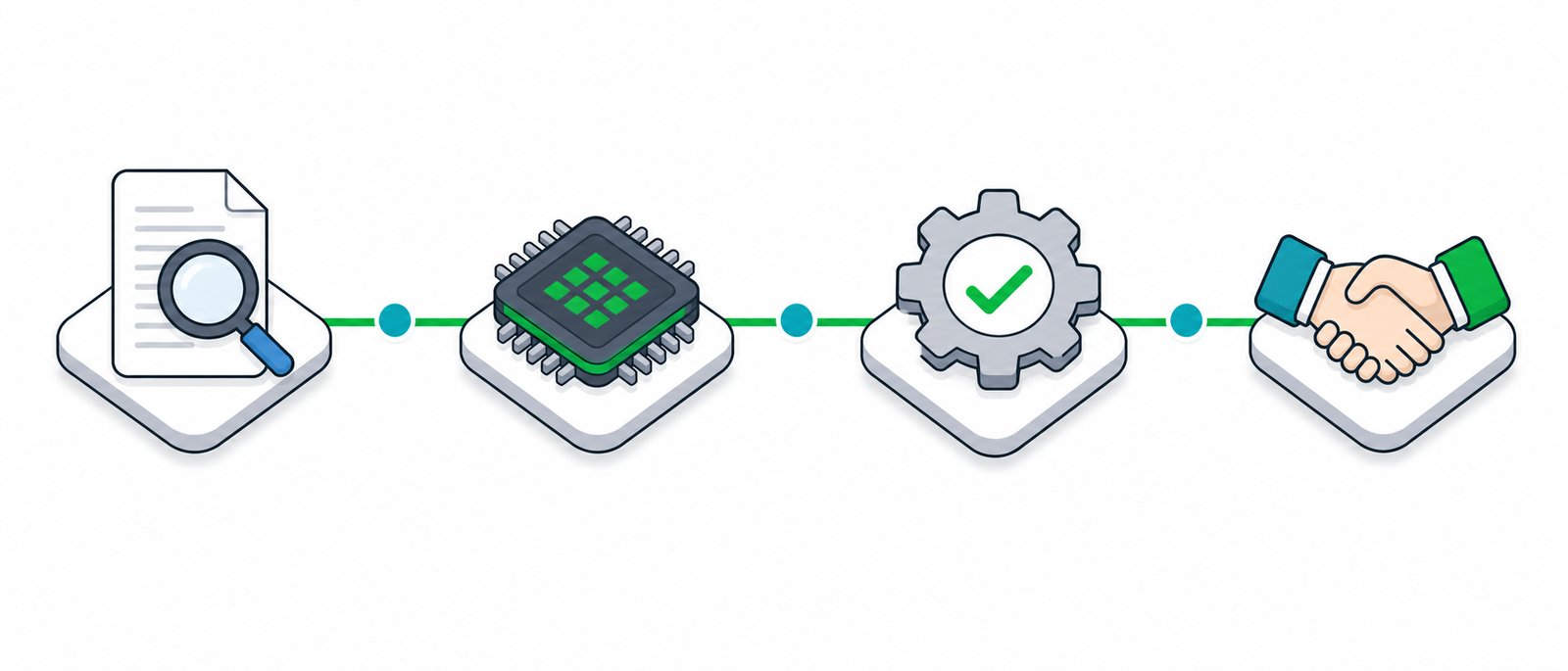
Four stage delivery path from assessment to hardware build to configuration to handover
Free Audit 2-5 days

We map use cases, review your data and infrastructure, and assess fit. You get: a written findings summary and an honest local-vs-cloud-vs-hybrid recommendation. No cost, no obligation.

Spec & Quote 3-7 days

We design models, hardware sizing, deployment mode, integrations and security controls. You get: a detailed spec and a fixed-price quote in RM with timeline.

Procure & Build 1-3 weeks

We source and configure hardware (or provision your VPC), install the stack, and build your RAG/data pipeline. You get: a configured, tested system; procurement handled for you.

Install & Integrate 3-7 days

We deploy on your premises (or tenancy) and connect data sources, SSO and existing tools. You get: a live, integrated, security-hardened system.

Tune & Train 1-2 weeks

We tune retrieval and prompts on your real data, run accuracy checks, and train your staff. You get: a validated system, trained users, and docs (EN/BM).

Ongoing Support continuous

Monitoring, updates, model upgrades and a support line. You get: SLA-backed support and a roadmap for new use cases.

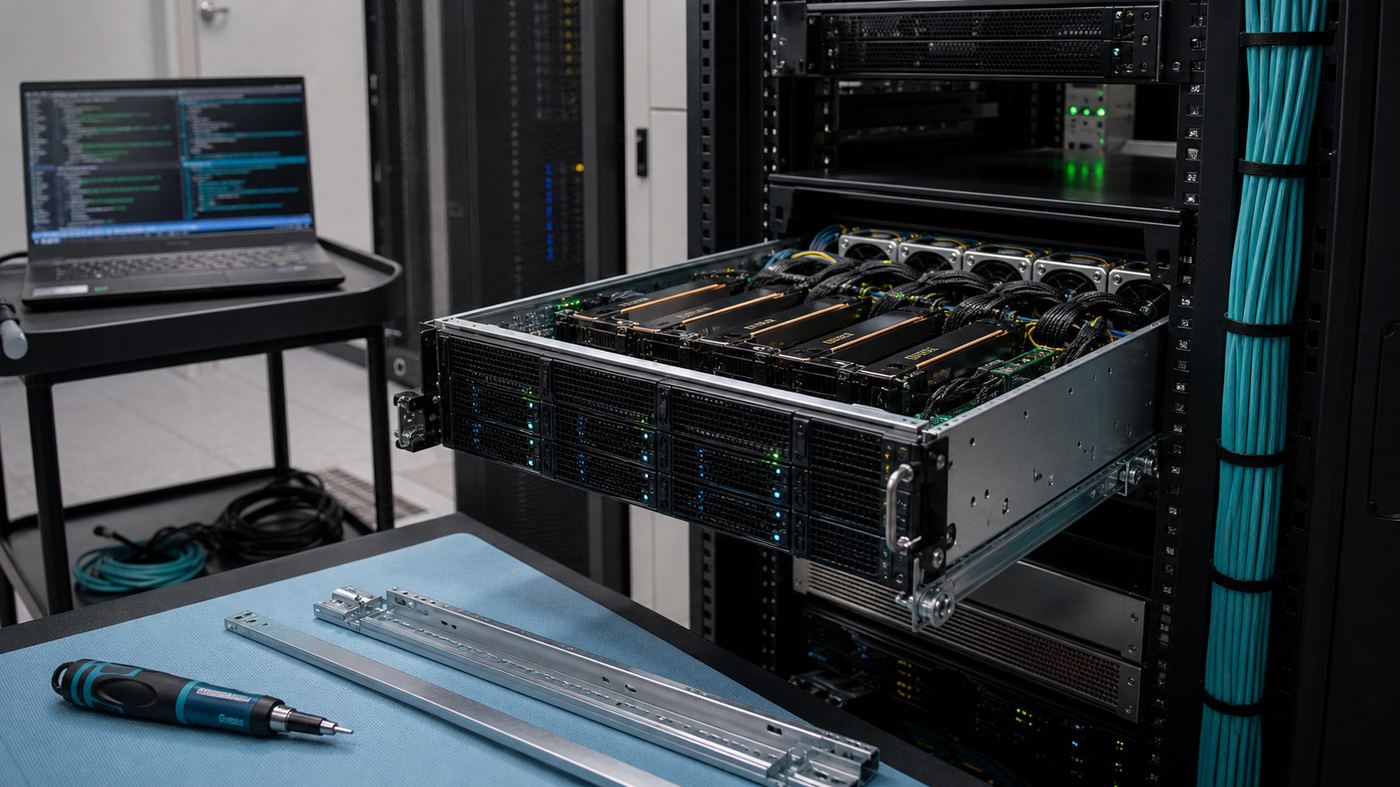
Multi GPU server being racked in a tidy office server room with neatly managed cabling
We size, build and hand over the working system, not a slide deck.

We'll size your exact build and put the break-even date in writing.

A free 45-minute Local-AI Audit: your real cloud spend today, the right hardware, the models, and the costed payback - no obligation, no sales deck.

The honest comparison, in real numbers.

Cloud AI (ChatGPT, Copilot, Claude subscriptions) is fast to start and easy to try. Local AI (a private LLM running on hardware you own) costs more upfront and pays back over time. Here is the comparison without the marketing gloss, using the same figures already on this page.

Swipe to see all columns

DimensionCloud AI subscriptionLocal AI (VYROX build)
Cost at 10 usersRoughly RM 80-150 per seat per month, forever, and it rises as usage growsOne-time build from RM 22,000 (Studio AI tier), then electricity only
Typical break-evenNever breaks even, it is a recurring cost line itemAround 7 months against typical cloud AI spend, illustrative example
Where your data goesSent to a third-party cloud server, often outside MalaysiaNever leaves your building or your private network
Works with no internetNo, an outage or ISP fault stops your team coldYes, fully air-gapped operation is possible (offline, no external network at all)
Customisation depthA system prompt and file uploads, reset every sessionFine-tuned on your own product, customer and support data, and it keeps learning
Model choiceLocked to whatever the vendor ships this monthPick from 51+ open models (Qwen3.6, Kimi K2.6, GLM-5.1, DeepSeek V4 and more)
Vendor can change termsYes, pricing, limits and features can shift with no noticeNo, you own the model, the pipeline and the hardware outright

Cloud AI still makes sense for quick, low-stakes experiments or a single freelancer. Local AI earns its keep once a team of 5 or more relies on it daily, or the data involved is patient records, client files, financial statements or anything under PDPA (Malaysia's Personal Data Protection Act, our data-privacy law).

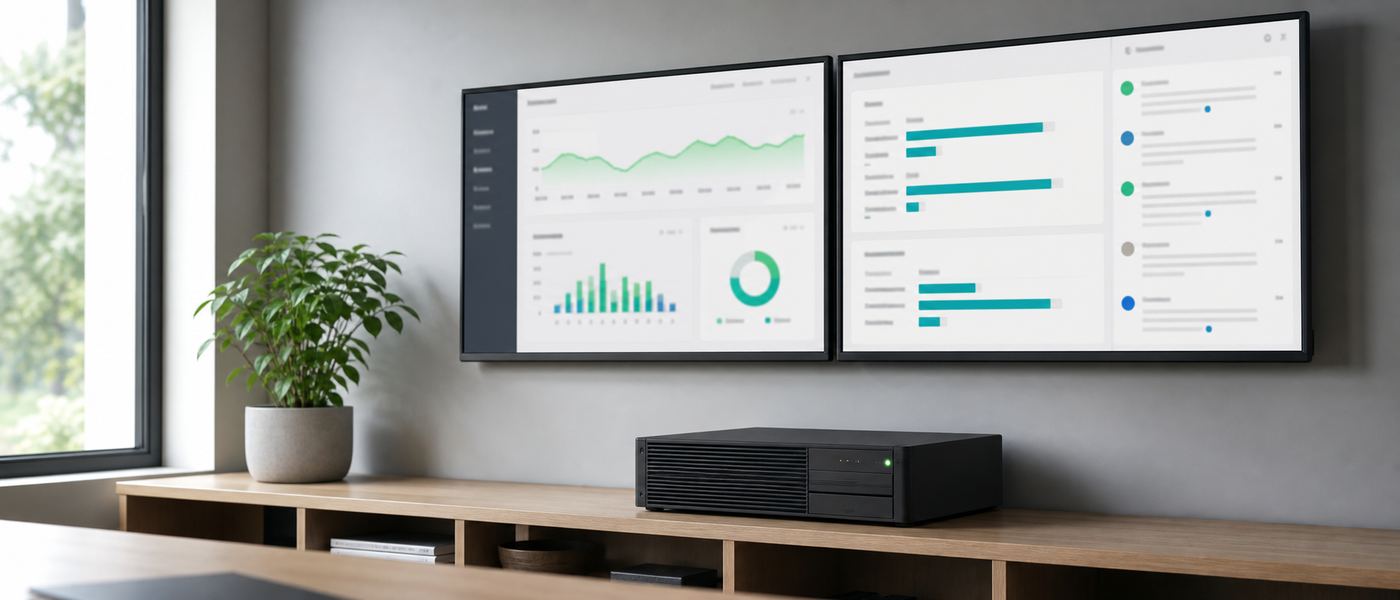
Wall mounted monitors showing a private local AI analytics dashboard beside a compact on-premise server
A worked example: 10 users, one Studio AI build, no more per-seat bills.

A 10-person accounting firm, in numbers.

RM22k
One-time Studio AI build for the firm, illustrative example
RM3k/mo
Typical combined cloud AI seat spend it replaces, example figure
~7mo
Months until the build has paid for itself
100%
Client financial data stays on the firm's own server

After the roughly 7-month break-even, every month of use is pure savings, and the AI Accountant co-pilot keeps improving as the firm's own review corrections feed back into it. See the full cost math and TCO calculator for your own numbers.

Built for the people who cannot risk sending data to a public cloud model.

SME OWNER

Cut the subscription bill, keep the edge

Replace a growing stack of per-seat AI subscriptions with one system you own, trained on your own catalogue and customer history.

CLINIC MANAGER

Ambient scribe that never leaves the clinic

The AI Doctor co-pilot turns consultations into SOAP notes and referral letters without patient data ever touching a third-party server.

LAW FIRM PARTNER

Privilege stays privileged

Contract review, drafting and research over matter files, with solicitor-client privilege preserved because nothing leaves the firm's network.

FINANCE / ACCOUNTING LEAD

Reconciliation without the data-leak risk

Invoice, receipt and bank-statement extraction plus MFRS reporting help, on a server that never sends client financials to the cloud.

GOVERNMENT OFFICER

Sovereign AI, no foreign cloud in the loop

Citizen-service and internal knowledge assistants that keep state and citizen data on government-owned infrastructure. See the sovereign AI page.

What you can ask it on day one.

Not a demo script. These are ordinary requests a staff member can type into the private chat window in the first week, before any fine-tuning or agent work has started. Each one only needs the documents you already have, loaded into the knowledge layer.

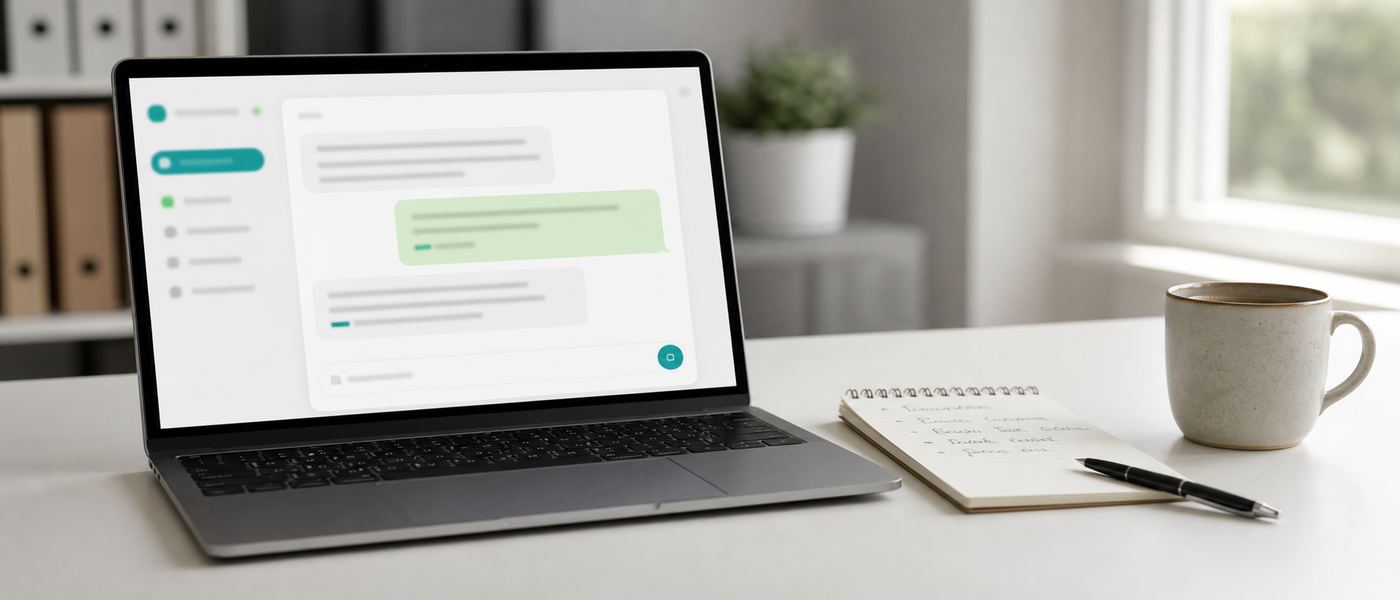
Desk setup showing a private AI chat interface open beside a notepad of first tasks
Ordinary questions, answered from your own documents.

Swipe to see all columns

RoleWhat they actually typeWhat it needs to answer
Owner / MD"Summarise the five biggest issues raised in customer complaints last quarter, and tell me which ones repeat."Complaint log or ticket export
Admin / HR"What is our leave carry-forward rule for confirmed staff, and where does the handbook say it?"Staff handbook, HR policy PDFs
Finance"Pull the line items from these 40 supplier invoices into a table with date, supplier, amount and tax."Scanned invoices, a vision model
Sales"Draft a quotation cover letter for this enquiry using our standard terms, and flag anything the customer asked for that we do not offer."Price list, standard T&C, past quotes
Operations"Which step of the delivery SOP covers a damaged carton on arrival, and what does the driver have to record?"SOP documents, forms
Customer support"Write a reply to this email in our usual tone, in English and Bahasa Malaysia, and keep it under 150 words."Past reply examples, tone guide
IT / technical"Explain what this legacy script does, then rewrite it with comments and error handling."The source file, a coding model
Management team"Turn these meeting notes into decisions, owners and deadlines, and list what was left unresolved."Raw notes or a transcript

The pattern is the same in every row: the model supplies the language and the reasoning, your documents supply the facts. That is why the first two engineering layers, the data layer and the knowledge layer (RAG, Retrieval-Augmented Generation), ship first. Fine-tuning, goal context and agents come after your team has a habit of asking.

The three habits that decide whether it sticks

  • Start with one document set, not all of them. A single well-organised folder, such as SOPs or the price list, produces sharper answers than a dump of every file the company owns.
  • Ask it to show its source. A grounded answer can cite the document and page it came from. Train staff to check that line, and trust builds correctly from week one.
  • Give it the boring work first. Summarising, extracting, reformatting and drafting are where the time is saved. Judgement calls stay with the person who is accountable for them.

What a local AI cannot do.

Every vendor lists the wins. Here is the other half, so you can plan around it instead of discovering it in month two. None of these are reasons not to deploy. They are reasons to scope the first use cases properly.

AI generated draft on screen beside a printed page marked with correction notes
A draft to check, not an answer to trust blindly.

Swipe to see all columns

LimitationWhat it means in practiceHow we work around it
No live web by defaultAn offline or air-gapped system cannot look up today's exchange rate, a news item or a competitor's website.Feed it a scheduled internal data export, or, if policy allows, add a controlled one-way search tool on a non-air-gapped deployment.
Only as good as your documentsIf the SOP is three years stale or two versions of the price list exist, the model will confidently repeat the wrong one.Document clean-up is part of the data layer. We flag conflicts and duplicates during ingestion rather than after go-live.
Not a substitute for a professionalThe AI Doctor, AI Accountant and AI Lawyer co-pilots draft and summarise. They do not diagnose, sign off accounts or give legal advice.Human review gates are built in. The qualified professional reviews and signs, exactly as they do today with a junior's draft.
Image and video generation is separateA text model does not create pictures or video. Those need different models with their own hardware appetite.Scoped as a separate workload if you need it, sized on its own. It is not bundled into a language-model build by default.
It can still be wrongGrounding in your documents cuts hallucination sharply, but no model is at zero. Numbers, names and dates deserve a glance.Citations on by default, plus an accuracy check during the tune phase using questions your team already knows the answers to.
It does not read your mindA vague prompt gets a vague answer. Staff who have never used AI need an hour of practical guidance, not a manual.Staff training is part of the tune-and-train phase, with worked examples from your own business.
Hardware sets a ceilingA Desk AI tier machine cannot serve 40 concurrent users or run a frontier-scale model at full precision.Size honestly at audit stage. The tiers exist precisely so you buy for the load you actually have.
Integration is scoped, not freeConnecting to accounting software, an ERP or an EMR takes engineering. Each system is different.Every integration is quoted per project over MCP (Model Context Protocol). We say no when a connection is not worth the effort.

If a vendor tells you their AI has none of these limits, the honest read is that they have not deployed one yet.

Every item above applies to cloud AI too. The difference is that a local build lets you see and control each of them, because the model, the documents and the guardrails are all on hardware you own.

Where the running cost actually goes.

A one-time build is not a zero-cost system. It is a small, predictable one. Four things cost money after handover: electricity, maintenance, model upgrades and, eventually, hardware refresh. Three of those four are cheap or free.

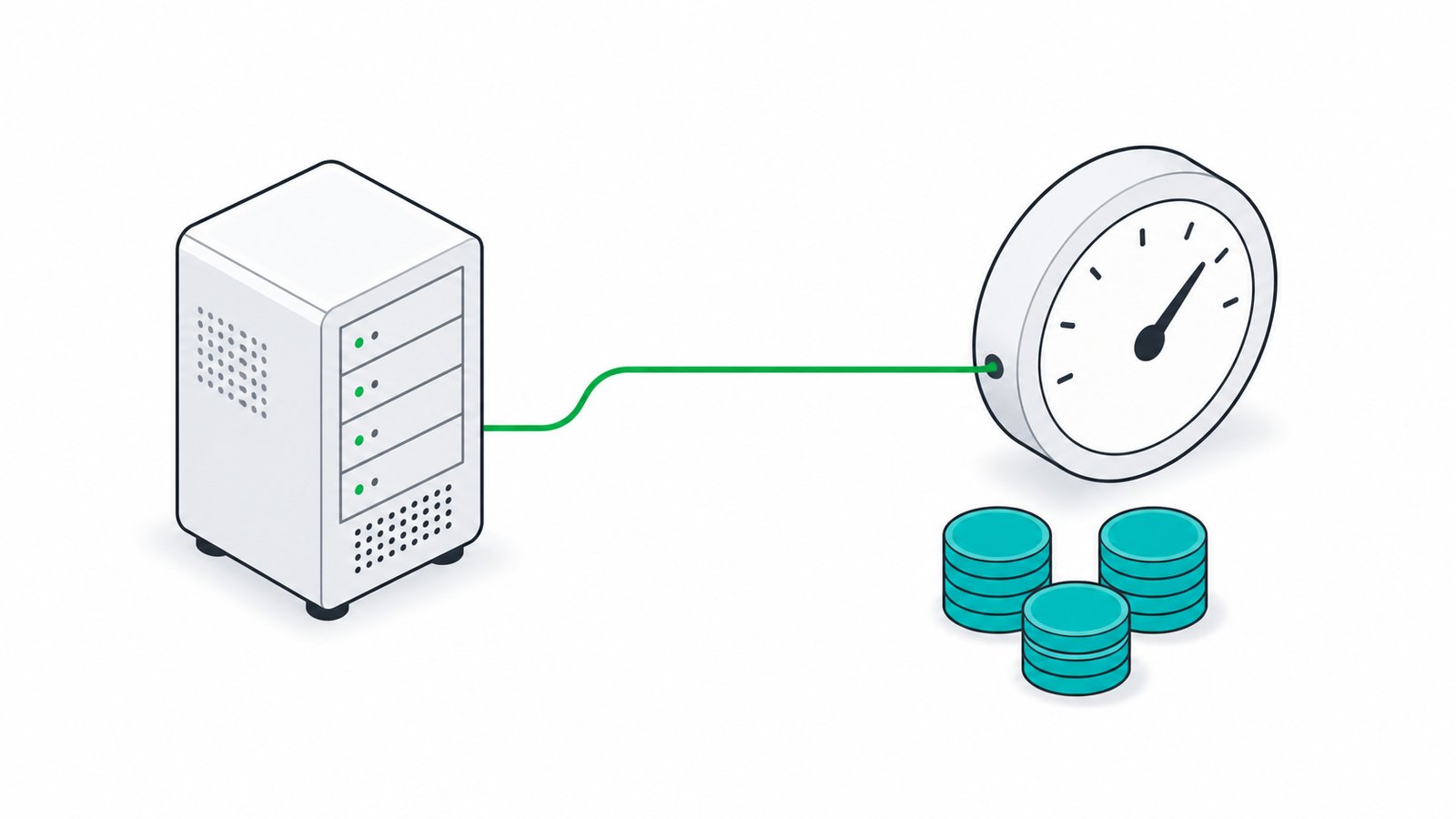
Close view of an electricity meter and a small on-premise AI server, illustrating the ongoing running cost of a local AI system
After the build, the recurring bill is mostly electricity.

Swipe to see all columns

Cost lineHow oftenWhat drives it
ElectricityMonthlyPower draw of the GPU or Apple Silicon machine, multiplied by the hours it is actually generating, plus a little for idle and cooling. Worked example below.
Maintenance and supportPer SLAMonitoring, patching, backups and a support line. Optional, but most teams take it because nobody wants to own the stack alone.
Model upgradesFreeOpen-weight models carry no licence fee. Moving from one to its successor is a download and a config change, not a new contract.
Storage growthOccasionalModel files and your document index grow. A disk is cheap next to the build, and it is the easiest part to expand.
Hardware refreshMulti-yearThe machine keeps working after the models move on. Refresh is a planned capital decision, not a surprise, and the old unit still runs the older models.
New use casesOn requestAdditional integrations, agents or fine-tuning rounds are scoped separately. Nothing is metered per question or per user.

Worked example: what the electricity actually adds up to

Illustrative only. It assumes a sustained draw of 0.5 kW while the machine is generating and a tariff of RM 0.57 per kWh, a typical Malaysian commercial band. Substitute your own meter reading and your own tariff, then read the same three rows.

0.5kW
Assumed draw under load, illustrative
88kWh
Per month at 8 hours a day, 22 working days
RM50/mo
88 kWh at RM 0.57, office-hours use
RM205/mo
Same rate if it runs 24 hours a day for agents

Read the shape, not the exact ringgit: office-hours use lands in the tens of ringgit a month, and even a machine kept awake around the clock for agent workloads stays in the low hundreds. Compare that with the recurring per-seat cloud figure in the comparison table above. The TCO calculator runs the same arithmetic against your real numbers, and the audit puts your actual measured draw in writing.

What is deliberately not on this list

  • No per-token or per-question metering. Ten staff or a hundred, one query a day or a thousand, the electricity bill barely moves.
  • No per-seat licence. Adding a user is an account, not an invoice line.
  • No model licence fee. The open-weight models we deploy are free to run commercially under their own licences, which we check per model at spec stage.
  • No price rise you did not choose. Nobody can reprice a machine that already sits in your building.

Are you ready for this yet? An honest check.

Local AI is not the right first move for everyone. Run through these before you spend anything. If most of the left column is true, a build will pay for itself. If most of the right column is true, wait, or start with a small pilot instead.

Green lights: build now
  • Five or more people would use it every working day
  • You already pay for cloud AI seats, or staff are quietly using consumer chatbots at work
  • The data involved is patient, client, financial or citizen records under PDPA
  • You have a reasonably organised document set: SOPs, policies, price lists, past correspondence
  • Someone internal will own it, even part time, and answer questions from colleagues
  • A named manager wants a specific problem solved, not "AI" in general
Amber lights: pilot or wait
  • One or two occasional users, mostly for casual drafting
  • No document set worth grounding on, or everything lives in people's heads
  • Nobody has named a task the AI is supposed to take over
  • The office has no space, power or cooling for a workstation, and no plan to sort it
  • A major system migration is already underway this quarter
  • The goal is a headcount cut rather than removing the repetitive work in front of existing staff

Amber is not a no. It usually means a smaller starting point: one department, one document set, one Desk AI class machine, and a decision point after a few months of real use. The free audit exists to reach that answer honestly, including the answer that you should not buy anything yet.

What we need from you to size a build accurately

  • Headcount who would use it, and roughly how many at the same time in a busy hour.
  • Your current AI spend, including every subscription anyone in the company expenses.
  • The document types you want it grounded in, and roughly how many there are.
  • The systems it should read, such as accounting software, an ERP, an EMR or a case-management tool.
  • Your privacy posture: fully air-gapped, private network, or internet-connected but on-premise.
  • Where the machine will physically live, and whether that room has power, cooling and a lock.

Bring those six answers to the audit and you will leave with a costed spec and a break-even date rather than a brochure.

Quick answers

The questions everyone asks before their first call.

Short, plain-language answers. For the full glossary and long-form FAQ, see the Resources page.

Is a local LLM as good as ChatGPT or Claude?
For most business tasks, yes. Today's open models like Qwen3.6, Kimi K2.6, GLM-5.1 and DeepSeek V4 are close to or match frontier cloud models on everyday reasoning, writing and coding, and once fine-tuned on your own data they answer better on your specific business than a generic cloud model ever will.
How much hardware do I actually need?
It depends on team size and model size, not company size. A 1 to 3 person team can run a strong 30B-class model on a single RTX 4090 or Mac Mini M4 Pro (the Desk AI tier, from RM 9,000). A department of 15 to 40 needs a multi-GPU server. Use the VRAM calculator to size it exactly.
What does air-gapped actually mean?
Air-gapped means the server has no physical or network connection to the public internet at all, so nothing can be sent out even by accident or malware. It is the strongest privacy posture and the one we recommend for government, healthcare and legal deployments handling sensitive citizen, patient or client data.
Is this compliant with PDPA?
PDPA (Malaysia's Personal Data Protection Act) is about how you handle personal data, not a specific technology. Running the model on hardware you control removes the biggest PDPA risk, sending personal data to a third-party cloud vendor, often overseas. We still help you put the right access controls, logging and retention rules around it.
What if a newer, better model comes out next year?
You swap it in. Because you own the hardware and the deployment stack (Ollama, vLLM, LM Studio), upgrading to a newer open model is usually a download and a config change, not a new contract or a re-platforming project.
Do we need our own IT team to run this?
No. We install, tune and hand over a working system with documentation, and we offer ongoing SLA-backed support and monitoring. Most clients run it day to day with the same staff who already manage their existing servers or point-of-sale systems.
How long before we are live?
4 to 8 weeks for a typical SME deployment, from the free audit to a tuned, integrated system, following the six-phase process above. Larger multi-department or government builds take longer depending on procurement and integration scope.
What happens to our existing software and data?
Nothing changes unless you want it to. We connect the local model to your existing systems (accounting software, case management, EMR, internal wikis) over MCP (Model Context Protocol, a standard way for an AI model to call external tools), so it reads and assists rather than replacing what already works.
What does it cost to run each month after we buy it?
Mostly electricity. As an illustrative example, a machine drawing 0.5 kW under load for 8 hours a day over 22 working days uses about 88 kWh, which at a typical commercial tariff of RM 0.57 per kWh is roughly RM 50 a month. Kept awake around the clock for agent workloads at the same rate it is roughly RM 205 a month. There is no per-seat licence, no per-token metering and no fee for open-weight model upgrades. See where the running cost goes.
Can it search the internet or look things up live?
Not by default, and on an air-gapped build not at all, which is the point. A local model answers from your own documents and its training. If you need live lookups and your policy allows it, we can add a controlled search tool on a non-air-gapped deployment, scoped and logged.
Can it generate images or video too?
Not with a language model. Image and video generation need different models with their own hardware requirements, so we scope and size that as a separate workload rather than bundling it into a language-model build.
What can staff actually do with it in the first week?
Summarise, extract, reformat and draft against documents you already have: complaint patterns for the owner, policy lookups for HR, invoice line-item extraction for finance, quotation letters for sales, SOP questions for operations, and bilingual customer replies for support. See what you can ask it on day one.
When is local AI the wrong choice for us?
When only one or two people would use it occasionally, when there is no organised document set to ground it in, when nobody has named the task it should take over, or when a major system migration is already underway. In those cases start with a small pilot on a Desk AI class machine, or wait. The free audit will tell you so directly.

Stop renting your AI. Own it by next quarter.

Book a free 45-minute Local-AI Audit. We measure your current cloud spend, spec the exact build, and give you the costed break-even date - in writing, no obligation.

  • Free, 45 minutes
  • Costed break-even date
  • No obligation

No deck pitch. Just engineers sizing your build.

Chat with VYROX AI on WhatsApp Free Local-AI audit