Skip to content
← Back to guide Vehicle Plate Recognition Access

VYROX Very Intelligent Platform (VIP) · Very Intelligent Platform: User Guide

Vehicle Plate Recognition Access

VYROX Wiki · Updated 9 January 2025 · https://www.vyrox.com/wiki/user-vehicle-plate-recognition-access

Introduction

This guide outlines the procedure to apply for vehicle plate recognition access. Learn how to register your vehicle and enable automated entry for effortless parking management.

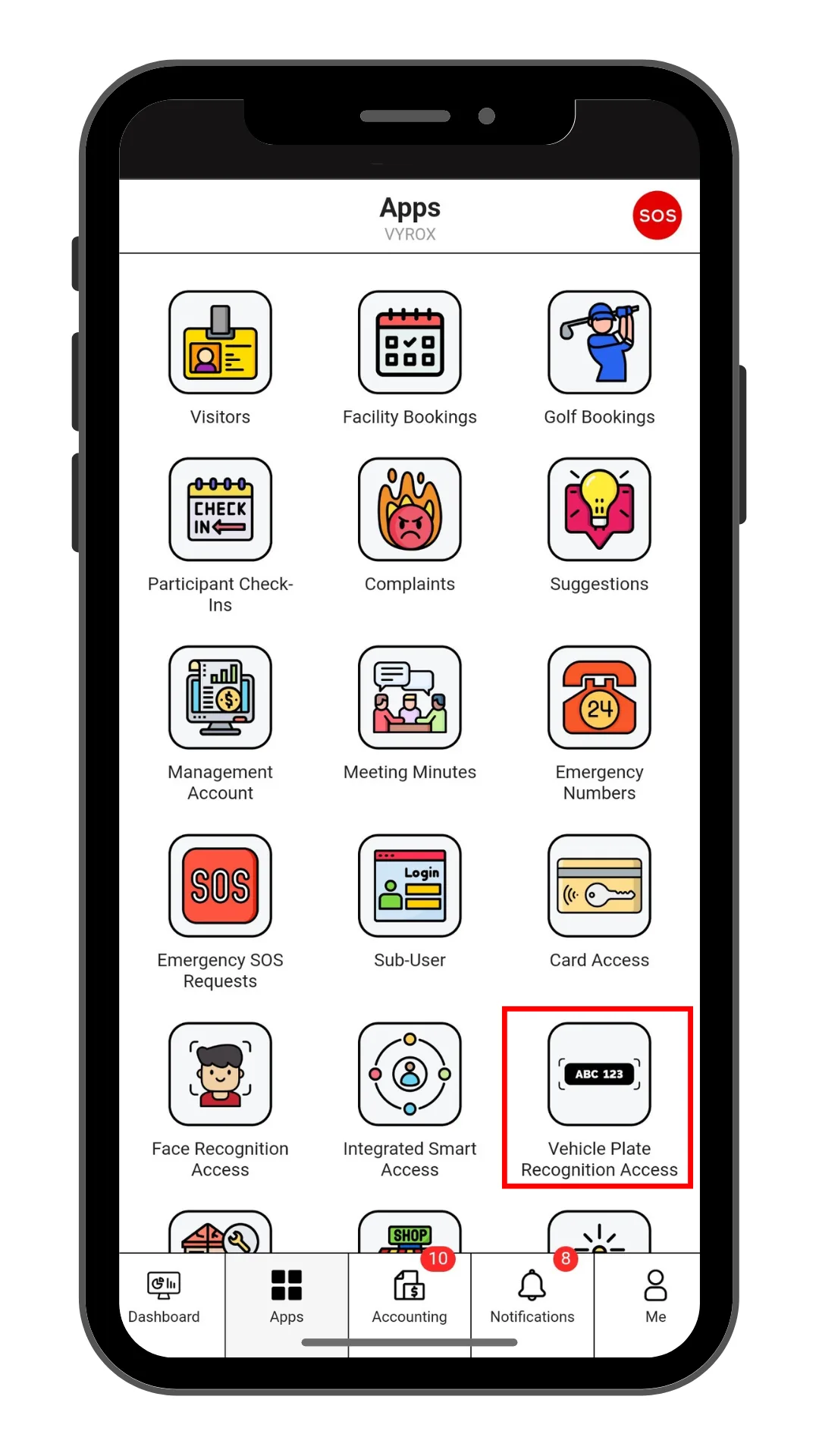
Step 1: Vehicle Plate Recognition Access

Click “Vehicle Plate Recognition Access” icon

Step 1: Vehicle Plate Recognition Access

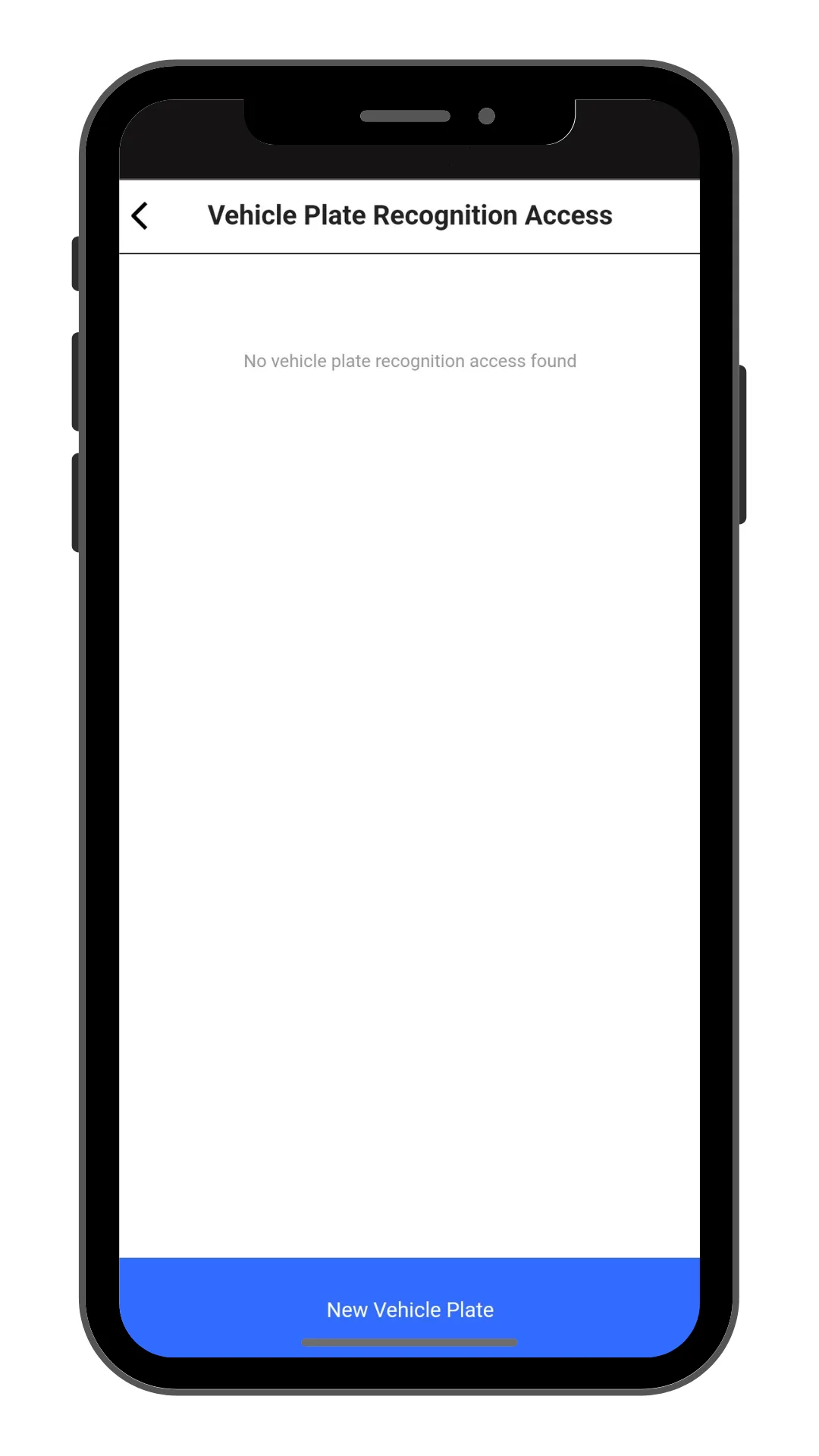
Step 2: Create New Vehicle Plate Recognition Access

Click “New Vehicle Plate” to make a new Vehicle Plate Recognition Access.

Step 2: Create New Vehicle Plate Recognition Access

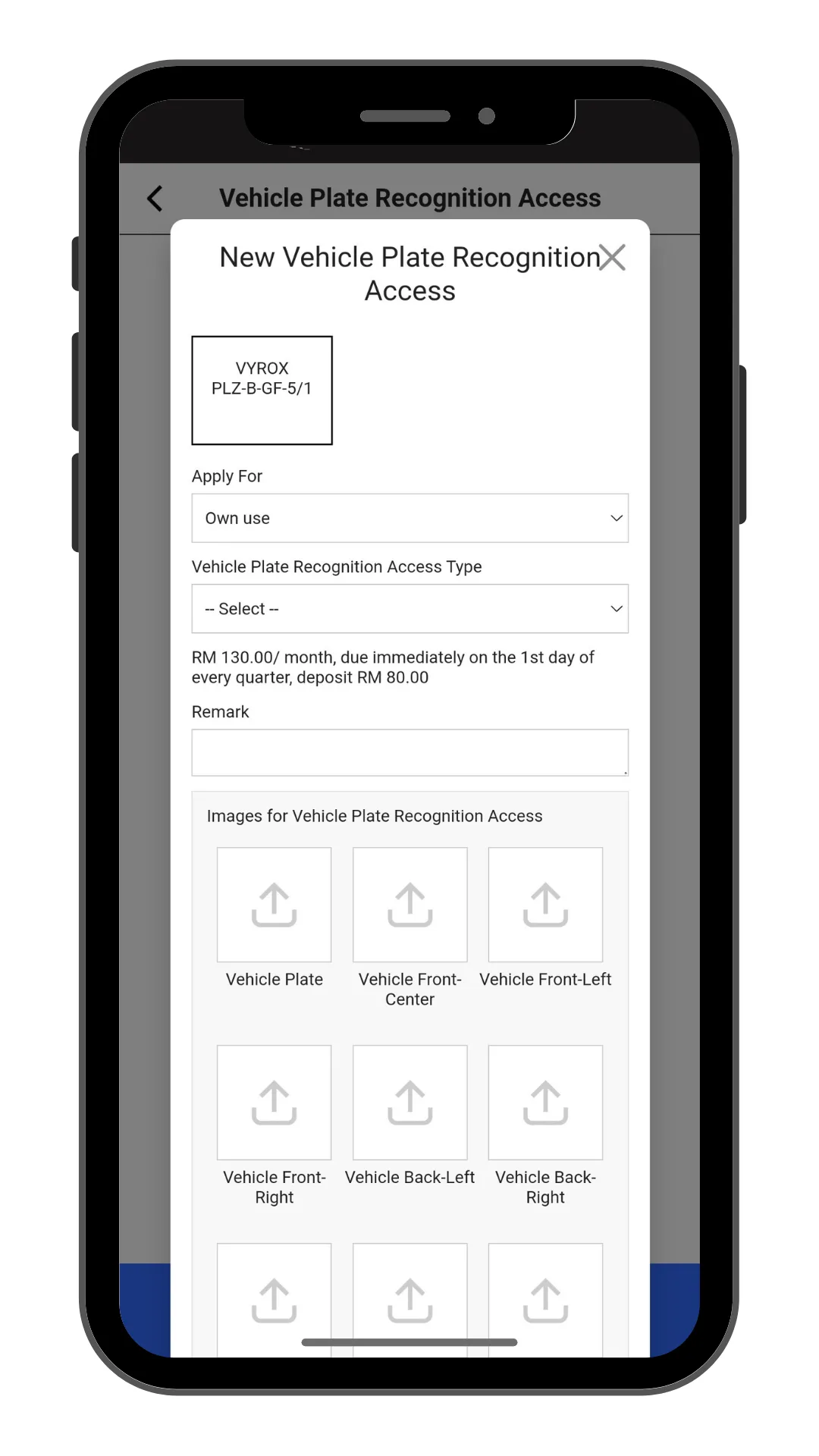
Step 3: Fill in Vehicle Plate Recognition Access details

Select Apply for , Vehicle Plate Recognition Access Type, Remark, and include pictures of Vehicle Plate , Vehicle Images and Driving License.

Click “Add” to create.

Step 3: Fill in Vehicle Plate Recognition Access details

Step 4: Wait for Manangement Approval

Manangement will need to approve access.

Step 4: Wait for Manangement Approval

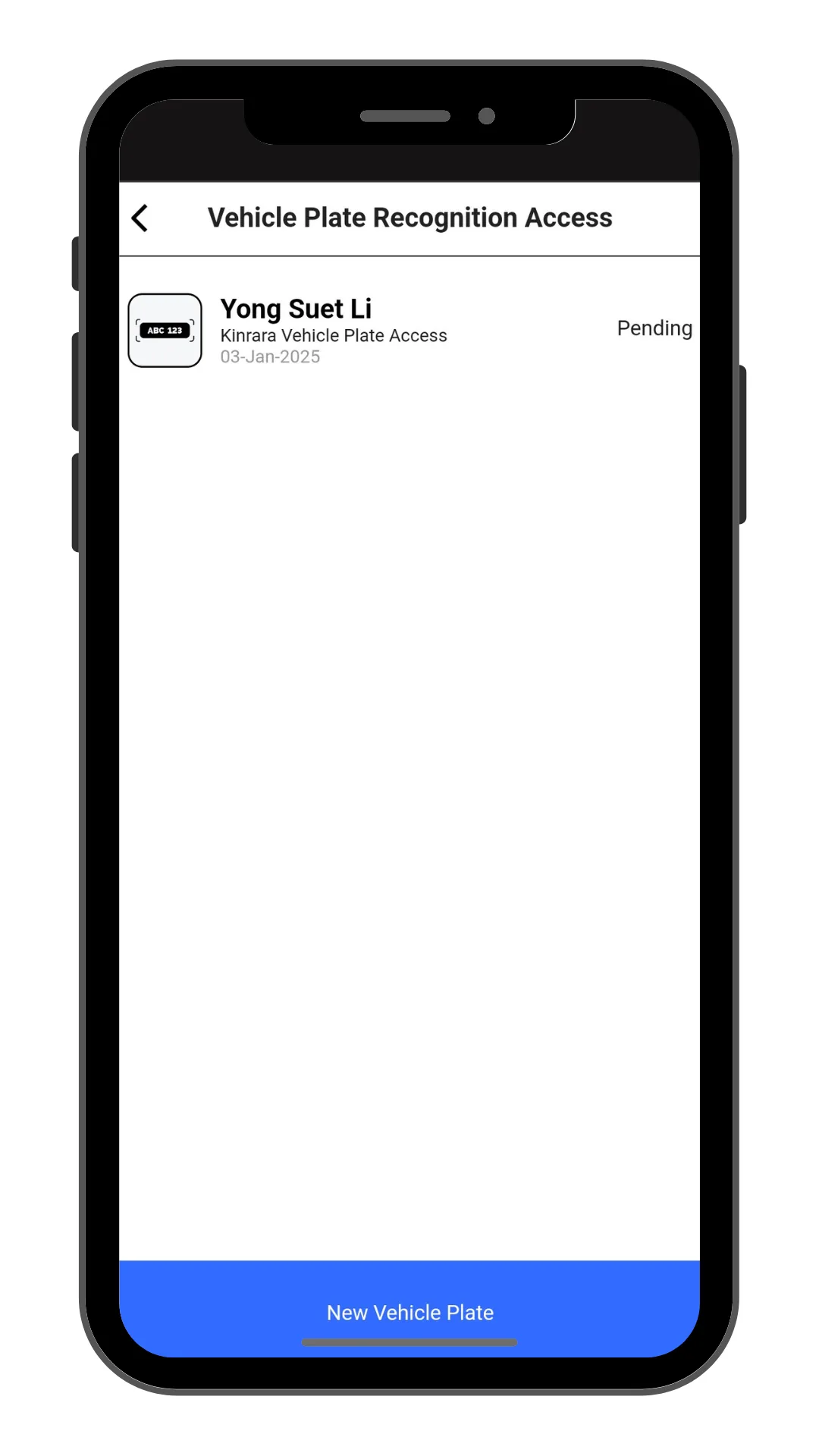
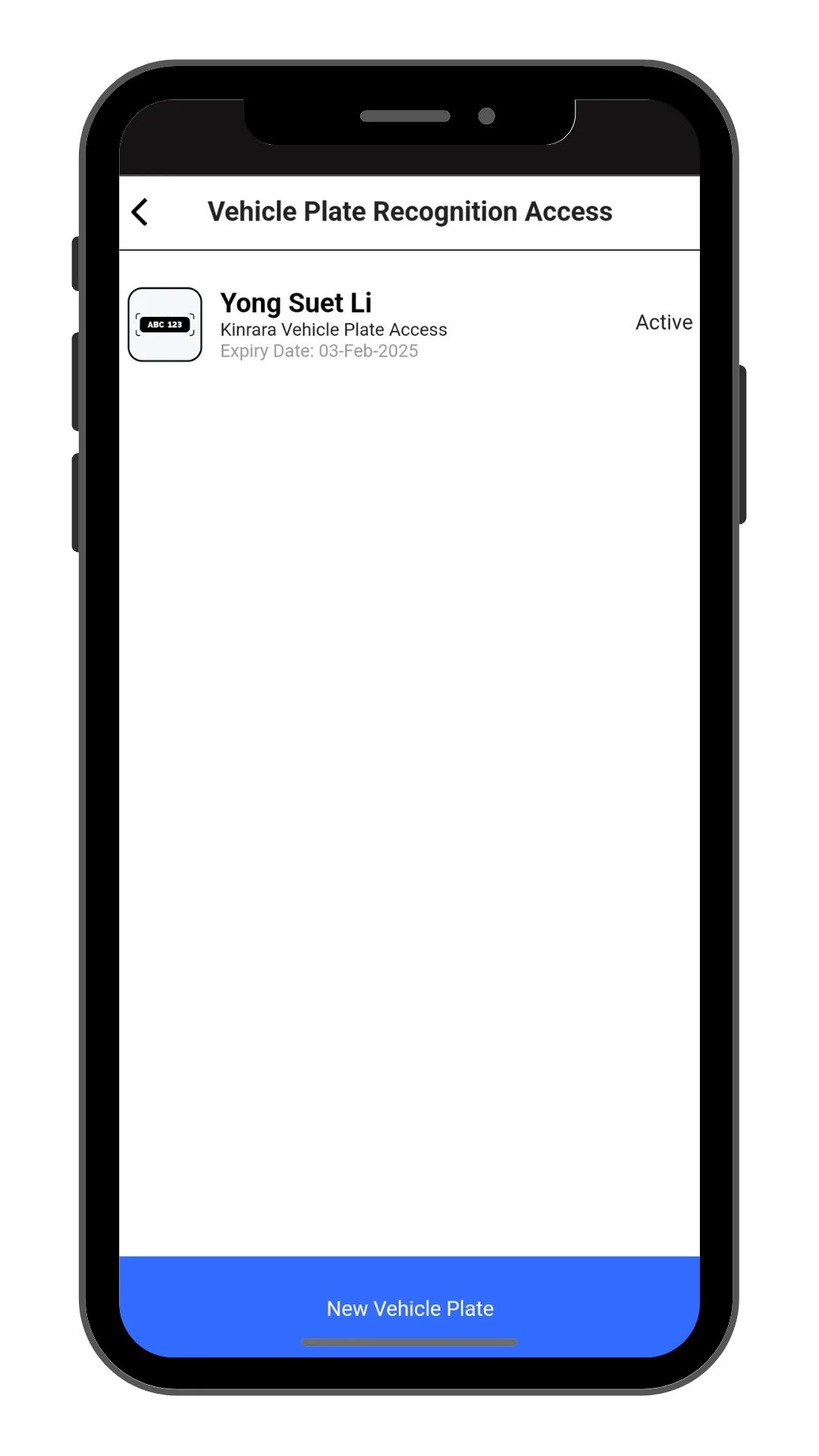
Step 5: Check New Created Access Status

New created access will be listed in this page.

Step 5: Check New Created Access Status