VYROX Very Intelligent Platform (VIP) · Very Intelligent Platform: Management Guide
This guide is designed to help you effectively manage and operate the POSERVA system. It provides step-by-step instructions for utilizing this advanced POS system to handle payments, manage transactions, and ensure a seamless checkout experience for customers and staff.
POSERVA is an advanced IoT-driven POS system for the F&B industry, leveraging cloud computing to optimize operations, enhance customer experiences, and boost profitability. Features include real-time analytics, smart inventory, and seamless cloud storage, revolutionizing F&B business management.
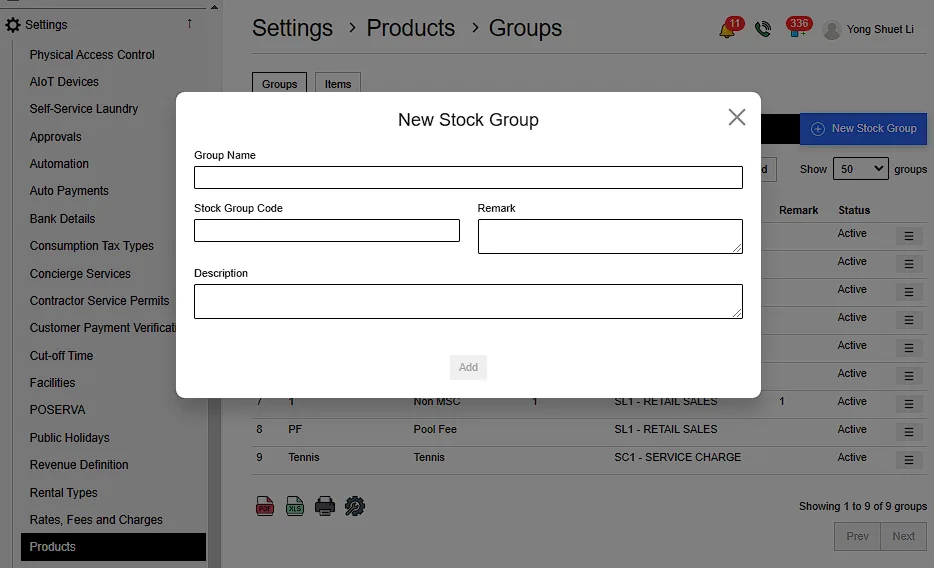
Go to Settings > Product > Groups > New Stock Group > Fill in details > Add
Details include:
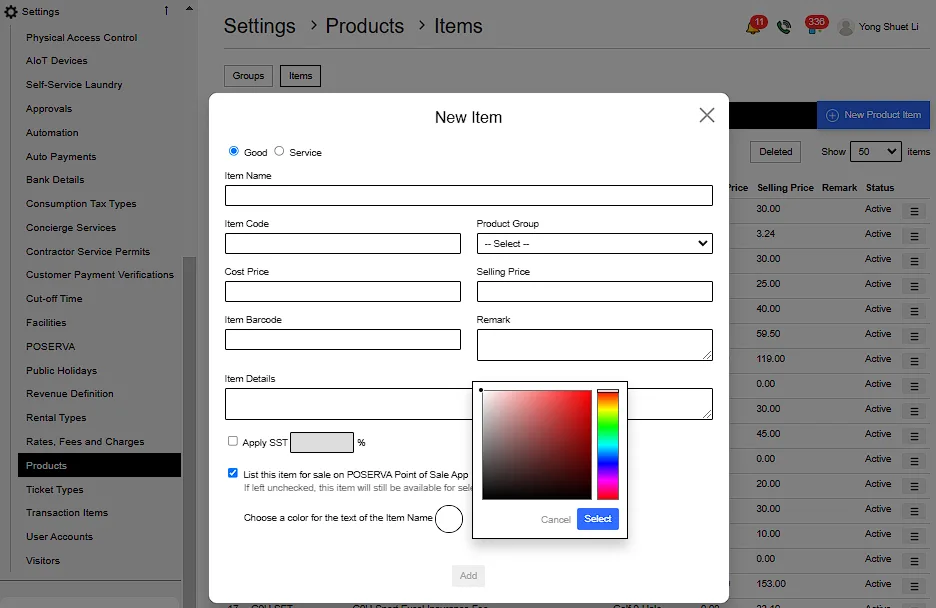
Go to Settings > Product > Item > New Product Item > Fill in details > Add
Details include:
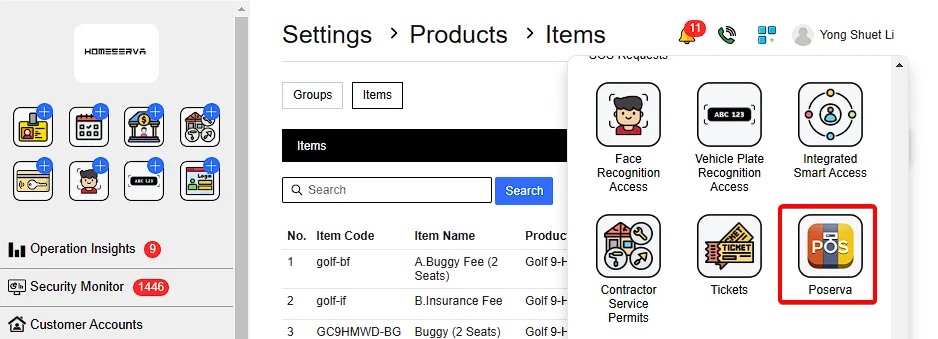
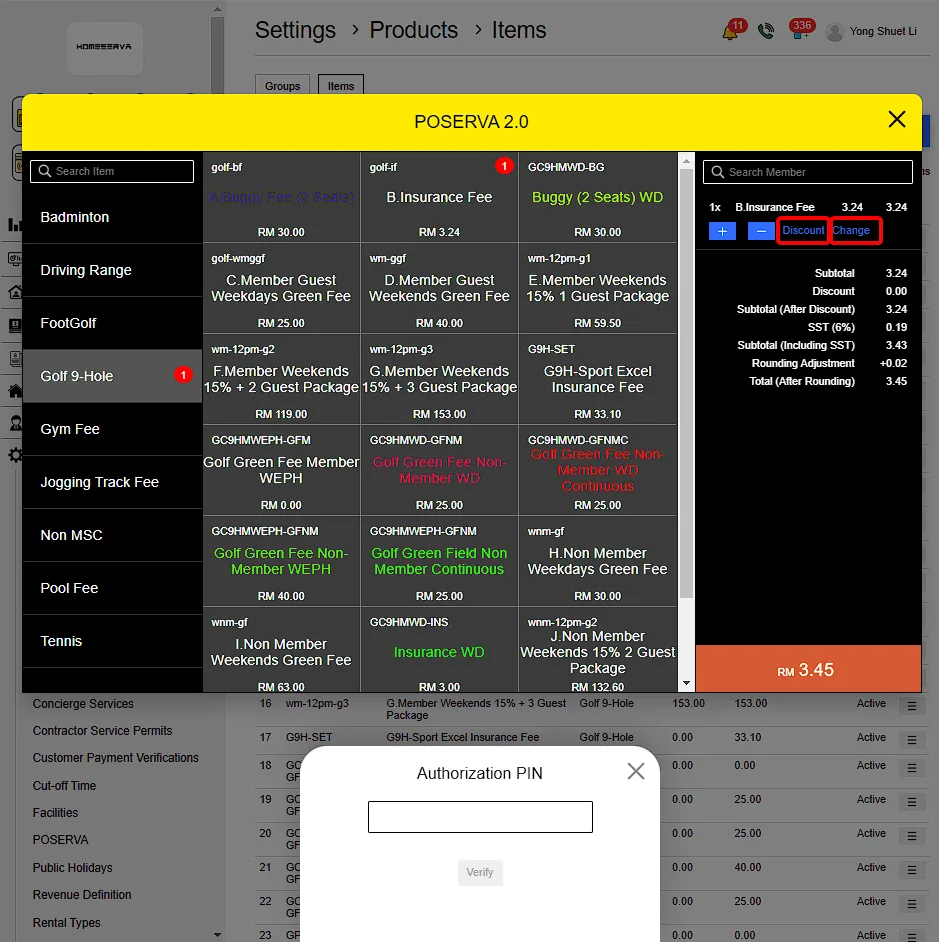
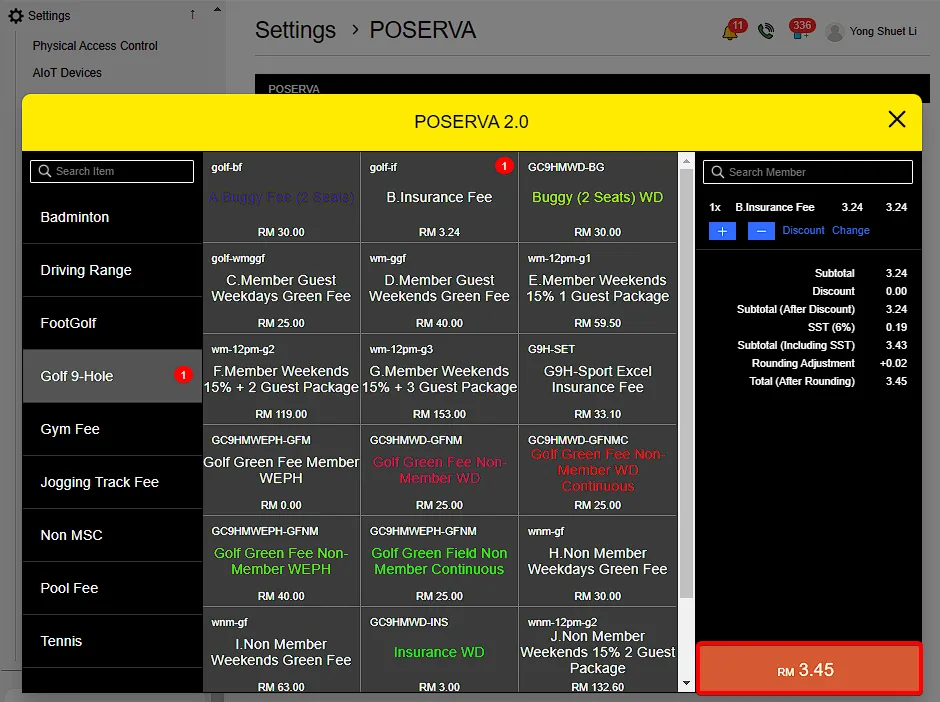
Go to More Options > POSERVA > Select items wanted > Select amount
To change or give discount , Select Discount or Change > Enter Authorization pin
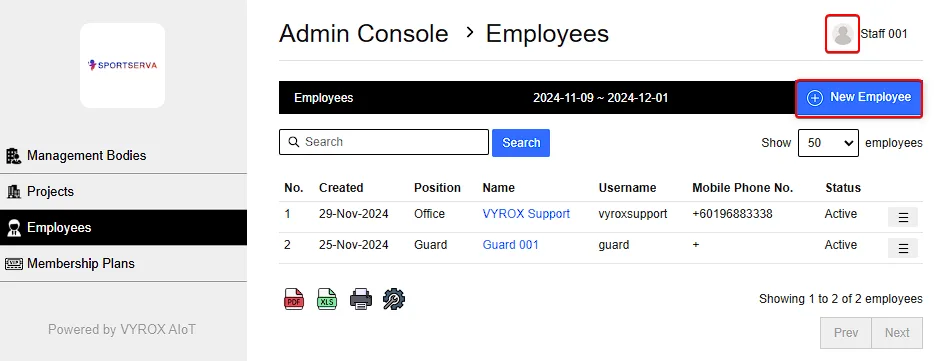
The Authorization PIN Code are unique to each employees and is set by going to Profile > Admin Console > Employee > New employee
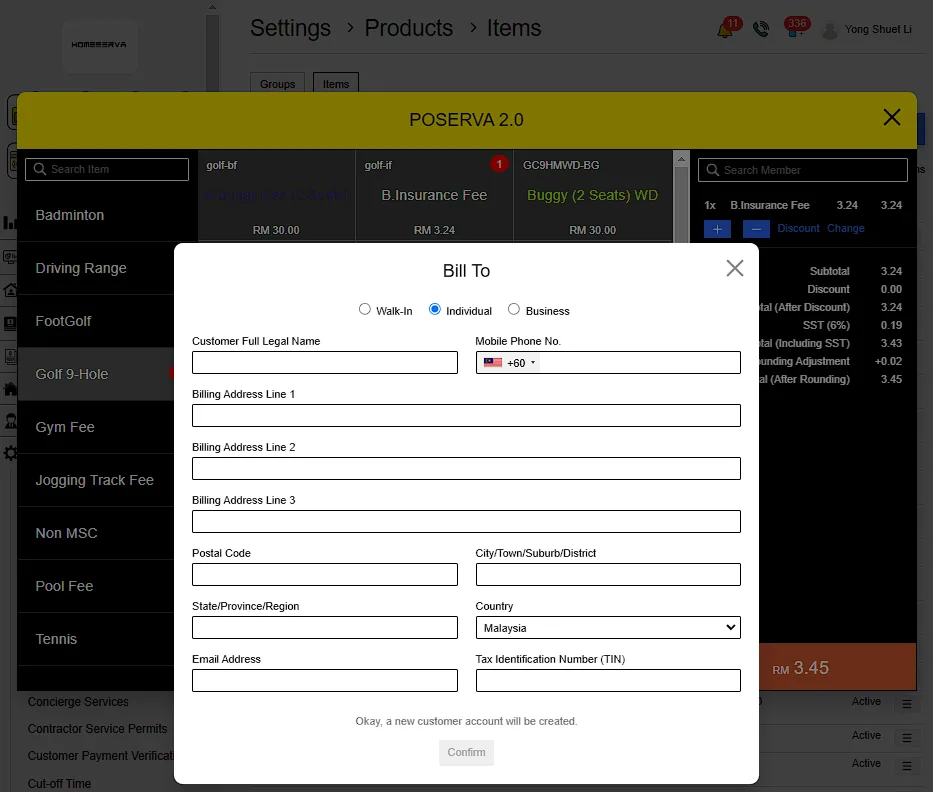
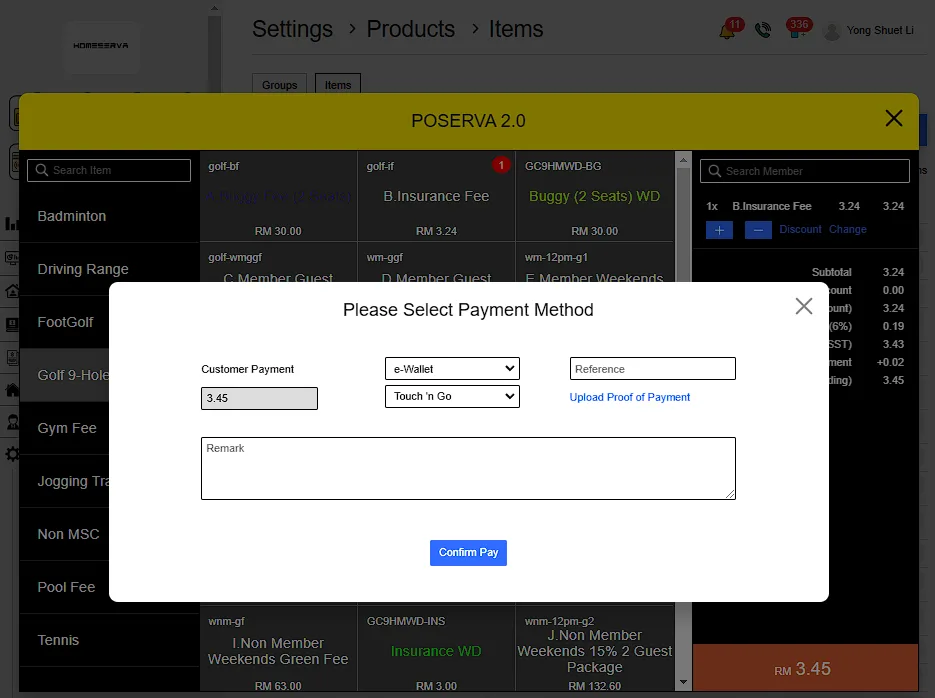
To pay , Click on total amount > Select Bill To > Fill in details > Confirm > Select Payment Option > Confirm Pay
Bill To options:
Bill To fill in details include:
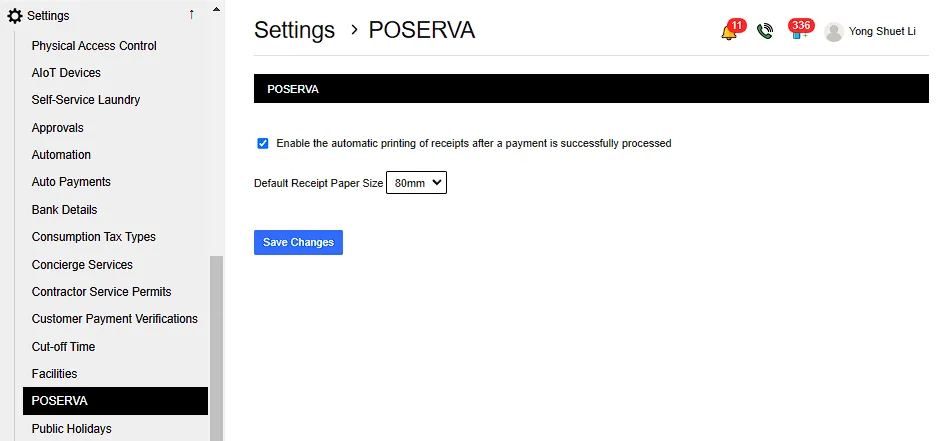
Go to Settings > POSERVA > Save Changes
Choose whether to enable the automatic printing of receipts after payment is successfully processed .Then Choose Receipt Paper Size.