VYROX Very Intelligent Platform (VIP) · Very Intelligent Platform: User Guide
This guide explains how to create and manage sub-user accounts effectively. Follow these steps to add sub-users and manage their access permissions seamlessly.
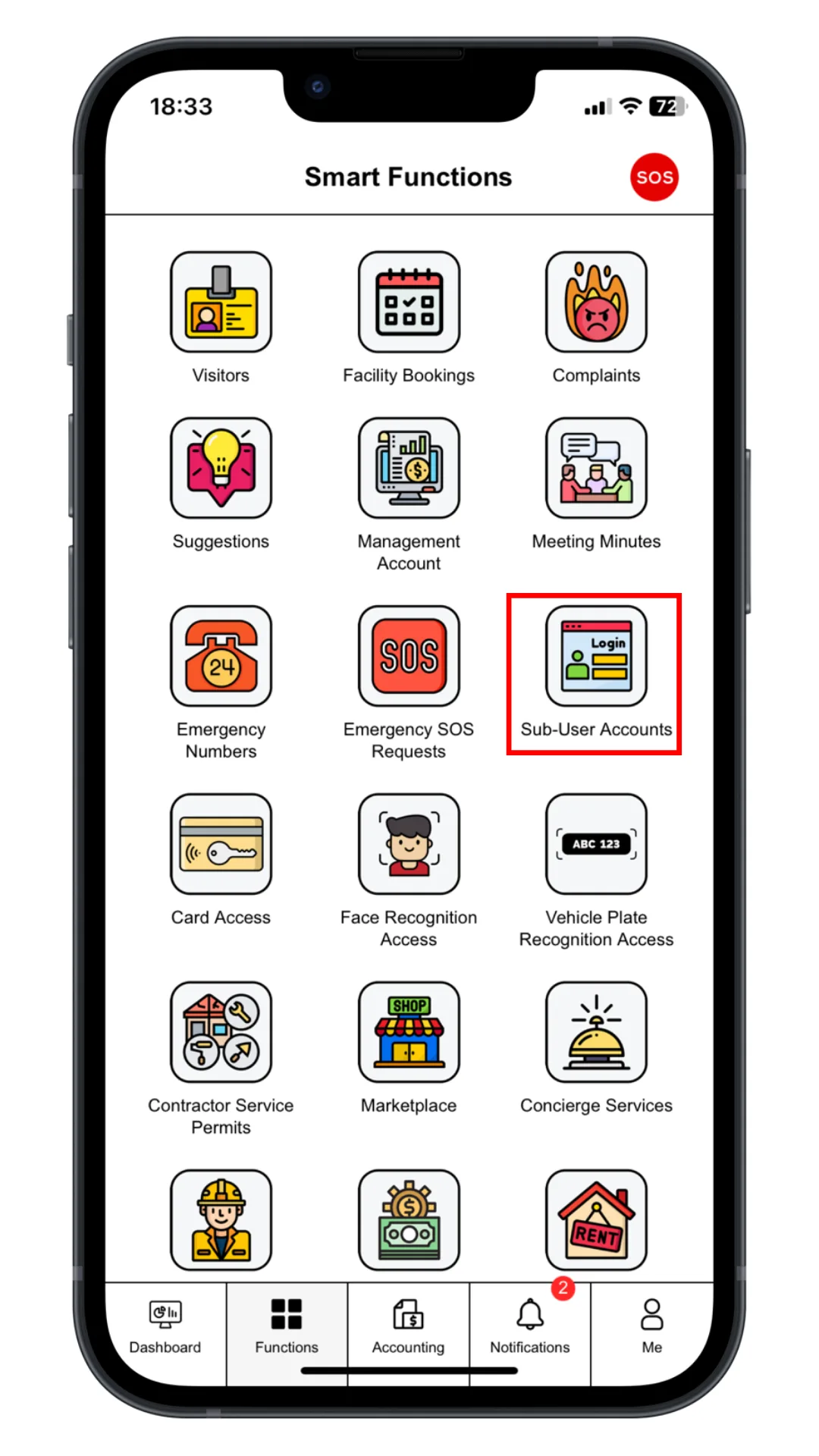
Click “Sub-User Account” to create accounts for family members or tenants.
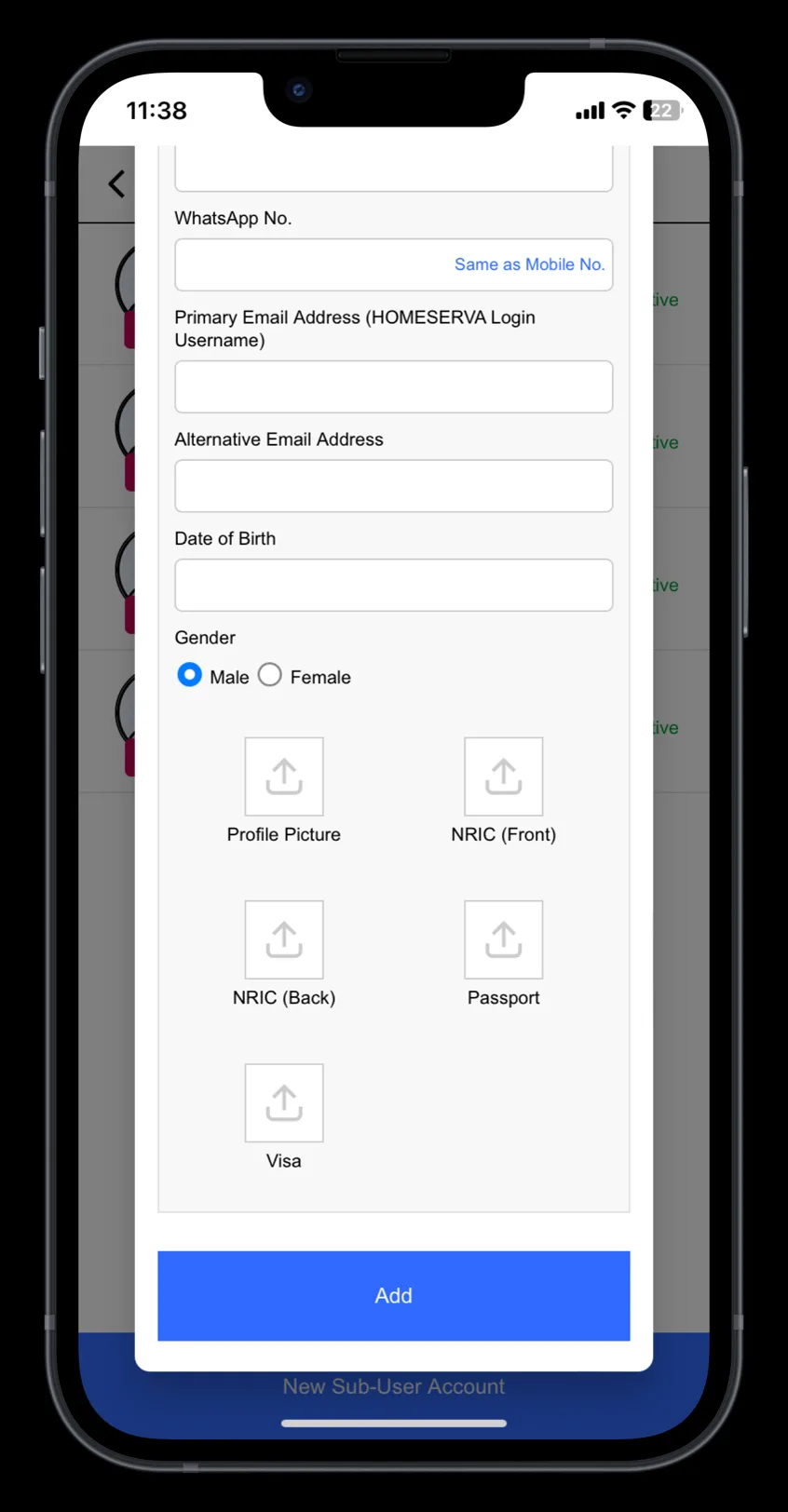
Fill in Sub-user Name, NRIC / Passport No., Mobile Phone No. and Email Address.
Click “Add” to create.
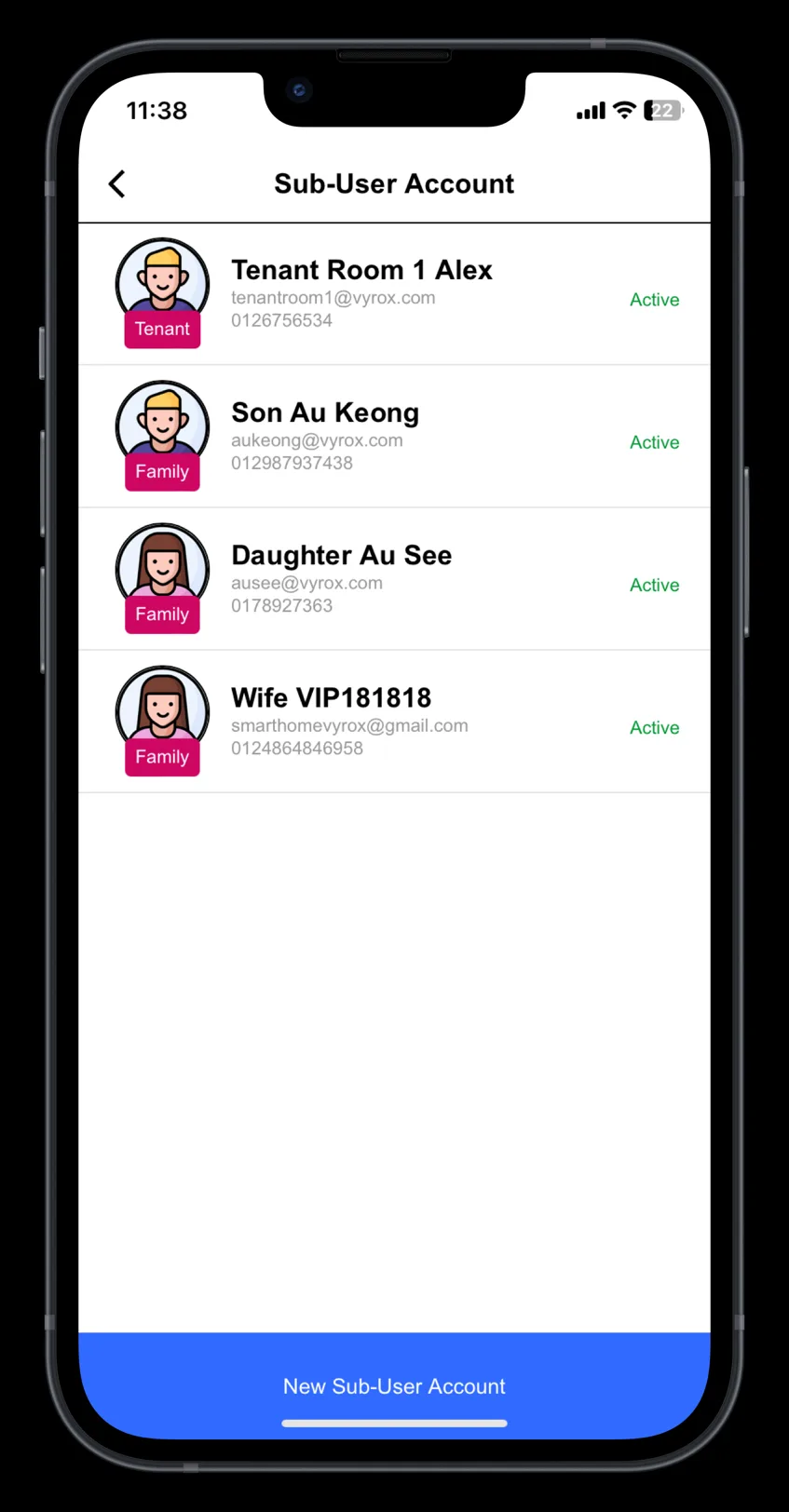
New created sub accounts will be listed in this page.