VYROX Very Intelligent Platform (VIP) · Very Intelligent Platform: User Guide
This guide will help you search for contractors and service providers on the Tukangman platform quickly and efficiently. Follow the steps below to submit your request and contact the service provider directly via WhatsApp for a fast and smooth experience.
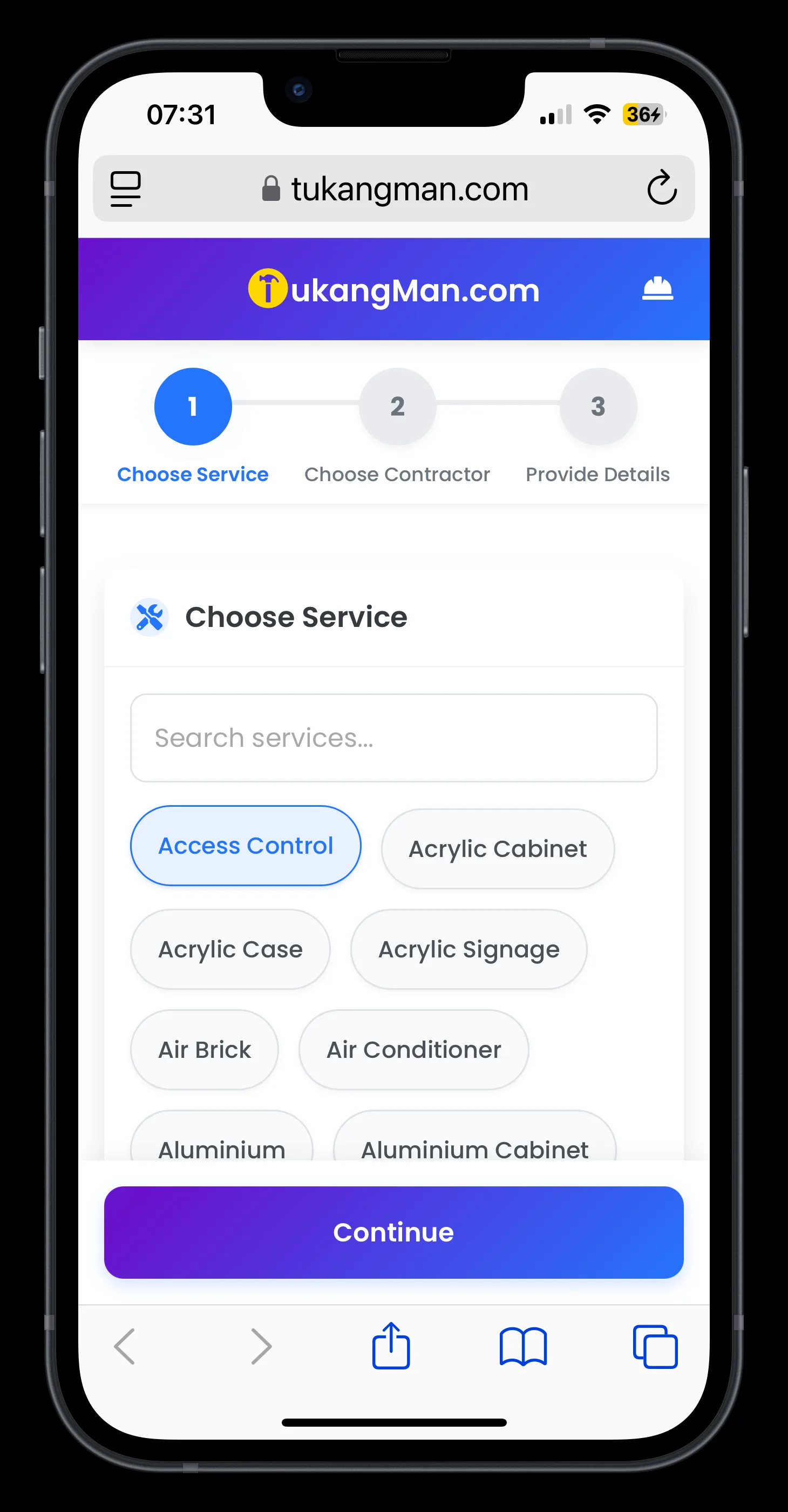
Browse the service categories available - such as Access Control, Acrylic Cabinet, Renovation, Electrical Works, Plumbing, and more.
Choose the service that matches your needs.
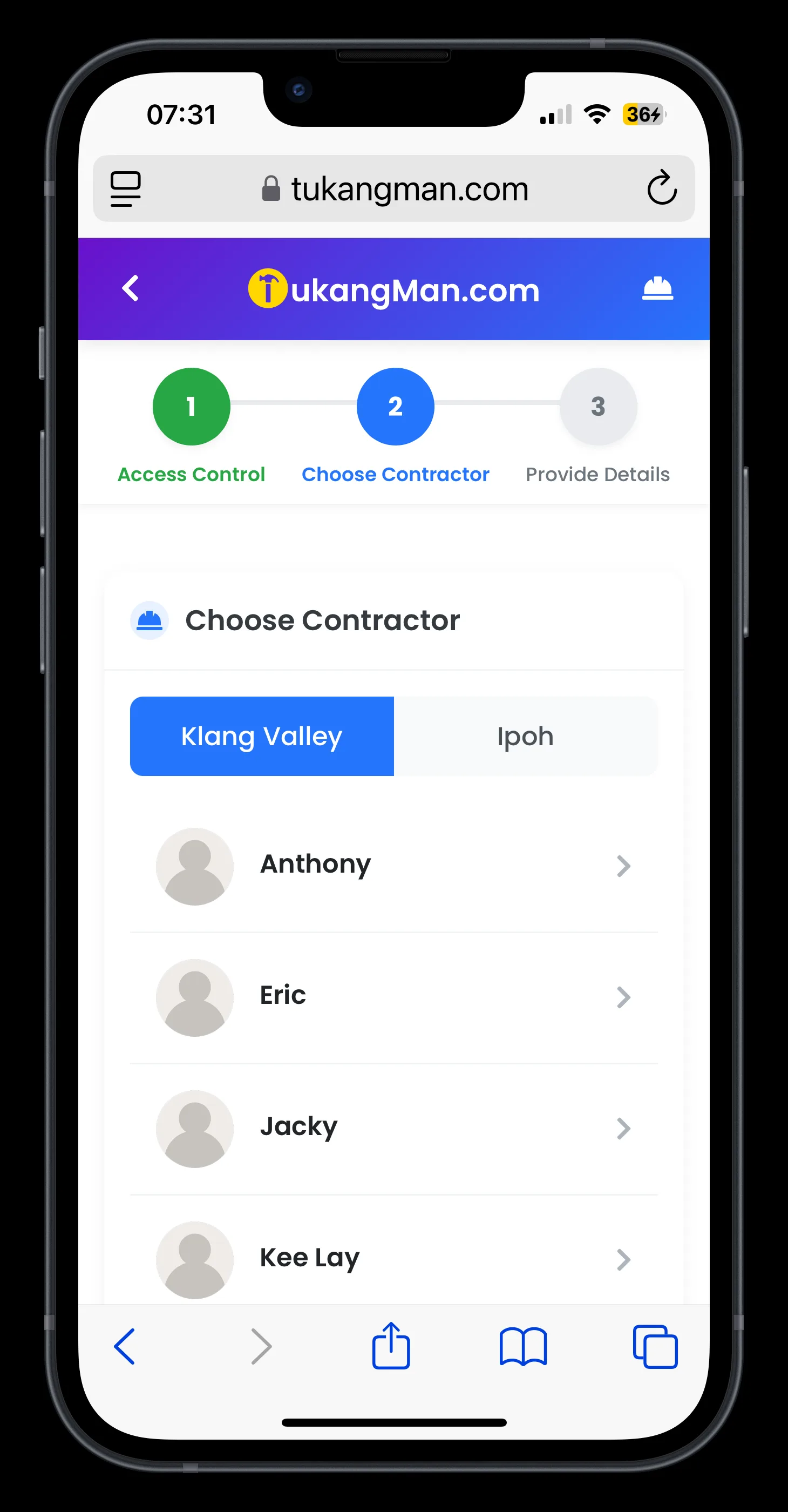
View the list of contractors available for your selected service.
Filter and select a contractor based on their service area or location coverage.
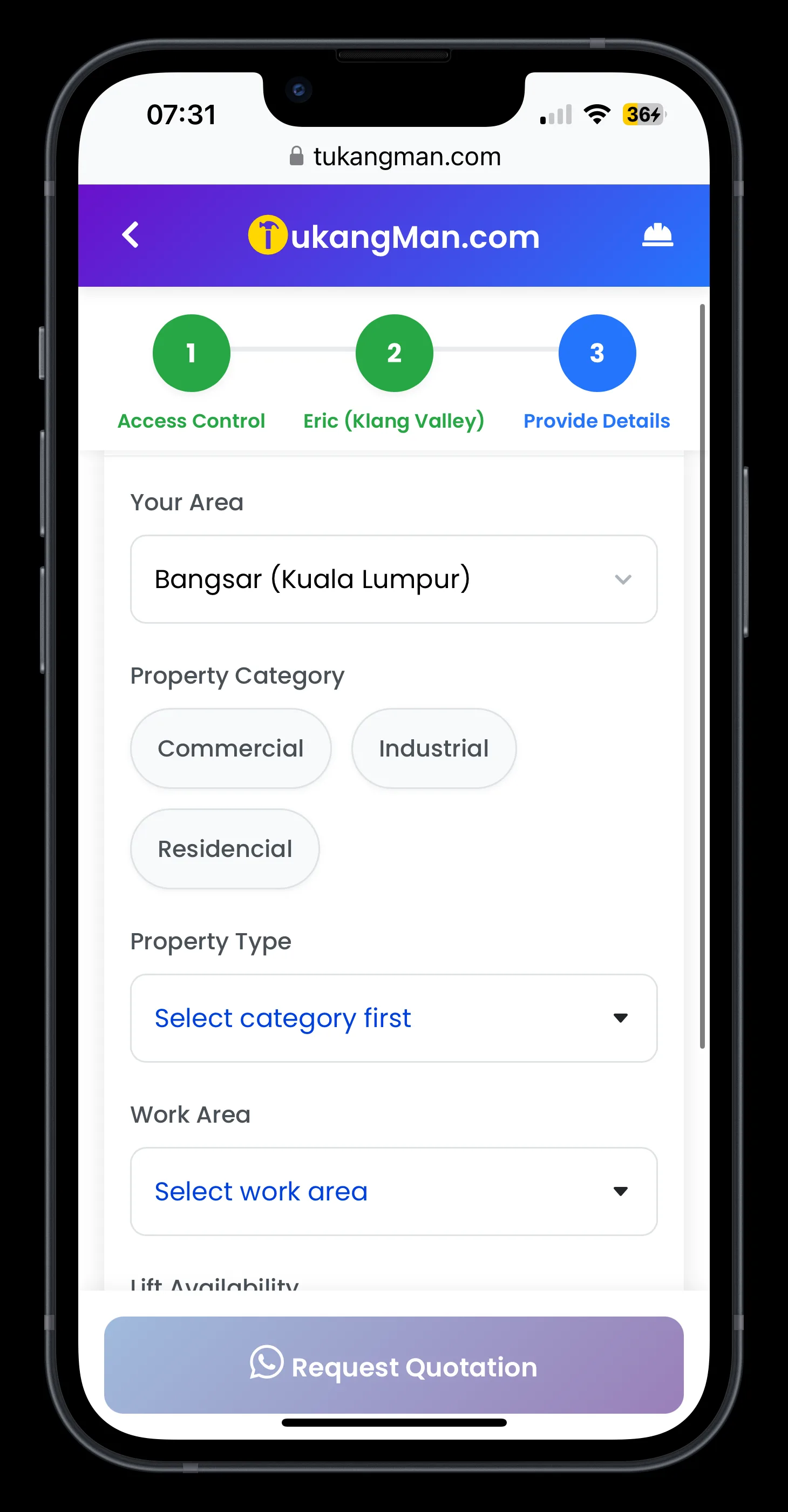
Fill in the required details:
Your area/location
Property category (e.g., residential, commercial)
Property type (e.g., landed, condominium, shop lot)
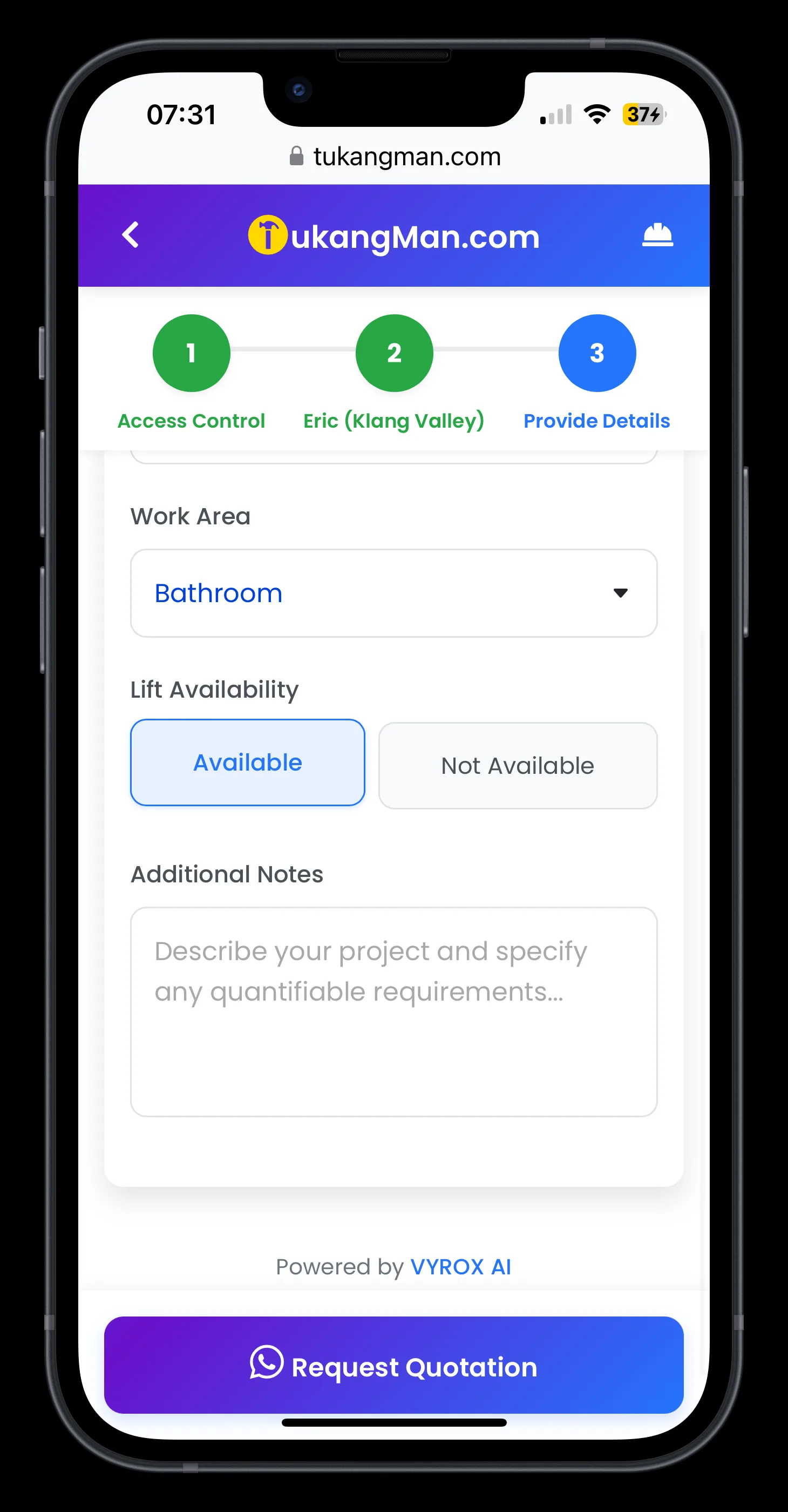
Work area (specific location for the job)
Lift availability (yes/no)
Additional notes (optional)
Confirm and submit your request for a quotation.
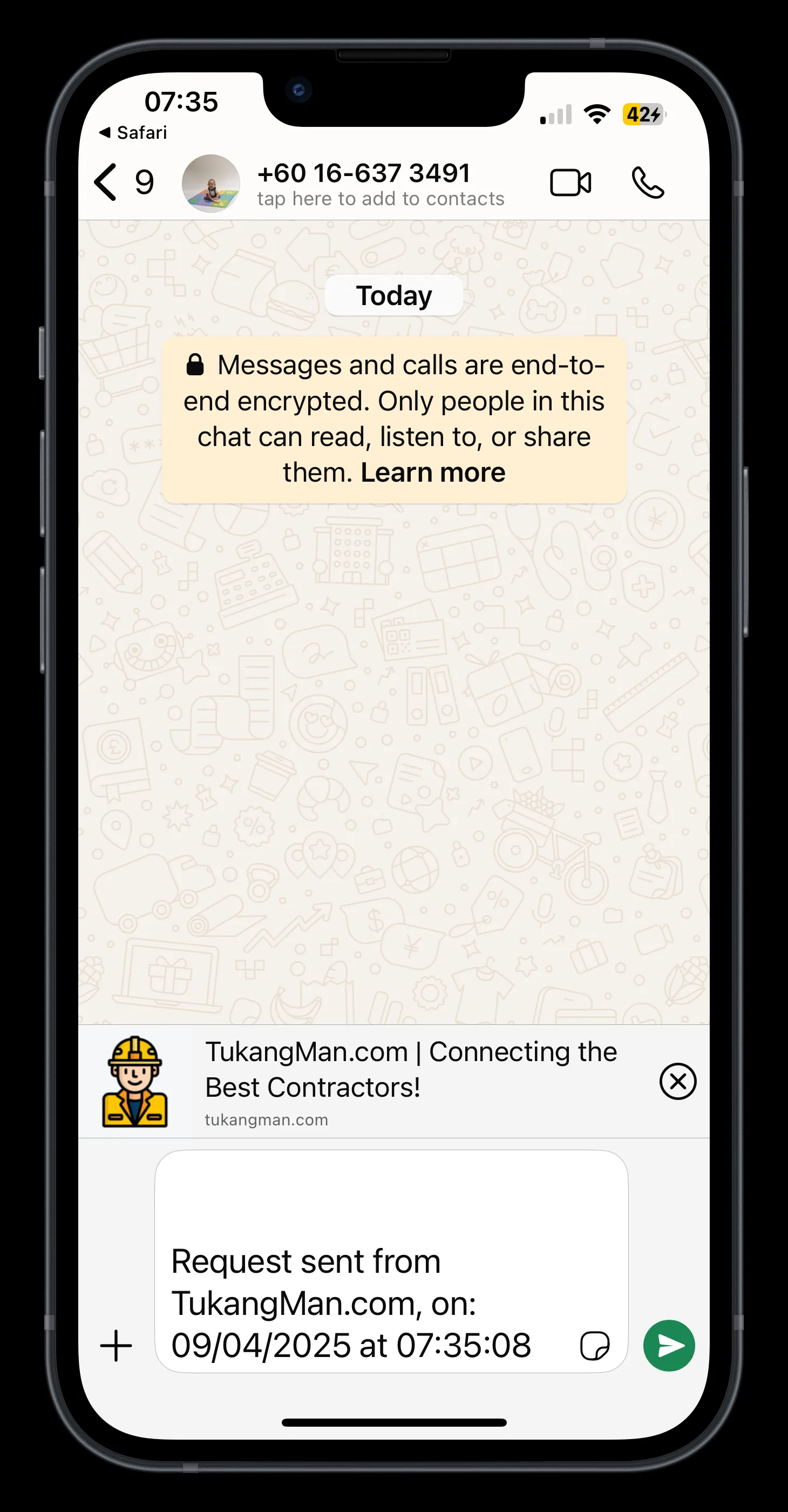
A WhatsApp chat will automatically open with the selected contractor.
Your service request details will be pre-filled - simply send the message to get in touch with the service provider directly.