VYROX Very Intelligent Platform (VIP) · Very Intelligent Platform: Management Guide
This guide provides step-by-step instructions on generating financial reports. Learn how to create detailed revenue reports for each product and service, analyze financial performance, and utilize insights to make informed business decisions.
This section offers an in-depth overview of the tools and features available for creating financial reports. From product-wise revenue tracking to maintaining accurate records, each feature is tailored to support efficient financial management and strategic planning.
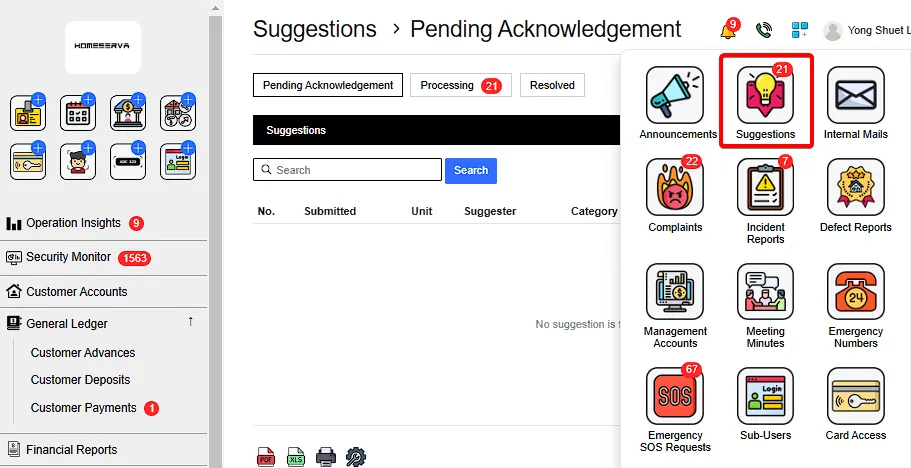
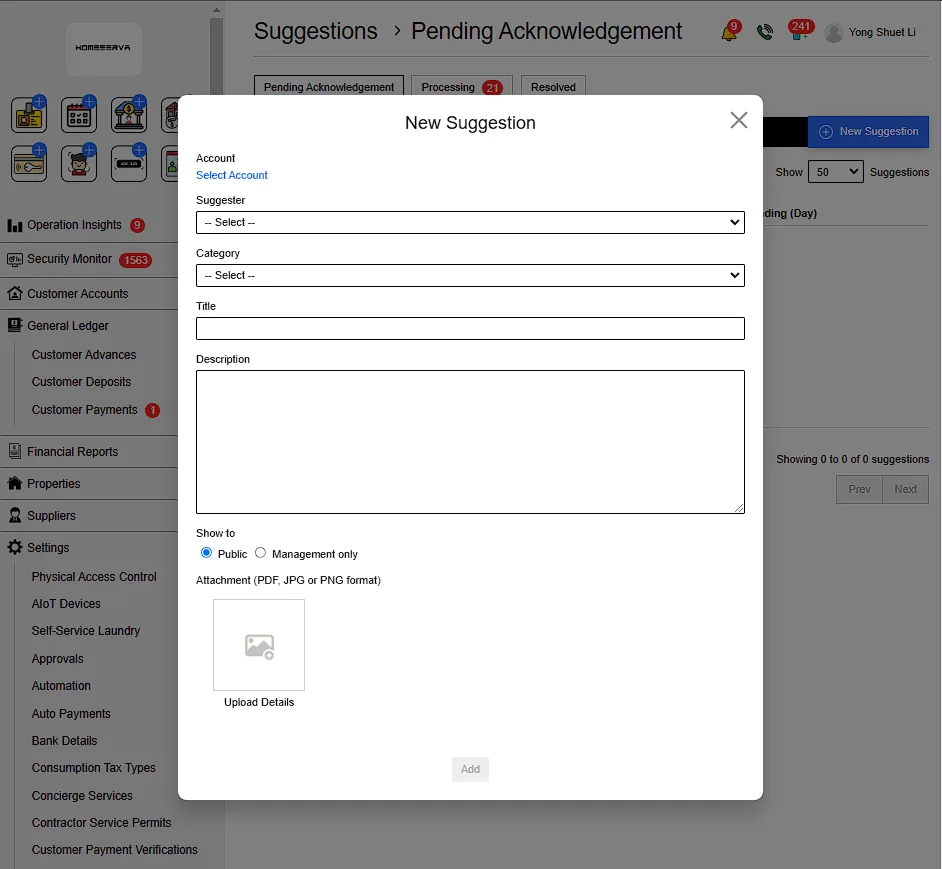
Go to Suggestions > New Suggestions > Fill in details > Add
Details include:
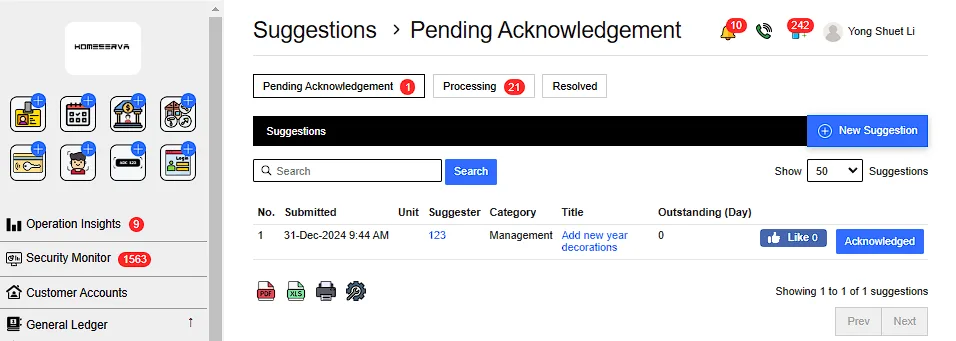
After New Complaints is filed , Goto Pending Acknowlegement page and click "Acknowleged".
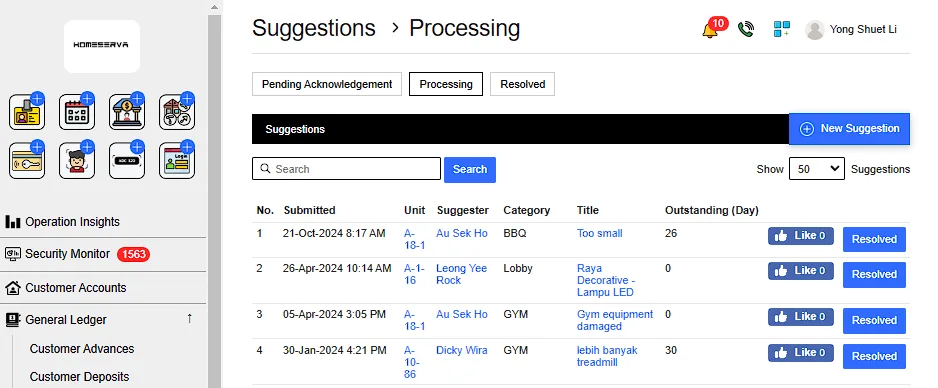
After Acknowleged Suggestions , management can see processing complaints in Processing page .
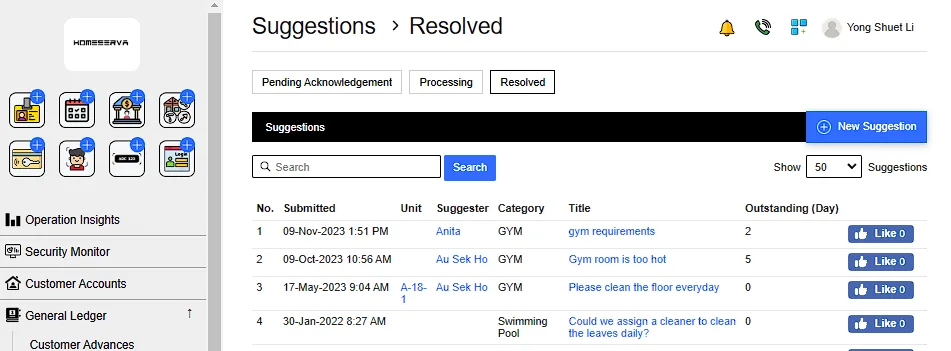
After management have resolved the suggestions , Goto Processing page and click "Resolved".
Management can refer to previously resolved suggestions as reference at Resolved page