Snooker King · Snooker King AIoT Lighting & Billing System
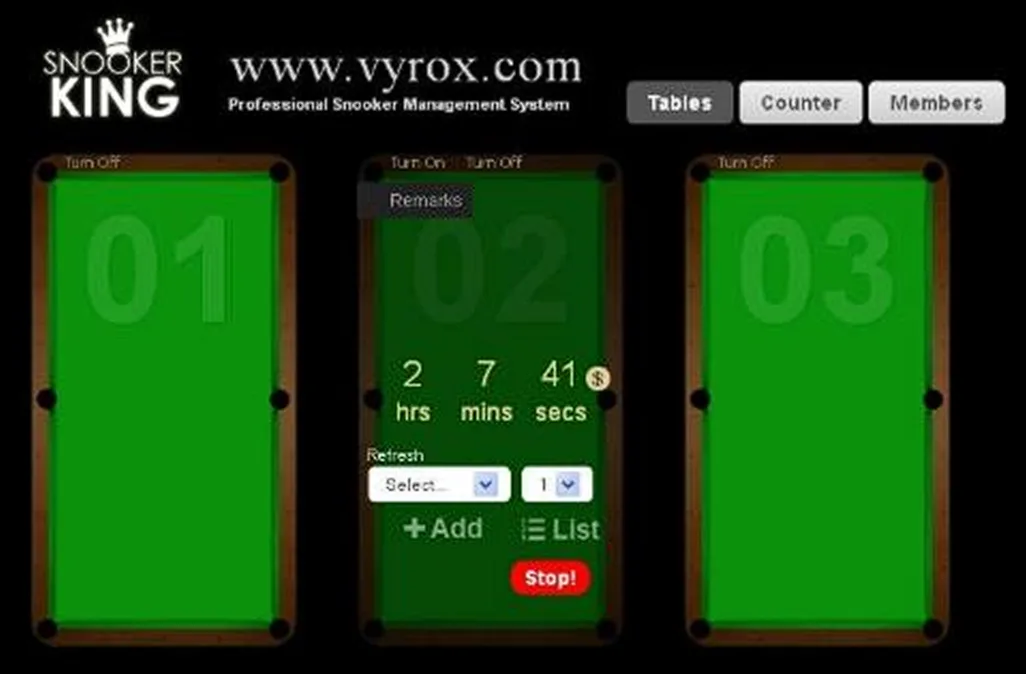
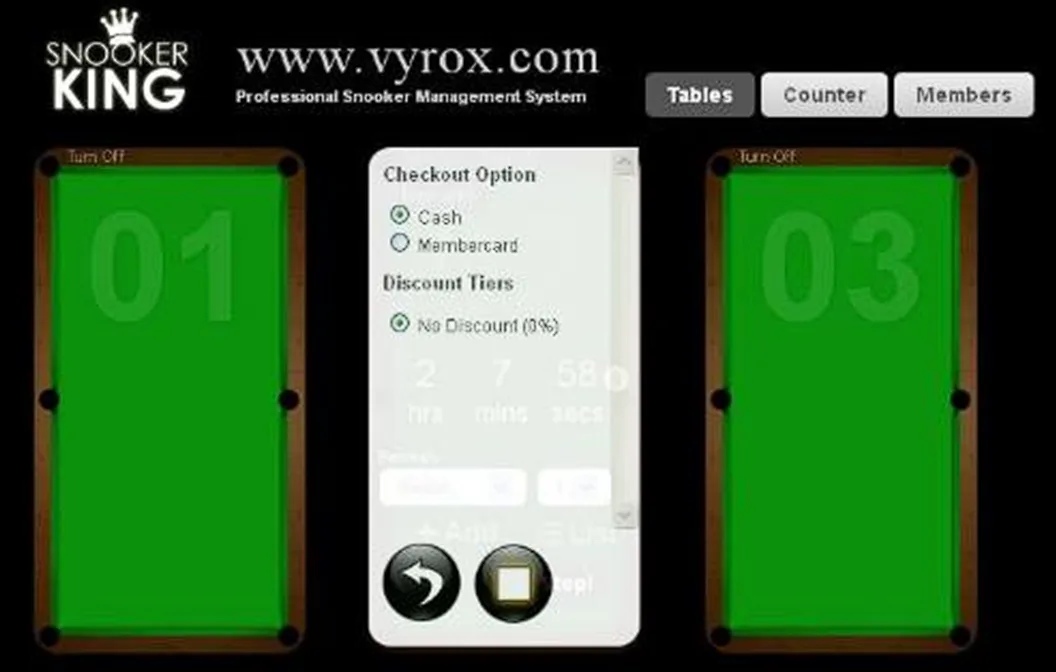
Click “Stop!” icon to checkout > Select “cash” > click Square icon to checkout > collect cash from customer based on the rate shown in software.
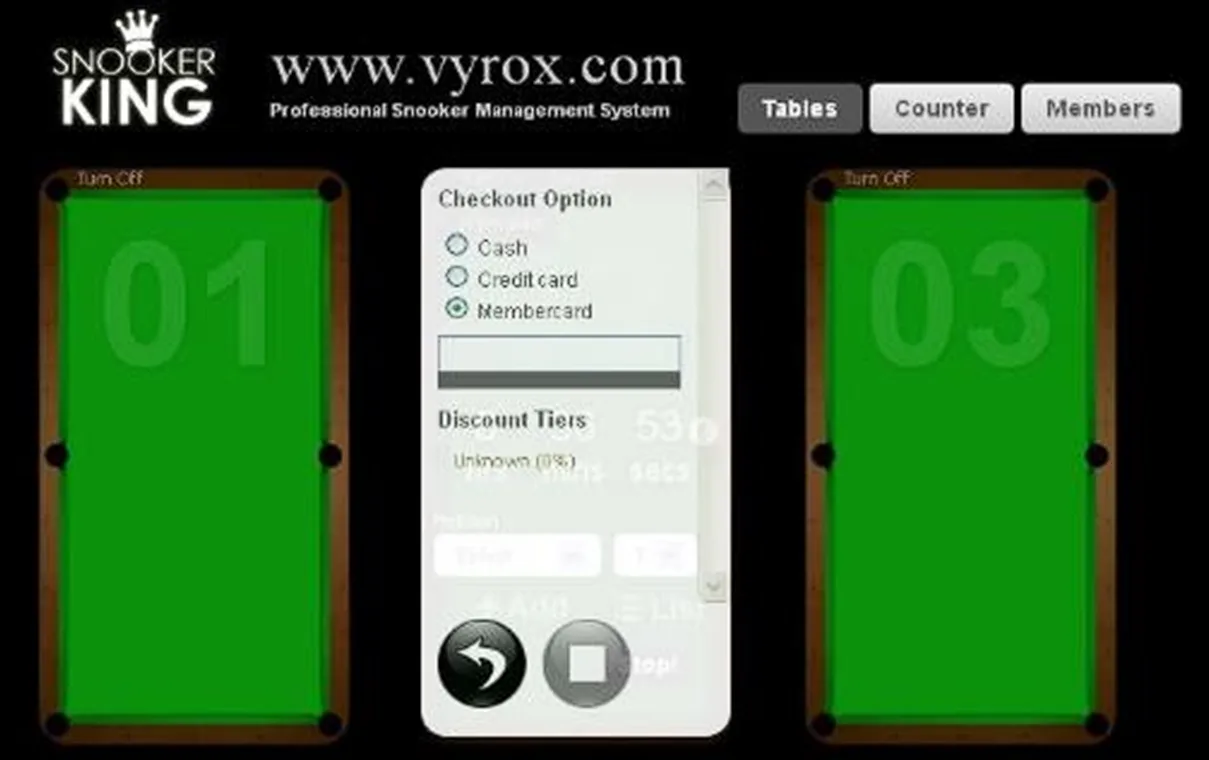
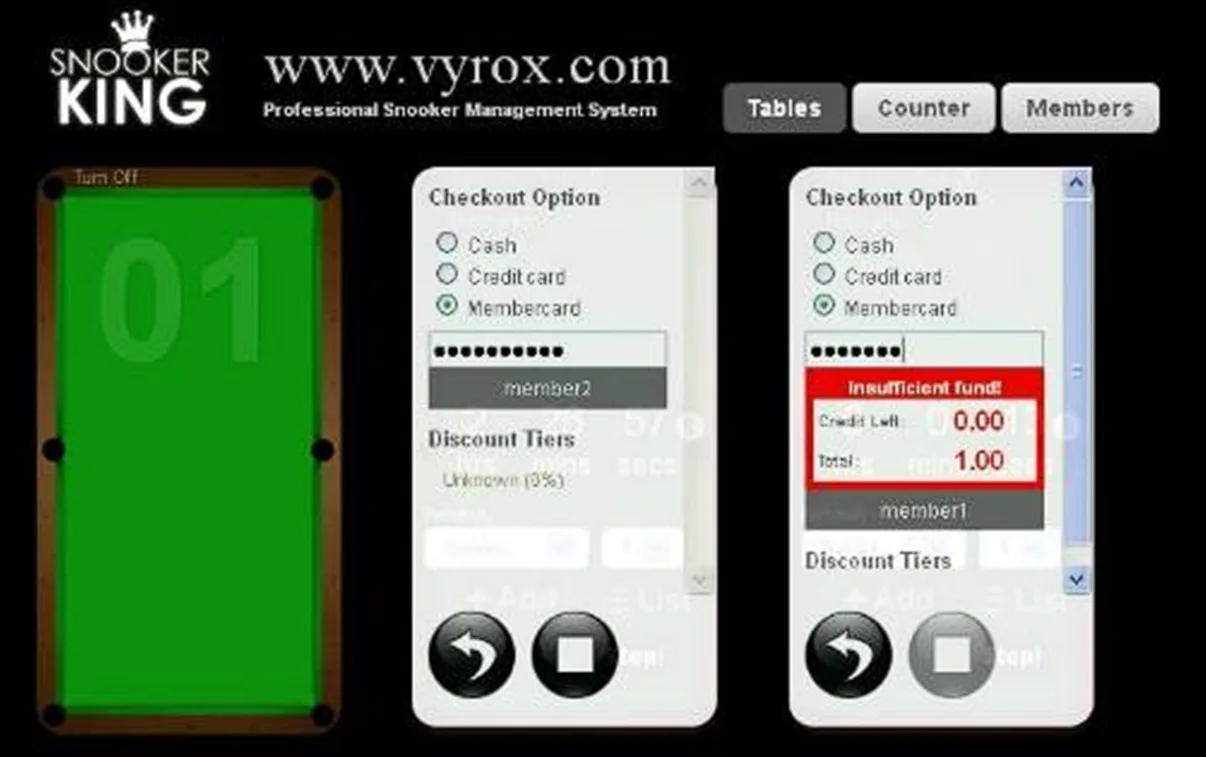
Click “Stop!” icon > Select “membership card” > click Square icon to checkout > enter membership card ID > Only enough credit membership ID able to check out > collect cash from customer based on the rate shown in software.