Table of Contents
This guide will help you search for contractors and service providers on the Tukangman platform quickly and efficiently. Follow the steps below to submit your request and contact the service provider directly via WhatsApp for a fast and smooth experience.
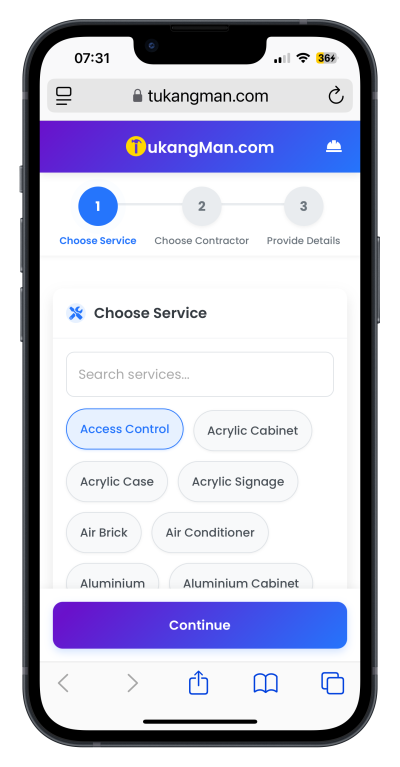
1. Select a service
Browse the service categories available — such as Access Control, Acrylic Cabinet, Renovation, Electrical Works, Plumbing, and more.
Choose the service that matches your needs.
 |
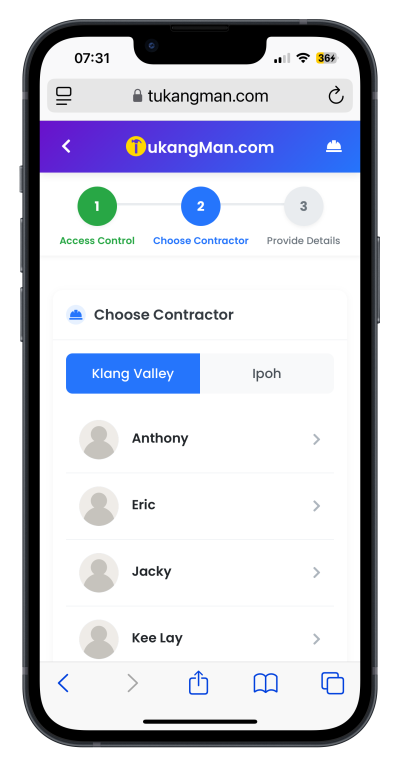
2. Select a contractor
View the list of contractors available for your selected service.
Filter and select a contractor based on their service area or location coverage.
 |
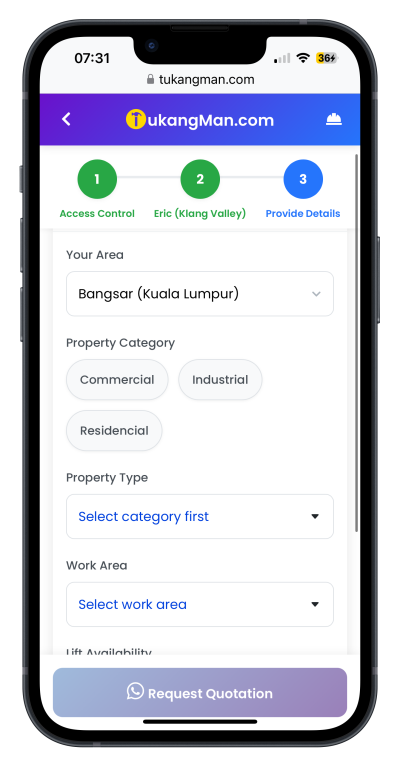
3. Provide Service Request Details
Fill in the required details:
Your area/location
Property category (e.g., residential, commercial)
Property type (e.g., landed, condominium, shop lot)
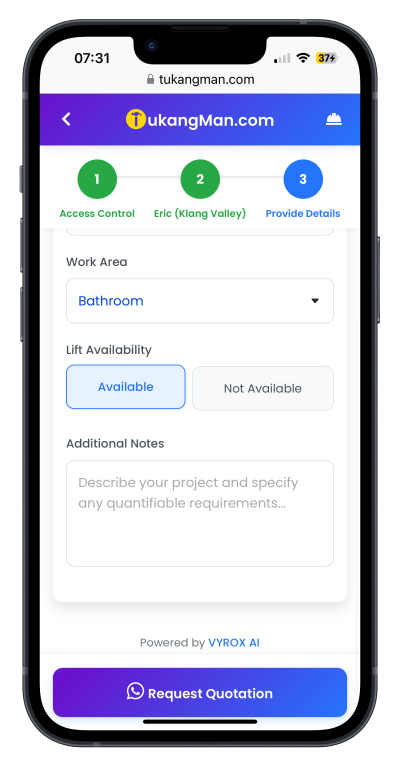
Work area (specific location for the job)
Lift availability (yes/no)
Additional notes (optional)
Confirm and submit your request for a quotation.
 |
 |
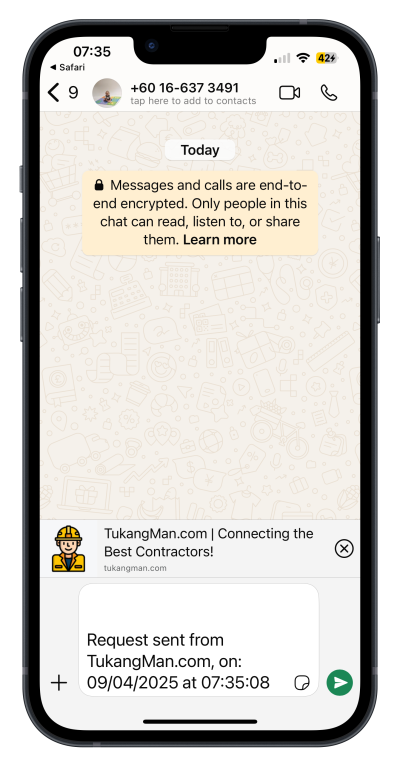
A WhatsApp chat will automatically open with the selected contractor.
Your service request details will be pre-filled — simply send the message to get in touch with the service provider directly.
 |