Table of Contents
Card Access
Introduction
This guide provides a step-by-step process for applying an access card. Learn how to request a new card to ensure secure and convenient access to facilities.
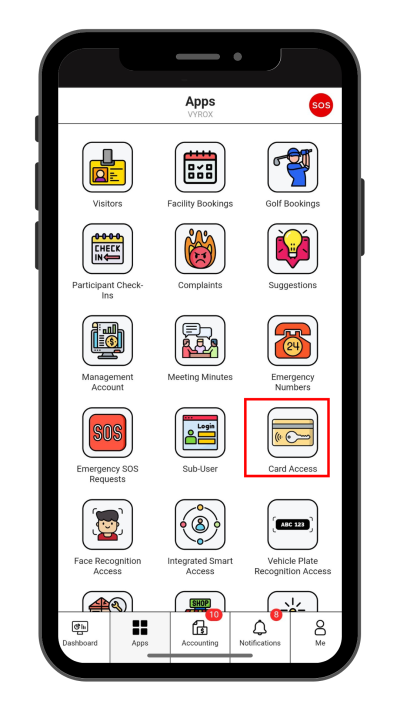
Step 1: Card Access
Click “Card Access” icon
 |
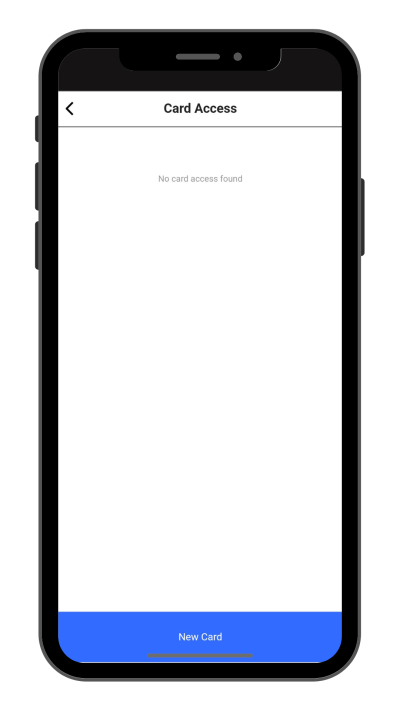
Step 2: Create New Cards
Click “New Card” to make a new card.
 |
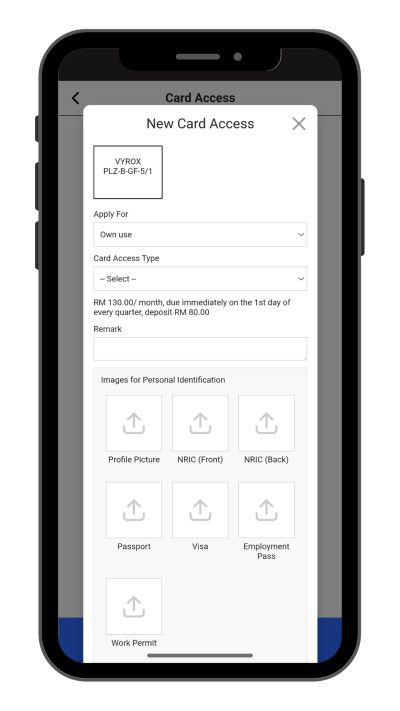
Step 3: Fill in Card details
Select Apply for, Card Access Type, Remark, and include Pictures of Profile Picture , NRIC , and Relevant documents.
Click “Add” to create.
 |
Step 4: Wait for Manangement Approval
Manangement will need to approve access.
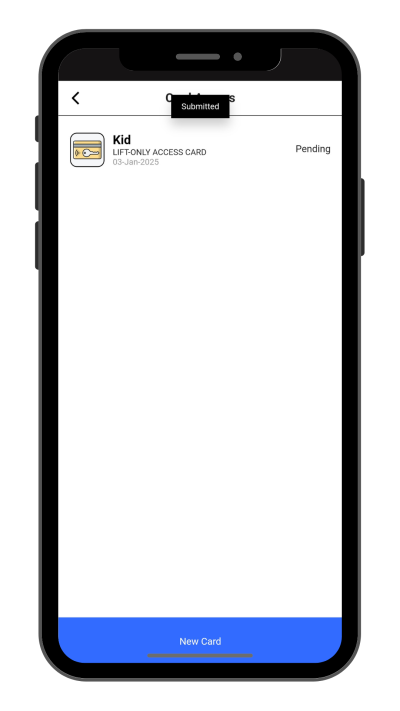 |
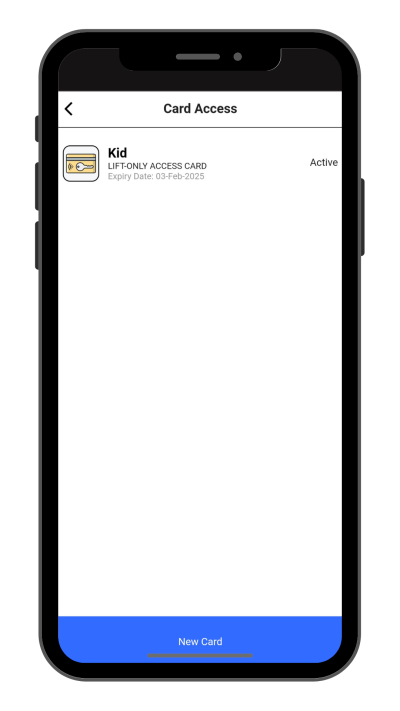
Step 5: Check New Created Access Status
New created access will be listed in this page.
 |