Table of Contents
Suggestions
1. Introduction
This guide provides step-by-step instructions on generating financial reports. Learn how to create detailed revenue reports for each product and service, analyze financial performance, and utilize insights to make informed business decisions.
2. Suggestion
This section offers an in-depth overview of the tools and features available for creating financial reports. From product-wise revenue tracking to maintaining accurate records, each feature is tailored to support efficient financial management and strategic planning.
2.1 Add New Suggestions
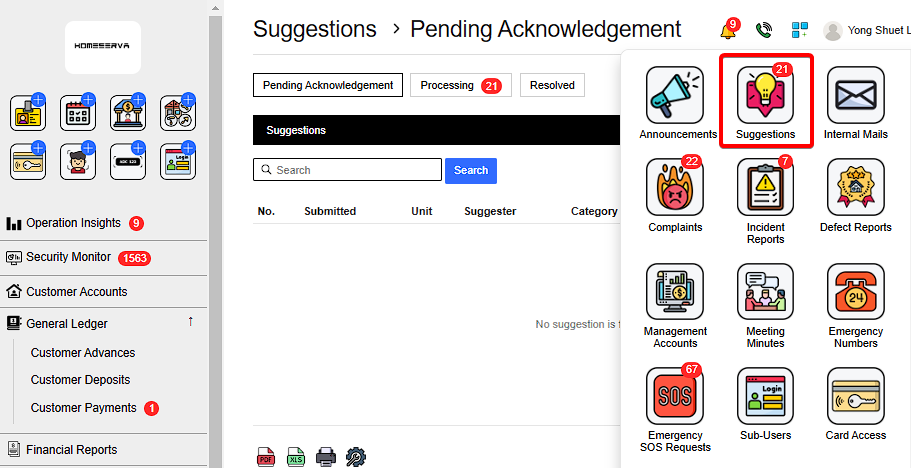
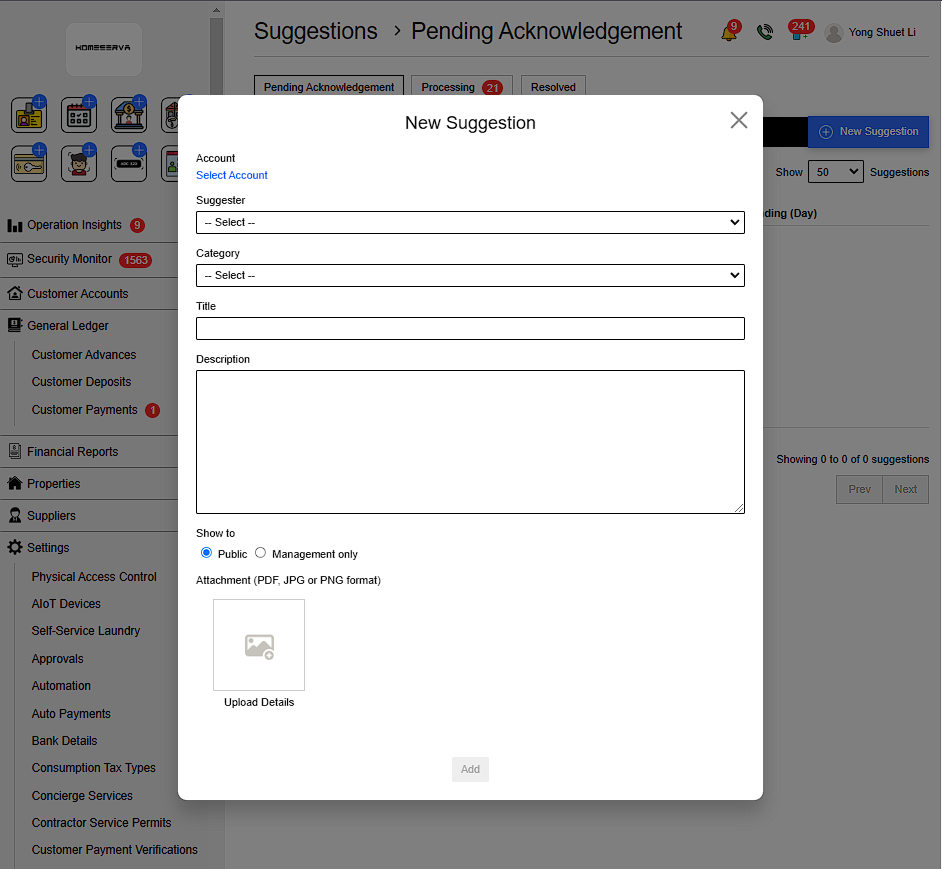
Go to Suggestions > New Suggestions > Fill in details > Add
Details include:
- Select Customer account
- Complainant
- Catagory
- Title
- Description
- Select Show to Public or Manangement only
- Attachment to upload evidance ( PDF, JPG or PNG format )
 |
 |
2.2 Acknowledge Process and Resolve Suggestions
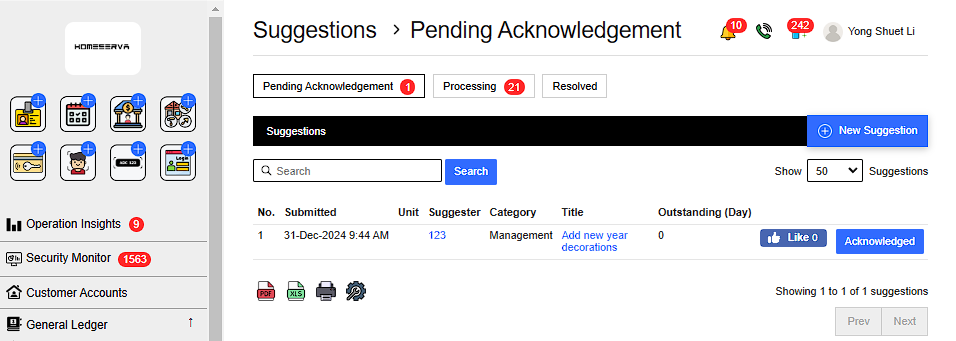
After New Complaints is filed , Goto Pending Acknowlegement page and click “Acknowleged”.
 |
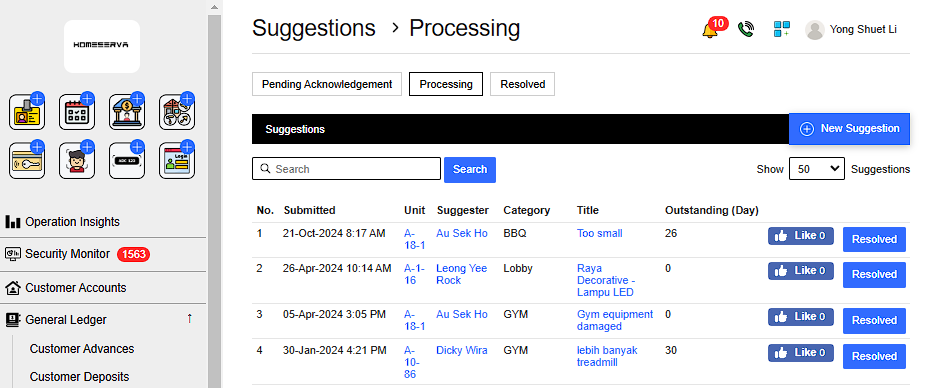
After Acknowleged Suggestions , management can see processing complaints in Processing page .
After management have resolved the suggestions , Goto Processing page and click “Resolved”.
 |
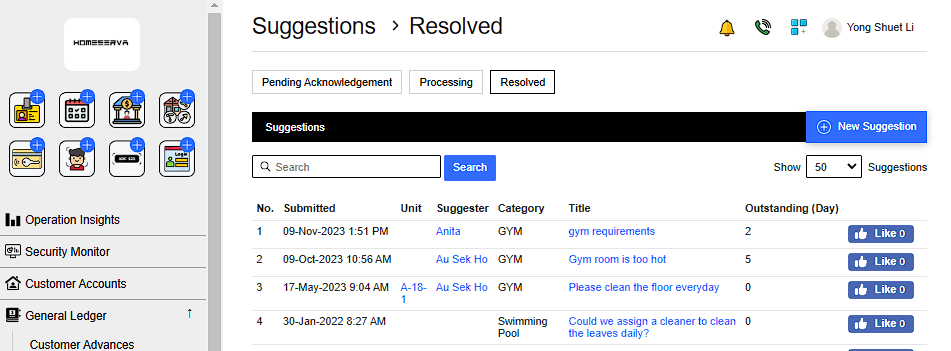
Management can refer to previously resolved suggestions as reference at Resolved page
 |