7. Member Discount
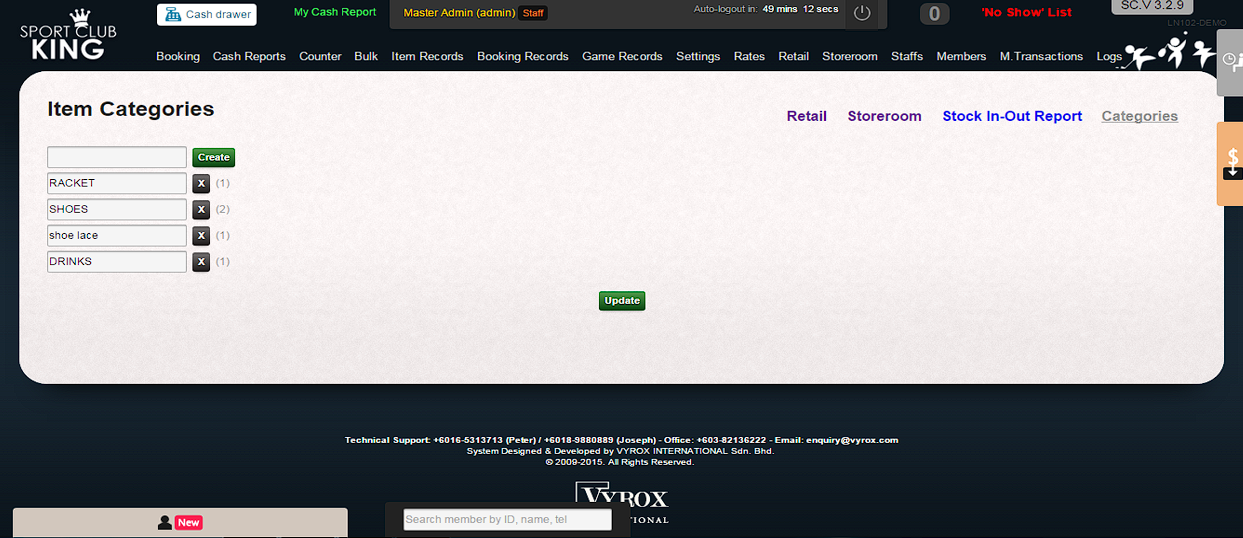
Read this chapter to learn how to set up Inventory Management and POS system. 1. Go to “Storeroom” page and Click on “Categories” Enter inventory item category name. Click “Create” to complete the process.
 |
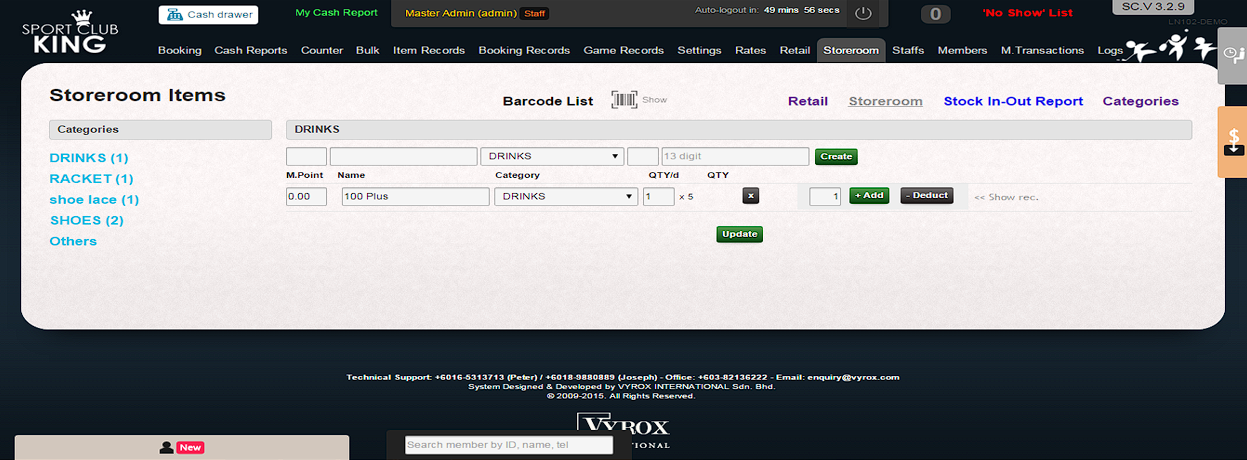
2. Go to “Store room”, Enter item name, Select Category, Enter Quantity, Click “Create” to add item.
 |
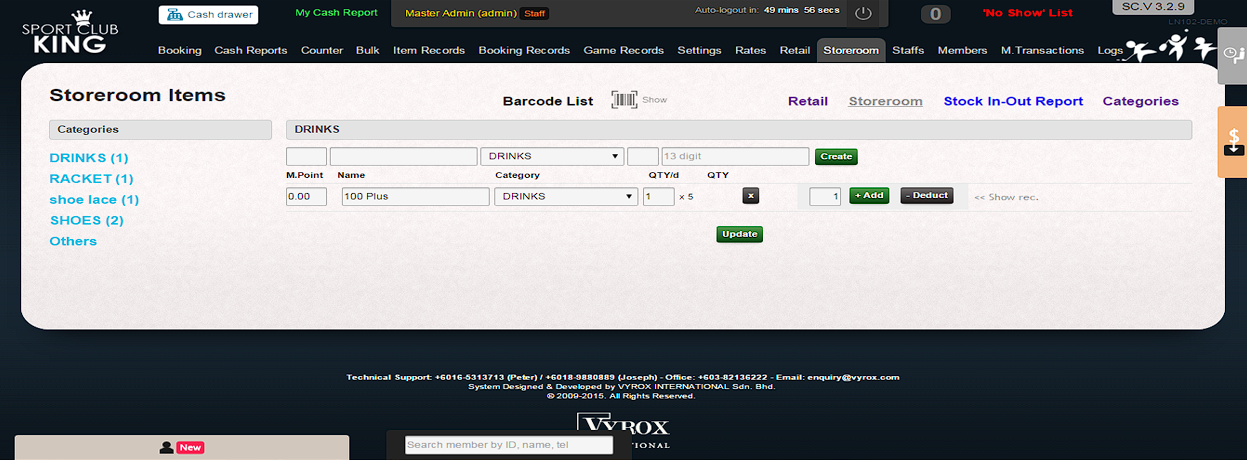
3. Go to “Item”, Enter item price, Click “Update”
 |
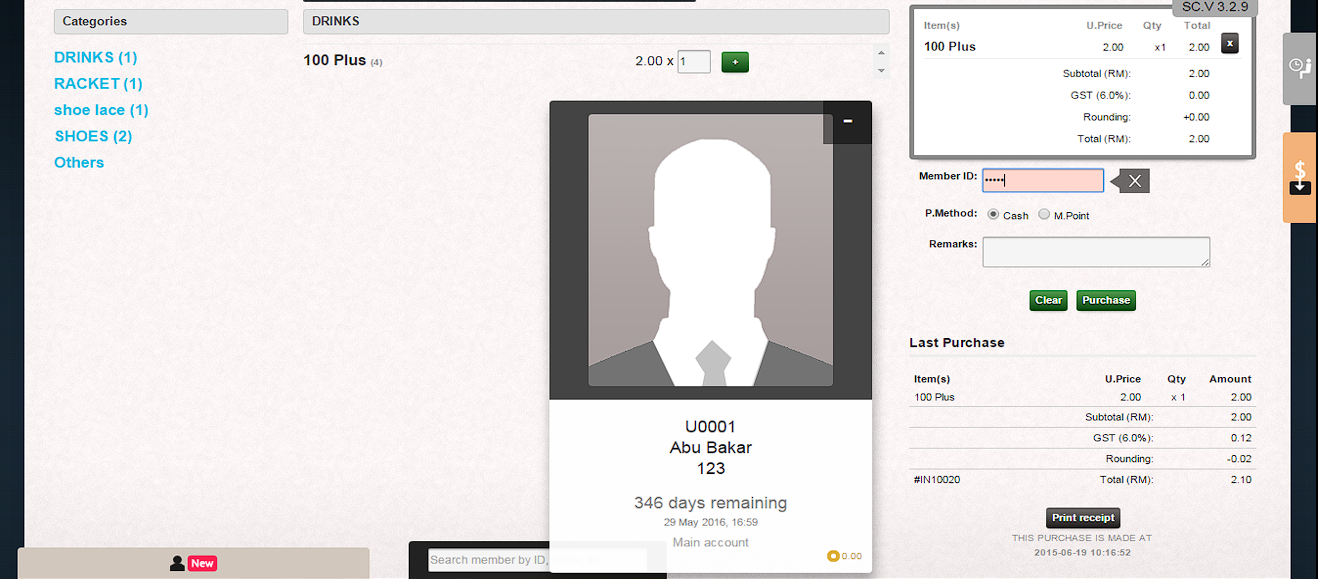
4. Go to Counter, Press “ + ” to add on the item. Scan the membership card at Member ID column. Then, member can purchase item with discounted rate.
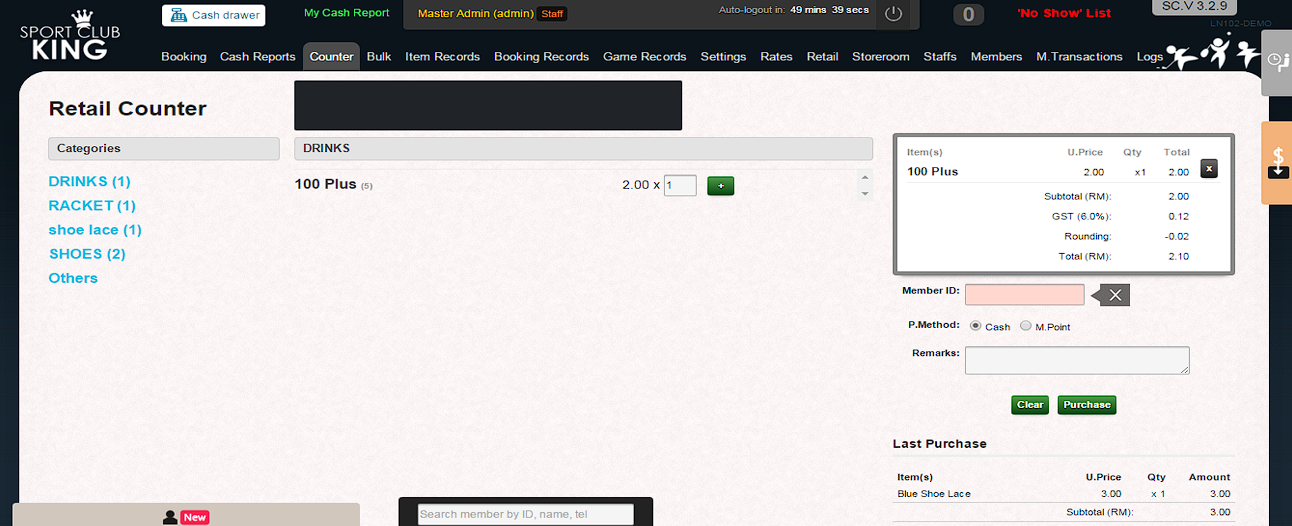 |
5. Finally, click “Purchase” to confirm the checkout process.
 |