Table of Contents
Employees
1. Introduction
This guide provides step-by-step instructions on managing access to the employee website. Learn how to create employee accounts and ensure they can log in to access necessary resources and information.
2. Employees
This section provides an overview of the tools and features available for managing employee access to the website. From creating accounts to ensuring login functionality, each feature is designed to provide employees with secure and straightforward access to the system.
2.1 Add New Employee
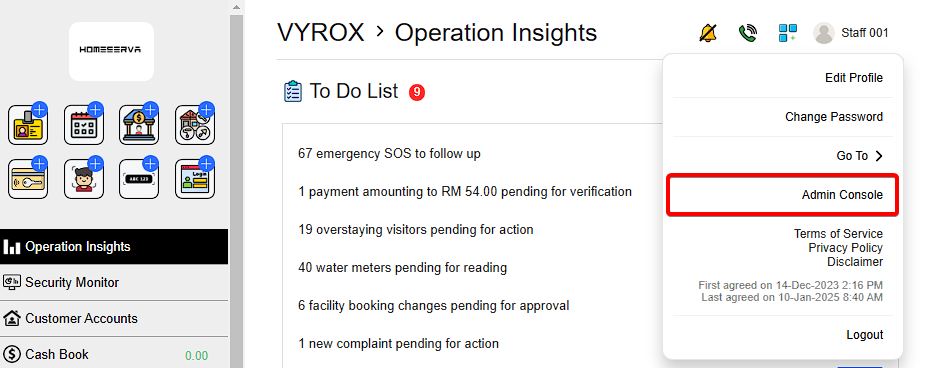
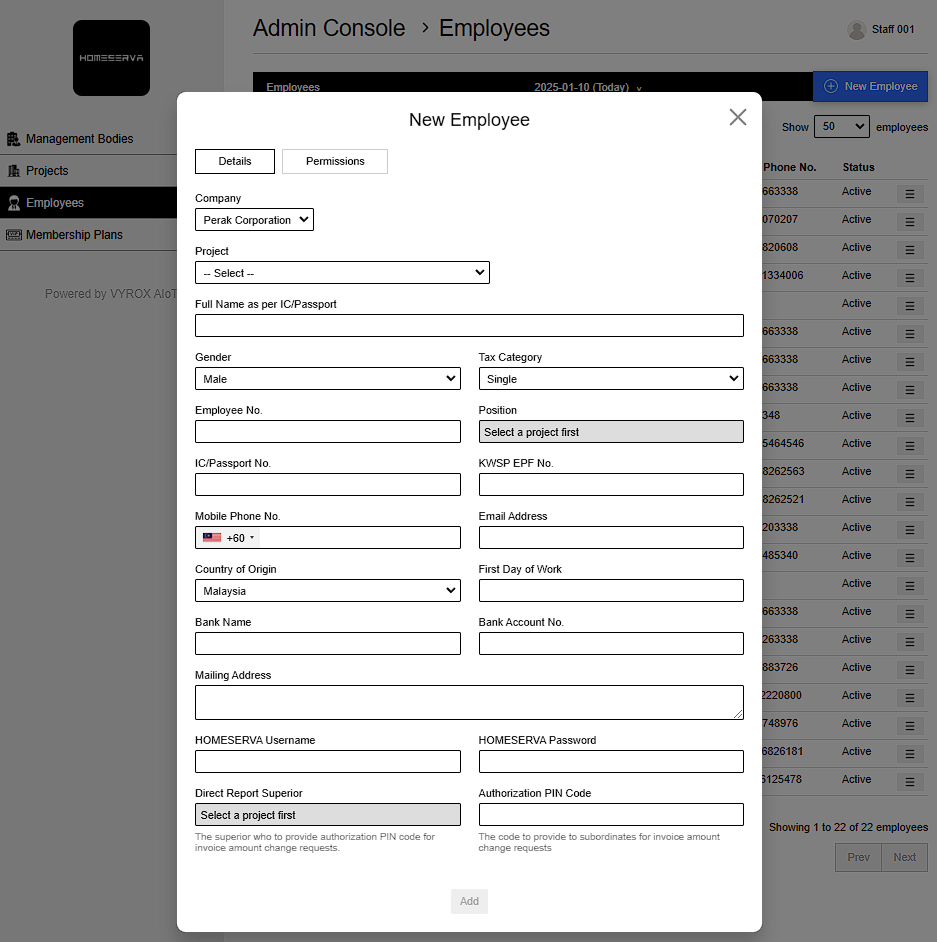
Go to Profile > Admin Console > Employees > New Employee > Fill in details > Add
Details include:
- Company
- Project
- Full Name as per IC/Passport
- Gender
- Tax Category
- Employee No.
- Position
- IC/Passport No.
- KWSP EPF No.
- Mobile Phone No.
- Email Address
- Country of Origin
- First Day of Work
- Bank Name
- Bank Account No.
- Mailing Address
- HOMESERVA Username
- HOMESERVA Password
- Direct Report Superior
- Select a project first (The superior who to provide authorization PIN code for invoice amount change requests.
- Authorization PIN Code (The code to provide to subordinates for invoice amount change requests)
- Select Permisisons
 |
 |