Trusted across the region
Every screen below is the actual operator console — not a marketing illustration. Switch tabs to walk through the table-side workflow.
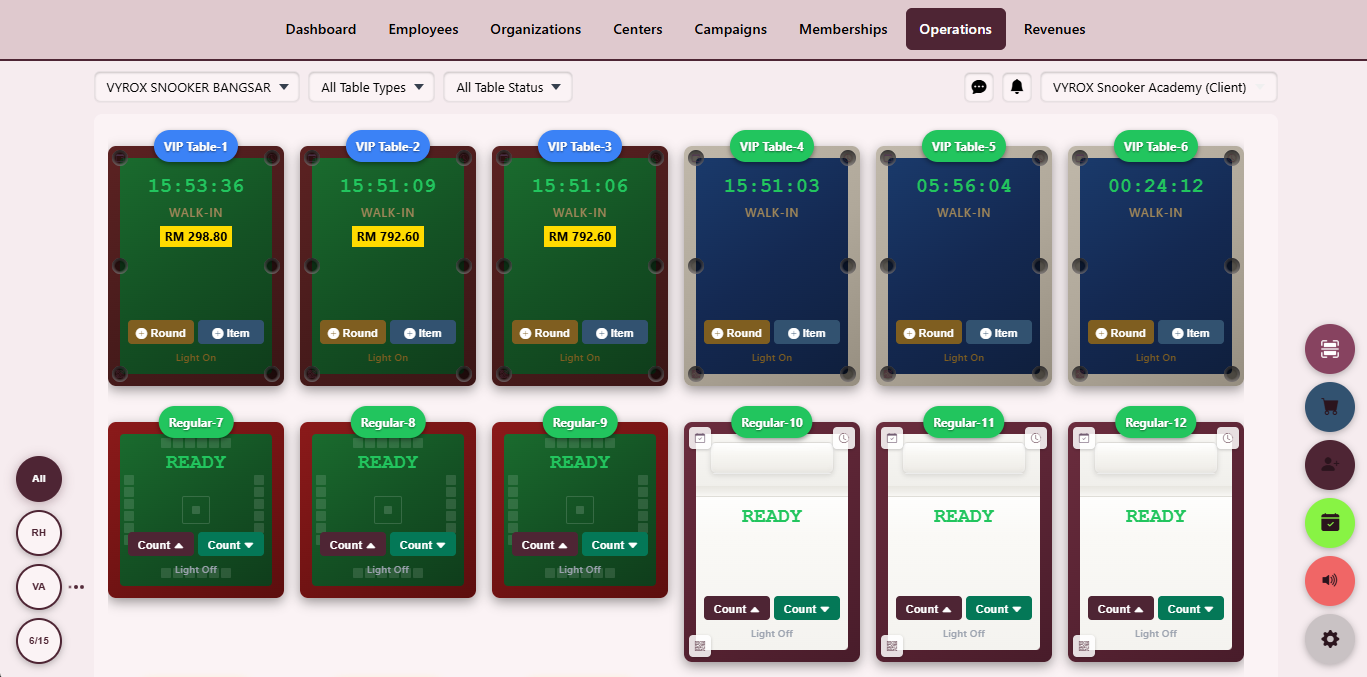
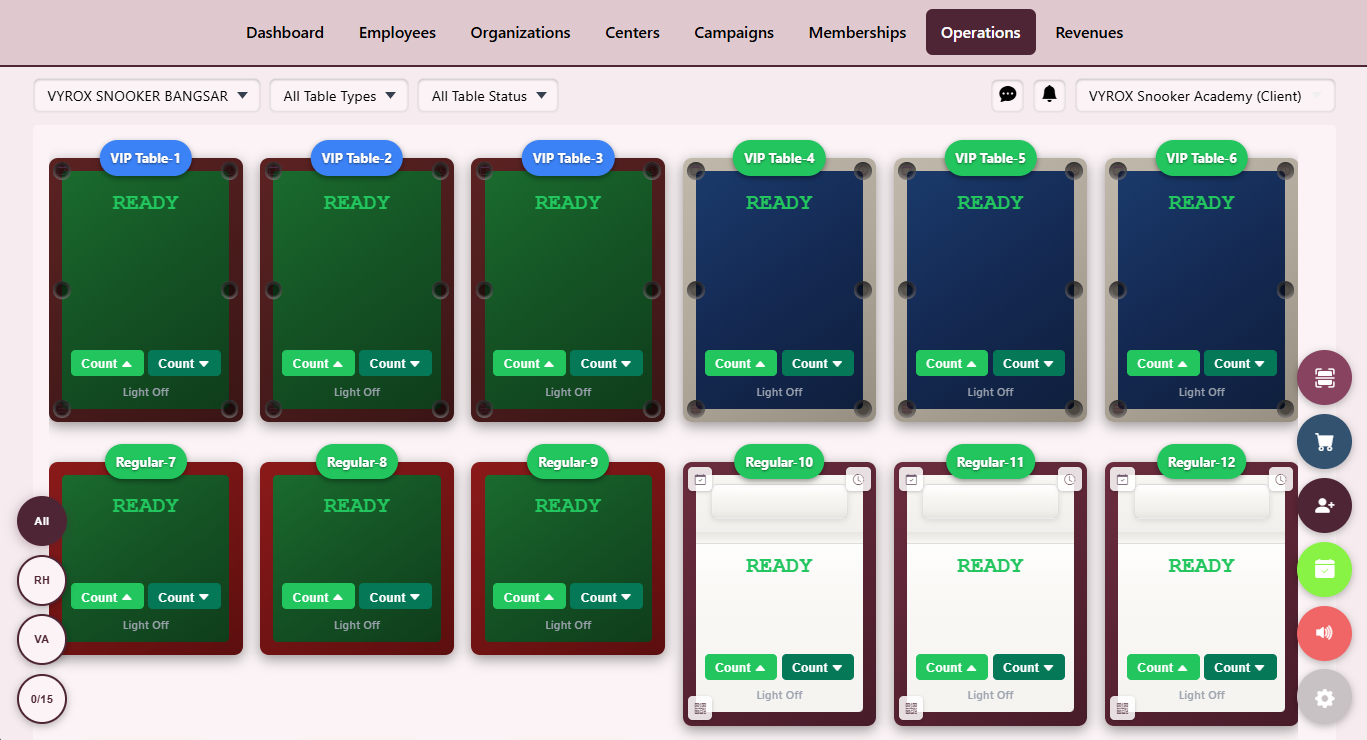
Tables Dashboard
A colour-coded live grid of every table with state, timer, charge and quick actions.
- Real-time WebSocket refresh
- Drag-to-merge for league play
- Status filters by free, running, paused, dirty
Start Game
A dialog to pick rate plan, player count, lighting and any prepaid package before the timer starts.
- Member auto-link from RFID, QR or face match
- Apply prepaid hours package
- Toggle lighting on with the game
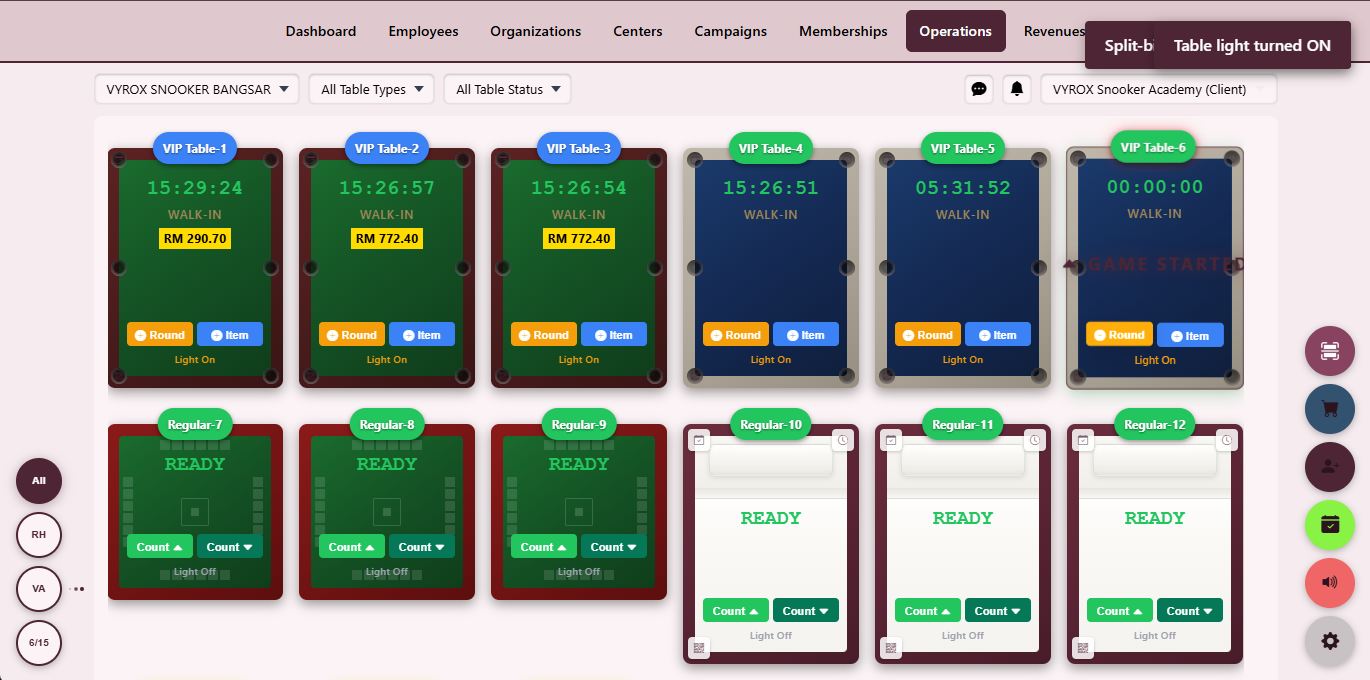
Game on the Run
Open-play mode that starts immediately and converts to an invoice on stop.
- No package required
- Convert to package mid-game
- Switch payer mid-session
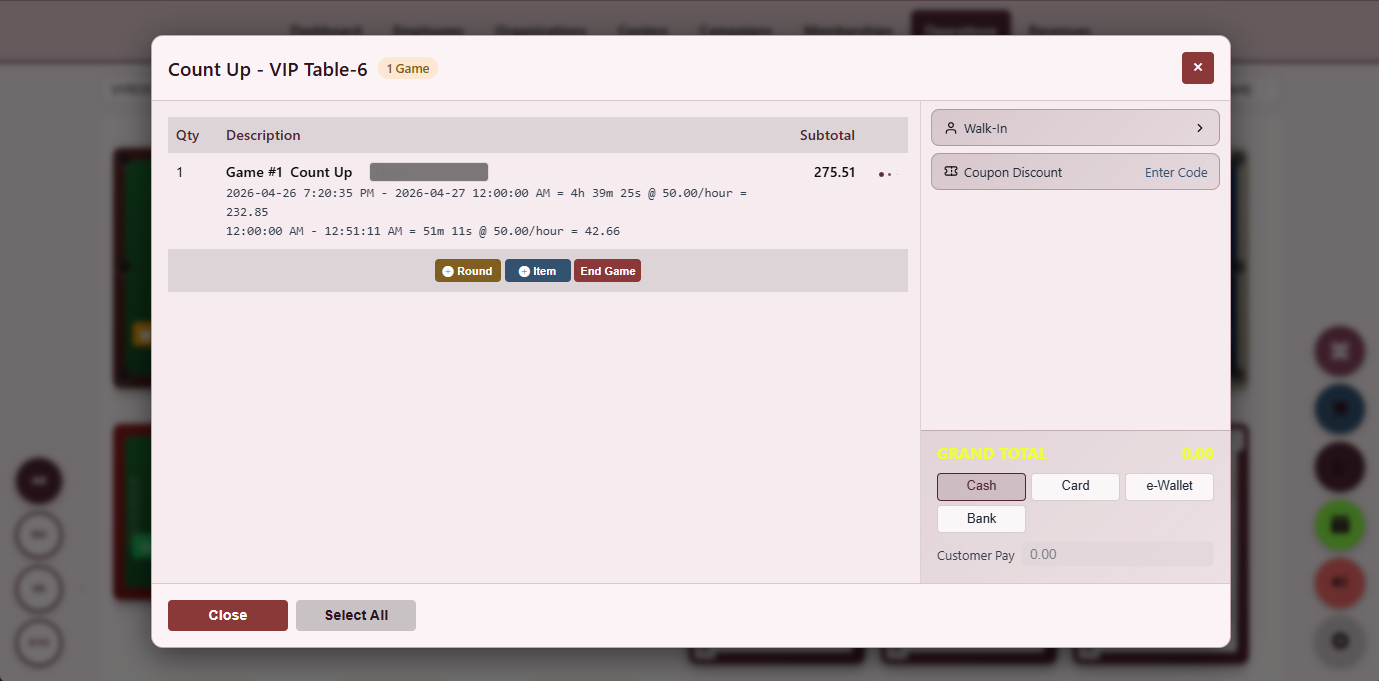
Count-Up & Count-Down
Two timer modes: count-up bills by the minute, count-down stops at zero on prepaid packages.
- Audio cue at final minute
- Auto-stop at zero on packages
- Manual pause for breaks
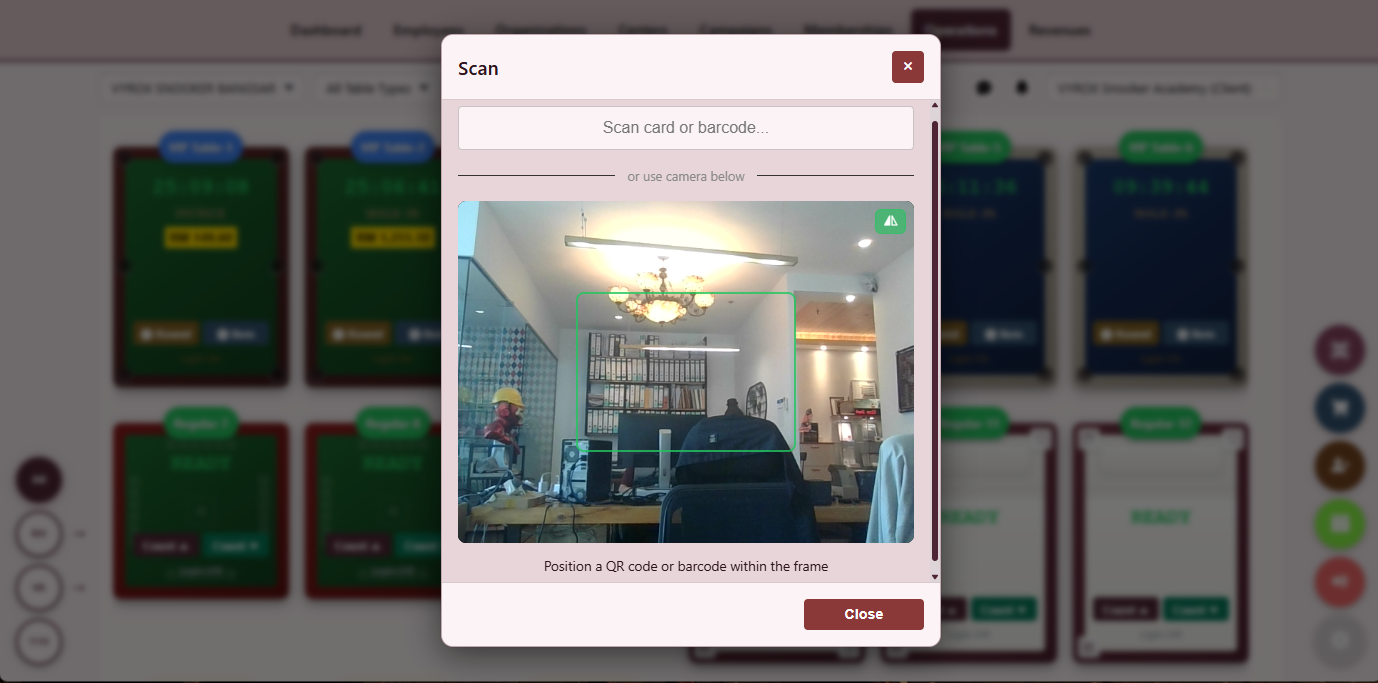
RFID & QR Scanner
Identify members by RFID tap or QR scan before assigning a table.
- USB and Bluetooth RFID supported
- Bound to member profile and wallet
- Audit trail per tap
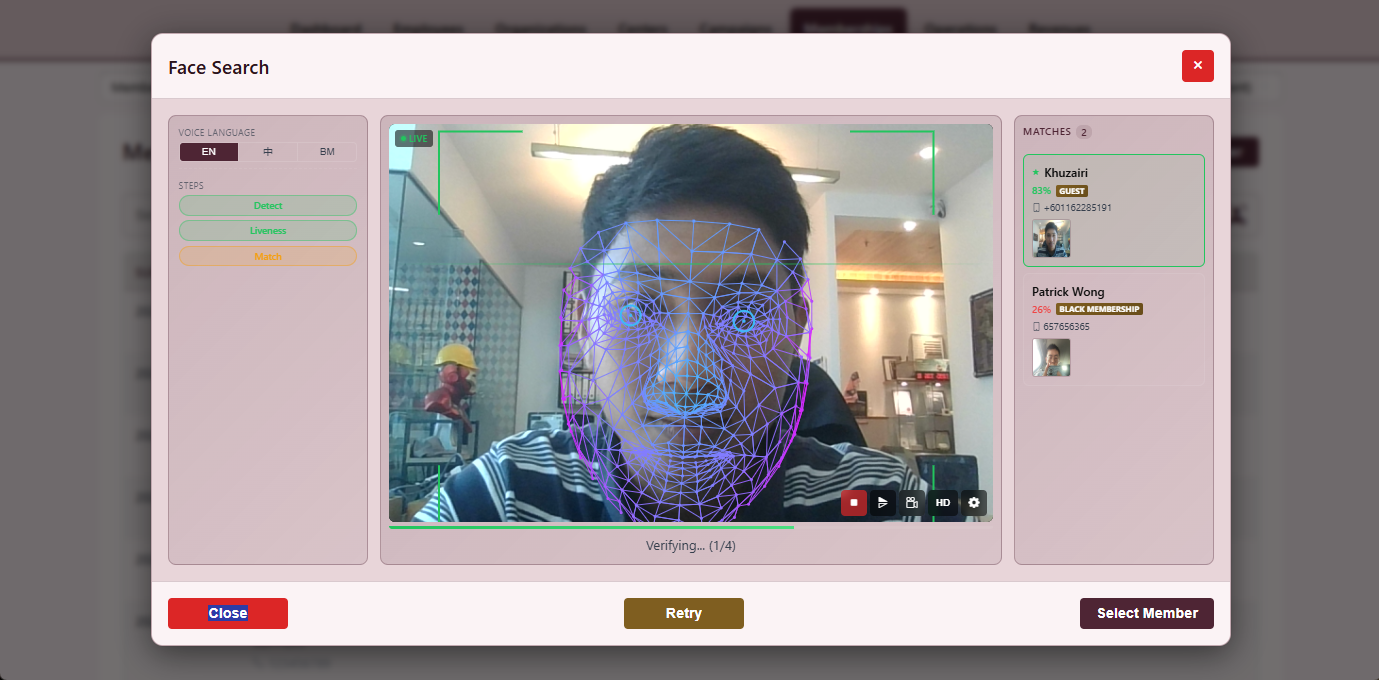
Face Recognition
A face-match kiosk auto-fills the start-game dialog from the member photo on file.
- Configurable match threshold
- Fallback to manual search
- Per-centre opt-in
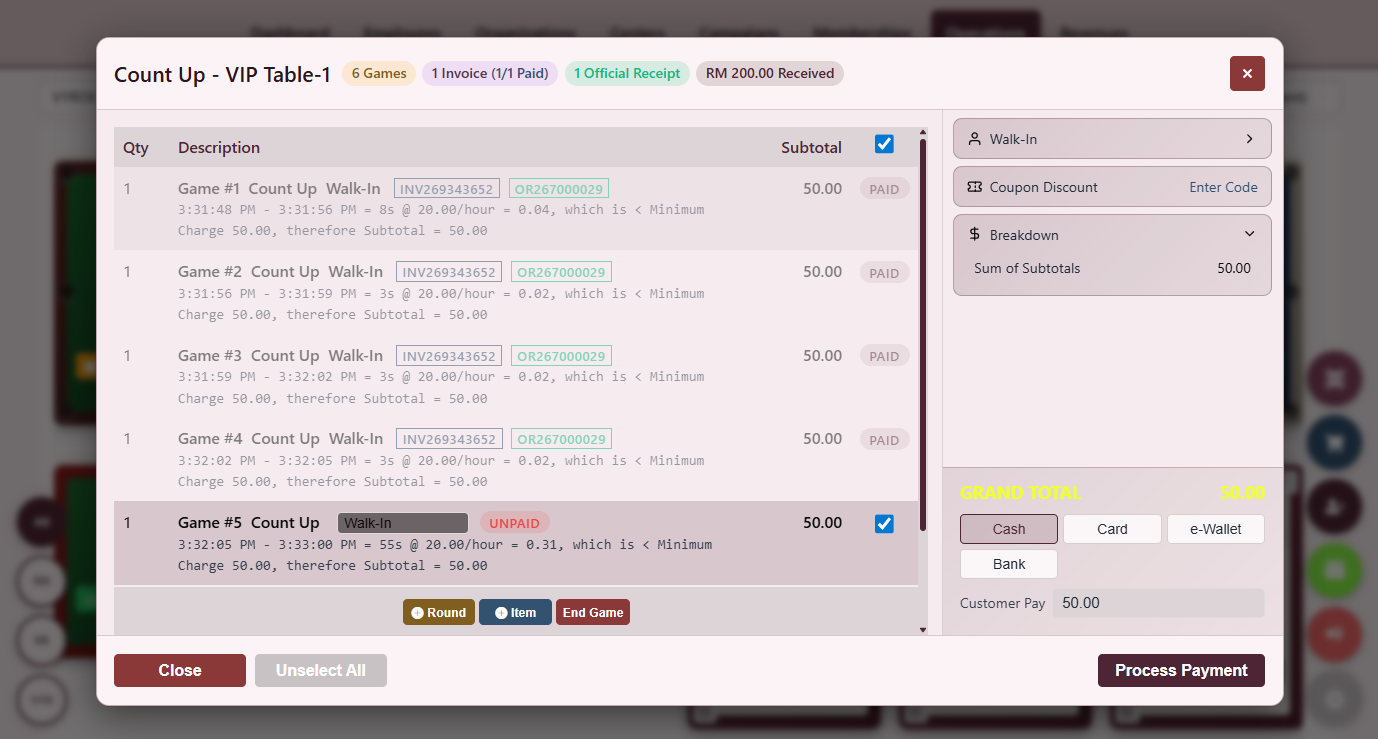
Split Bill
Divide one running session across multiple payers by share, percentage or per item.
- Equal share
- Percentage split
- Item-level pick
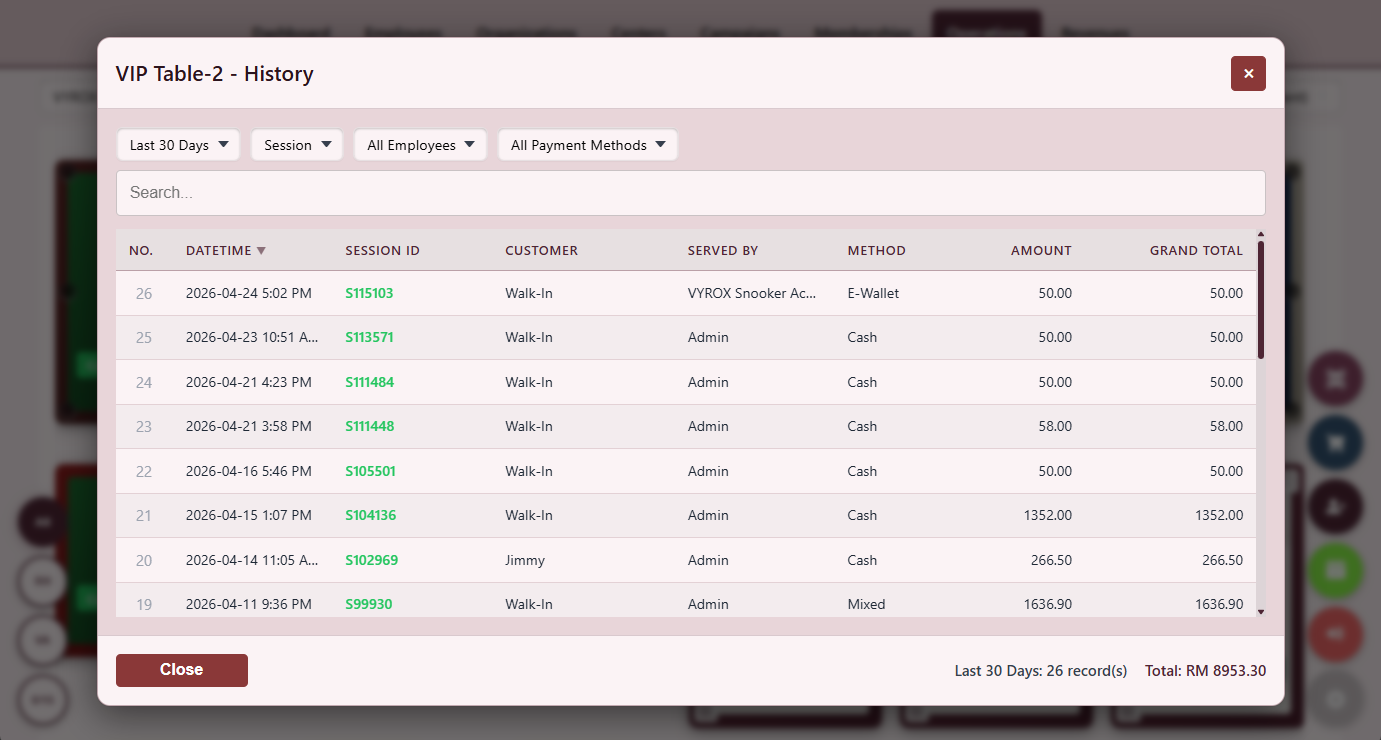
Invoice History
Per-table ledger of every closed invoice with start, end, amount and operator.
- Filter by date and operator
- One-click reprint
- Export to CSV
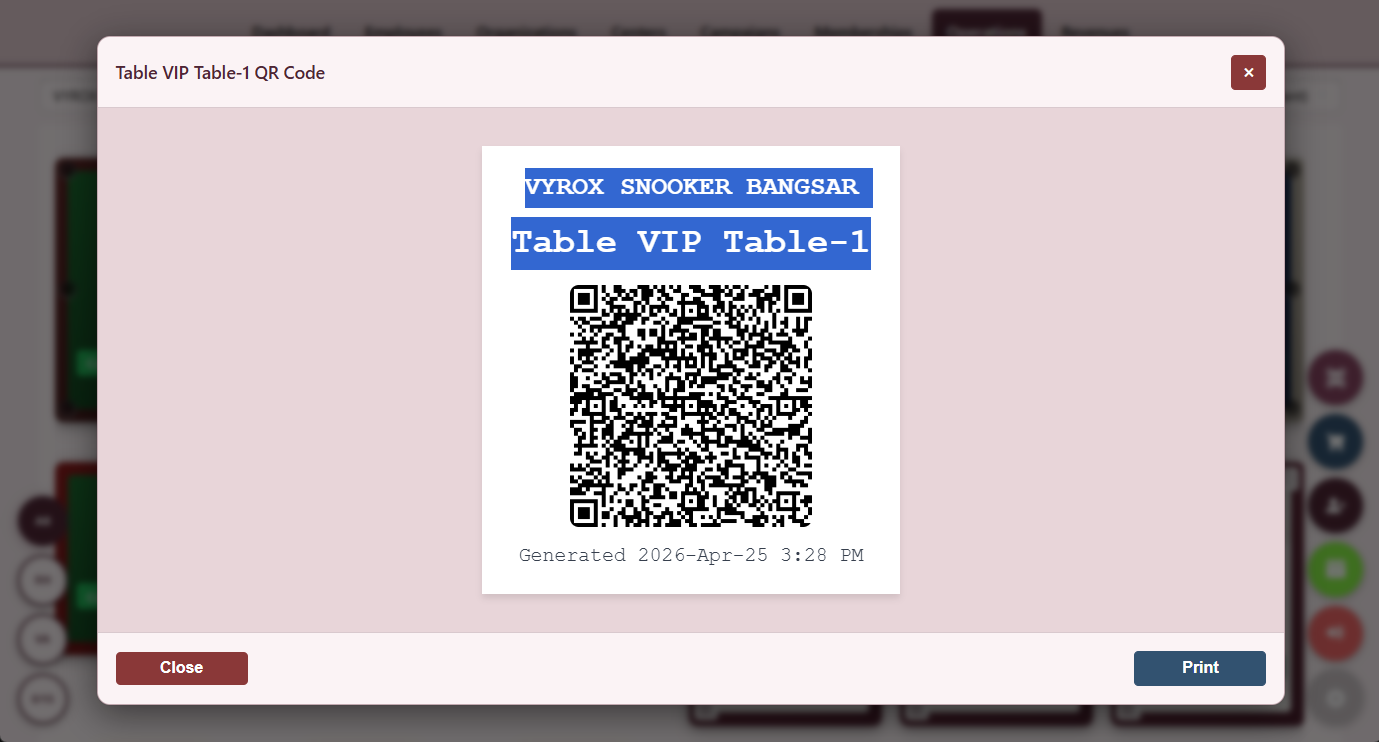
QR Code by Table
Each table generates a unique QR code customers scan to view their live charge.
- Self-serve session start
- Printable A5 stickers
- Link to member wallet
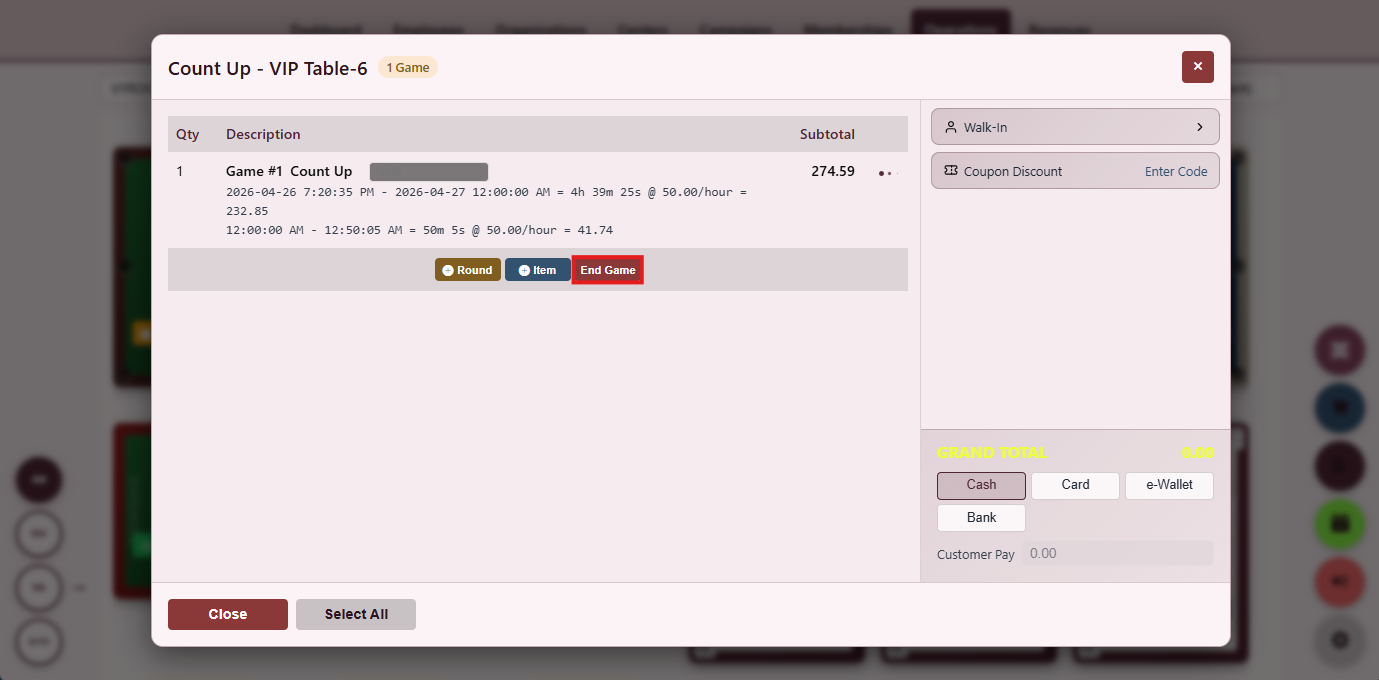
End Game
End-game closeout summarising table, F&B, discounts and total due to collect.
- One-click move to payment
- Pre-pay reconciliation
- Manager override audit log
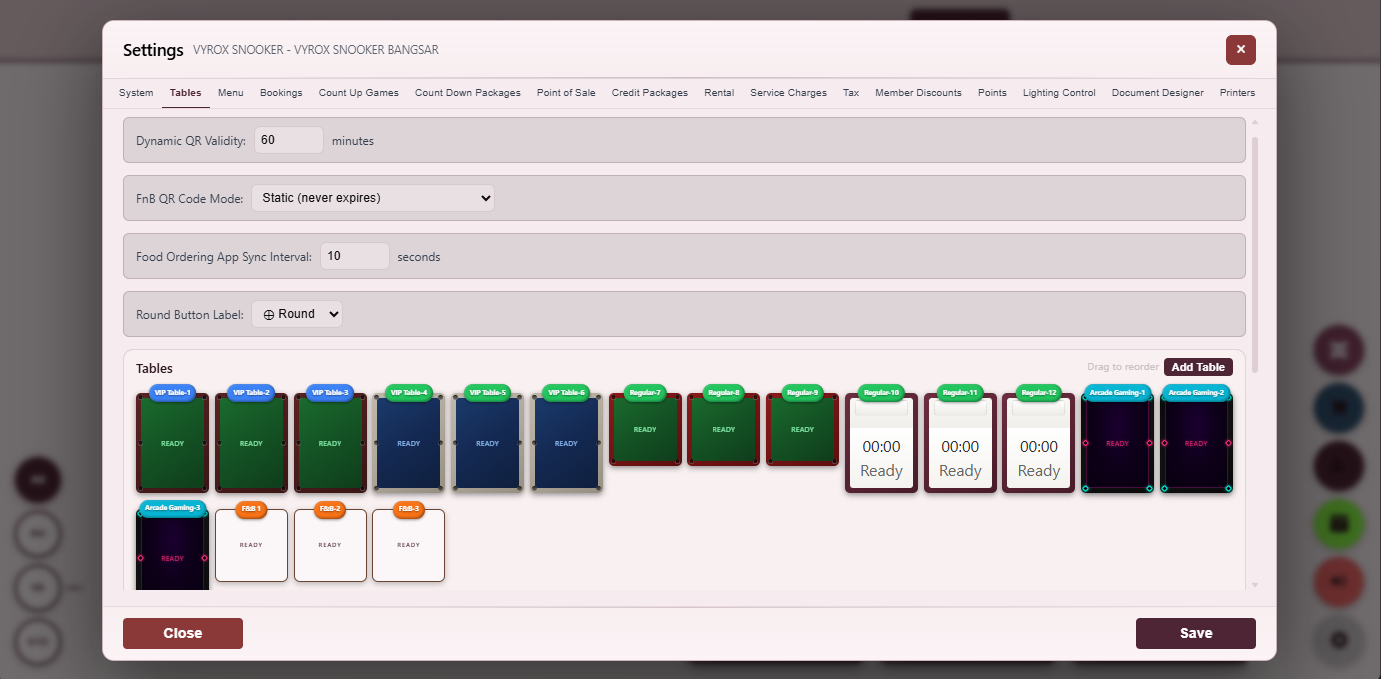
Tables Setting
Define each table number, type, capacity, rate group and lighting device.
- Snooker, pool, billiard types
- Per-table rate group
- Per-table lighting mapping
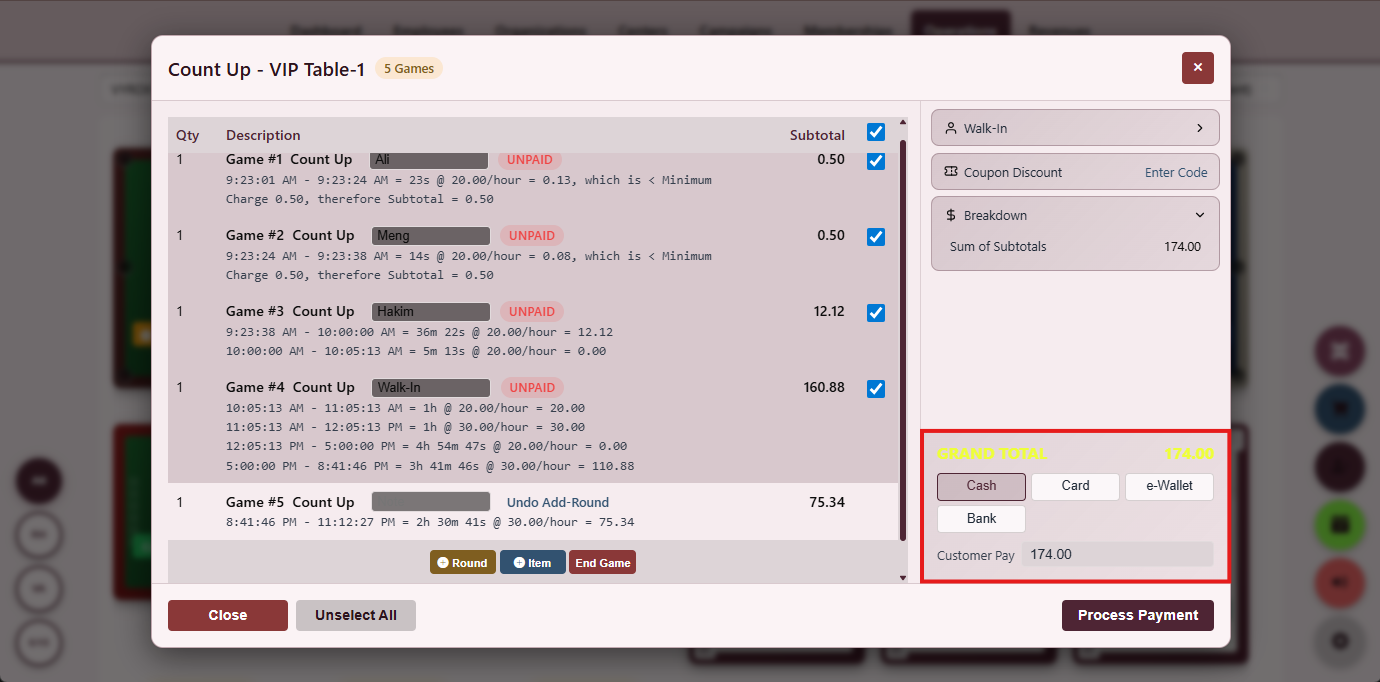
Payment Section
Select cash, card, e-wallet, member credit, reward points or split-bill in one screen.
- Six payment methods in one view
- Split-bill in-line
- Signed invoice written on commit
Advance Table Booking & QR Stickers
Customers reserve a table ahead of time with a proforma receipt and a printable QR sticker per table.
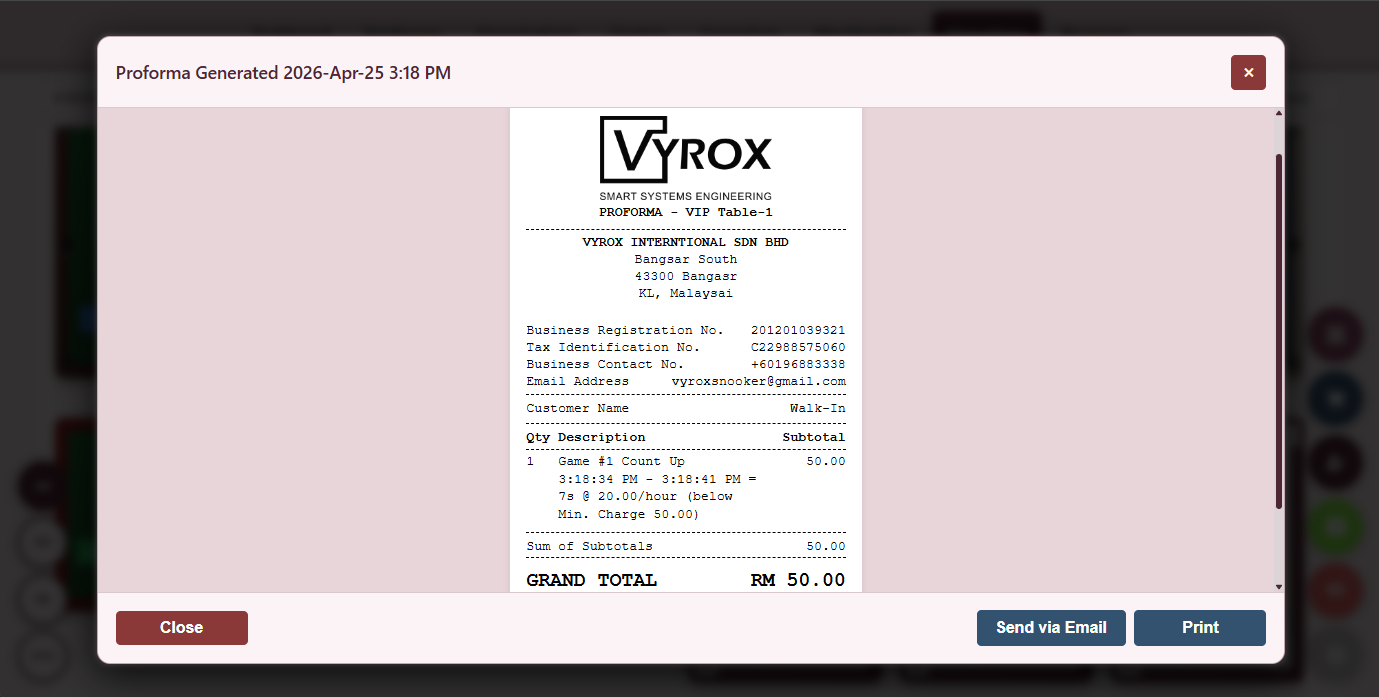
Proforma Receipt
Booking confirmation with deposit, balance due and table assignment, printable or sent to the customer.
- Auto-emailed on confirm
- Per-centre branding
- Cancellation rules surfaced
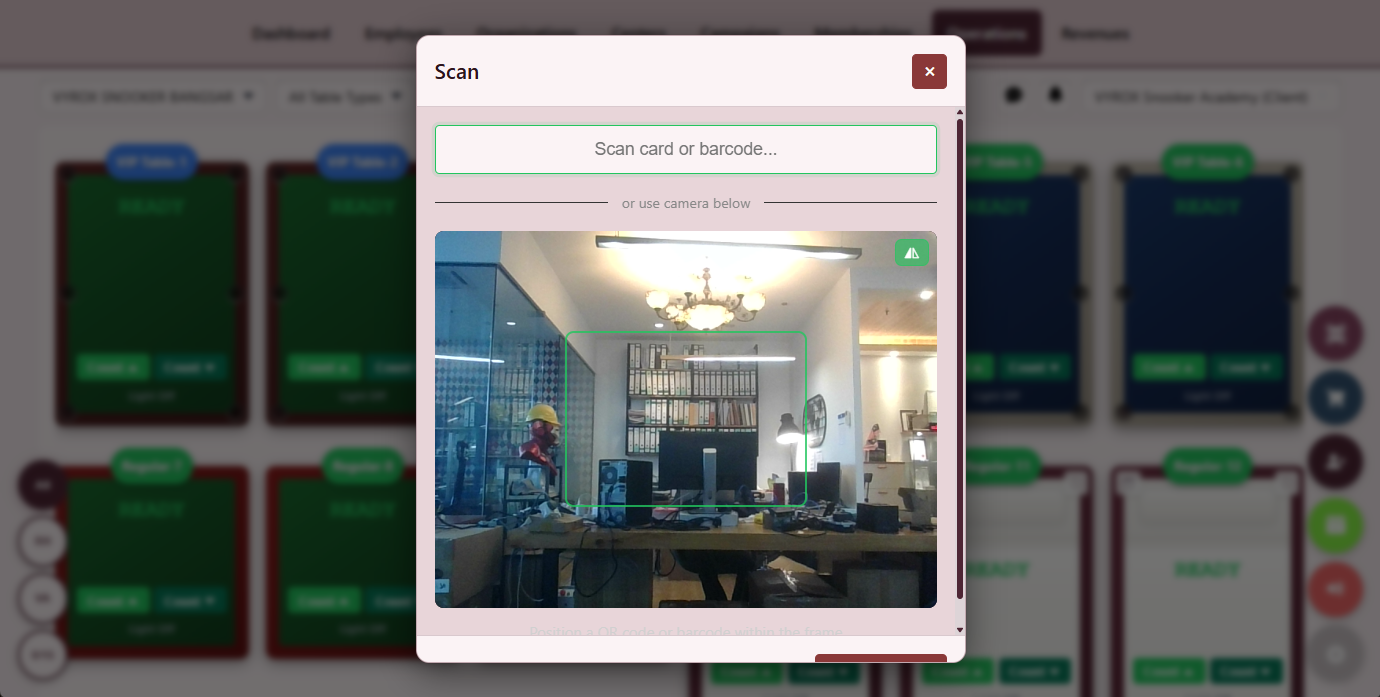
RFID and QR Booking
Members reserve by tapping RFID or scanning their app QR, time-slot is held until grace period expires.
- Per-tier reservation window
- Grace-period auto-release
- No-show audit
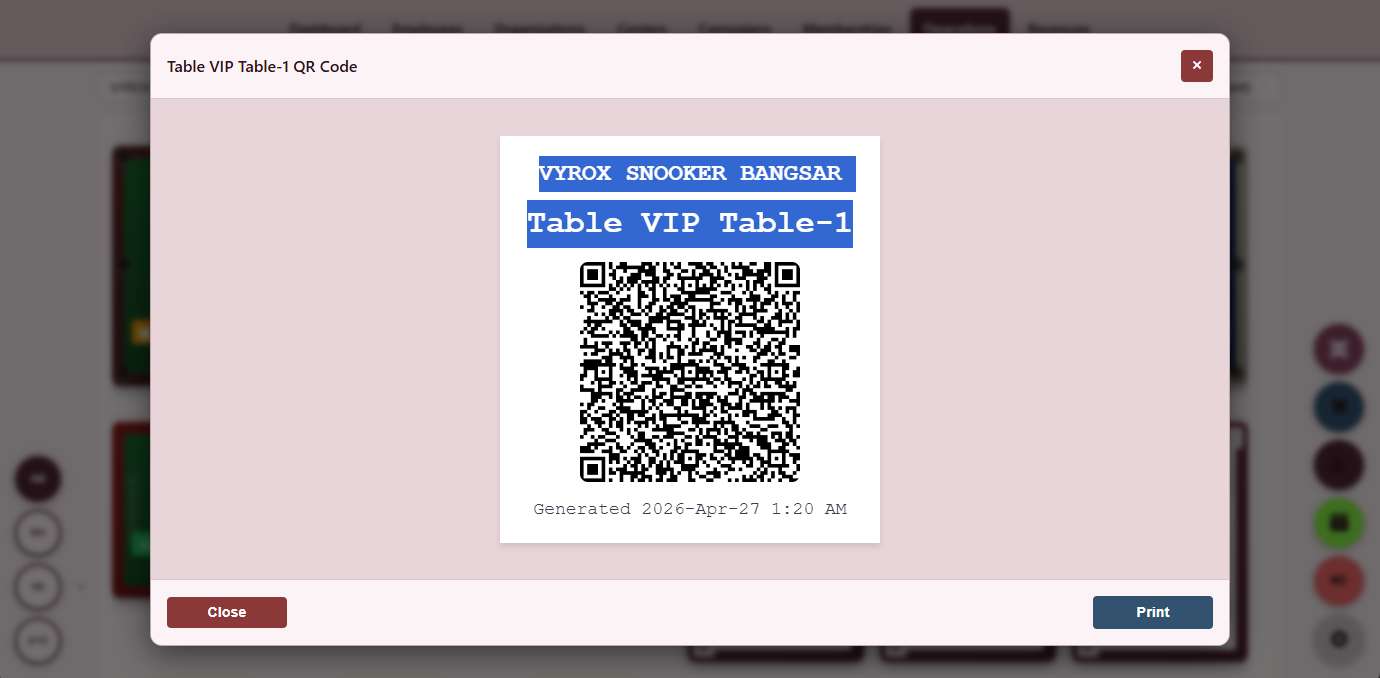
Printable Table QR
A5 QR cards download from the operator console and stick directly to the table for customer self-start.
- One QR per table
- Reissue on damage
- Audited start record
The pricing engine is a non-destructive stack: base matrix, holiday overlay, package layer, member tier layer. The counter never argues a number.
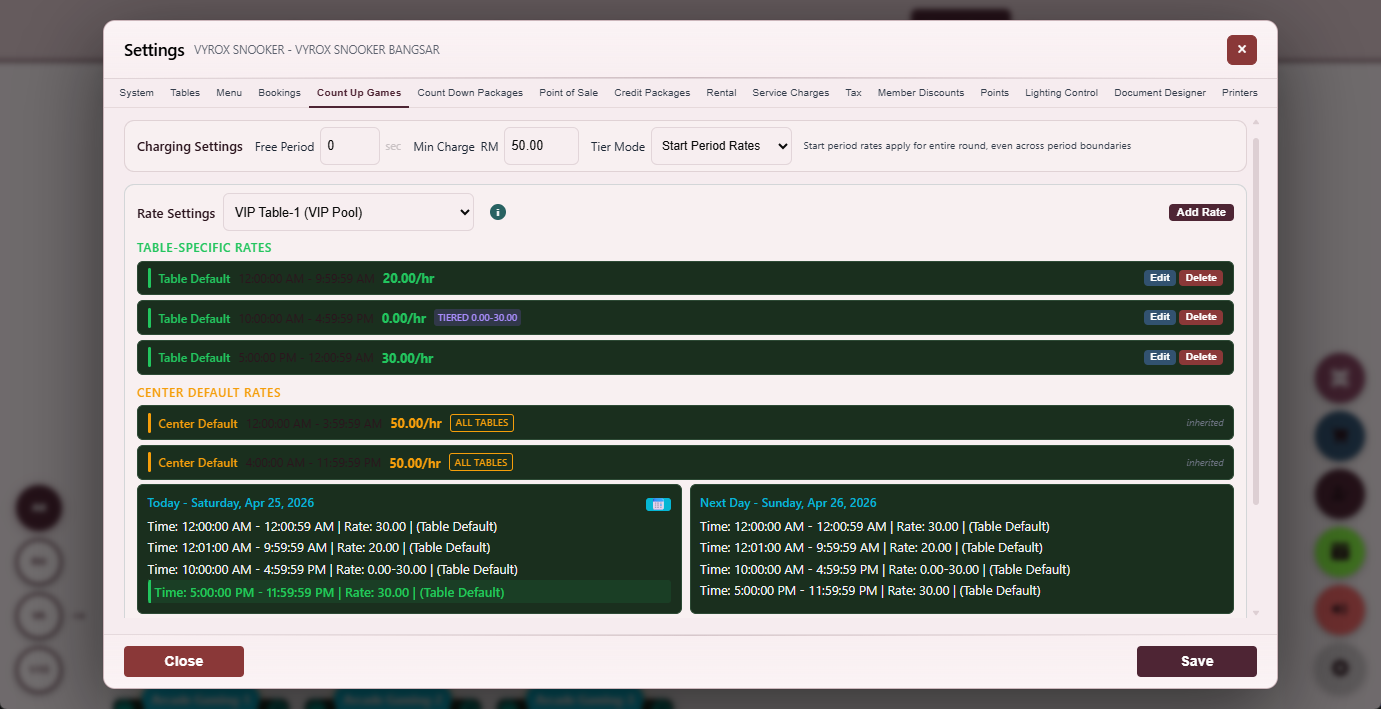
Hourly Rate Matrix
Define peak, off-peak, member and non-member rates by table type and day of week.
- Per-table-type rate group
- Member vs non-member differential
- Hour-band granularity
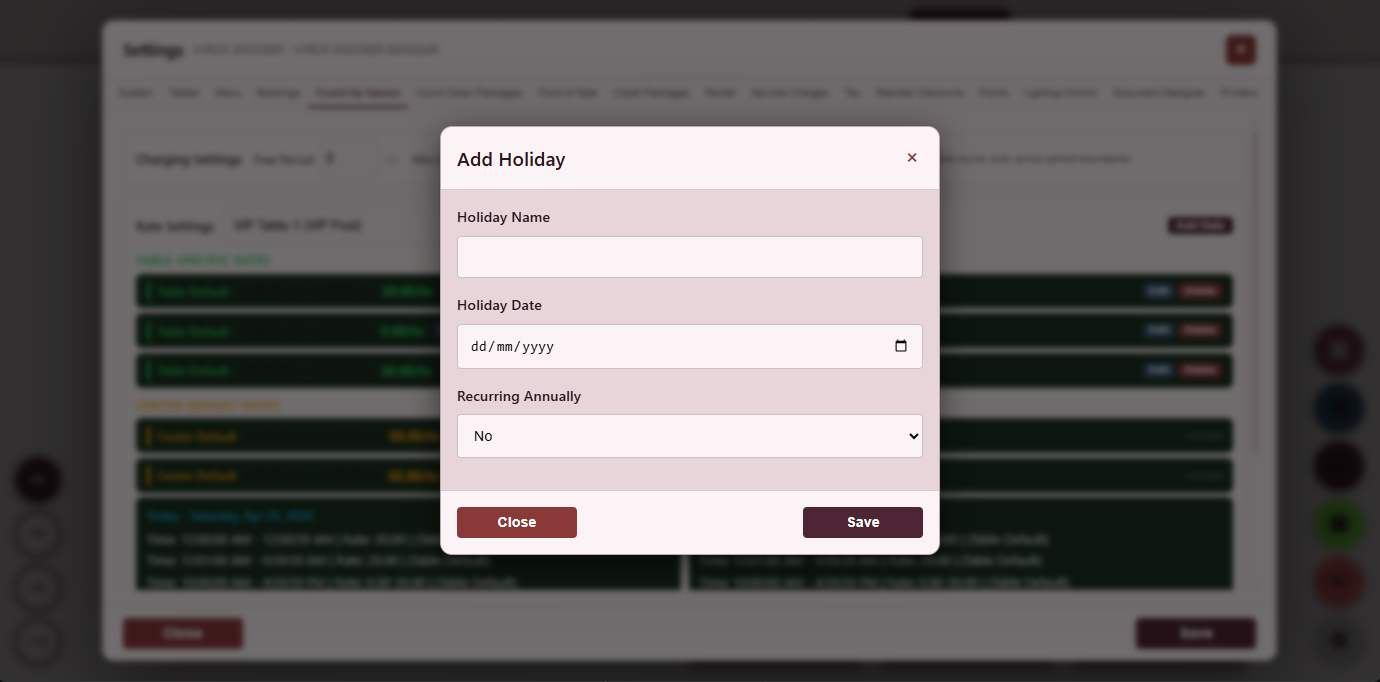
Holiday Calendar
Mark public holidays, eves and custom dates that override the base matrix automatically.
- Percentage uplift or fixed surcharge
- Bulk import of national holidays
- Per-centre calendar
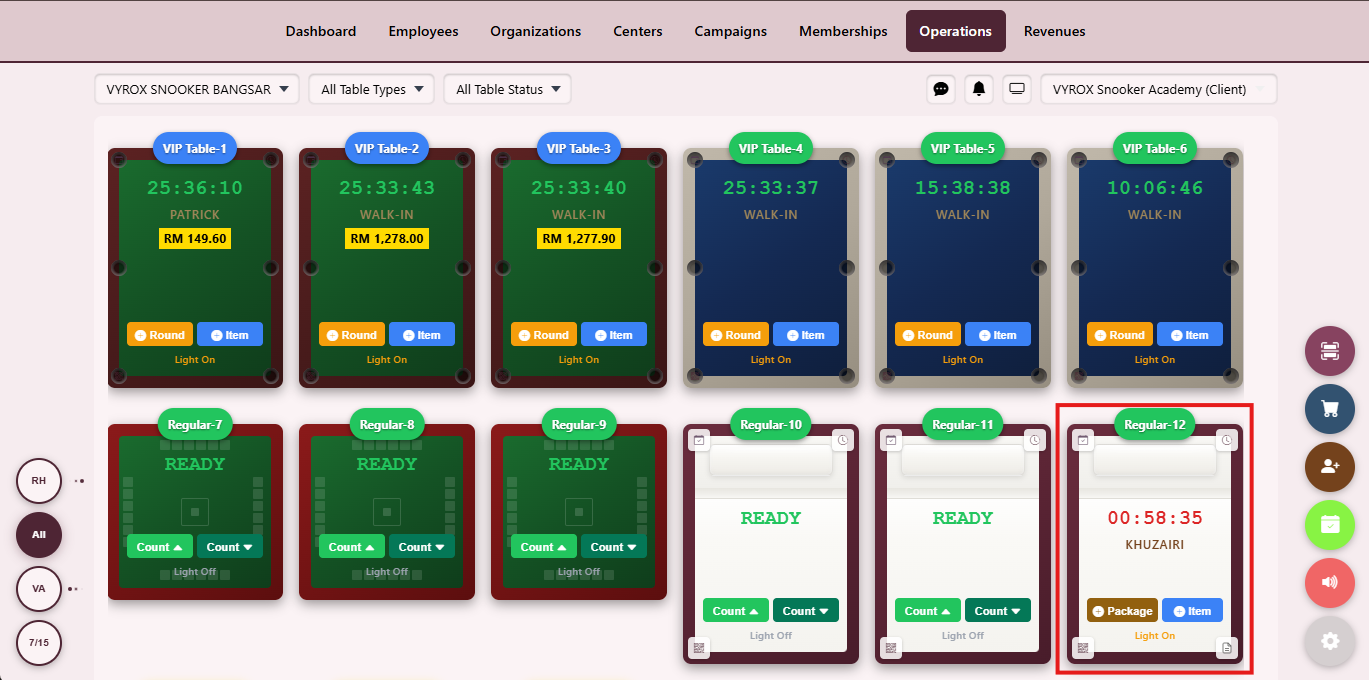
Countdown Timer
Prepaid duration runs the table to zero and auto-stops, preventing over-billing on packages.
- Audio cue at final minute
- Carry-over unused minutes optional
- Per-table independent timer
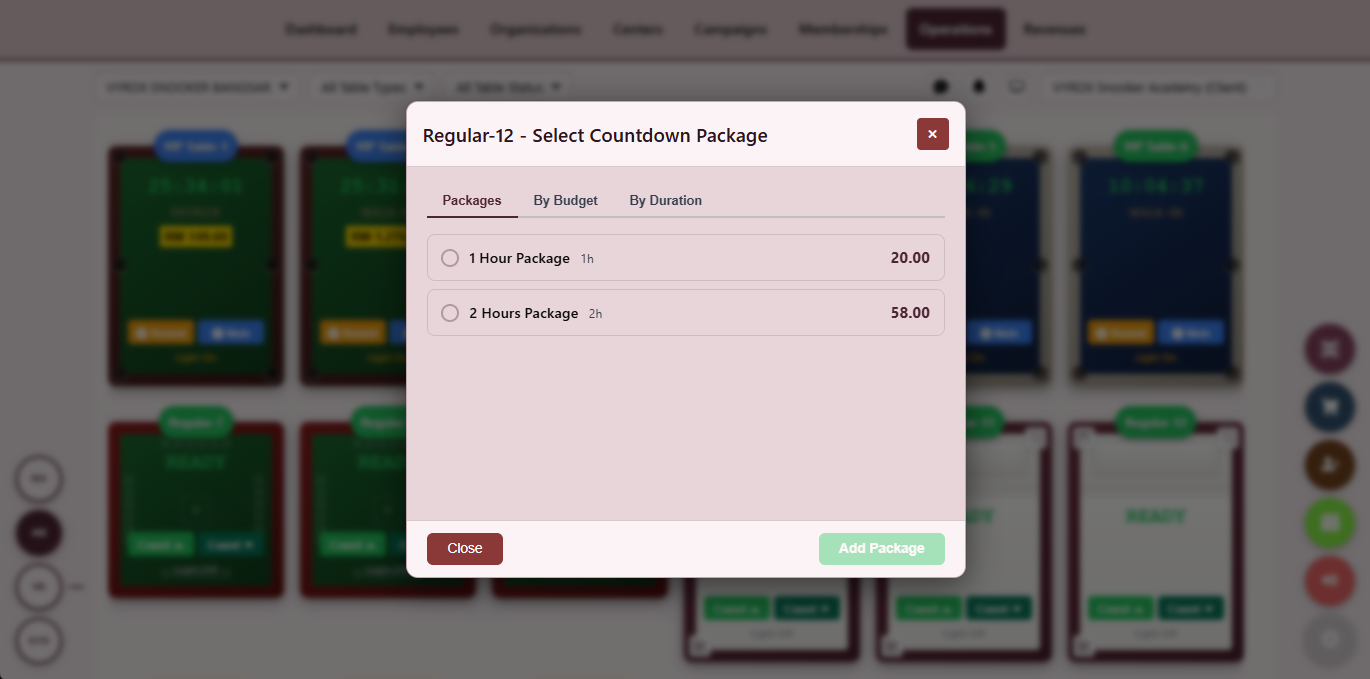
Countdown Package Sale
Sell fixed-hour packages up front, apply on the next visit and surface expiry warnings.
- Tier-restricted packages
- Expiry alerts
- Auto-apply on session start
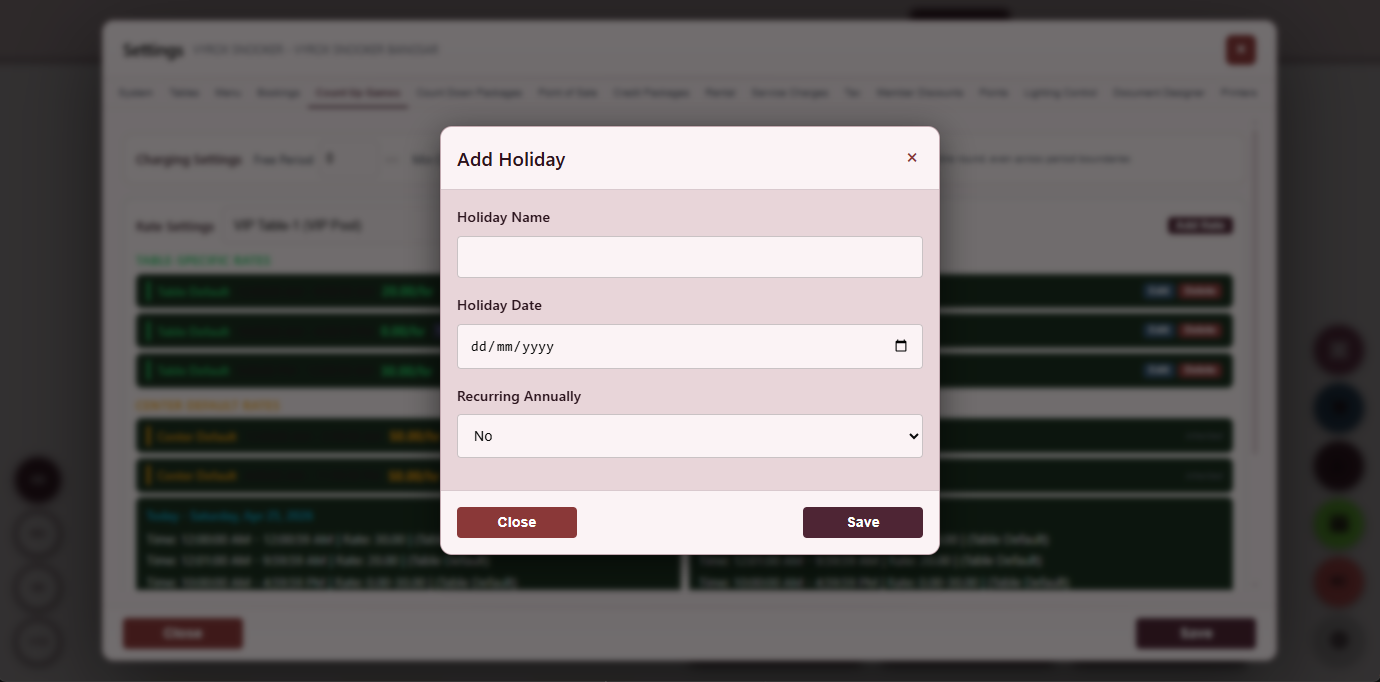
Holiday Special Pricing
Stack a holiday overlay on top of the base matrix without rewriting the rate table.
- Non-destructive overlay
- Date-range or single-day
- Per-table override allowed
Everything that ships in this module
- Per-table-type rate group (snooker, pool, English billiard, American pool, carom)
- Day-of-week rate variation (weekday, Friday, weekend)
- Hour-band rate variation (morning, afternoon, evening, late-night)
- Member tier rate variation (free, silver, gold, platinum, VIP)
- Holiday override calendar with percentage uplift or fixed surcharge
- Countdown prepaid package sales with expiry and per-tier eligibility
- Grace-period configuration (free minutes after start before billing kicks in)
- Minimum-charge floor per session
- Maximum-charge ceiling per session
- Per-rate audit log on every change with operator, timestamp and IP
- Per-centre rate matrix (each centre has its own pricing)
- Currency switch per centre (14 currencies supported on the platform)
- Lookup the live rate in one query so the dashboard always shows the price the customer will pay
- Promotional rate window with auto-expire date so price reverts on its own
- Per-table override that survives rate-matrix changes
- Rate change requires manager override with reason captured on the audit log
- Per-customer-segment rate (corporate, walk-in, member tier)
- Off-peak free-minutes bundle (e.g. first ten minutes free)
- Cool-down minimum so a customer cannot churn the table
- Holiday eve uplift (Friday before public holiday, last working day of Lunar New Year)
- Per-centre rounding rule (round up to nearest fifty cents, dollar, etc.)
- Per-rate currency display and reporting
- Per-rate forecast preview so the operator sees tonight is more expensive than yesterday
- Bulk rate import from CSV for new centre onboarding
Tier ladders, wallet credit and reward points are run by one engine shared by the operator console and the member mobile app, so the member sees the same balance and tier the counter sees.
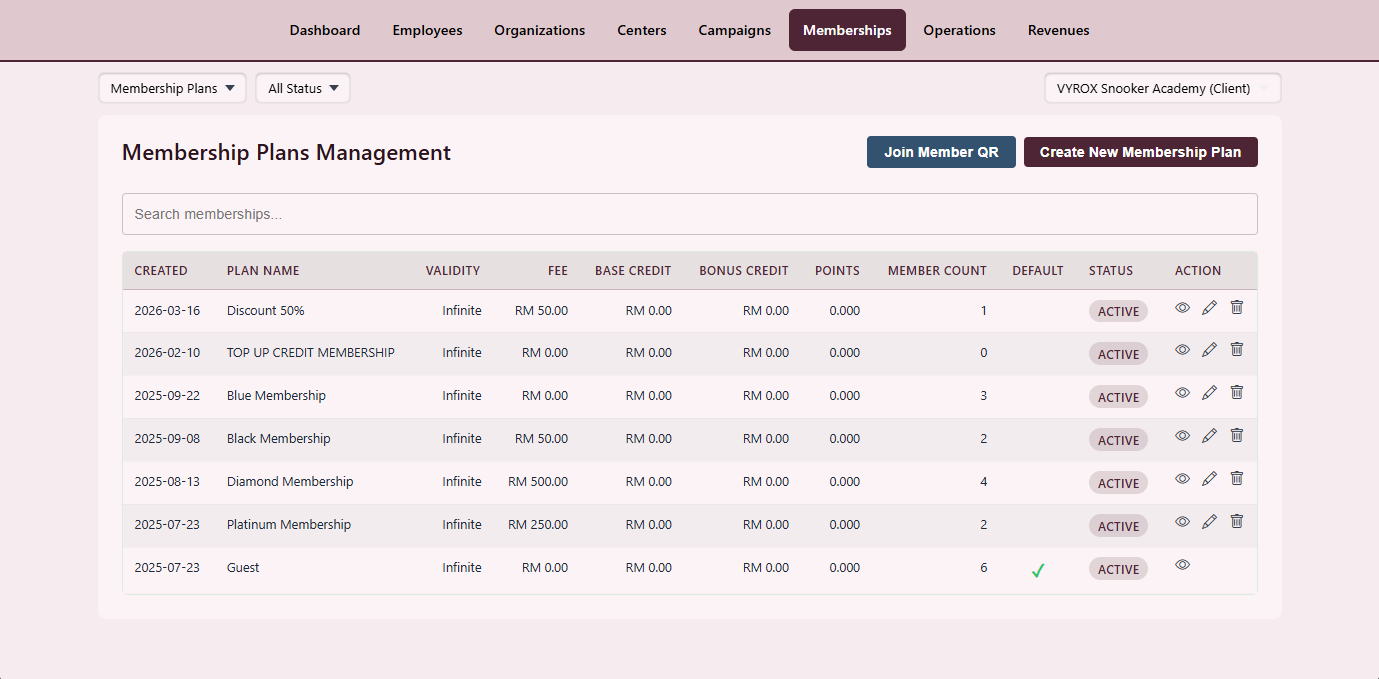
Membership Plan Builder
Define tiers with price, validity, joining fee, included credits and benefits.
- Tier ladder with auto-upgrade
- Joining and monthly fees
- Benefits matrix per tier
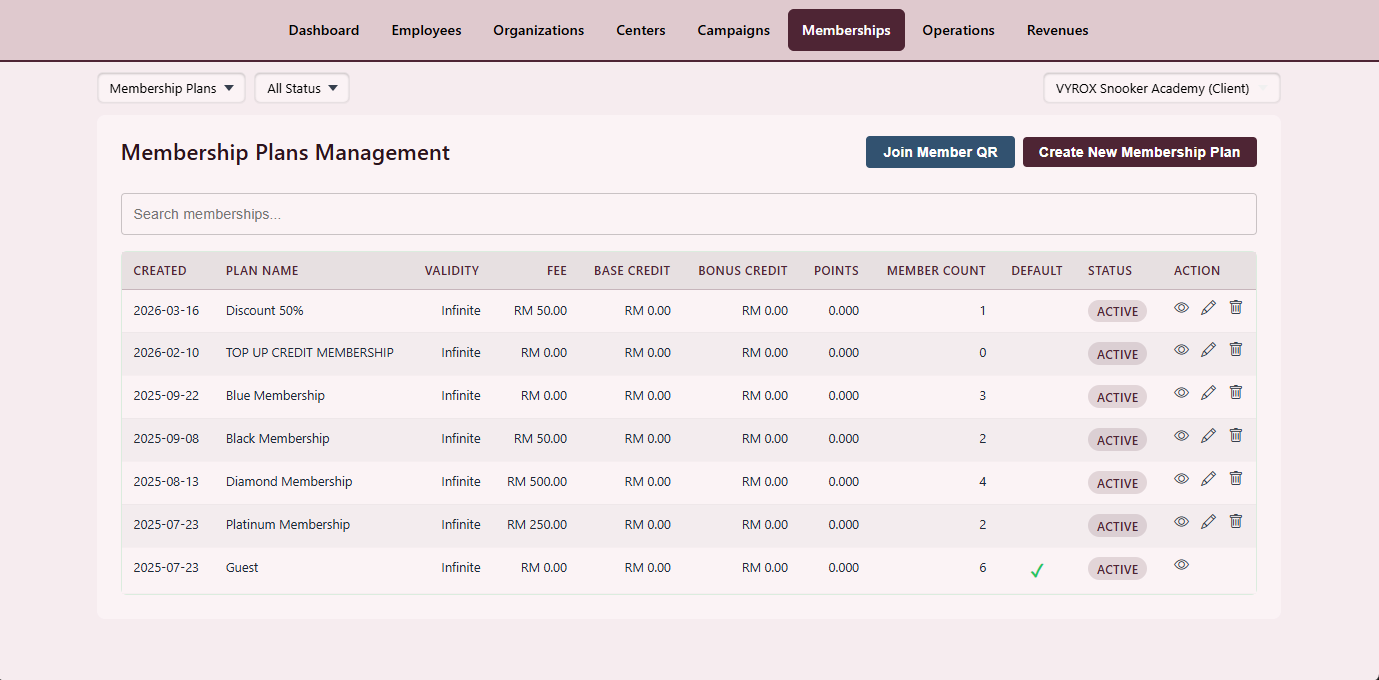
Plan Catalogue
A single catalogue of every active and retired plan with member counts.
- Active member count per plan
- Quick clone
- Per-centre availability
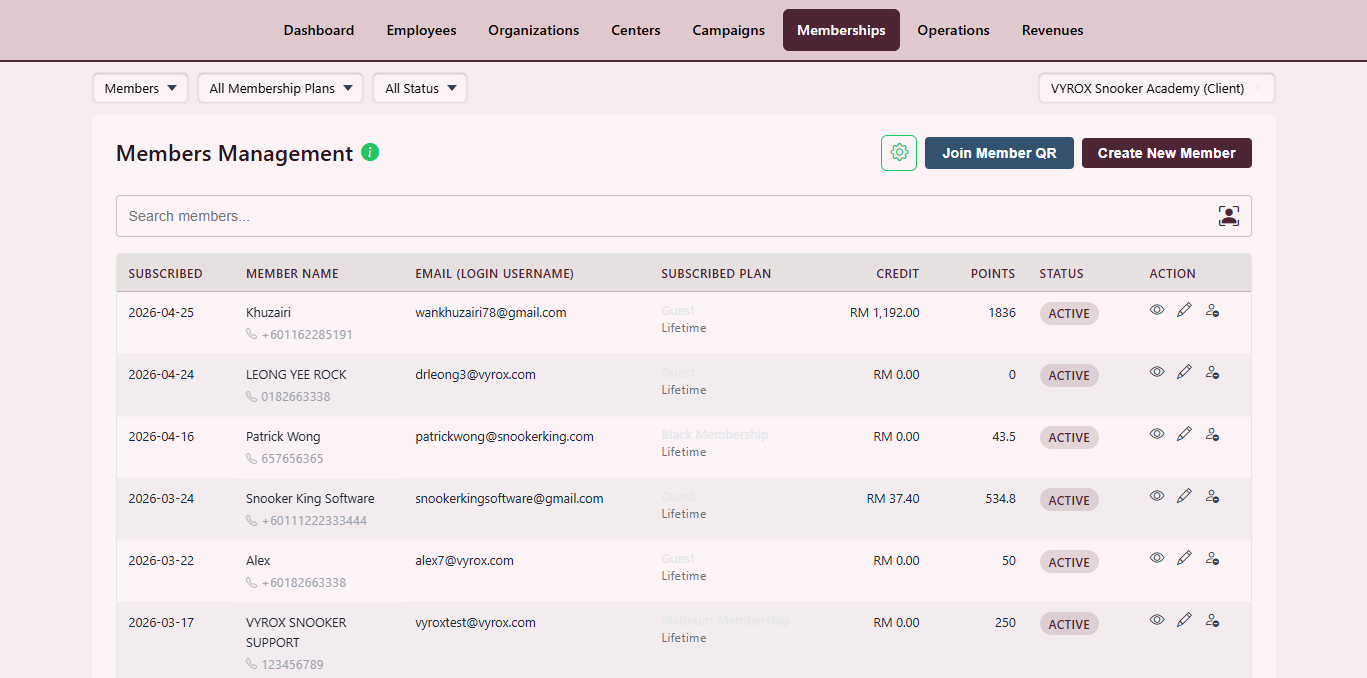
Member Directory
Search every member by name, phone, RFID, tier or last visit.
- Bulk export to CSV
- Tier and balance filter
- Last-visit recency
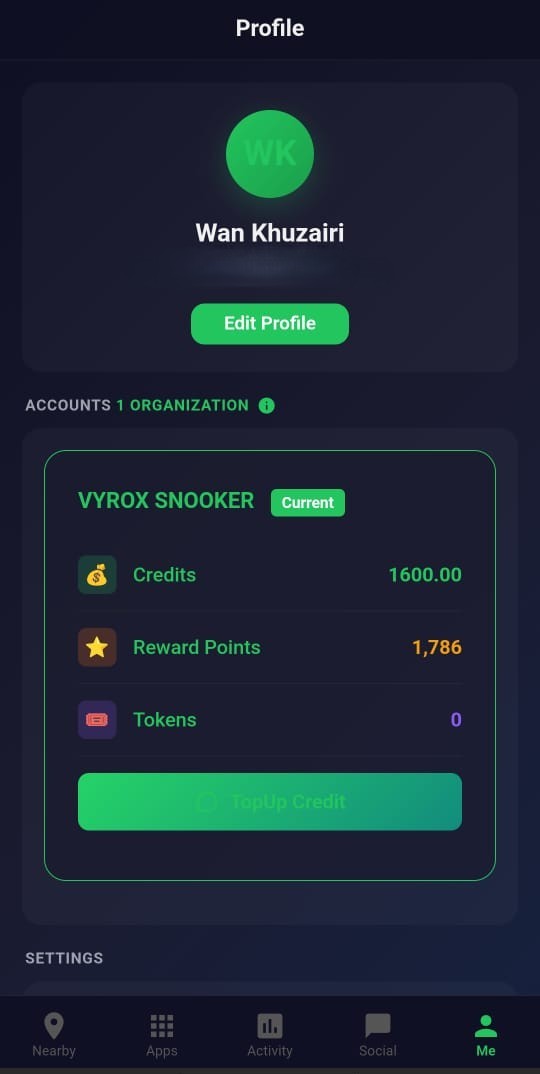
Wallet Balance
Current credit, bonus credit, expiry warning and recent top-up history.
- Base and bonus split
- Expiry alerts
- Smart spend order
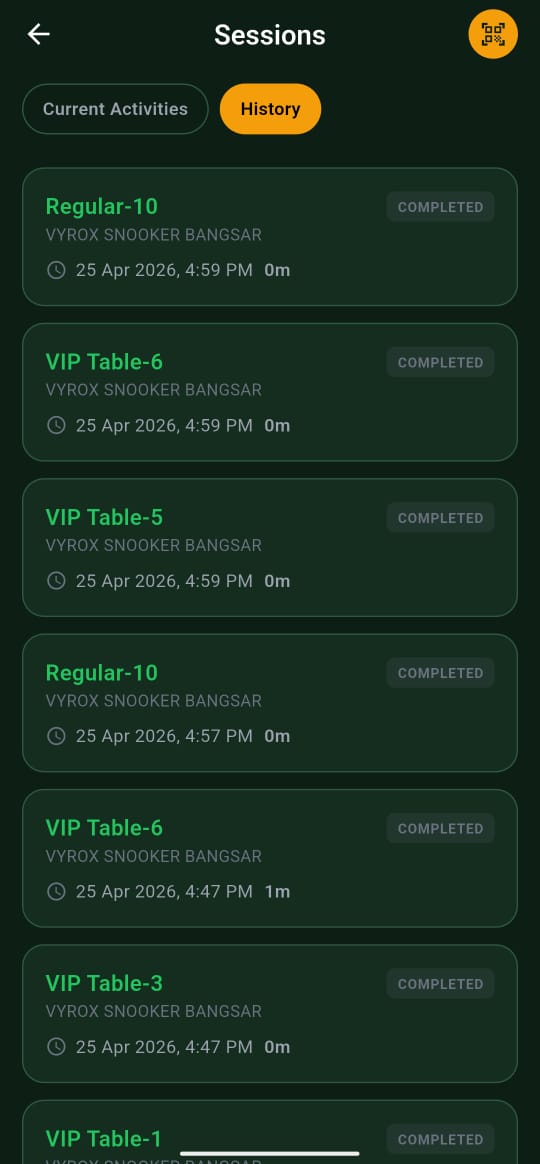
Transaction Record
Every top-up, spend and adjustment with running balance.
- Filter by type and date
- Per-member export
- Audit-grade ledger
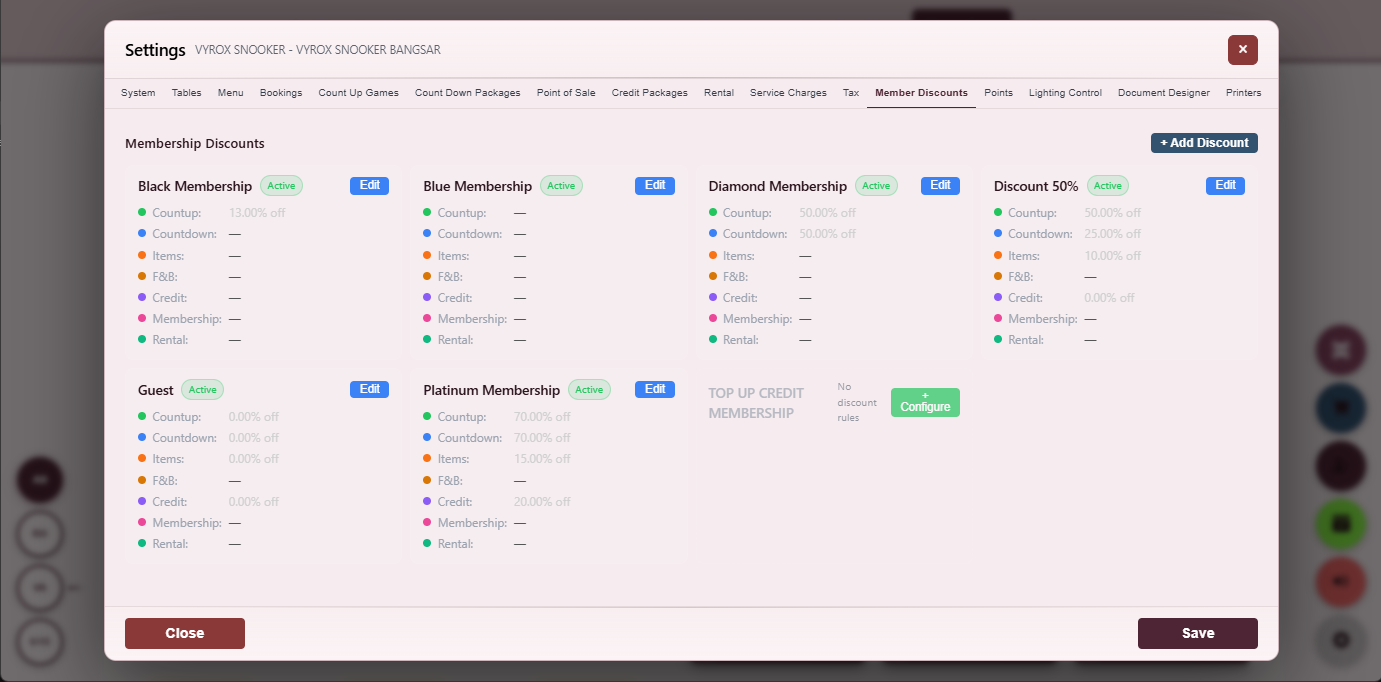
Member Discount Rules
Percentage or fixed-amount discounts per tier per category.
- Per-tier eligibility
- Per-category caps
- Audit on every apply
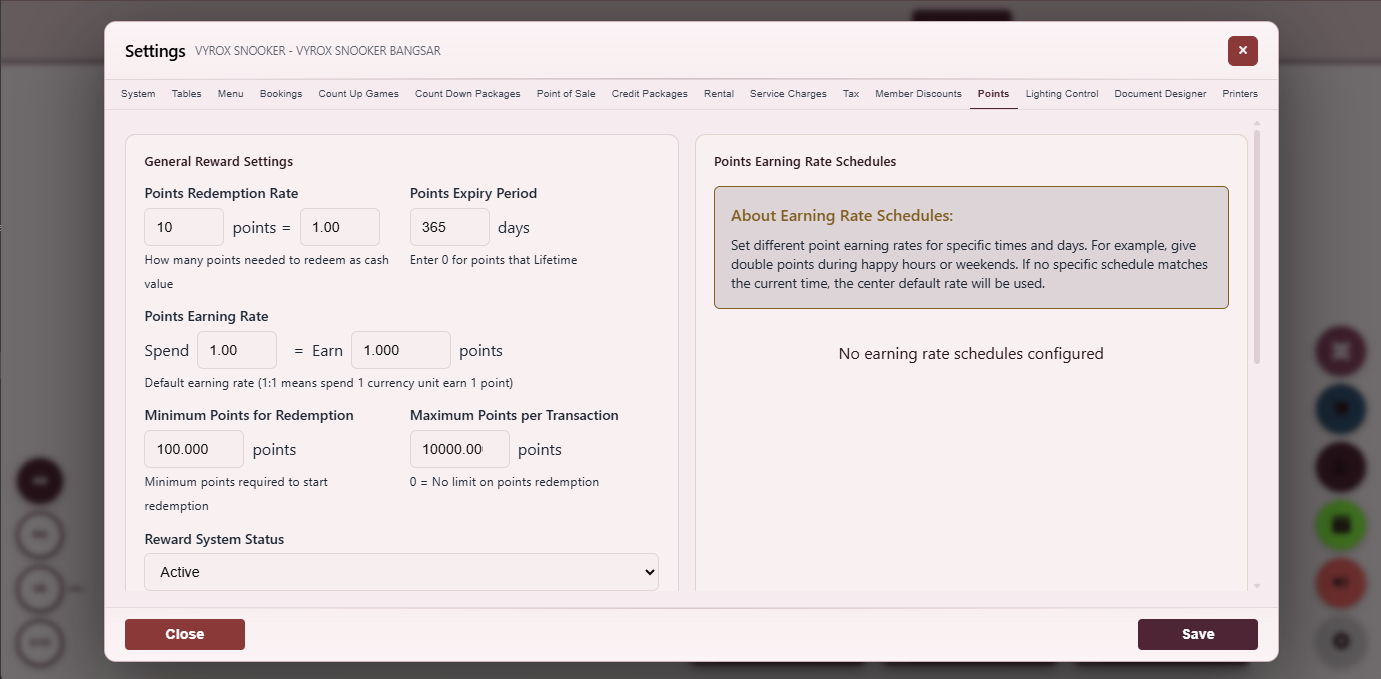
Reward Points Engine
Earn rate, redemption rate, minimum redemption and expiry rules.
- Holiday multipliers
- Per-category caps
- Expiry warnings to member
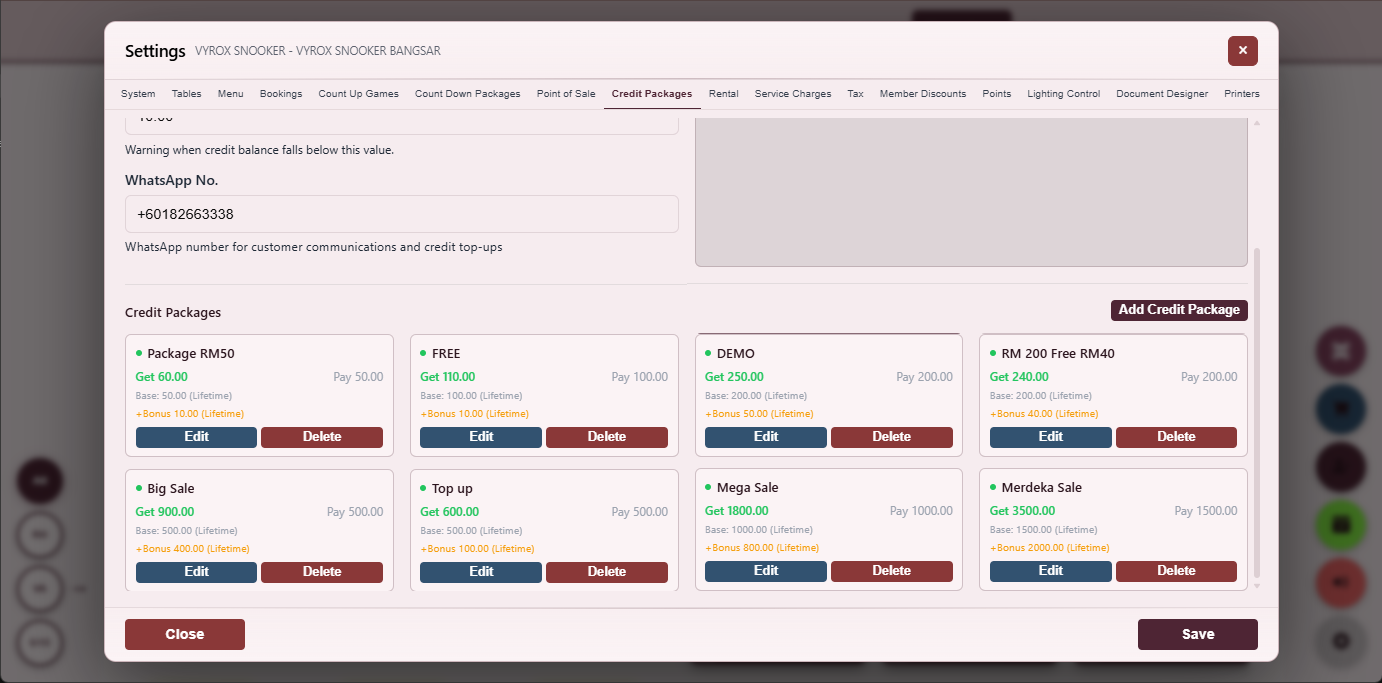
Credit Package
Top-up packages with bonus credit, expiry and channel eligibility.
- Member-app top-up
- Counter top-up
- Bonus expiry separate from base
Everything that ships in this module
- Tier ladder with auto-upgrade by spend or visit count
- Joining fee, monthly fee, annual fee per tier
- Validity period per tier with auto-renew opt-in
- Wallet base credit and bonus credit tracked separately
- Bonus credit with its own expiry, smart-spend draws bonus first
- Reward points with configurable earn rate per category
- Point redemption rate, minimum redemption, maximum per invoice
- Tier-specific discount rules (percentage or fixed amount)
- Member discount audit on every apply
- Holiday earn-rate multiplier for special promotional windows
- Per-tier reservation window for advance booking
- Face match, RFID and QR identification at the counter
- Member self-service top-up in the mobile app
- Wallet expiry alerts to the member with grace period
- Per-member transaction record exportable to CSV
- Auto-import existing member database from CSV with phone-number dedupe
- Card-issuance flow with physical RFID printing
- Member referral with reward credit on both sides
- Birthday bonus that fires automatically on member birthday
- Re-engagement campaign triggered by inactivity threshold
- Per-tier expiry warning email or in-app notification
- Renewal flow with one-click pay and tier carry-over
- Member self-service profile edit in the mobile app
- Per-centre member or cross-centre roaming member
- Block-list for unwanted customers with manager-only un-block
- Per-member note field for staff awareness (allergies, payment history)
- Per-member purchase preference for fast re-order suggestions
Six payment methods are reachable from one screen, including split-bill across multiple payers with mixed methods. Every commit writes one signed invoice and one audit row.
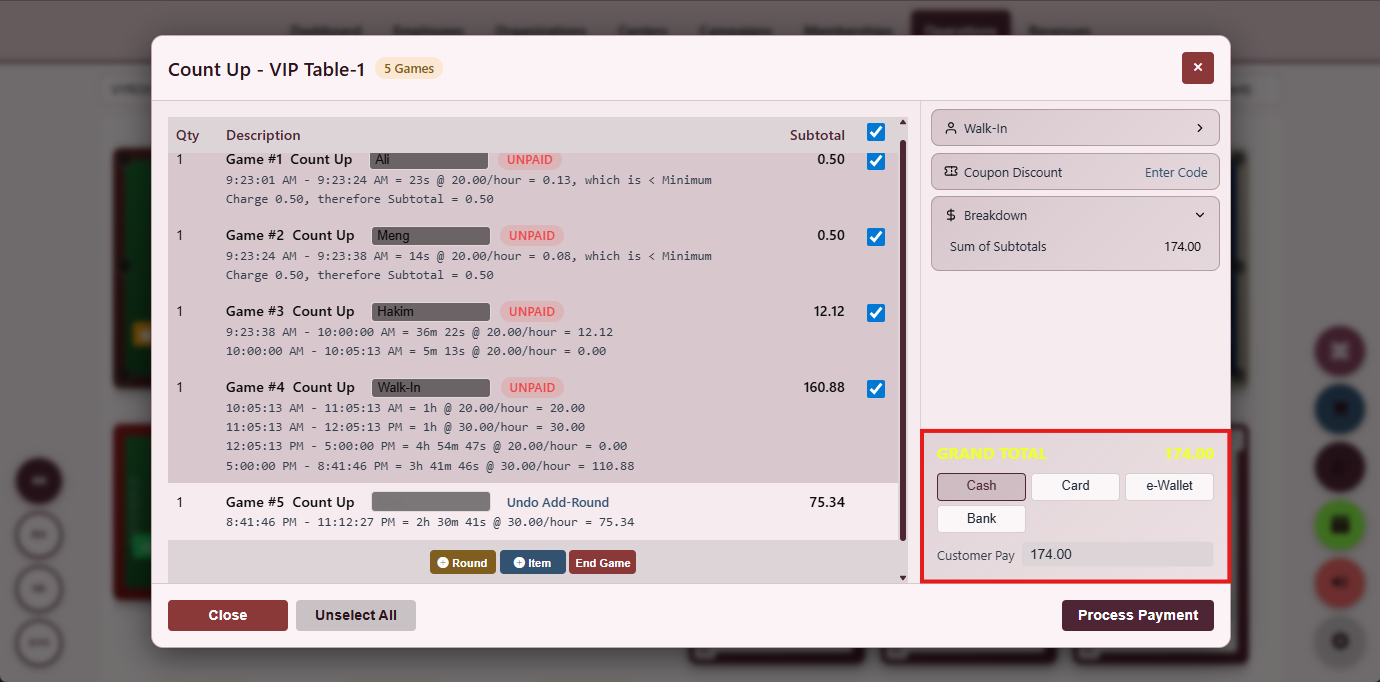
Payment Picker
Cash, card, e-wallet, member credit, reward points or split-bill in one screen.
- Six methods in one view
- Signed invoice on commit
- Per-method audit log
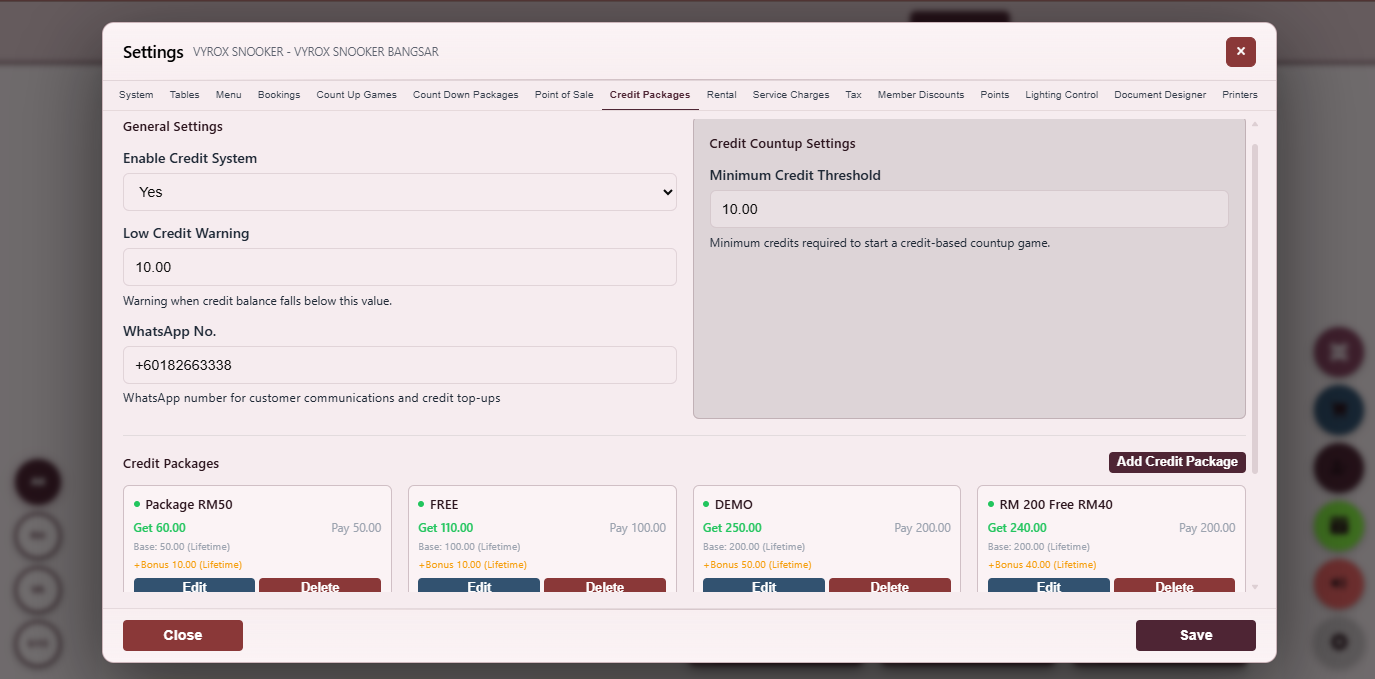
Credit Package Top-Up
Member chooses a package size and pays once to receive credits with bonus value.
- Counter and in-app channels
- Bonus credit separate
- Receipt auto-printed
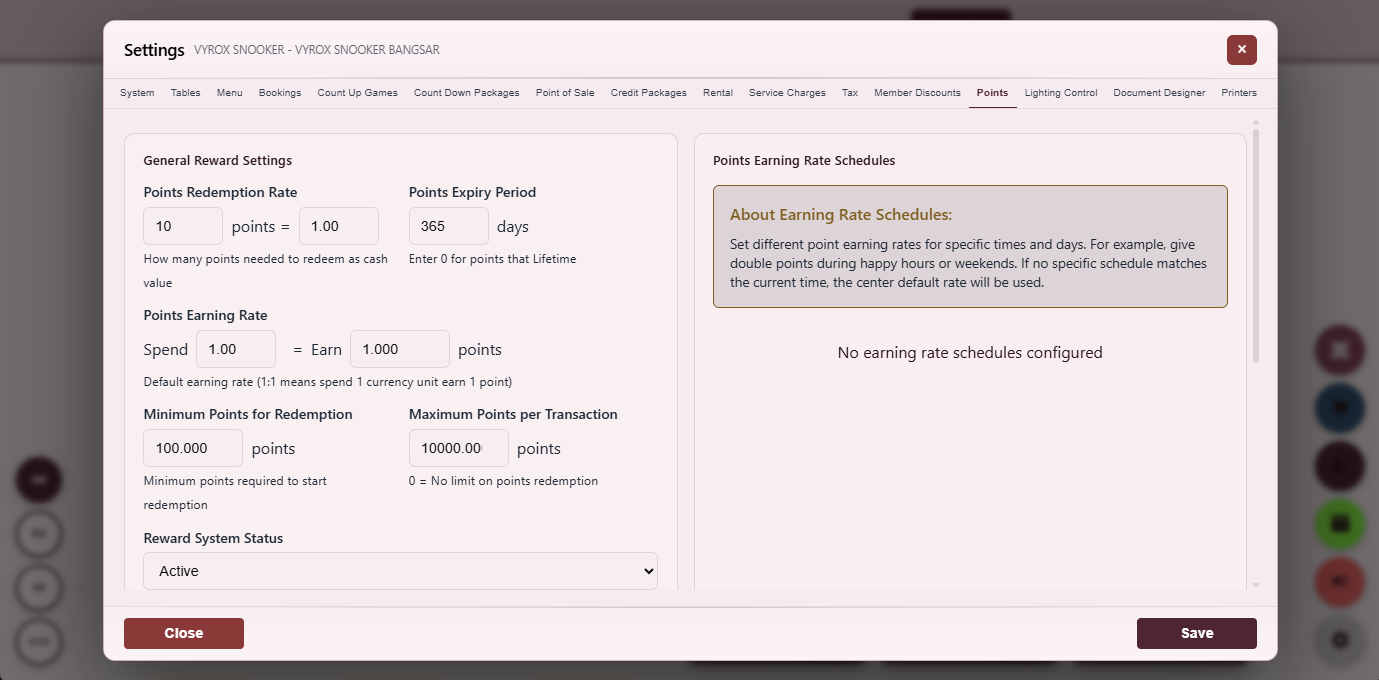
Point Redemption
Convert reward points into a payment line at the configured rate.
- Minimum redemption threshold
- Maximum per invoice
- Audit on every redeem
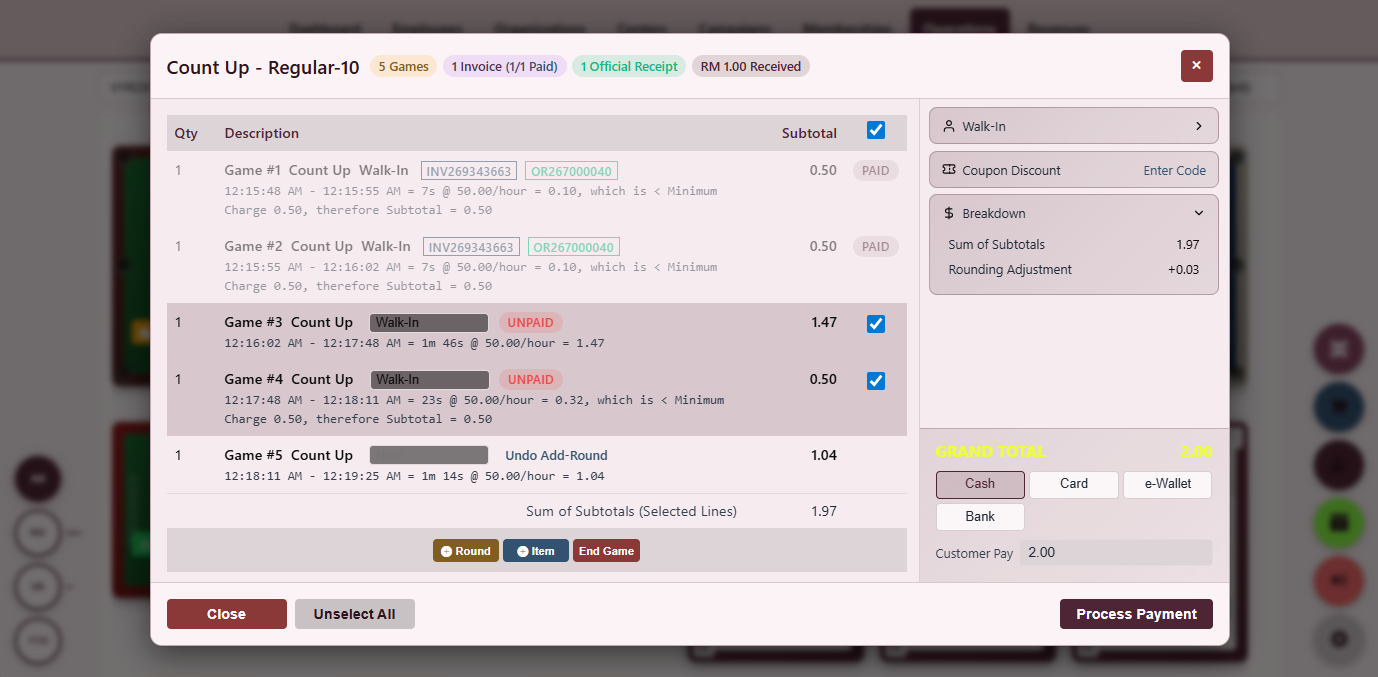
Split Bill Allocator
Divide one running tab across multiple payers by share, percentage or item.
- Item-level pick
- Equal share
- Per-payer receipt
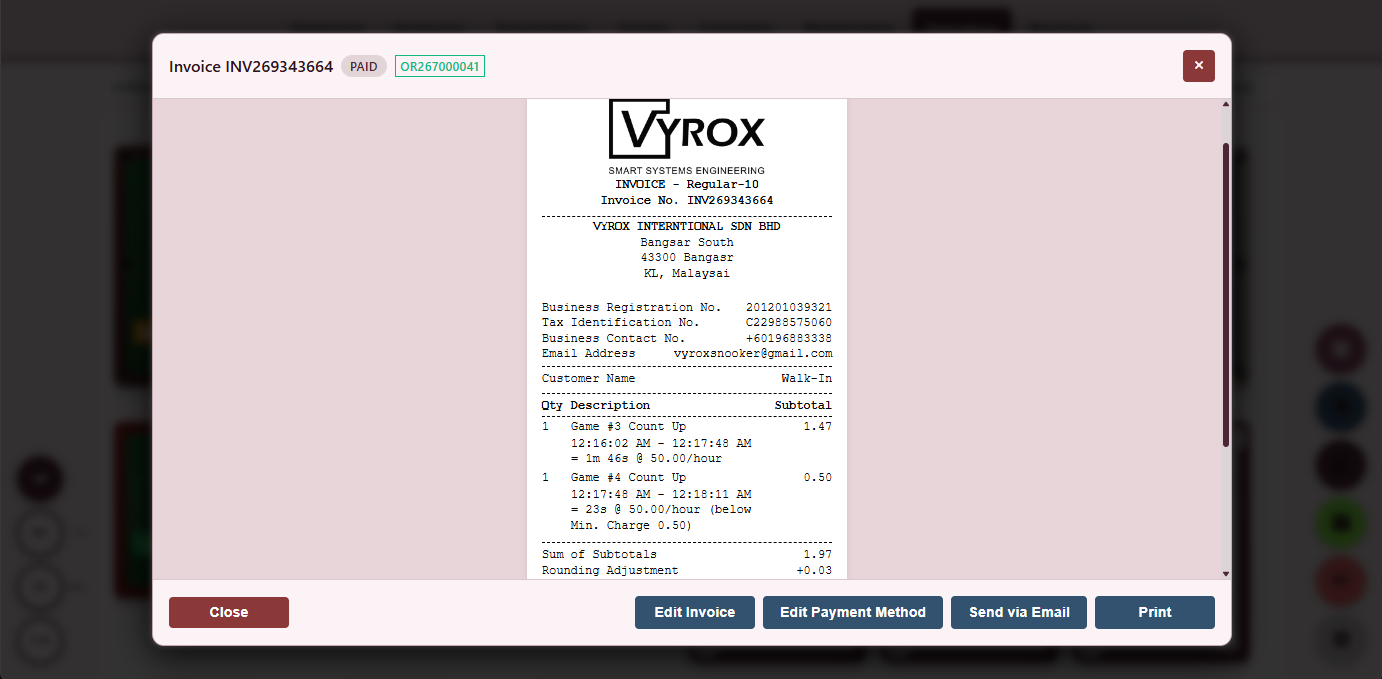
Split Bill Invoice
Finalised invoice with each payer line, individual receipts and reconciled total.
- Per-payer payment method
- Reprint per payer
- Signed audit log
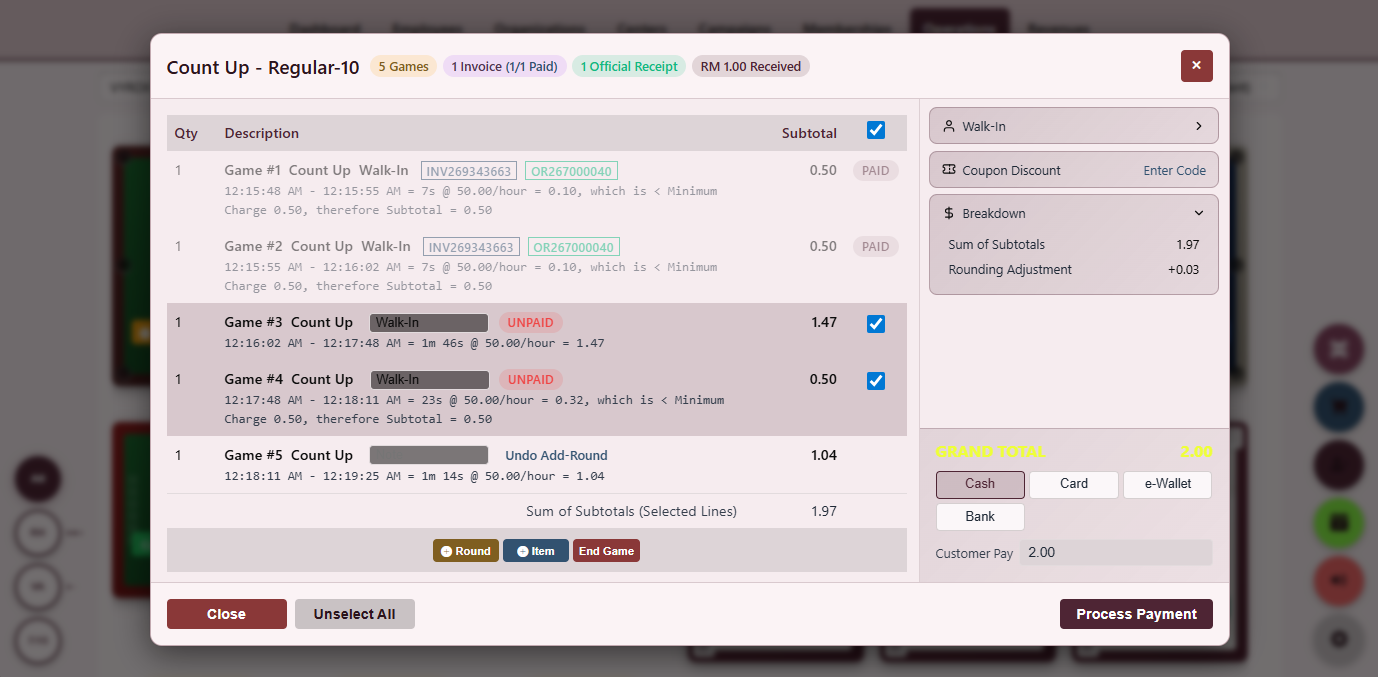
Group Payment
Divide a single table session into multiple payers and accept different payment methods.
- Mixed payment methods
- Live total tracker
- Manager override audit log
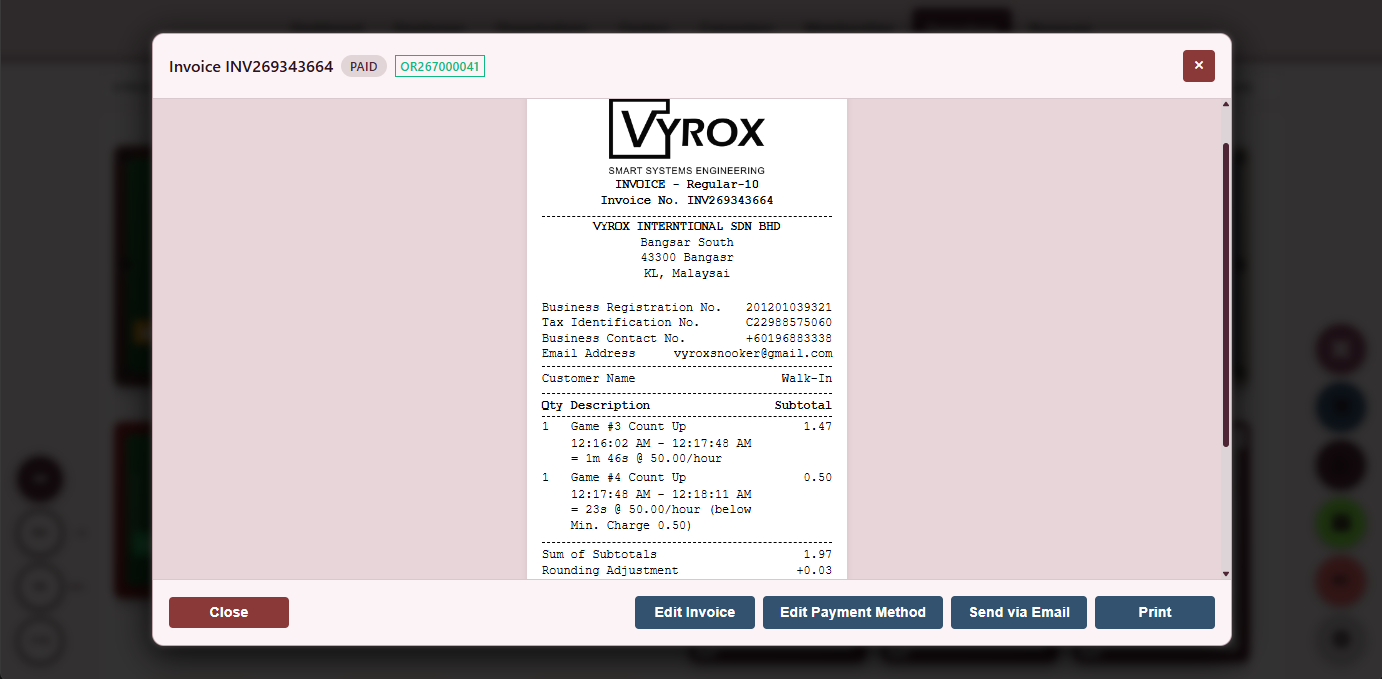
Group Payment Invoice
The resulting invoice with each payer share, method and signed-off receipt.
- Per-payer reprint
- CSV export
- Linked to member account where applicable
Everything that ships in this module
- Cash payment with denomination breakdown
- Card payment via integrated terminal or manual entry
- E-wallet, FPX bank transfer, and QR-payment support
- Member credit deduction with wallet preview
- Reward point redemption with rate conversion
- Split-bill across multiple payers with mixed methods
- Tip and service charge as separate lines
- Manager-override audit on void or refund
- Outstanding-balance flag when customer leaves without paying
- Signed invoice written on every commit
- PDF download for every invoice
- Multi-currency receipt printing
- Pre-authorised hold on entry, settlement on exit
- Refund flow with operator and manager dual sign-off
- Per-invoice item-level void with audit reason
- Tipping flow that splits between operator and shared pool
- Outstanding balance recovery on next visit (auto-settle prompt)
- Per-payment-method audit log with operator and IP
- Per-shift cash drawer reconciliation report
- Customer-facing display for double-check at the counter
- Regional e-wallet and instant-transfer support
- Cross-border card acceptance for tourist-heavy venues
- Per-currency display on receipt for foreign customers
- Per-invoice attachment of digital signature
The food and beverage point of sale shares the same database as the tables operation, so a packet of crisps added to table seven appears on the same invoice as the table charge.
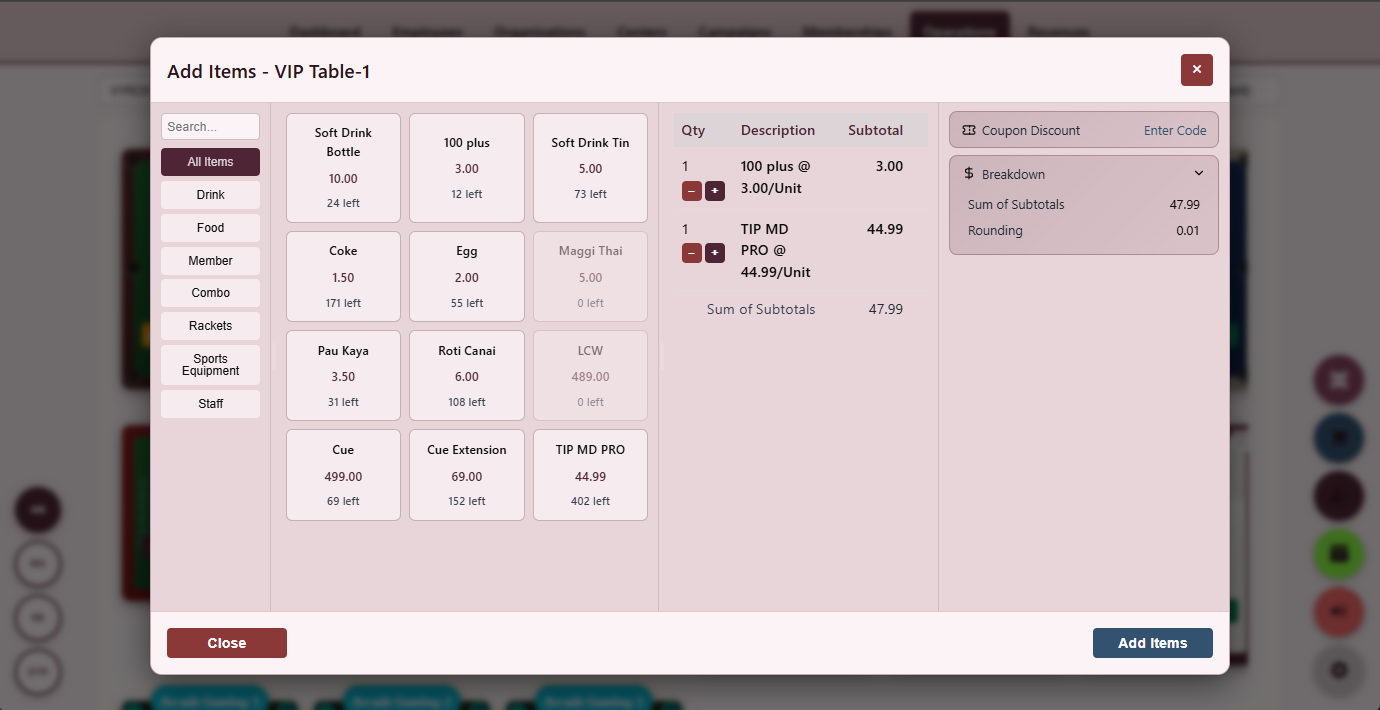
Point of Sale
A touchscreen POS with category tiles, modifier popups and send-to-kitchen.
- Category and modifier popups
- Send to kitchen one tap
- Live ticket preview
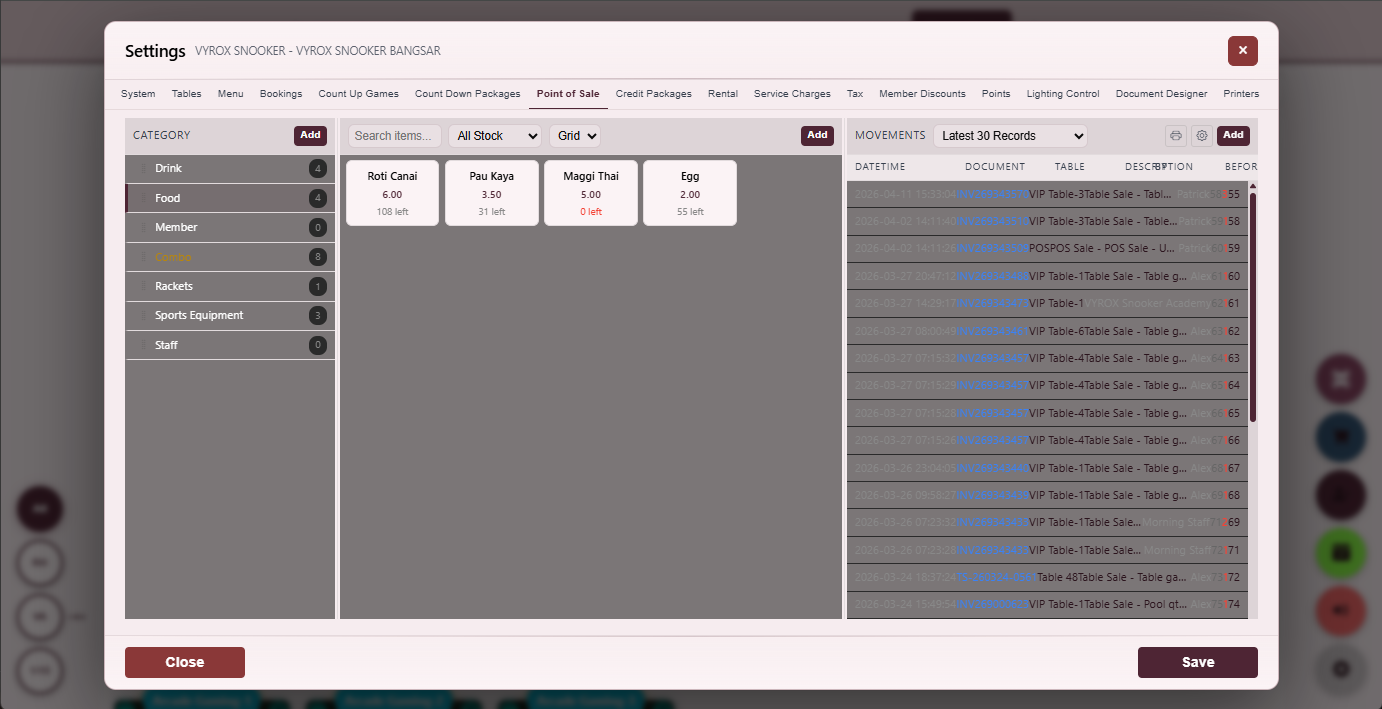
POS Settings
Configure tax, service charge, printer routing and receipt template.
- Tax inclusive or exclusive
- Printer routing per category
- Receipt template editor
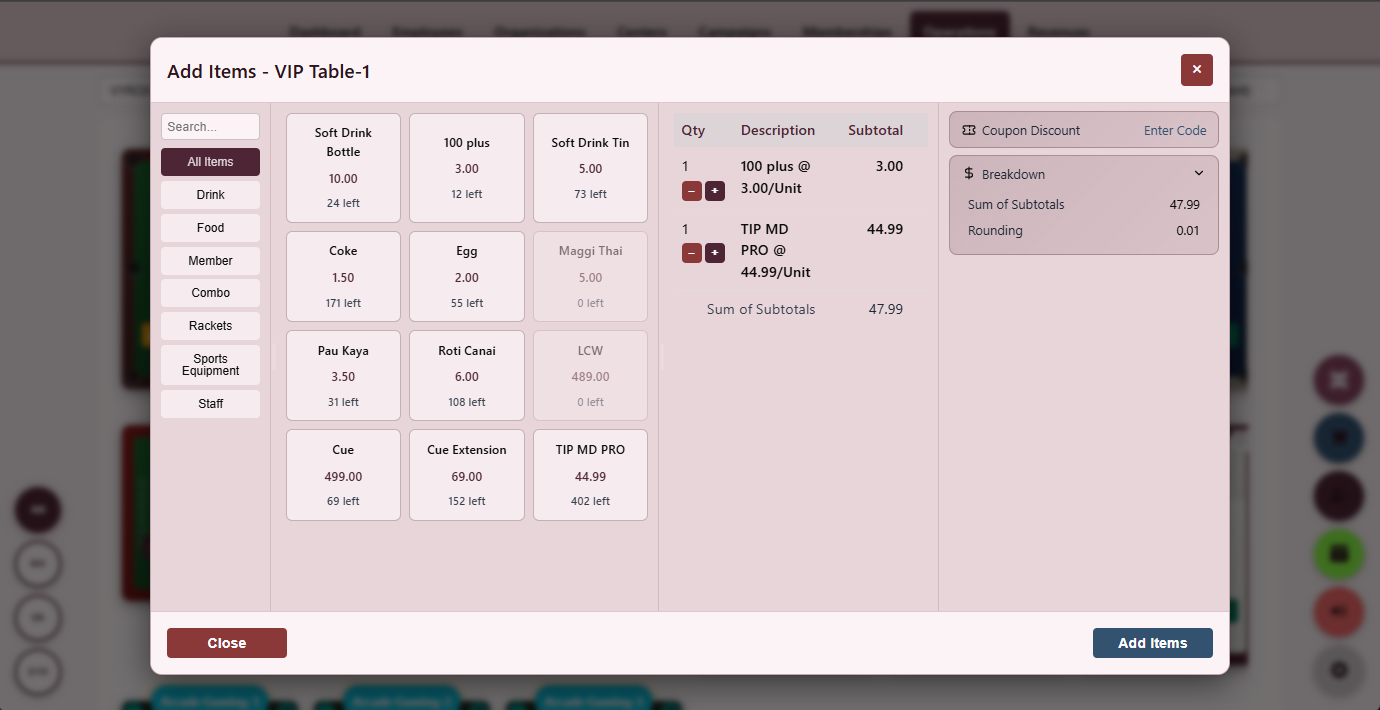
Item Settings
Photo, category, price, modifiers, stock-link, kitchen-printer and member-discount eligibility per item.
- Member-only items
- Per-item kitchen printer
- Stock-link on every item
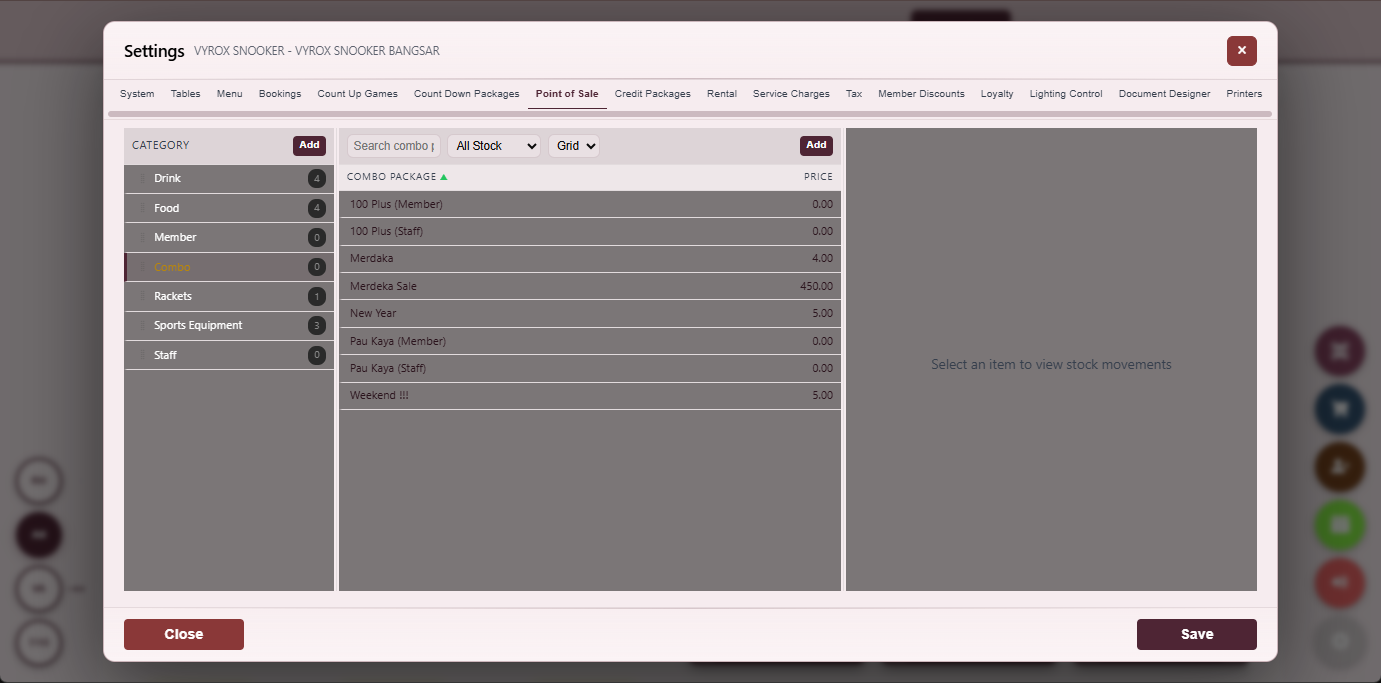
Combo Catalogue
A combo catalogue with included items, combo price and active status.
- Member-only combos
- Time-bound combos
- One-tap edit and clone
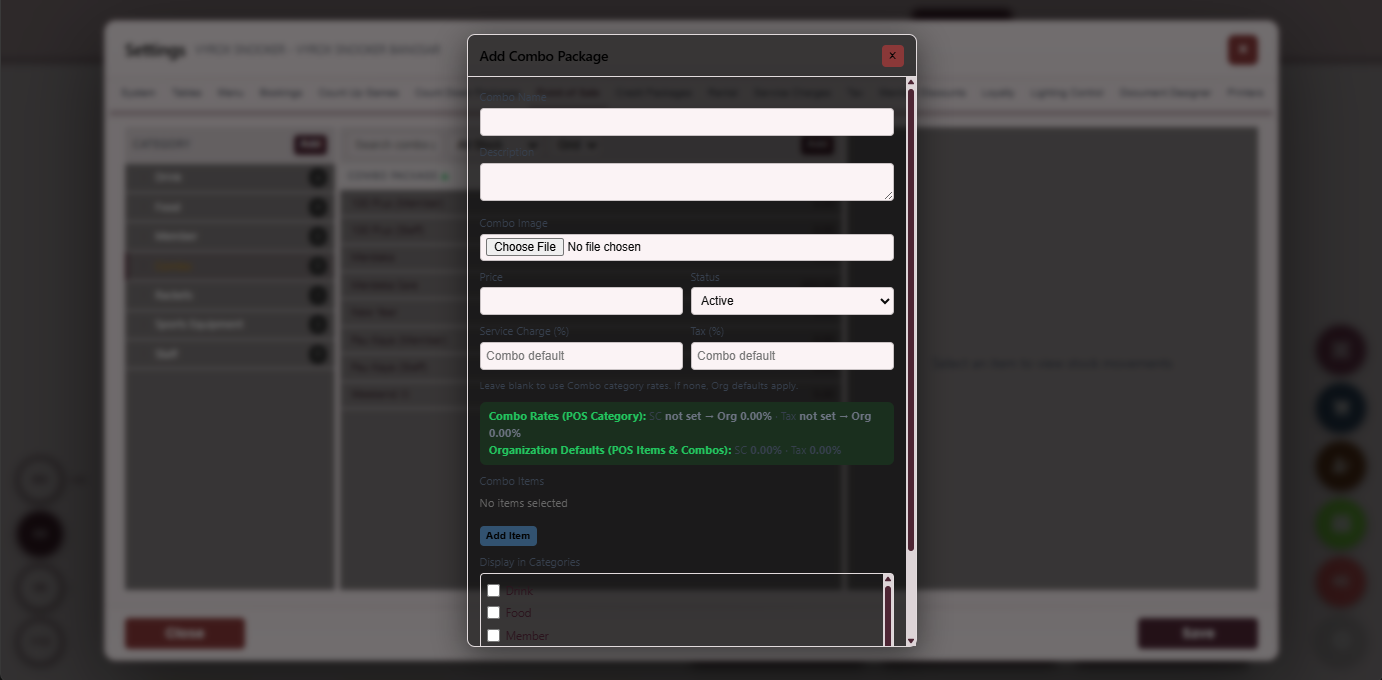
Add Combo Package
A dialog to add a new combo package with items, price and validity.
- Drag to reorder included items
- Validity window
- Auto-print combo receipt
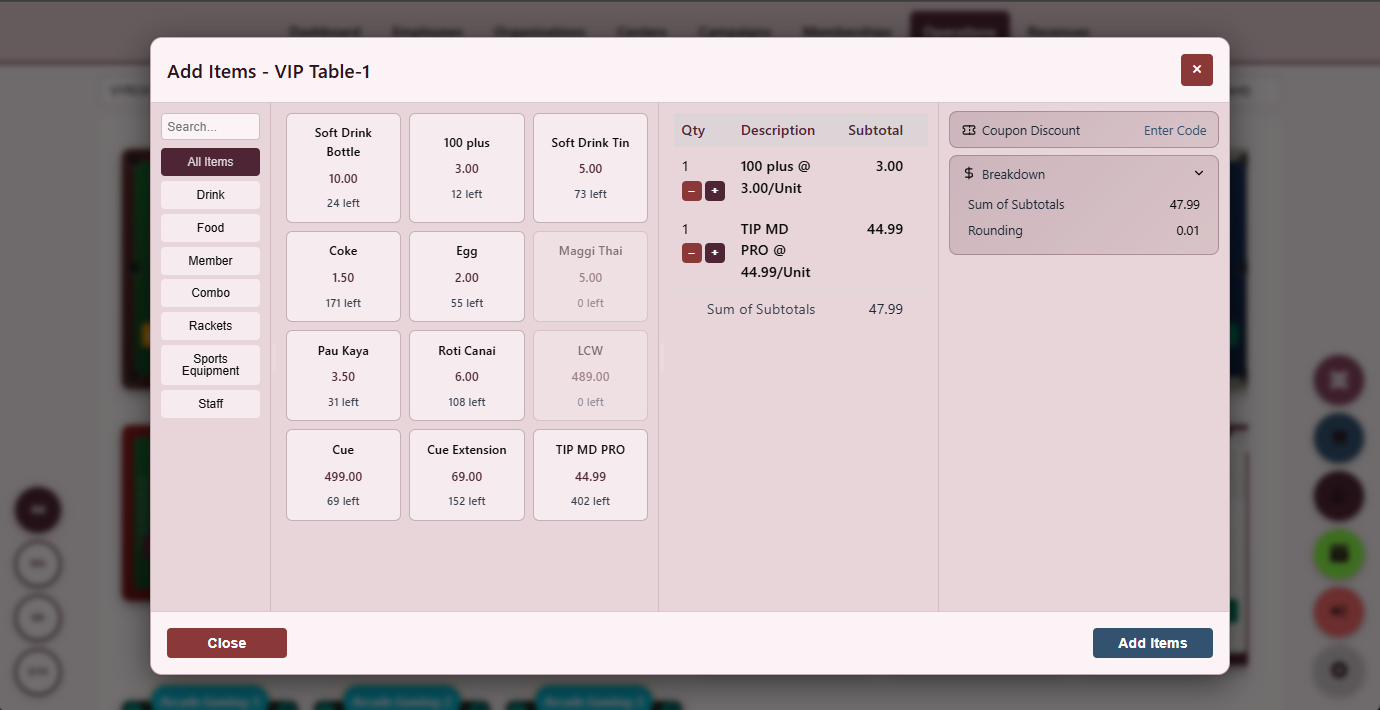
Add Item to Table
Attach F&B items from the POS directly onto the running table tab.
- One-tap from tables grid
- Auto-merge with table invoice
- Per-item kitchen send
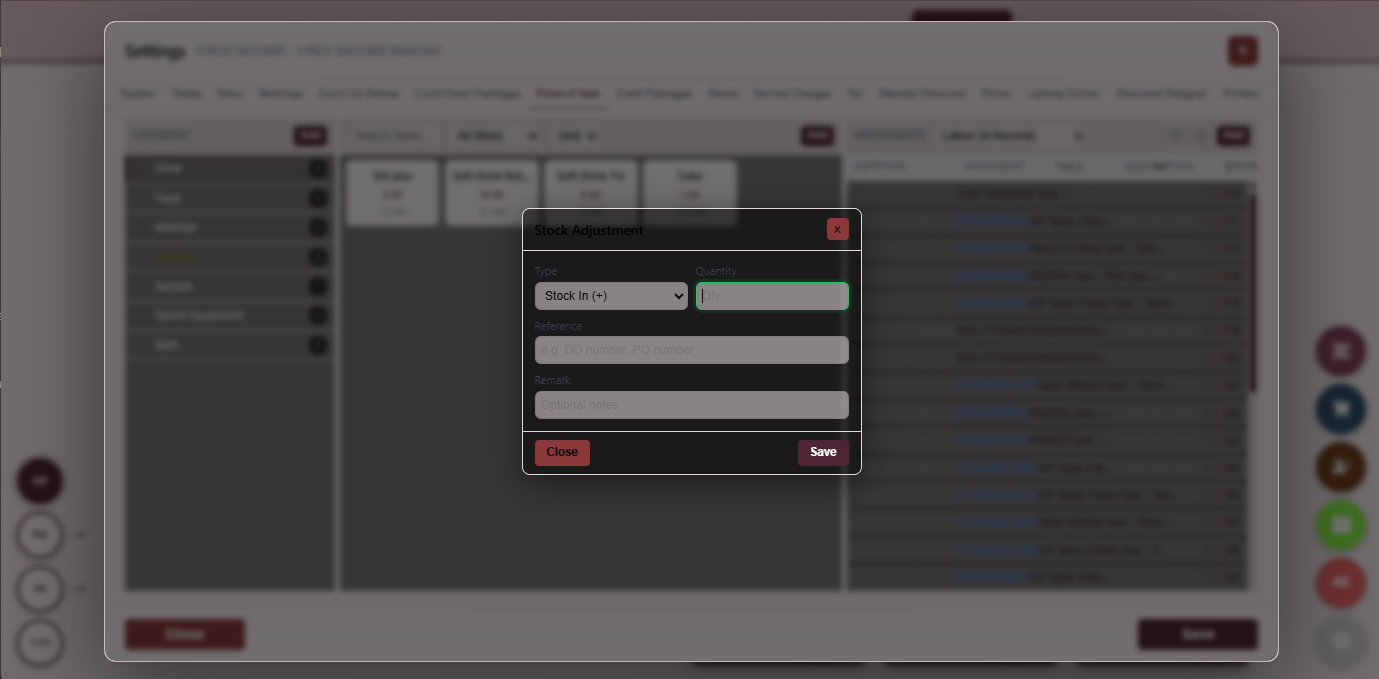
Stock Adjustment
Record stock adjustments with reason, delta, operator and note.
- Reason codes
- Manager override required
- Audit-grade trail
Stock and Inventory
Movement, adjustment and balance reports keep the F&B counter honest.
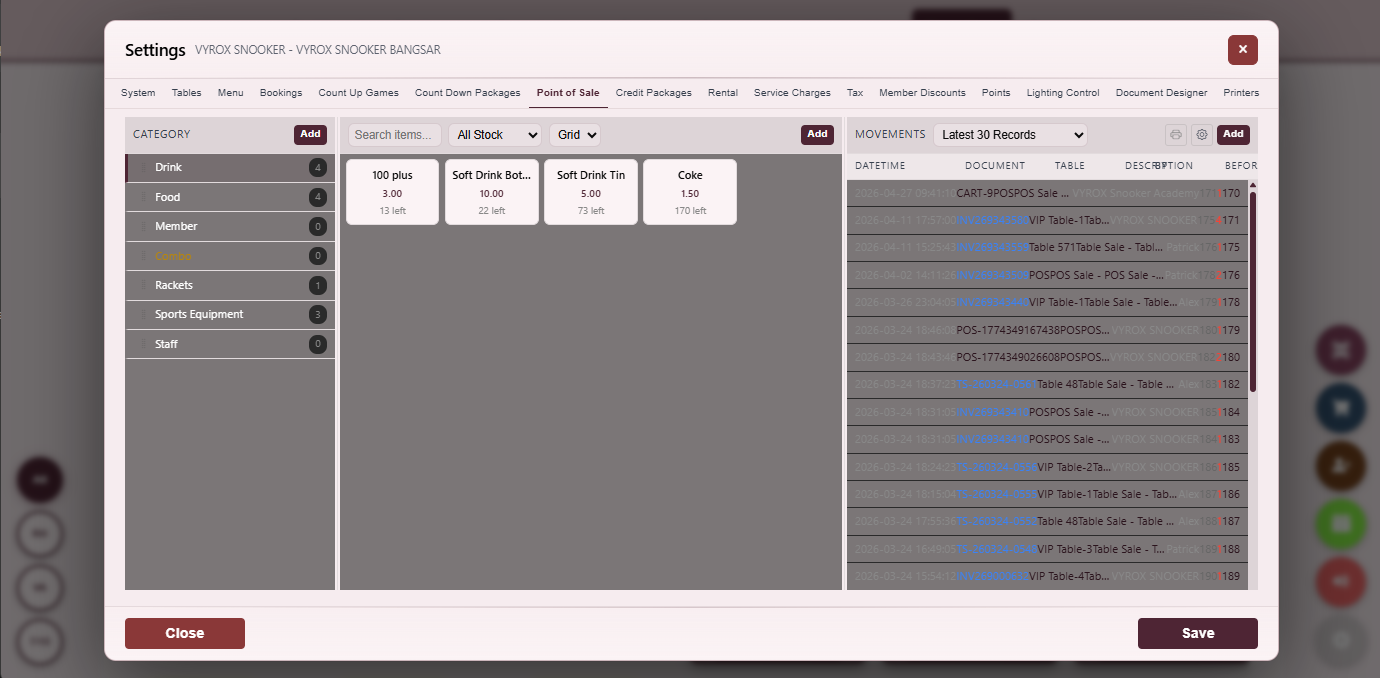
Stock Movement Log
Chronological log of every sale, transfer, adjustment and wastage.
- Searchable filters
- CSV export
- Per-operator audit
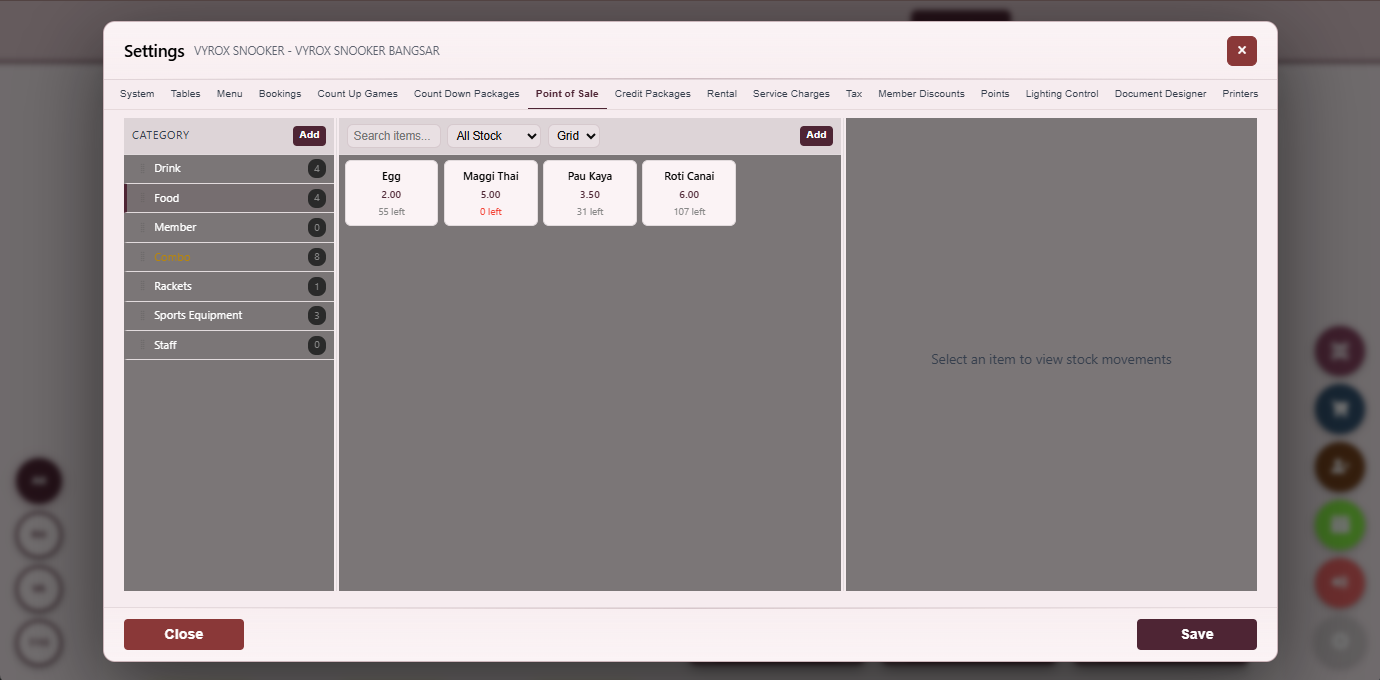
Balance Stock
On-hand quantity per SKU, reorder point, recent movement and value at cost.
- Reorder point alerts
- Value at cost
- Per-centre stock
Announcements push to the member app feed, campaigns target audience segments, coupons are claimable in-app and operator group chat keeps every centre on the same page.
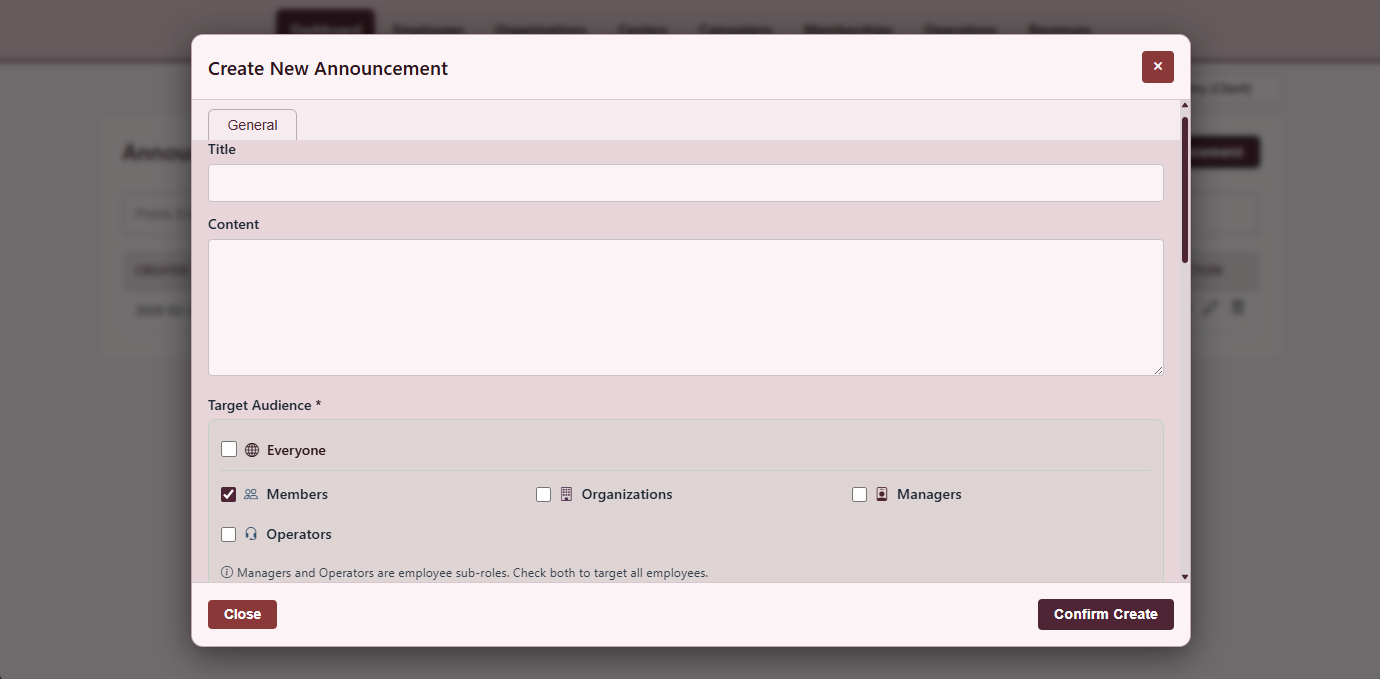
Create Announcement
Title, hero image, body, target audience and publish schedule.
- Push to member app
- Schedule publish
- Pin to top of feed
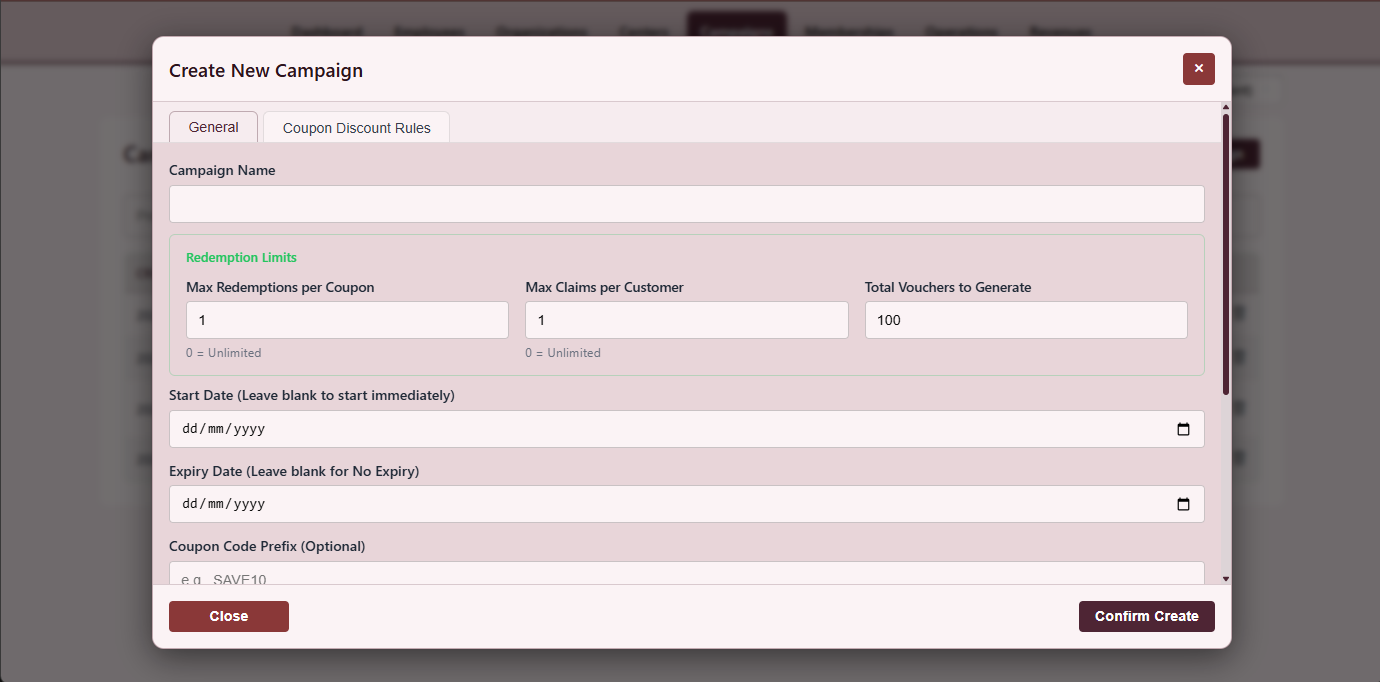
Create Campaign
Goal, target segment, reward type, eligibility and window.
- Audience segments
- Reward type picker
- Conversion KPIs live
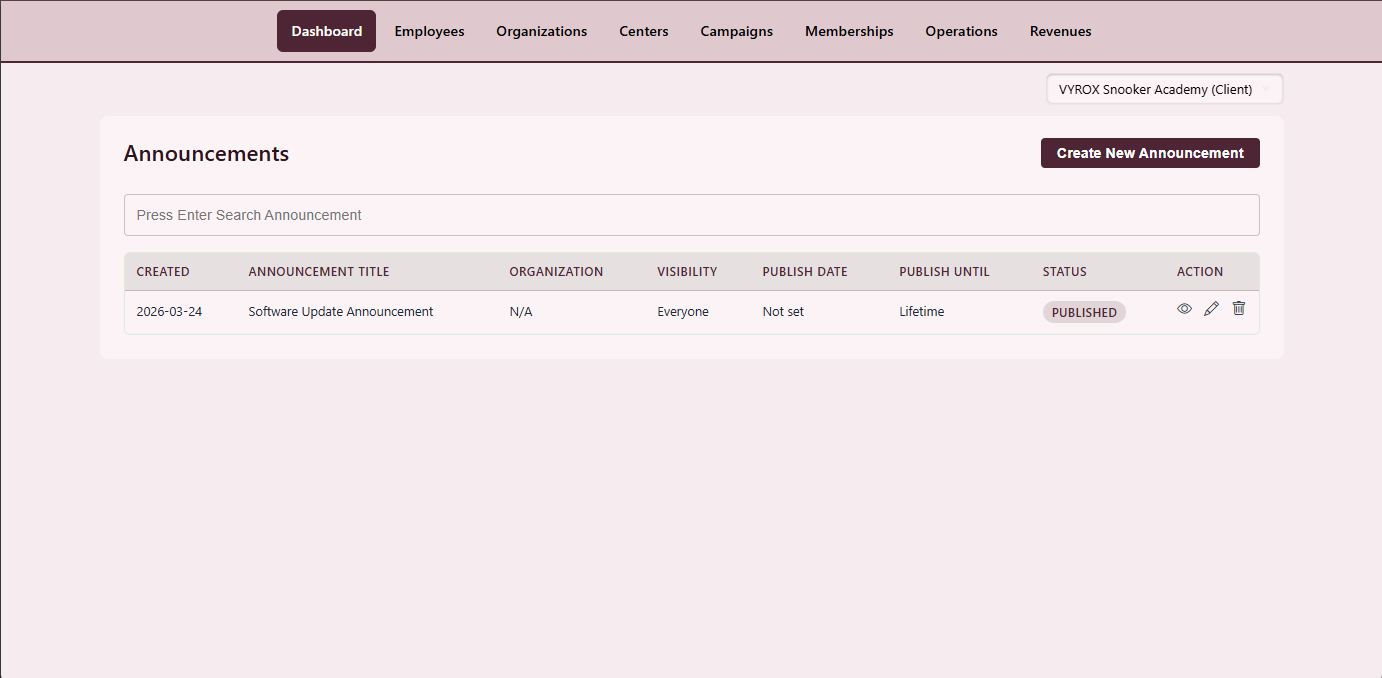
Promotions Dashboard
Campaign performance, announcement reach and coupon redemption on one page.
- Live KPI tiles
- Per-campaign drill-down
- Daily claim trend
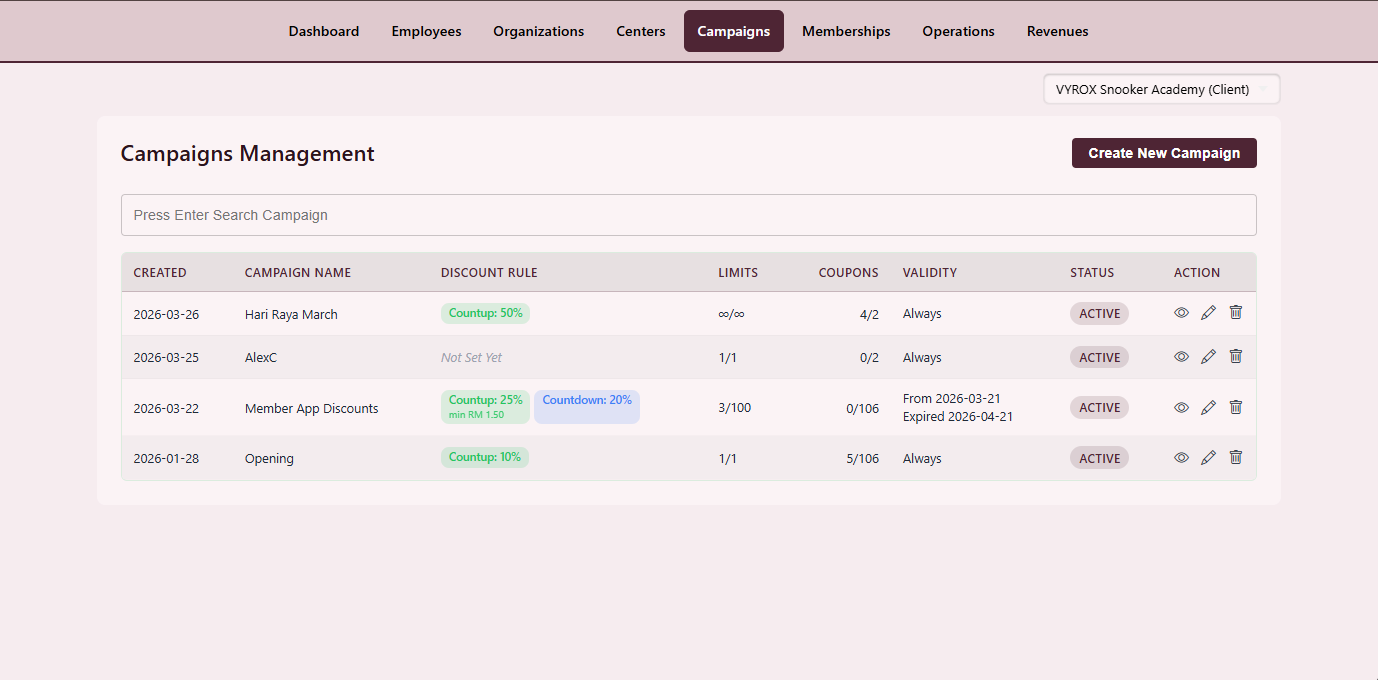
Front-Page Campaign
Featured campaign slot on the centre member-app home with hero image and CTA.
- One featured slot per centre
- Auto-rotation optional
- Member-app push
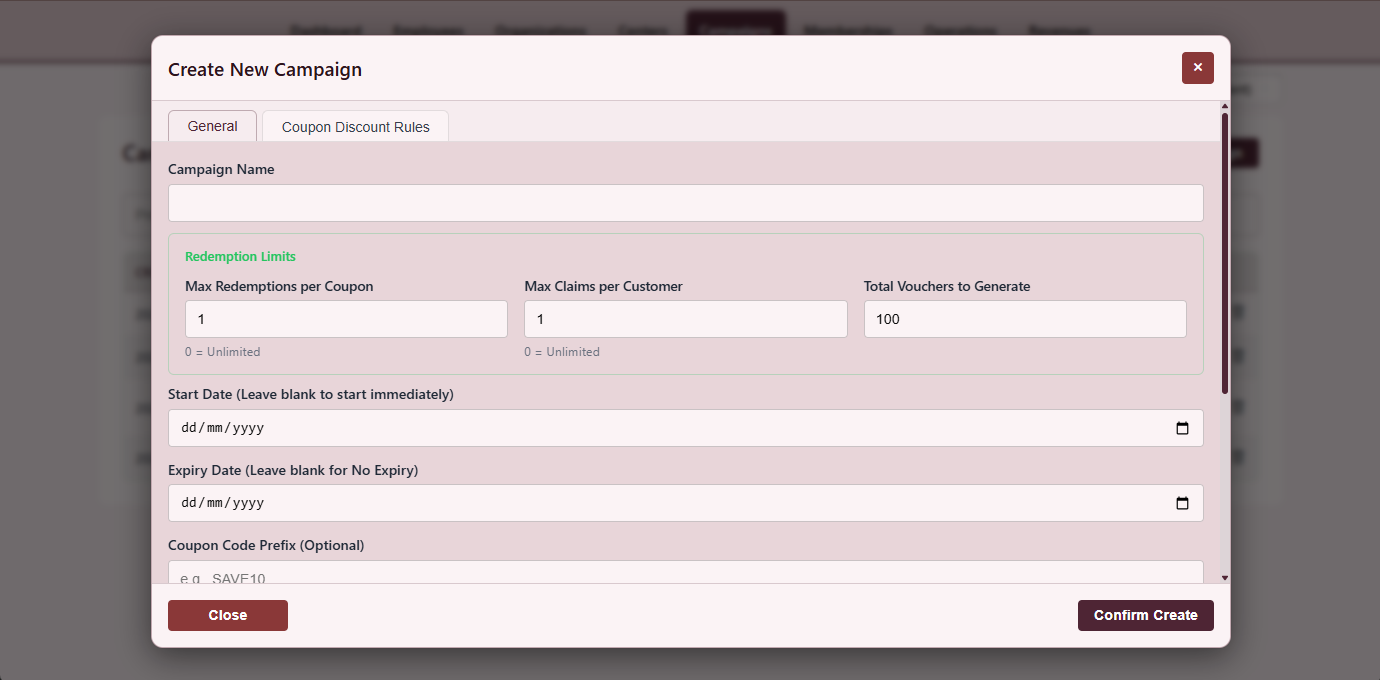
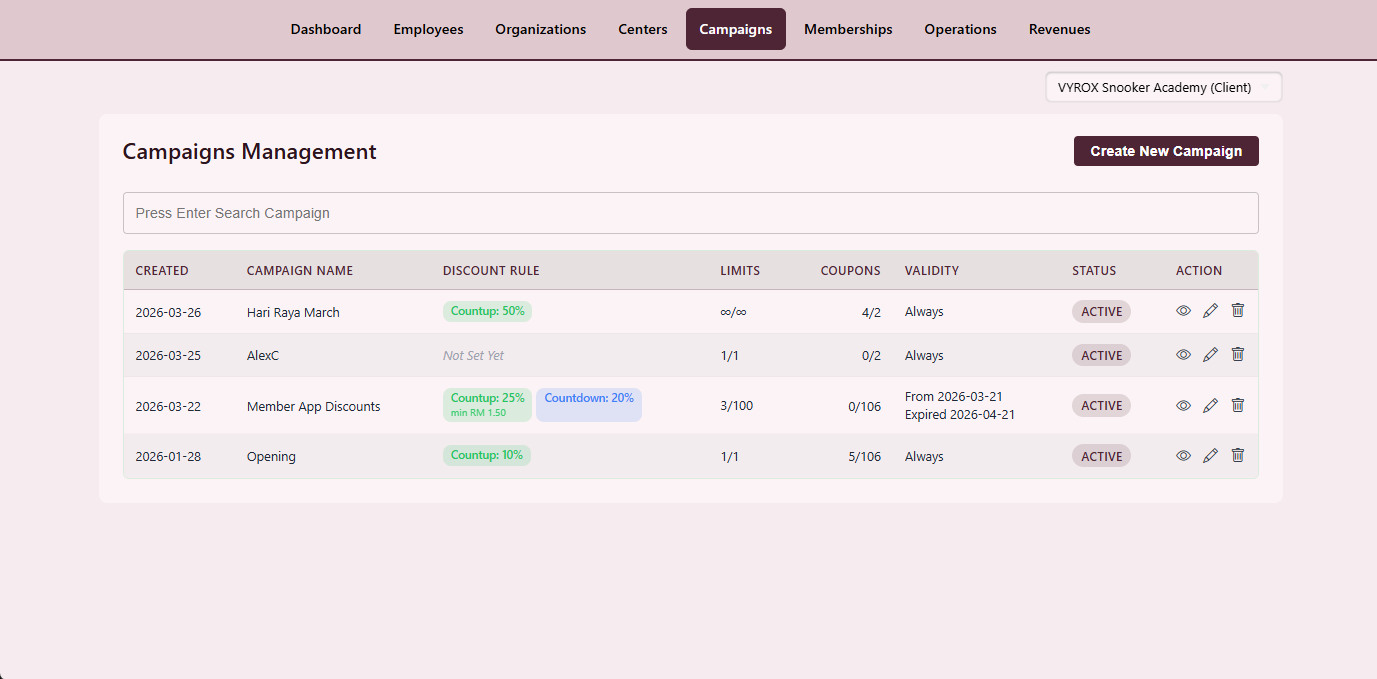
Campaign Console
Campaign list, target filters, schedule window and performance.
- Pause and resume
- Clone existing campaign
- CSV export of redeemers
Campaign Detail
Eligibility, reward, redemption count, funnel and per-day claim trend.
- Per-day claim trend
- Funnel view
- Re-target audience inline
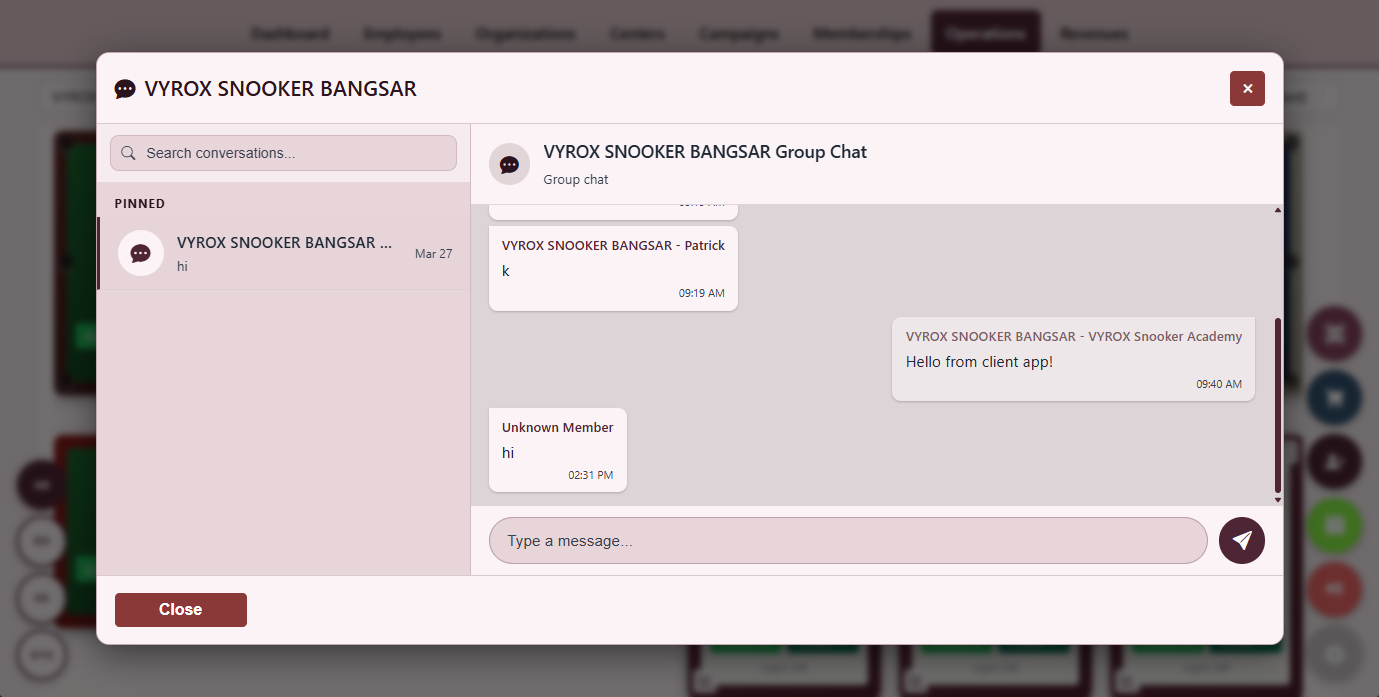
Operator Group Chat
Real-time chat where operators, owners and head office exchange messages.
- Per-centre channels
- Image and screenshot drop
- Tag-by-shift
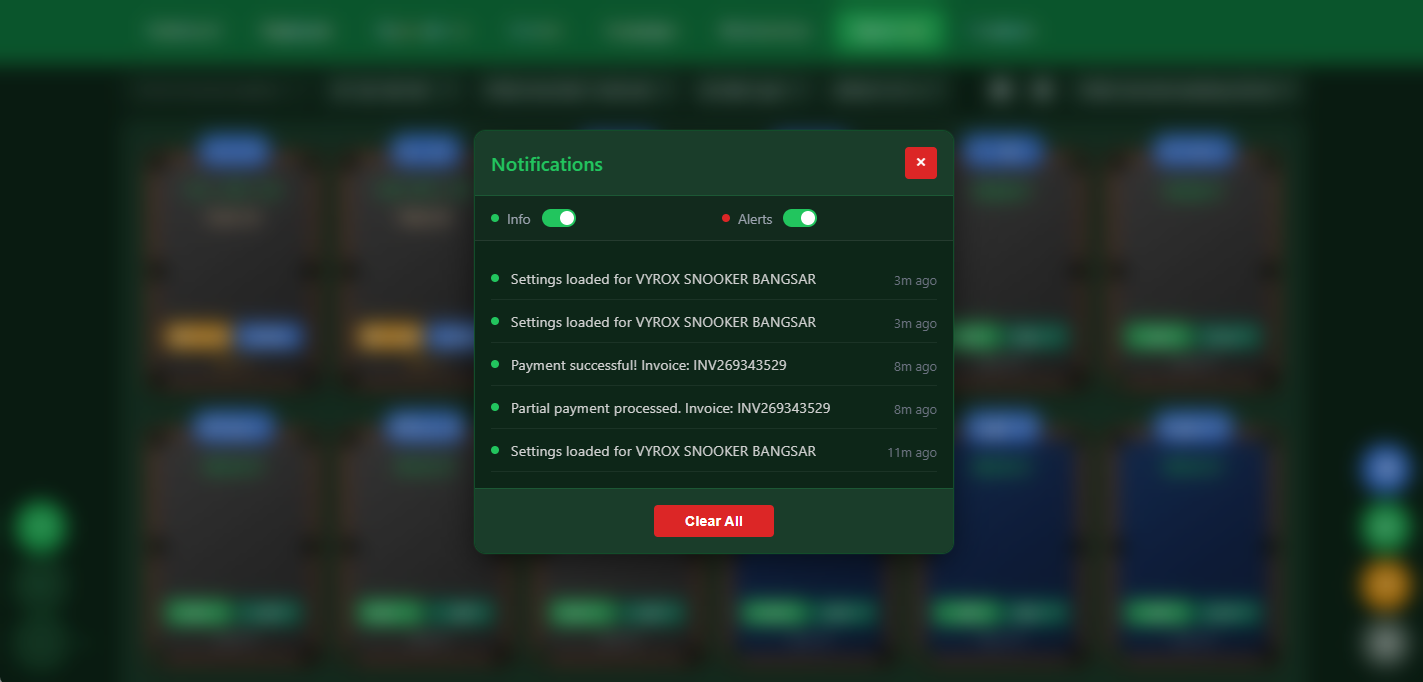
Notification Detail
A single notification with event type, payload preview and deep link.
- Deep link to record
- Snooze rule
- Per-role visibility
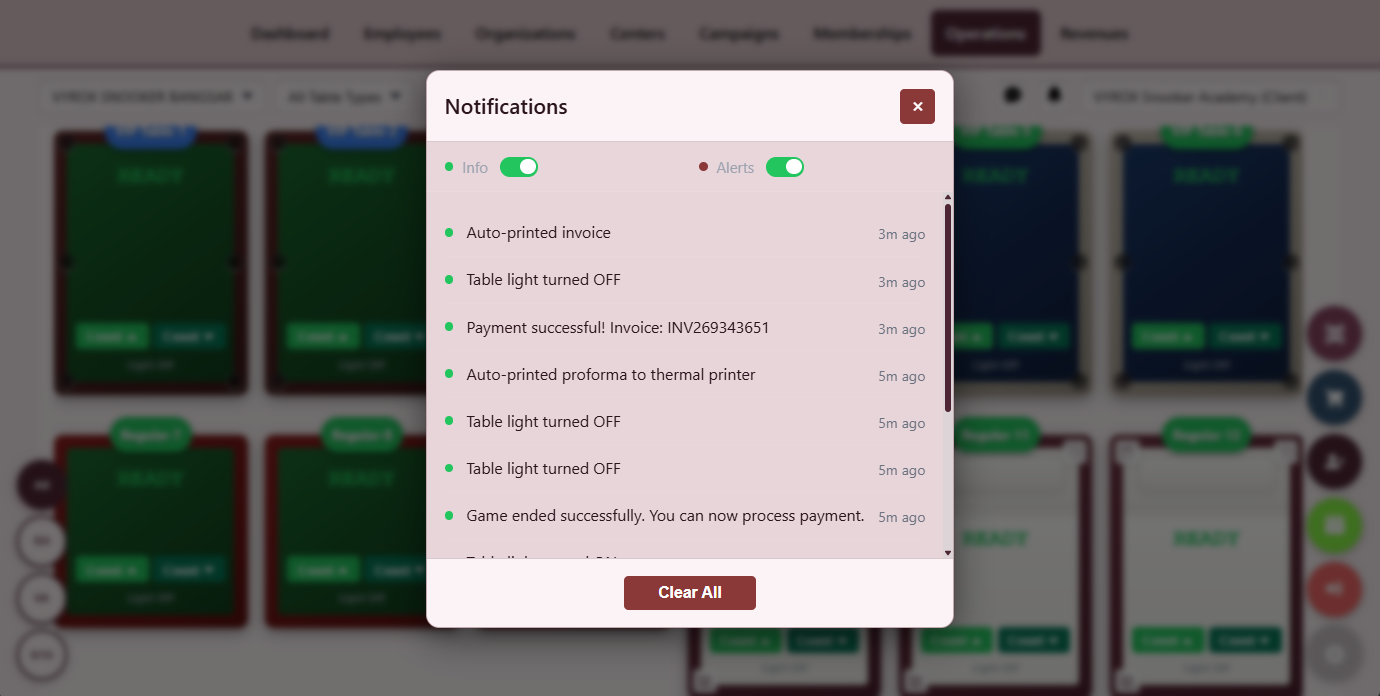
Notification Inbox
Chronological inbox grouped by category with bulk mark-as-read.
- Category filter
- Bulk mark read
- Per-role inbox
Everything that ships in this module
- Announcements with hero image, body and CTA
- Targeted campaigns by audience segment
- Audience segment builder (inactive members, top spenders, tier, last visit)
- Coupon claim flow with one-tap redemption
- Coupon expiry and per-member usage cap
- Bulk coupon generation with unique codes
- Per-centre announcement scope or global multi-centre
- Group chat per centre with image and screenshot drop
- Notification inbox grouped by category
- Push notification to member mobile app
- Per-campaign performance KPIs and conversion funnel
- Per-day claim trend graph
- CSV export of redeemers per campaign
- Per-segment audience save-and-reuse
- A/B test reward type or messaging side-by-side
- Coupon stacking rules (one per invoice, one per customer, never with X)
- Auto-expire campaign on threshold (budget cap or claim count)
- Per-campaign cost-of-acquisition calculator
- Per-campaign LTV uplift estimator
- Notification dedupe so the same member never sees the same push twice
- Per-segment opt-out respected across channels
- Per-centre campaign vs platform-wide campaign distinction
- Per-coupon image and CTA copy editor
- Per-campaign reporting dashboard with exportable charts
- Per-coupon redemption time-series for retro analysis
A simple MQTT loop keeps the lights honest. Game start publishes turn-on, game end publishes turn-off, and the controller publishes its real state back so the dashboard never lies.
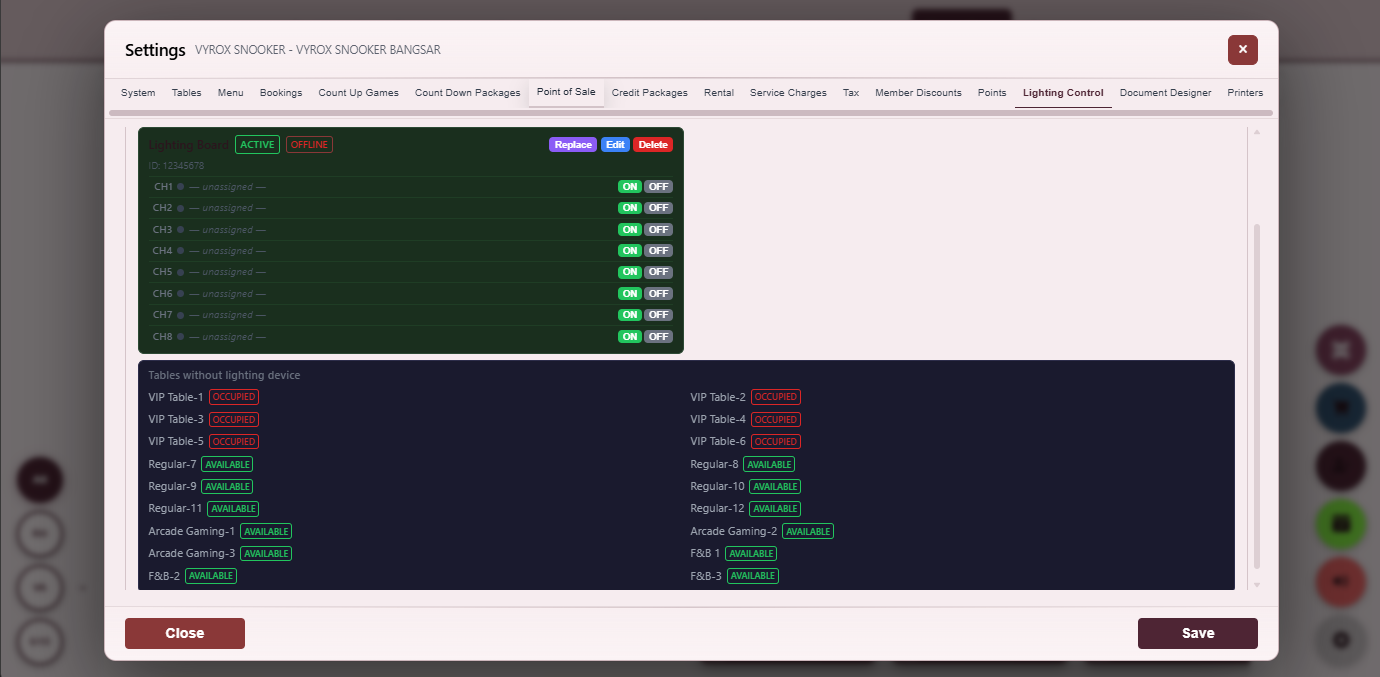
Smart Lighting Control
Toggle each table light and see live status reported back from the ESP32.
- Per-table MQTT topic
- Round-trip status
- Manual override
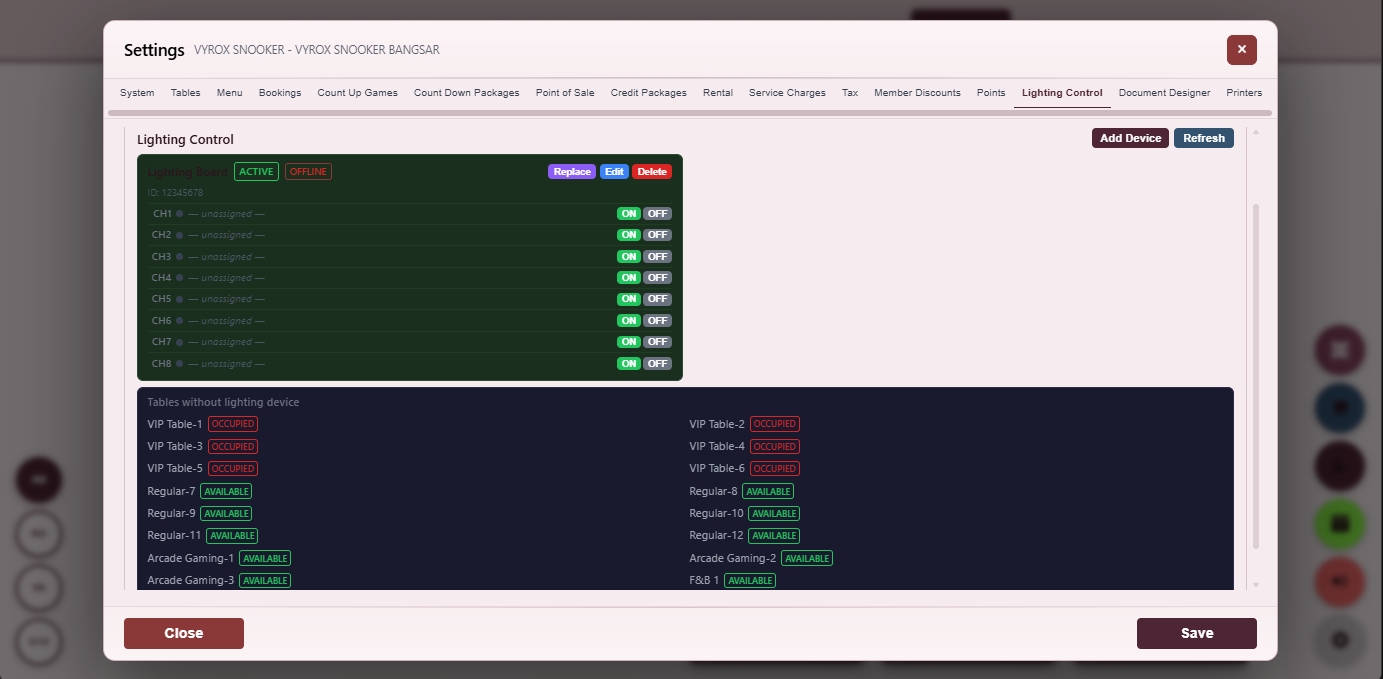
Lighting Settings
Map each table to an MQTT topic, ESP32 device ID and auto-on rule.
- Auto-on with game start
- Auto-off with bill
- Per-table grace period
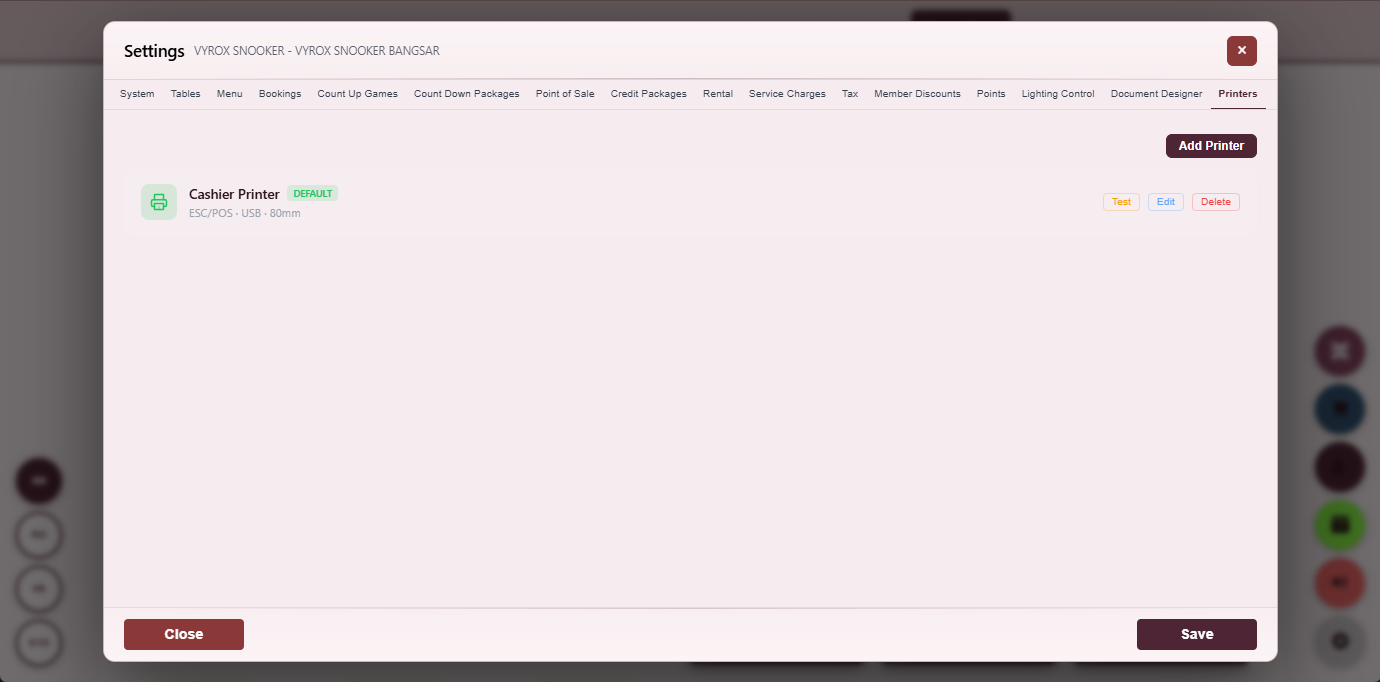
Printer Setup
Assign each thermal or A4 printer to receipt, kitchen or invoice with test-print.
- USB and network printers
- Per-printer test page
- Receipt, kitchen, invoice routing
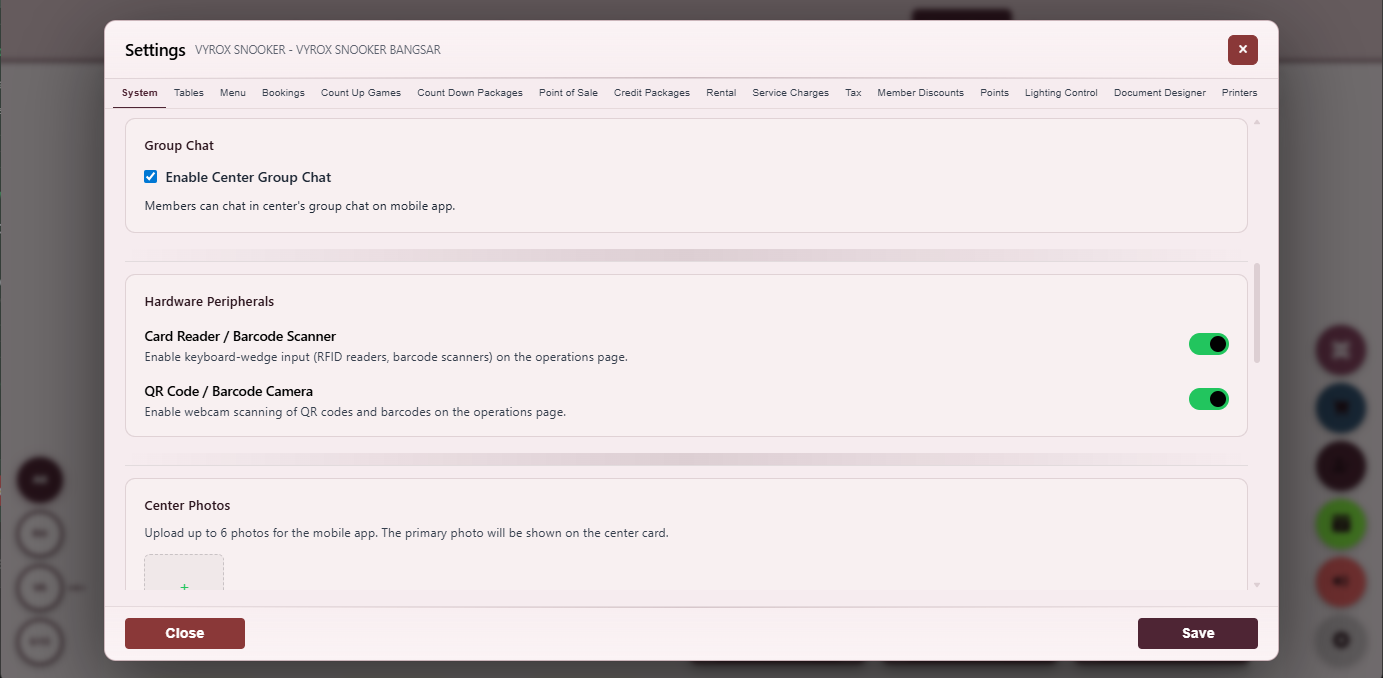
Hardware Peripherals
Enumerate connected printers, scanners, RFID readers and lighting controllers.
- Live device state
- Re-pair on click
- Per-device diagnostic
Everything that ships in this module
- ESP32 controller per table with MQTT broker connection
- Game-start publishes turn-on, game-end publishes turn-off
- Controller publishes real status back to broker
- Operator dashboard reflects real lighting state, not intent
- Per-table grace period before auto-off (for breaks)
- Manual override toggle on the dashboard
- Thermal receipt printers, A4 invoice printers, kitchen printers supported
- USB and Bluetooth RFID readers supported
- USB barcode scanners supported
- Per-printer test-page button
- Per-printer routing rules by document type
- Hardware peripherals enumeration with live device state
- Audit log on every lighting state change
- Per-table heart-beat from the ESP32 every thirty seconds
- Offline-detection alert on the operator console
- Per-table firmware version reported back from the device
- Per-table OTA firmware update from the operator console
- Wi-Fi credentials provisioned via QR scan during setup
- Per-device serial number recorded for warranty tracking
- Per-device replacement workflow that re-pairs to the same table
- Local control fallback if the broker is unreachable
- MQTT topic naming convention documented for the customer integration team
- Per-event power consumption estimate for sustainability reporting
- Per-table on-time tracker (how many hours the light has been on this month)
- Per-table off-time tracker (longest dark stretch this week)
- Per-controller MQTT topic subscription verifier
- Per-controller signal-strength reading
- Per-controller power-cycle recovery flow
- Per-controller scheduled health check
- Per-controller temperature reading (where supported)
- Per-controller last-seen timestamp on the operator console
- Per-controller firmware roll-back to a known good version
- Per-controller pair-with-spare workflow for hot swap
- Per-controller decommission flow with audit
- Per-controller usage hours since install
- Per-controller alert thresholds for offline duration
- Per-controller end-of-life retirement workflow
How smart lighting works end-to-end
A round-trip MQTT loop binds the game state to the table light. Status is reported back so the operator dashboard reflects reality, not intent.
Numbers live in one place. The same revenue total ties from invoice browser to drill-down to head-office multi-centre roll-up, so there is never a second source of truth.
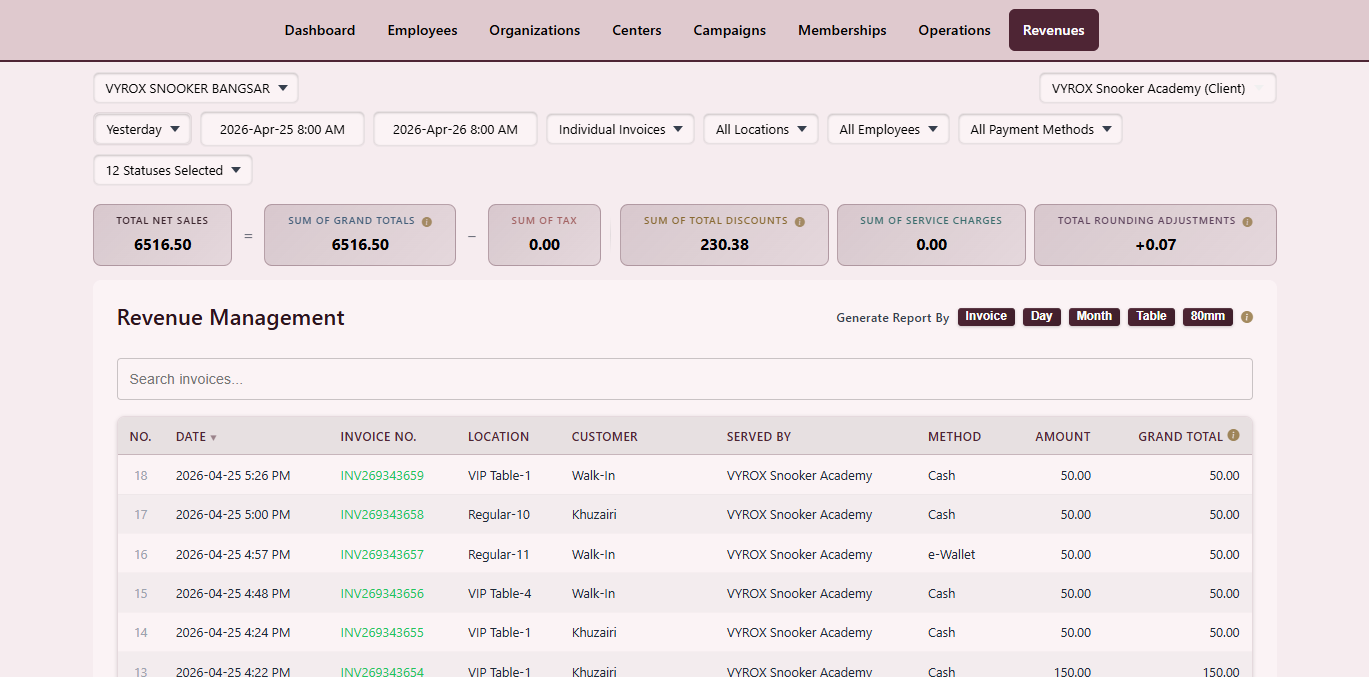
Revenue Drill-Down
Drill into revenue by category, table, operator and payment method.
- CSV and PDF export
- Day, week, month and year
- YoY comparison
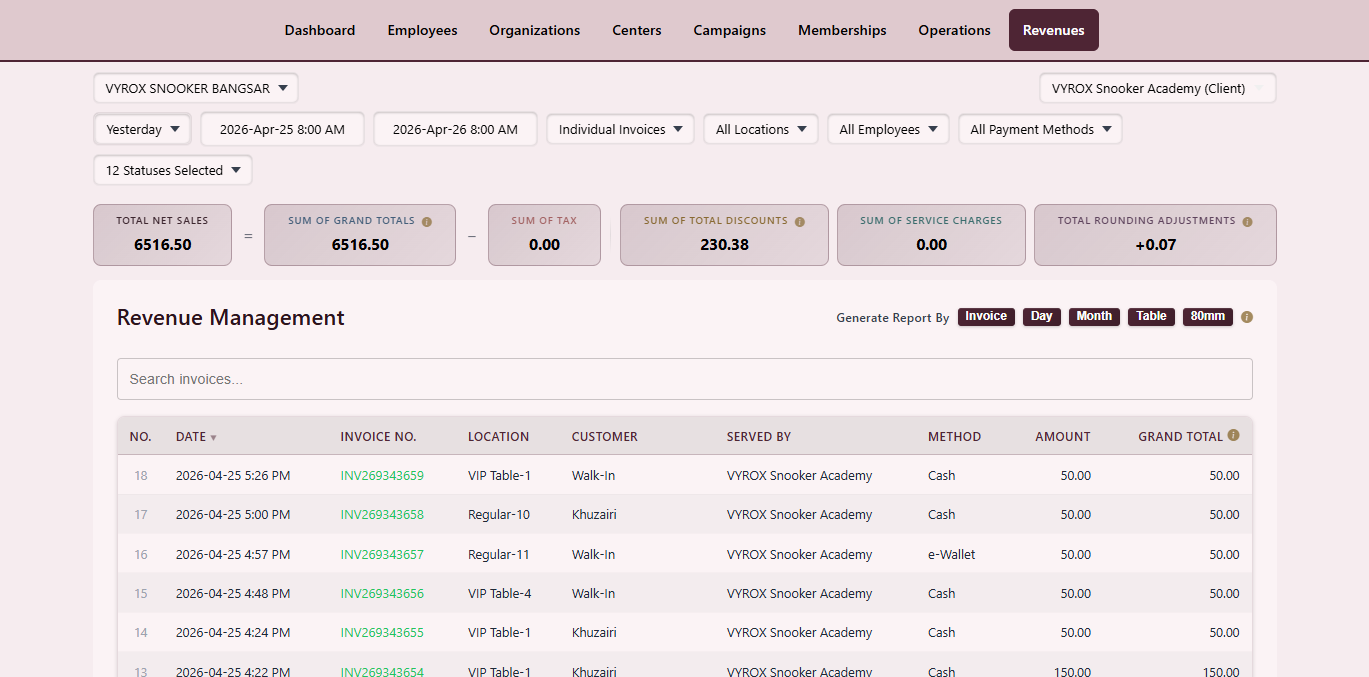
Revenue Summary
Today, week, month and year totals with comparison vs previous period.
- Comparison vs previous period
- Per-centre aggregate
- Currency conversion at head office
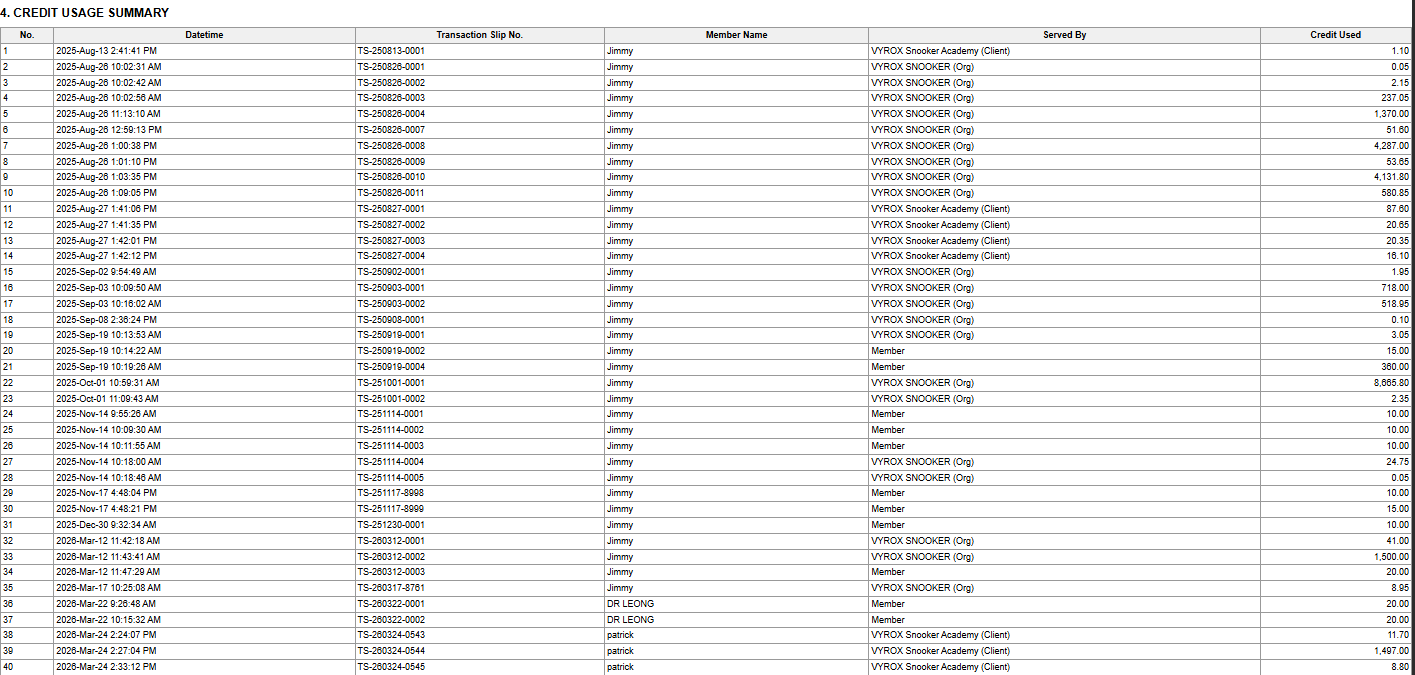
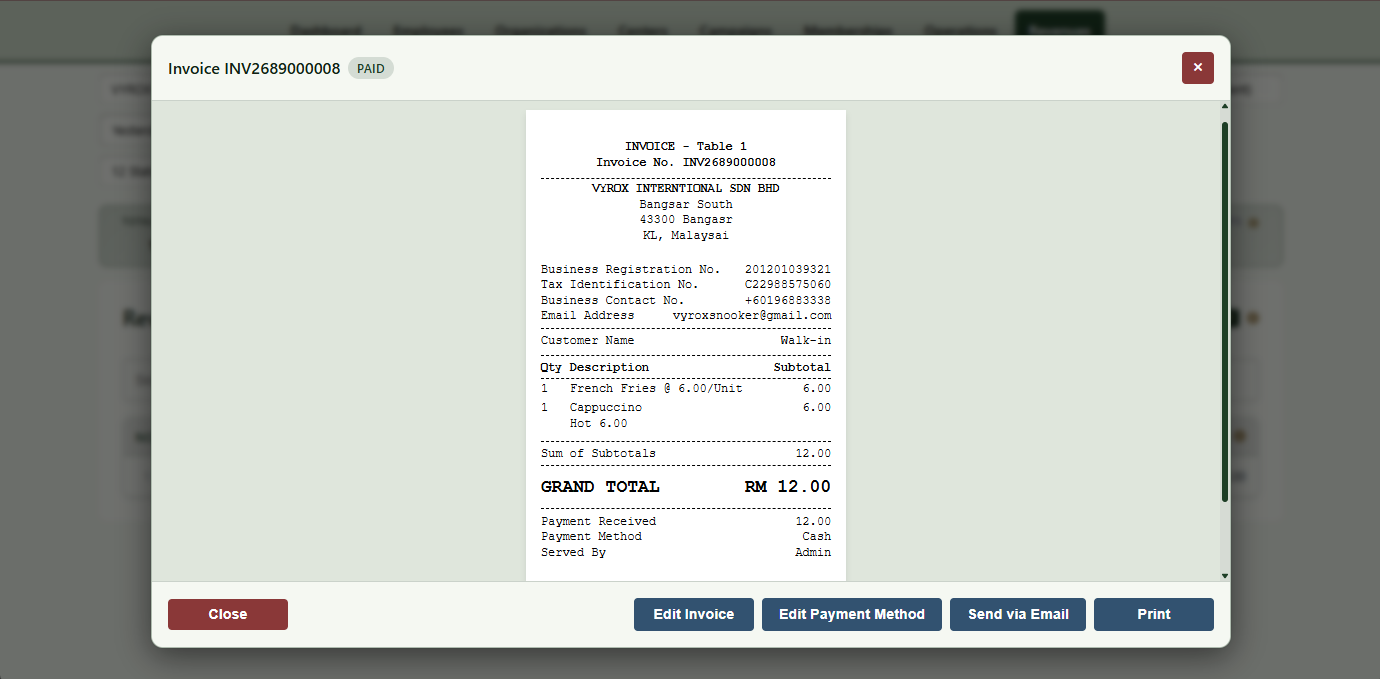
Invoice Record
Single invoice with lines, taxes, member info, payment breakdown and PDF download.
- PDF download
- Reprint
- Link to LHDN status
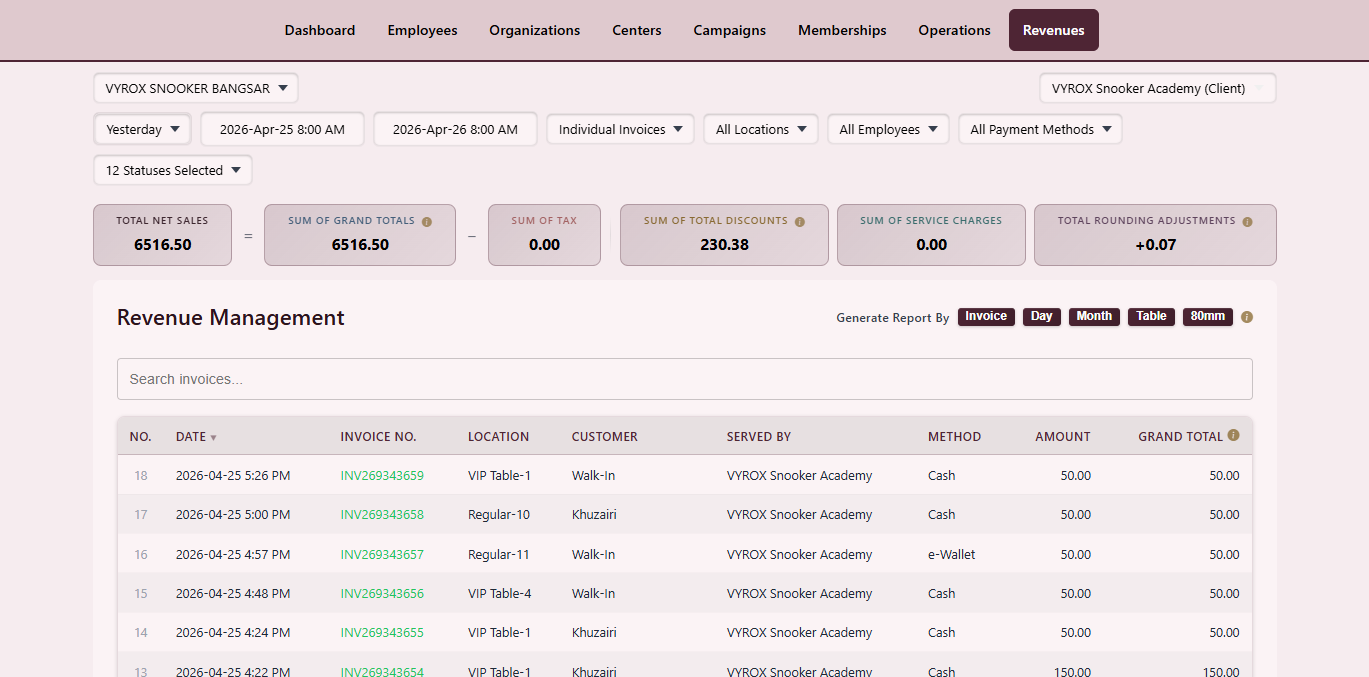
Invoice Browser
Filter every invoice by date, payment method, operator and table.
- Multi-filter
- CSV export
- Click-through to record
Analytics Reports
Revenue trends and splits across categories on one screen.
- Per-day, per-week, per-month
- Split by table, F&B, membership
- Export with watermark
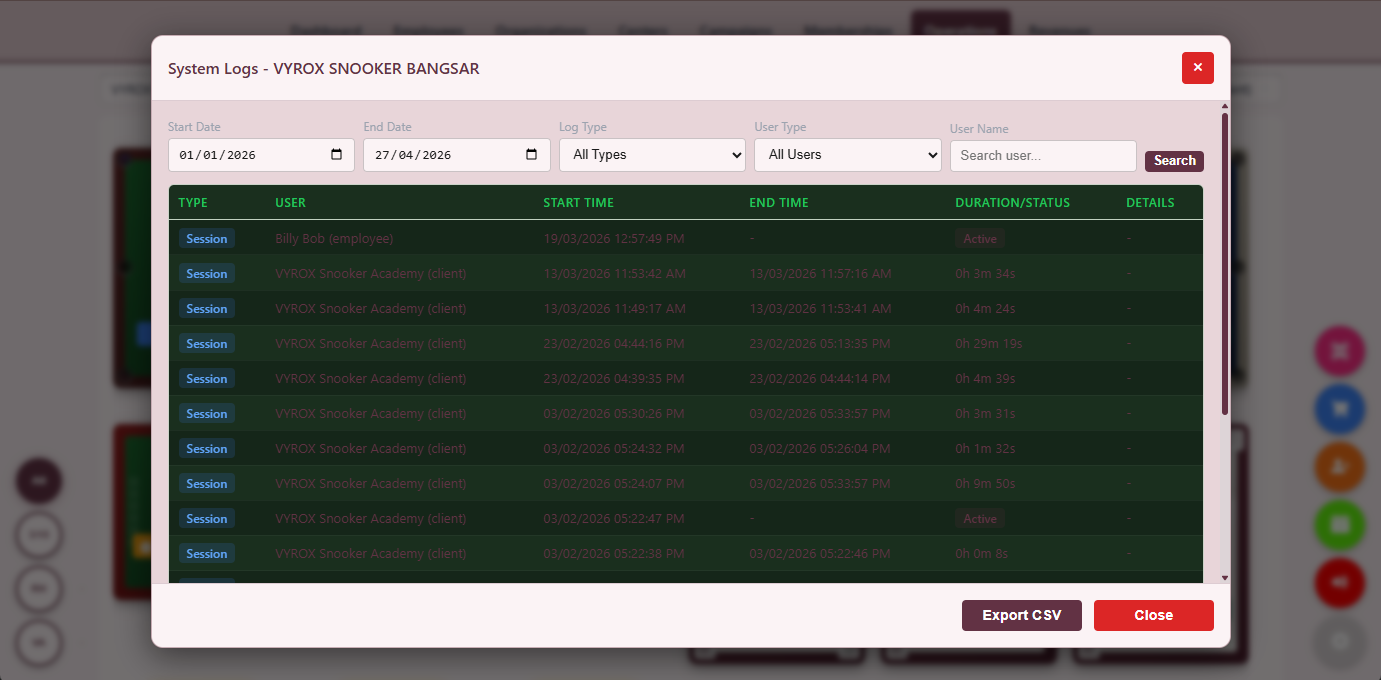
Activity Tracking
Every meaningful action with operator, IP, action type and changed fields.
- Forensic filters
- Immutable log
- Per-record drill-down
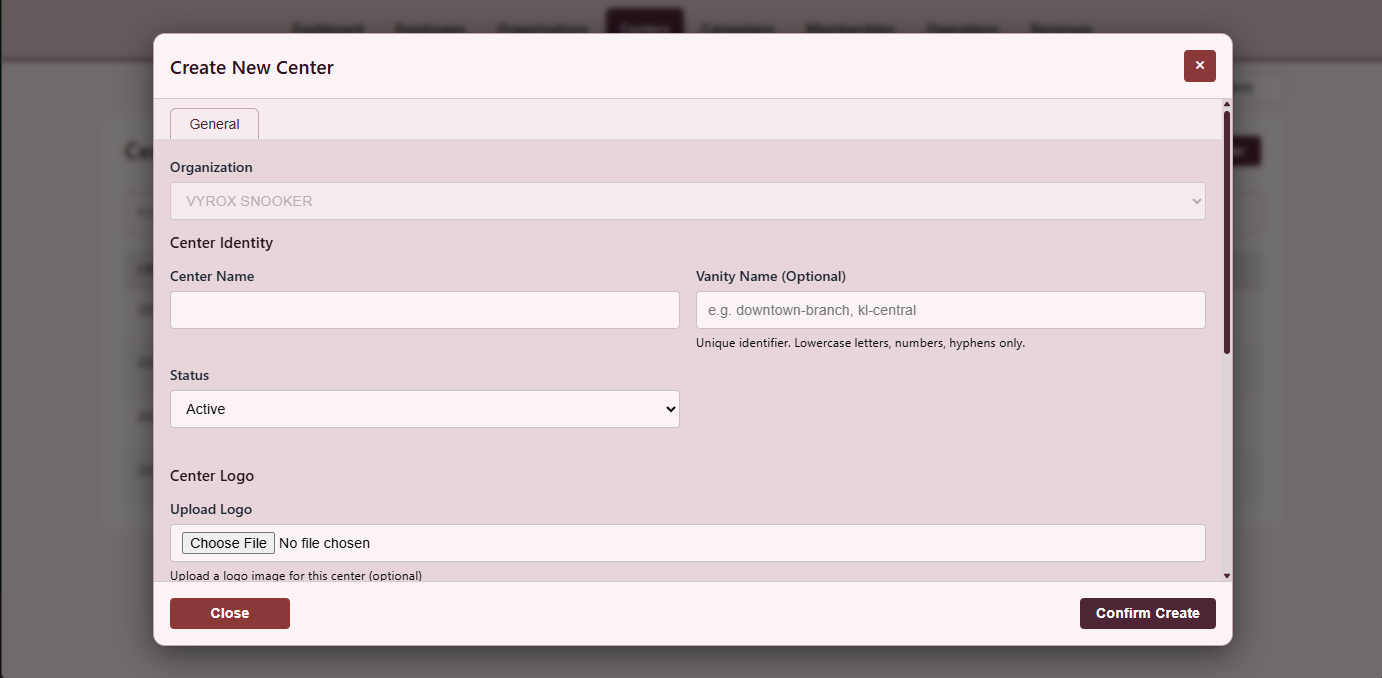
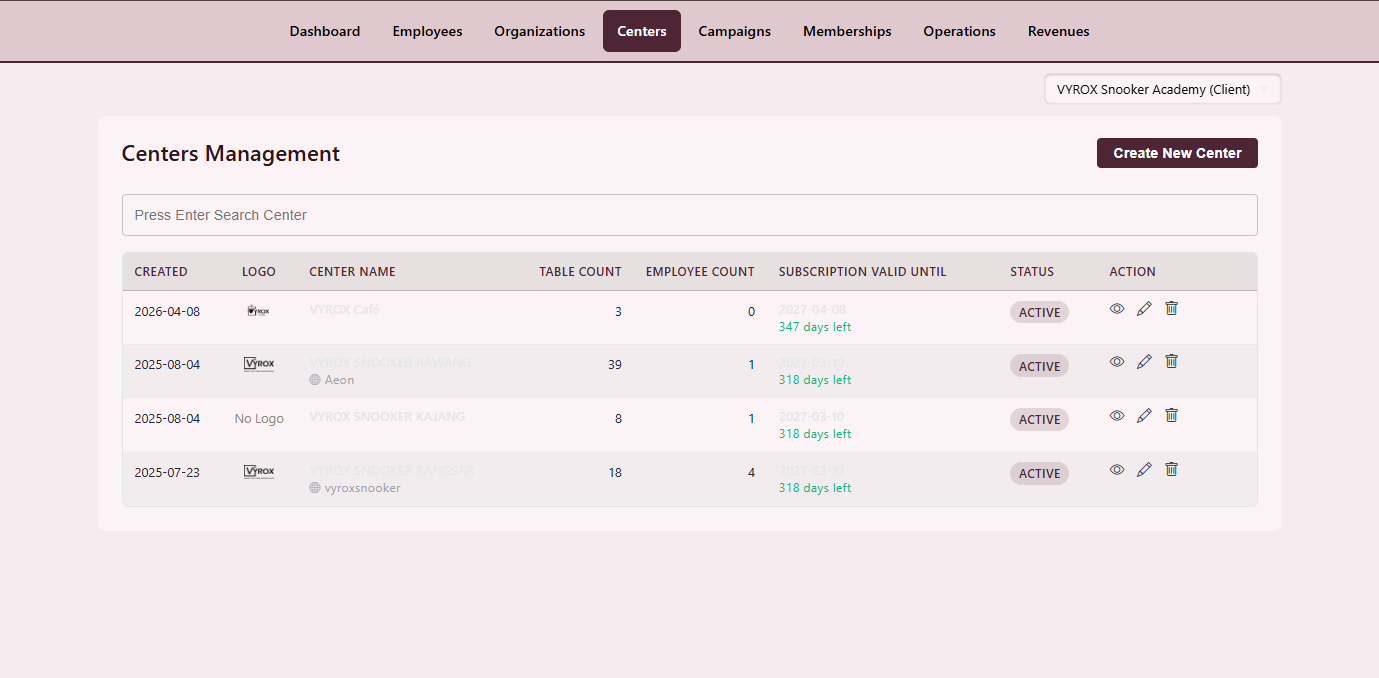
Create New Centre
Wizard for address, time zone, currency, tax profile and branch manager.
- One-step onboarding
- Clone settings from existing centre
- Per-centre branding
Multi-Centre Home
Head-office dashboard with every centre, live status and one-click drill-down.
- Per-centre KPIs
- Live tables map
- Per-centre revenue widget
Operations Dashboard
Tables grid, hourly revenue, active members and pending payments.
- Live tiles
- Pending payment queue
- Active member widget
Everything that ships in this module
- Daily, weekly, monthly, yearly revenue trends
- Revenue split by category (table, F&B, membership, other)
- Revenue split by operator
- Revenue split by payment method
- Revenue split by table
- Per-day cash, card, e-wallet breakdown
- Invoice browser filterable by date range, operator, payment method
- PDF and CSV export with optional watermark
- Activity audit log filterable by operator, action type, date
- Immutable audit log row with before-and-after values
- Multi-centre roll-up at head office
- Per-centre KPI tiles on the head office dashboard
- Year-over-year comparison
- Per-table profitability ranking
- Per-staff sales attribution
- Per-table revenue ranking with monthly delta
- Per-staff sales attribution with shift-correction
- Per-shift cash, card, e-wallet split
- Per-day visitor count (unique members + walk-in estimate)
- Per-hour heat-map of table utilisation
- Per-customer cohort retention curve
- Per-coupon attribution to revenue uplift
- Per-stock item velocity ranking
- Per-supplier cost trend
- Per-centre vs prior-period comparison
- Per-region roll-up for franchise managers
- Per-tax-period sales report ready for the accountant
Tax compliance, document design, staff permissions and visual settings are all configurable per centre without code. Malaysian operators get LHDN e-Invoice end-to-end with IRBM unique identifier capture.
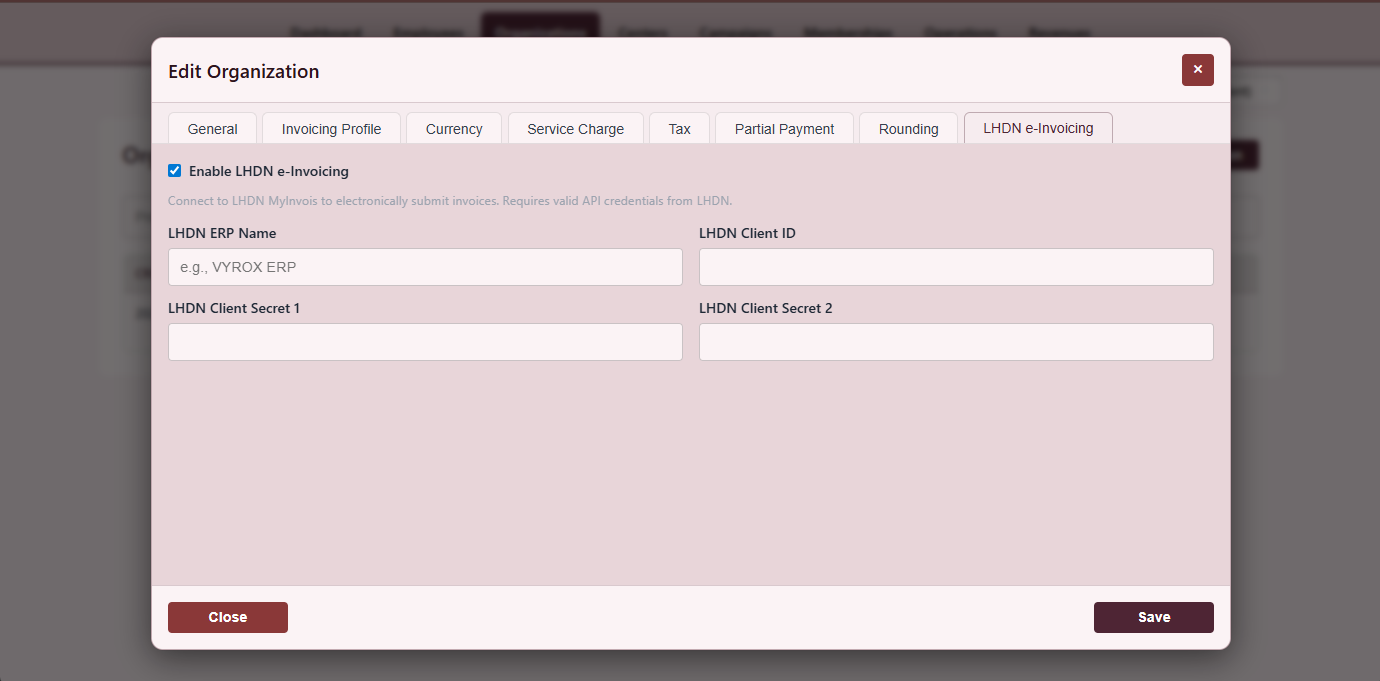
LHDN e-Invoice Credentials
Each submitted invoice with IRBM unique ID and validation state.
- One-click resubmit
- Status filter
- PDF download with QR
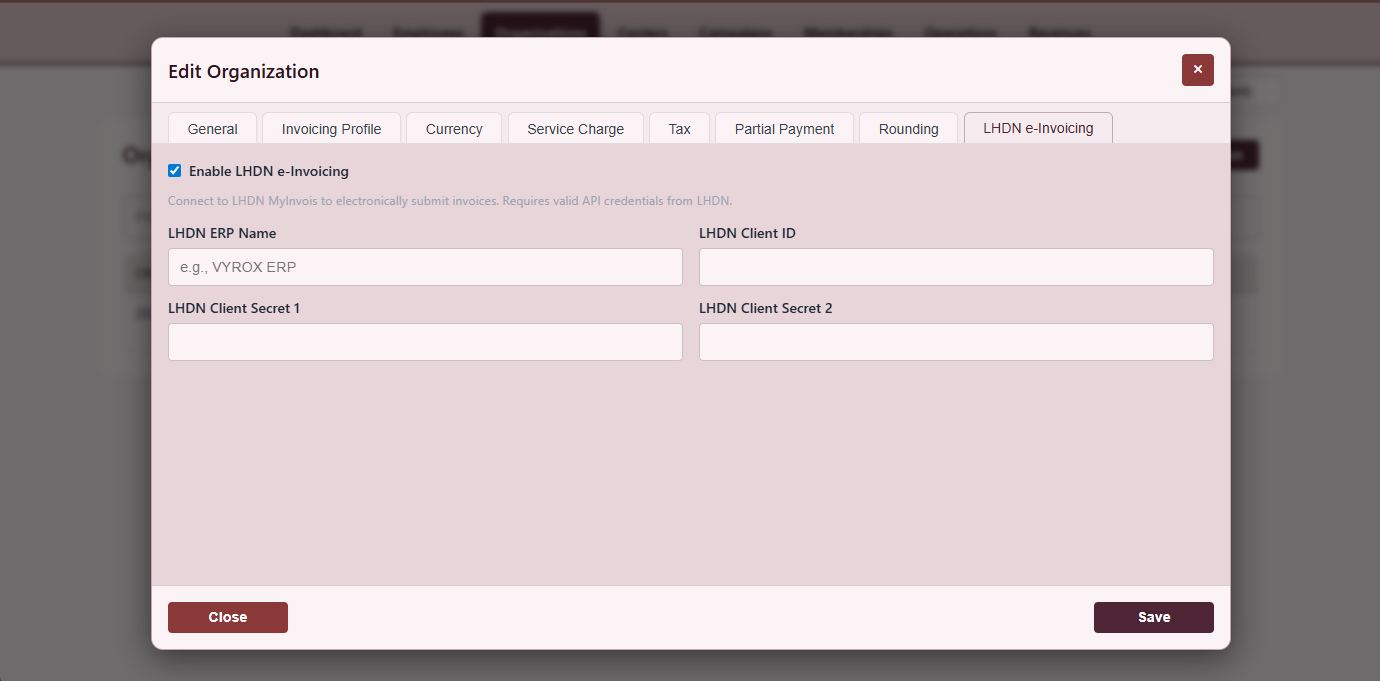
LHDN Submission
MyInvois submission screen with TIN, validation status and IRBM unique identifier.
- Auto-submit on close
- Validation feedback inline
- Manual override audit
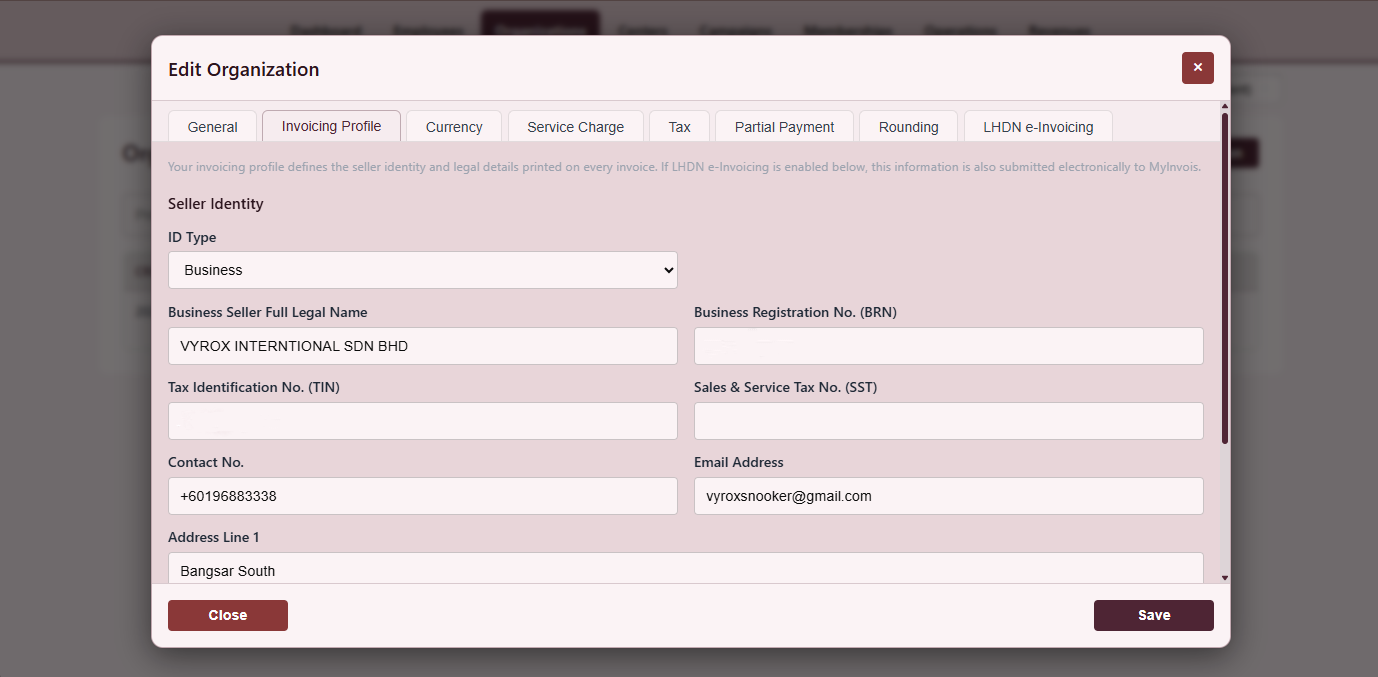
Tax Invoice Profile
Legal name, TIN, SST registration, address and signatory.
- Per-centre profile
- SST and GST
- Signatory image
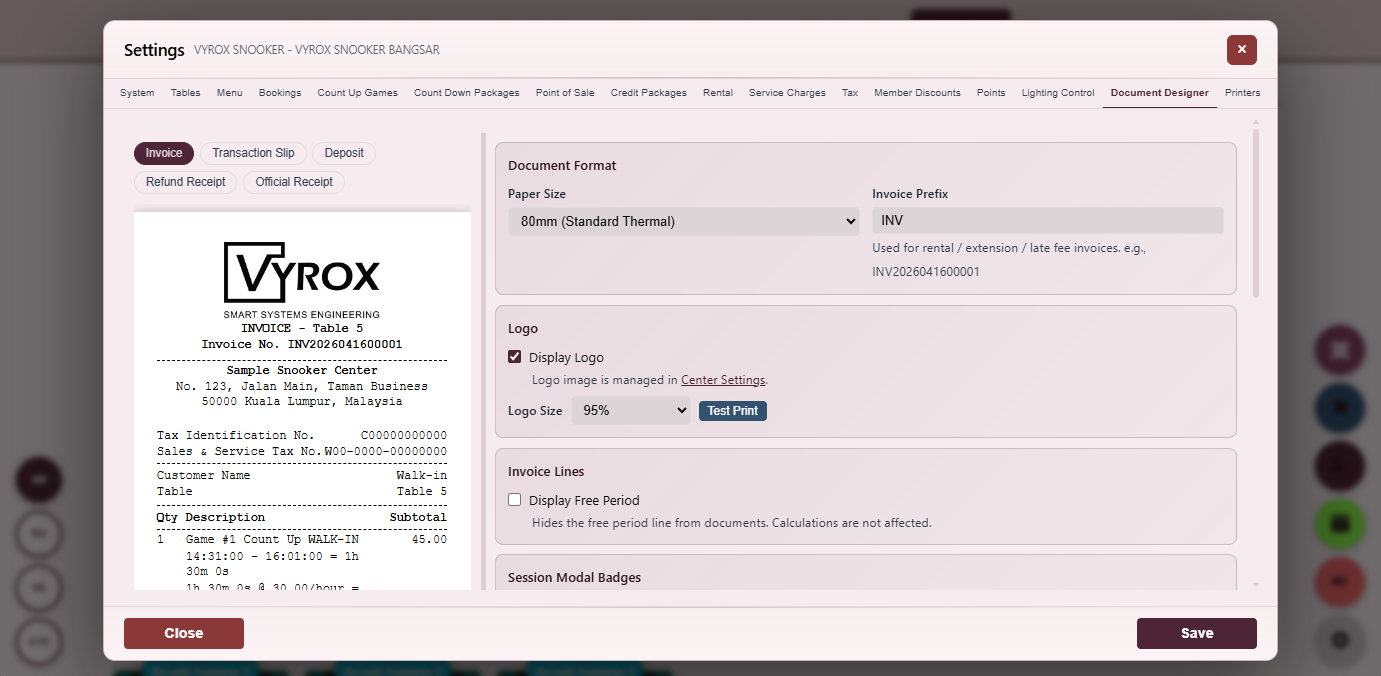
Document Format Picker
A4 invoice, 80mm receipt, kitchen docket, voucher with per-format preview.
- Per-format preview
- Per-printer assignment
- Active toggle
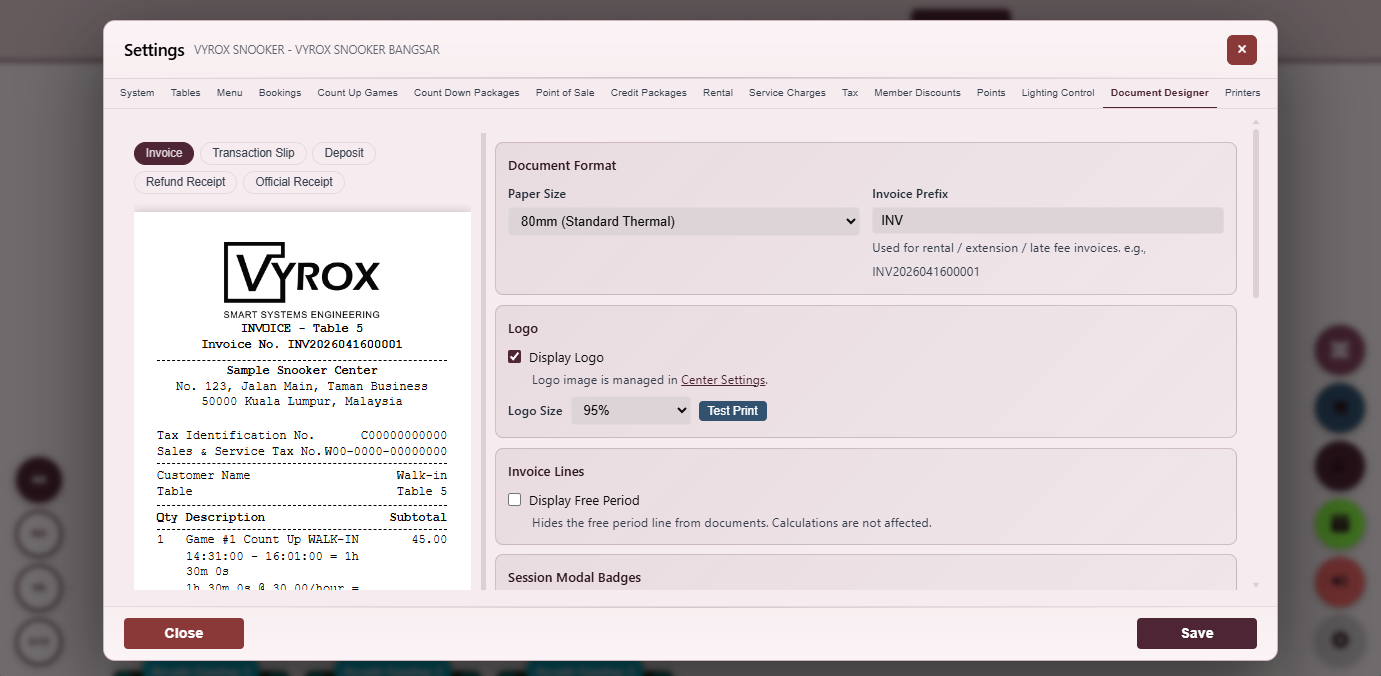
Document Designer
Drag-and-drop designer with header, footer, logo and merge fields.
- Drag-and-drop
- Merge-field tokens
- Live preview
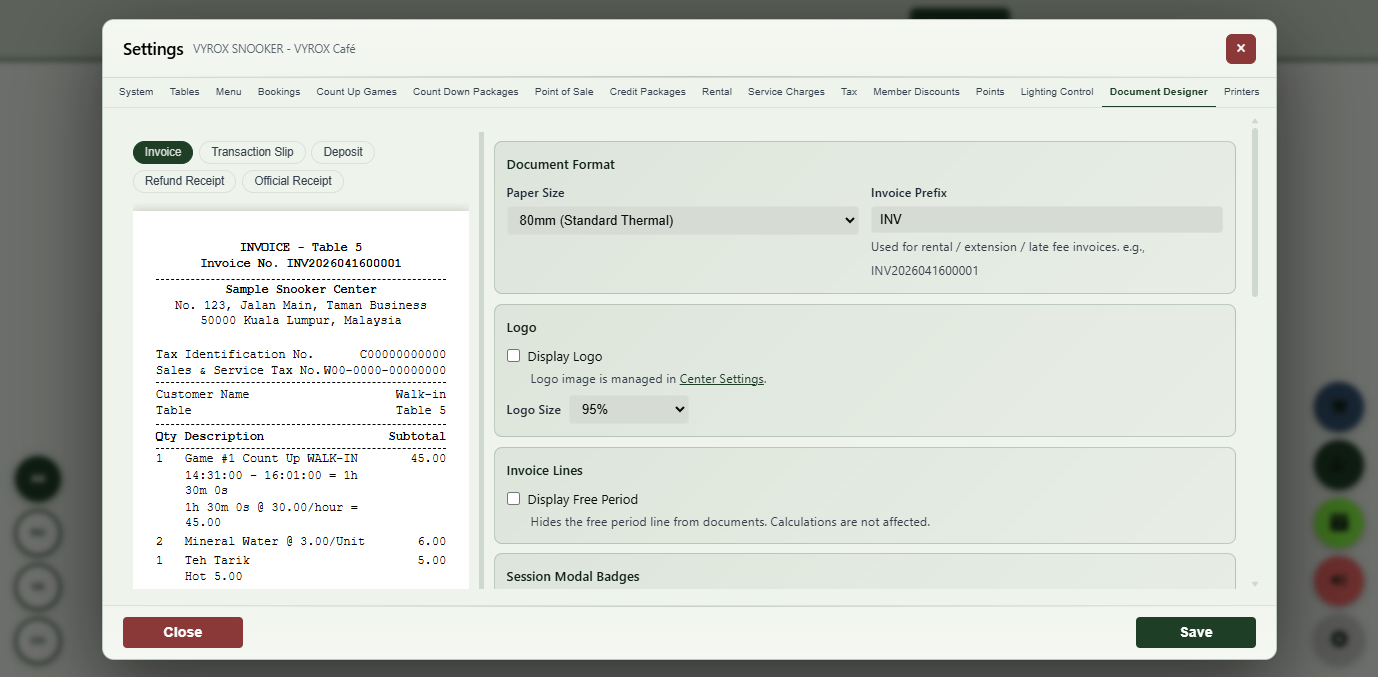
Receipt Layout Designer
WYSIWYG layout for receipts with paper size selector and live preview.
- Paper size selector
- Per-element styling
- Save as template
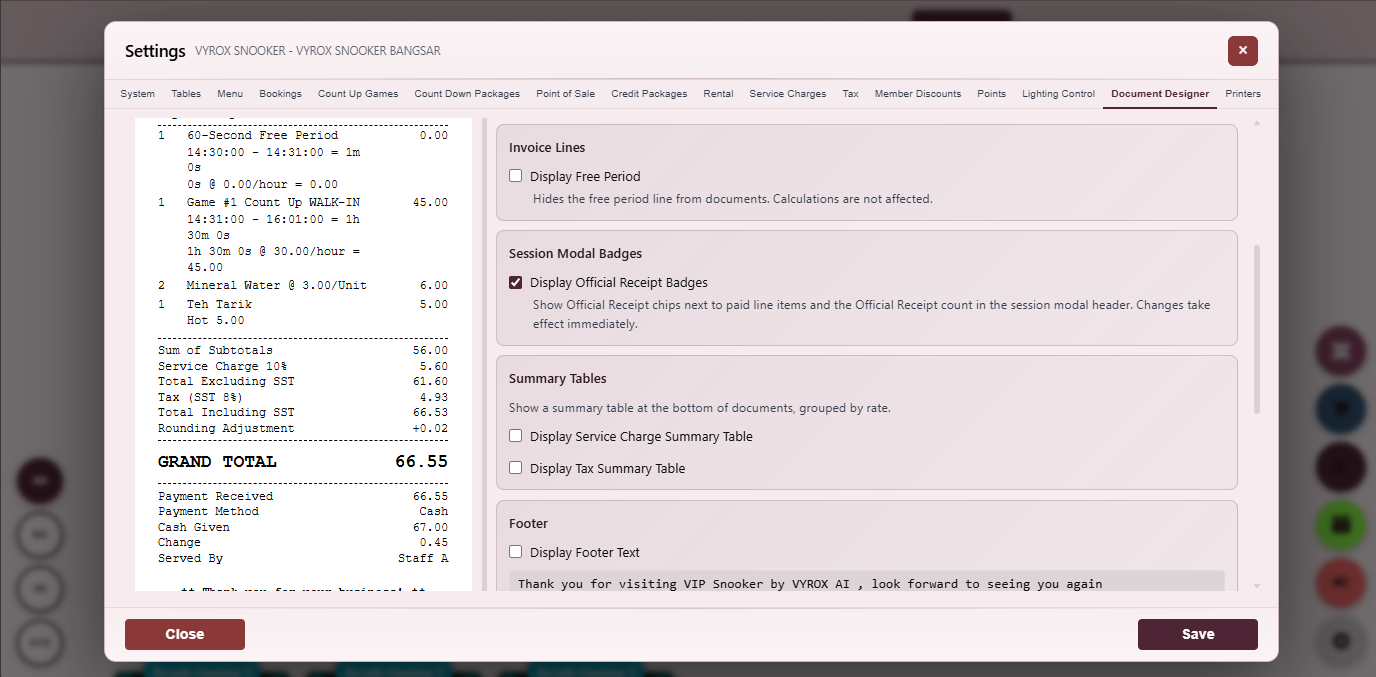
Auto-Print Rules
Rules engine that fires on game-end, payment-complete or order-confirmed.
- Per-event rules
- Per-printer routing
- Audit of every fire
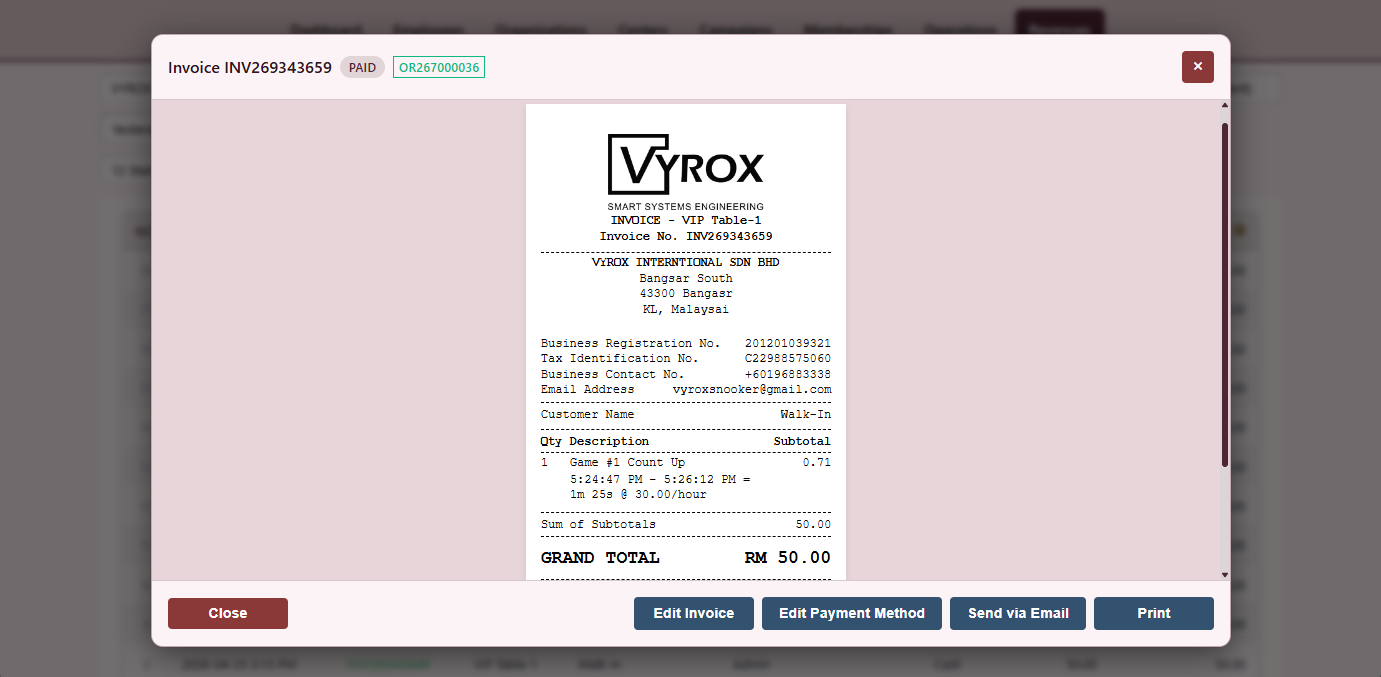
Customer Receipt
Thermal receipt with centre branding, itemised charges, taxes and digital-copy QR.
- Digital-copy QR
- Per-centre branding
- Multilingual
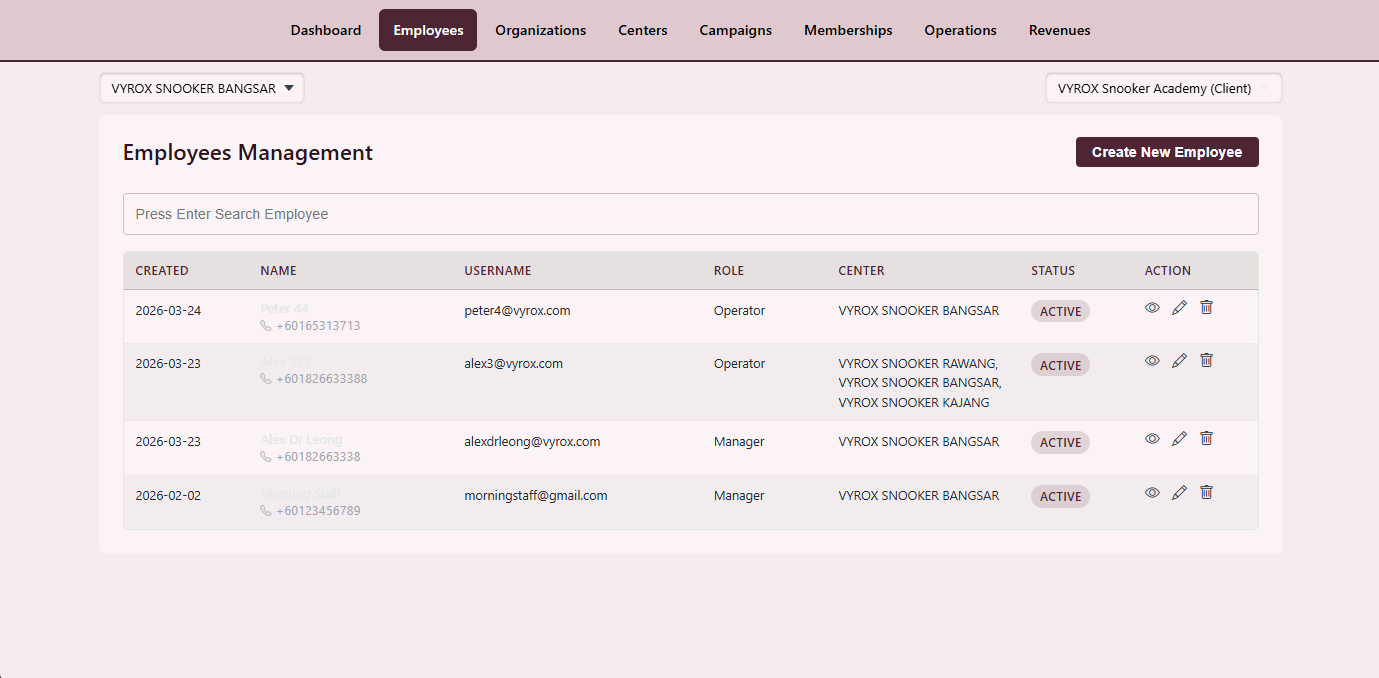
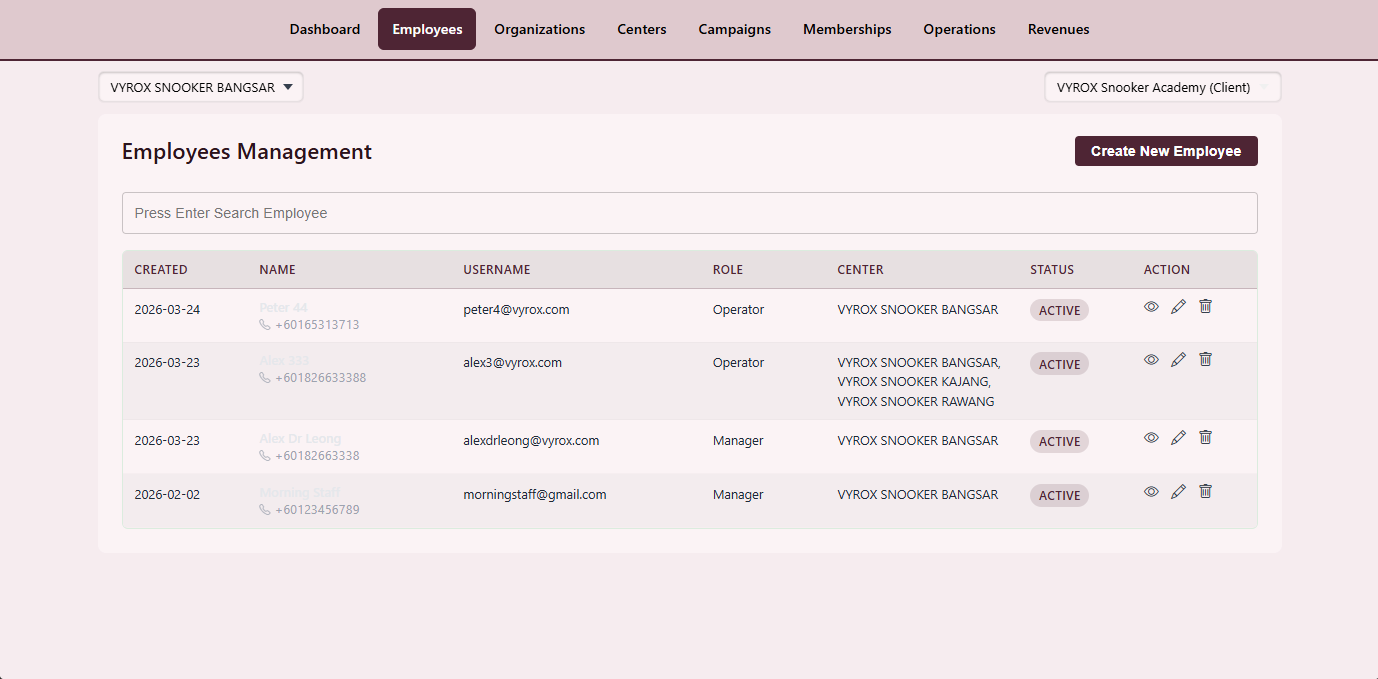
Employee Directory
Photo, role, hire date, contact, assigned centres and active status.
- Suspend with audit
- Per-centre assignment
- Bulk import
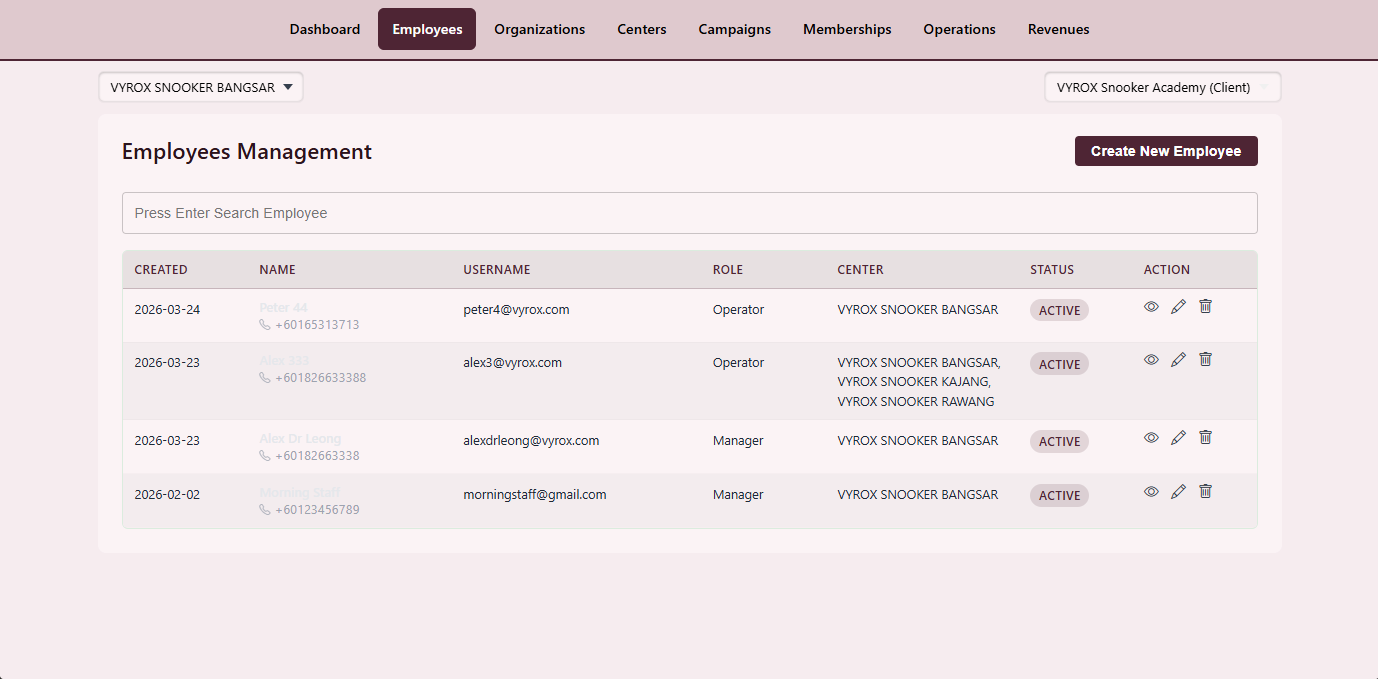
Staff Role Definition
Map every action across operations, finance, membership and settings to a role.
- Granular permissions
- Per-centre overrides
- Audit on grant
Security Role Matrix
A security-side view of the same role permission system.
- Read-only audit view
- Per-permission inspection
- Compare two roles side by side
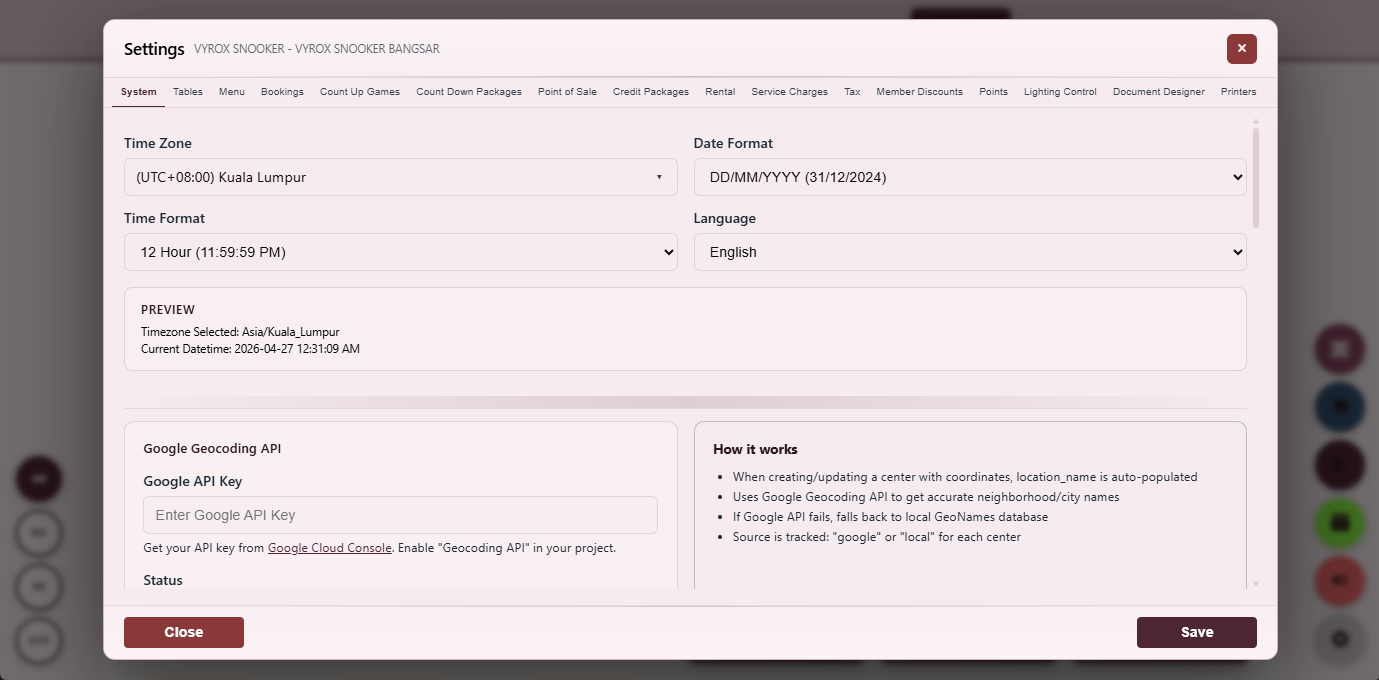
Time Zone
Pick the operating time zone per centre affecting reports and schedules.
- Per-centre TZ
- DST aware
- Audit on change
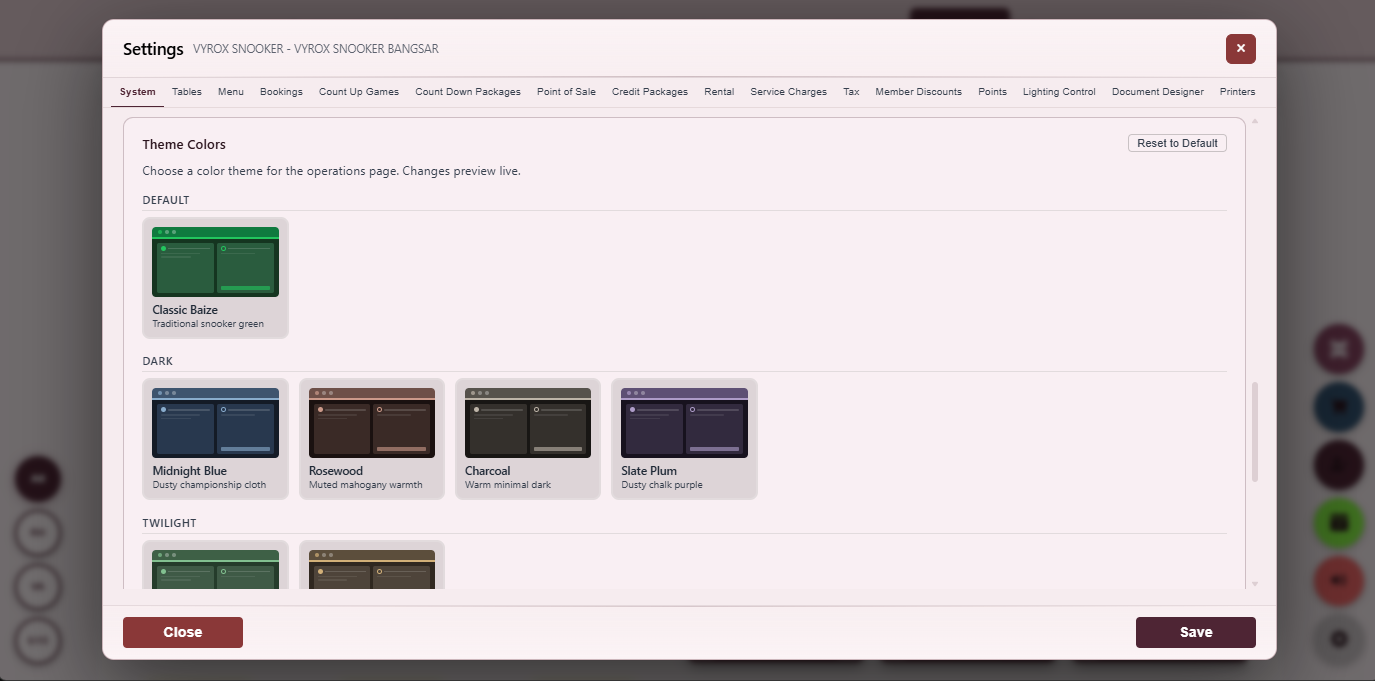
Theme Colours
Brand colours for the operator UI with live light and dark preview.
- Primary, accent, surface, text
- Live preview
- Reset to default
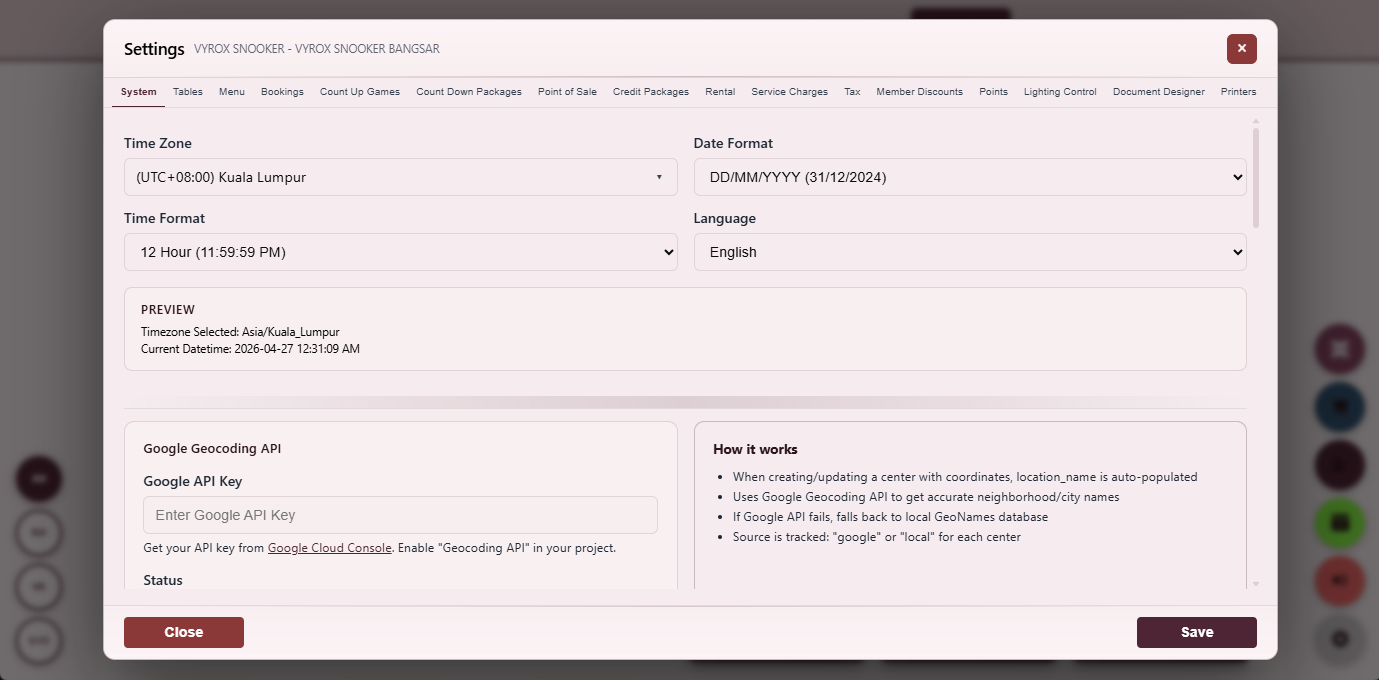
Locale Settings
Choose display locale and operating time zone per centre.
- Three languages
- Per-centre locale
- Per-user override
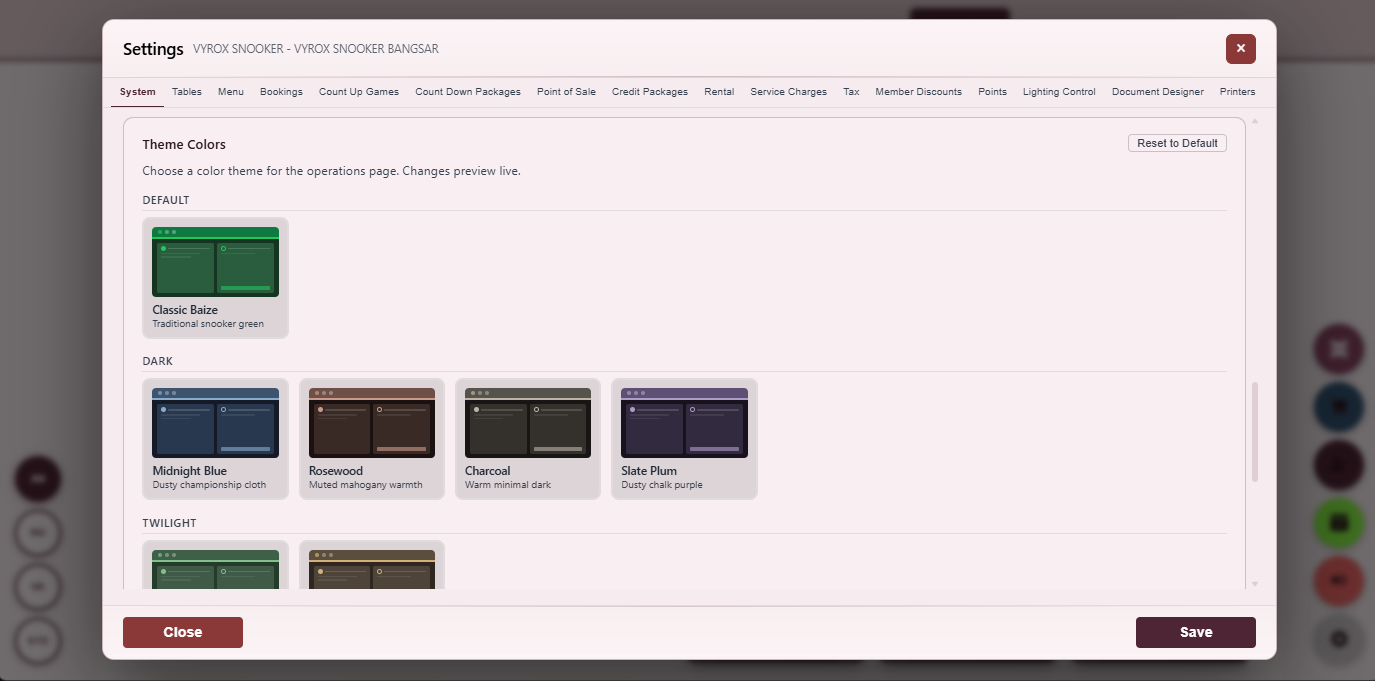
Theme Customisation
Apply centre brand colours to the operator UI with live preview.
- Hex pickers
- Save as preset
- Apply across centres
Everything that ships in this module
- Malaysian LHDN MyInvois e-Invoice submission per closed sale
- IRBM unique identifier captured on every invoice
- One-click resubmit on validation failure
- TIN, SST registration, signatory configured per centre
- Document designer with drag-and-drop layout
- Merge-field tokens for dynamic content
- A4 invoice, 80mm receipt, kitchen docket, voucher formats
- Auto-print rules triggered on event
- Staff role permission matrix across operations, finance, settings
- Per-role action audit log
- Per-staff per-centre assignment
- Time-zone configuration per centre with DST awareness
- Theme colour customisation with light and dark preview
- Three operator languages (English, Chinese, Bahasa Malaysia)
- CSRF token protection on every form post
- Session-cookie auth with idle timeout
- Manager override prompt on sensitive actions
- Auto-archive of every closed invoice for at least seven years
- Per-invoice hash chain for tamper-evidence
- Per-centre data-export self-service portal
- Per-centre data-retention policy configuration
- GDPR-style data-subject access request flow
- GDPR-style erasure request flow with audit
- Per-event consent capture (marketing opt-in, terms acceptance)
- Per-staff PIN-code shortcut for fast counter switching
- Per-action manager-override threshold (over RM 50 needs manager)
- Per-printer printer-jam recovery flow
- Per-receipt template versioning with rollback
- Per-language translation override for centre-specific wording
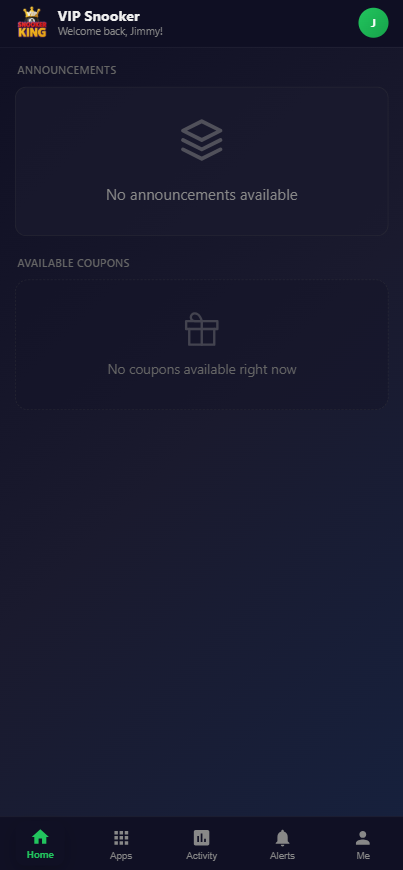
App Announcement Feed
A pinned centre announcement with hero image, body and call-to-action.
- Pinned by centre
- Push notification
- Deep link to campaign
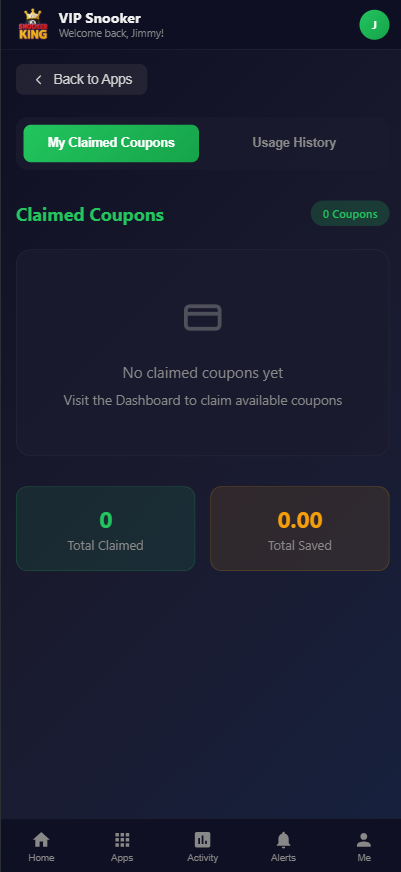
Coupon Claim
One-tap claim with an immediate balance update and proof in transaction history.
- One-tap claim
- Audit-grade proof
- Tier-restricted coupons
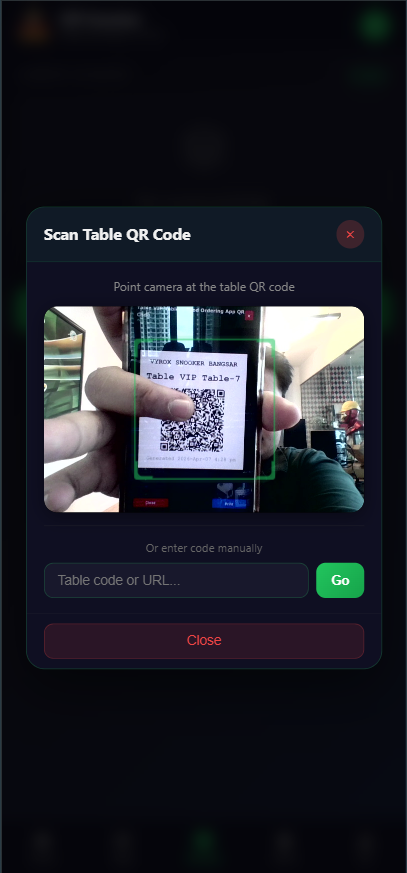
QR-Scan to Start
Scan a table QR sticker to start the session and link running charges to the member.
- No counter queue
- Auto-link member wallet
- Live charge visible in app
Getting Started
What is Snooker King software?
Snooker King, marketed on vyrox.com as VIP Snooker Software, is a full operating system for snooker, pool and billiard centres. It runs the tables, the F&B counter, the membership programme, the member mobile app and the back-office reports from a single web platform that works on any modern browser, tablet or phone.
Who is the software designed for?
It is designed for snooker centre owners, billiard club operators, multi-outlet chains and franchise head offices that need to track every table session, every wallet top-up and every receipt in real time. Single-table family centres and 50-plus-table flagship venues are both supported by the same code base.
How long does onboarding take?
A typical single centre with up to 20 tables goes live in three to five business days. Day one covers tables and rates, day two covers the membership tiers and wallet, day three covers F&B menu and printers, day four is staff training and day five is a soft launch with our team on standby.
Do I need to install anything on my computer?
No. The operator console runs in the browser, the member app is downloaded once from Apple App Store or Google Play, and the IoT lighting controller is shipped pre-flashed. The only on-site install work is plugging the lighting controller into power and the network.
Can I try the software before I commit?
Yes. Request a live demo via the contact form on this page and our team will walk you through a real centre dataset on a video call. We do not gate features during the demo, so you see the production product, not a stripped-down sales build.
Operations
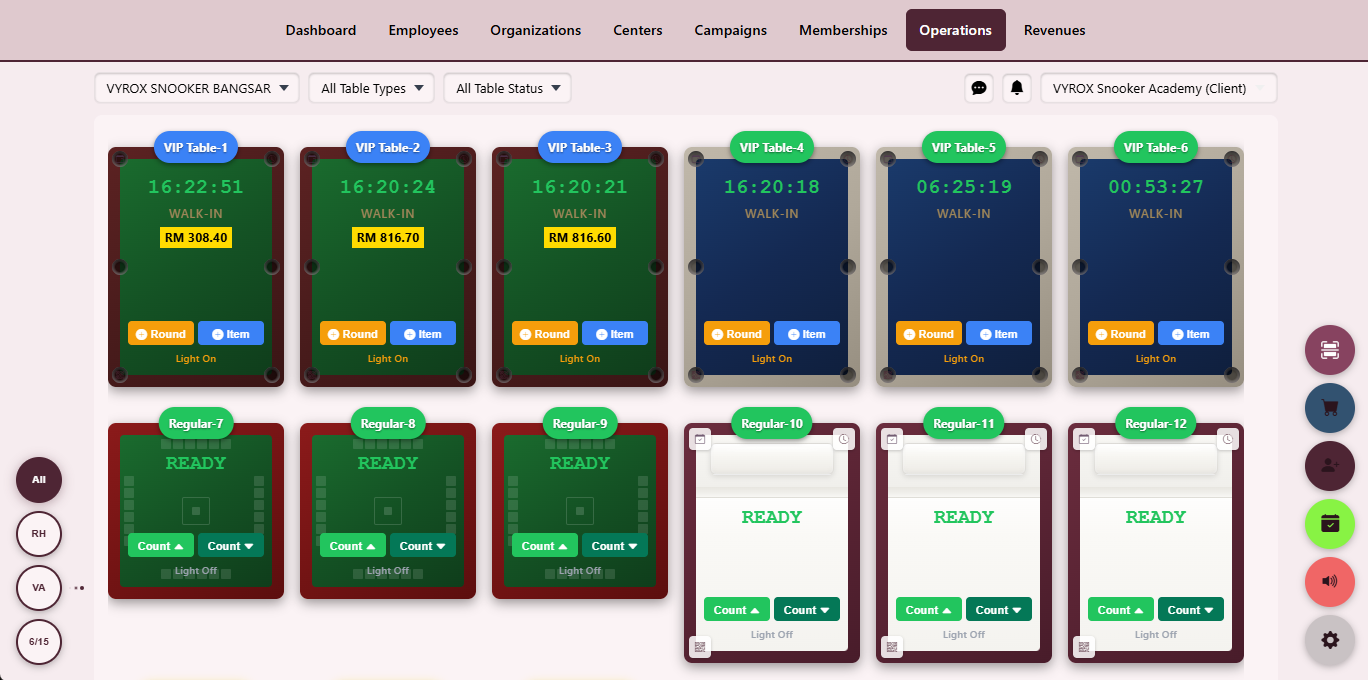
How does the live tables dashboard work?
Every table appears as a colour-coded tile showing current state, elapsed time, running charge, assigned player and lighting status. The grid refreshes in real time over WebSocket, so any operator on any device sees the same view within a fraction of a second of a change.
What is the difference between count-up and count-down?
Count-up bills by the minute starting from zero and is the default for walk-in open play. Count-down starts from a prepaid duration such as a one-hour package and stops the table automatically when it hits zero, which prevents over-billing on package customers.
Can one session be split across multiple payers?
Yes. Split Bill allows a single table session to be divided across multiple payers by equal share, percentage or item-level pick. Each payer gets their own receipt and the system reconciles the total before the table can be closed.
What if a customer leaves without paying?
The session is moved to outstanding, the operator records the reason and the member or contact is flagged so that the next visit prompts a settlement screen before any new table can be assigned.
Does the system support RFID and face recognition?
Yes. Members can be identified by RFID card tap, QR scan or live face match against the member photo on file. The matched member auto-fills the start-game dialog so the operator does not have to type names.
Pricing and Rates
How flexible is the pricing engine?
Rates can vary by table type, day of week, hour band, member tier and named holiday. Holidays are configured on a calendar that overrides the base matrix and supports both percentage uplift and fixed surcharges.
Can I sell prepaid hour packages?
Yes. Countdown packages let you sell a fixed number of playing hours up front. The system tracks unused balance per member, applies it automatically on the next visit and surfaces an expiry warning when the package is near its validity end.
Do peak and off-peak rates run automatically?
Yes. Once the rate matrix is defined the system applies the correct rate without operator intervention. Operators can see the active rate band at the top of the tables dashboard, which removes pricing disputes at the counter.
What currencies are supported?
The platform currently runs in 14 currencies and 23 countries. Each centre picks its own currency on setup and reports are produced in the centre currency with optional head-office consolidation in a base currency.
Are taxes calculated automatically?
Yes. SST, GST or VAT are configured per centre with inclusive or exclusive presentation. Tax-exempt customers, zero-rated items and rounding rules are supported per line in the receipt designer.
Membership and Loyalty
What membership tiers are supported?
You define your own tiers. Each tier carries a price, a validity period, a joining fee, an optional monthly fee, included credits and a benefits matrix that maps to discounts, reward earn rates and front-of-house perks.
How does the digital wallet work?
Members top up credit through credit packages or in-app top-ups. The wallet supports a base balance, a bonus balance with its own expiry, alert thresholds and a smart spend order that draws bonus credit first to protect the member from expiry loss.
Can members earn and redeem reward points?
Yes. Reward points earn on table charges and F&B at configurable rates, with optional double-points windows, holiday multipliers and category-level caps. Members redeem points directly at checkout against the running invoice.
Is there a member mobile app?
Yes. The member mobile app is available on iOS and Android and lets the member view balance, claim coupons, scan a table QR to start a session and receive announcements pushed from the centre.
Can I run targeted campaigns?
Yes. Campaigns target audience segments such as inactive members, top spenders or specific tiers, define a reward and a window, and report conversion live on the promotions dashboard.
Staff and Security
How are staff permissions managed?
A role matrix maps every action across operations, finance, membership, settings and reports to a named role. Roles are assigned to staff, and an audit log captures every action with timestamp, operator and IP for forensic review.
Can staff work across multiple centres?
Yes. A single staff account can be assigned to multiple centres and switches context with one click. Permissions can be granted per centre, which is useful for area managers covering a region.
Is there an activity audit trail?
Every meaningful action — login, sale, refund, settings change, role grant — writes a log row with operator, IP, action type and the before-and-after values where applicable. The log is filterable, exportable and immutable.
How is access secured?
Sessions are session-cookie based with short idle timeouts. Sensitive actions such as price change, void and refund prompt for the operator password or a manager override. CSRF tokens protect every form post.
Can I restrict actions to specific terminals?
Yes. Terminal lock-down lets you bind a role to a device fingerprint so that a part-time cashier cannot log in from outside the centre even if the password is shared.
IoT, Reports and Tax
How does the smart lighting integration work?
Each table light is wired through an ESP32 controller that subscribes to an MQTT topic. When a game starts the system publishes a turn-on command, when it ends a turn-off command, and the controller publishes its real status back so the dashboard never lies.
Which hardware is supported?
Thermal receipt printers, A4 invoice printers, kitchen printers, USB and Bluetooth RFID readers, USB barcode scanners and ESP32 lighting controllers are supported out of the box. Custom hardware can be added via the integrations layer.
What reports are available?
Revenue summary, revenue drill-down by category and table and operator and payment method, invoice browser, member activity, stock movement, campaign conversion, staff performance and a system audit log are available with CSV and PDF export.
Does the software support Malaysian LHDN e-Invoice?
Yes. Centres registered in Malaysia connect their LHDN MyInvois credentials in the tax-invoice profile. Each closed sale submits to LHDN, the IRBM unique identifier is stored on the invoice and resubmission is one click if validation fails.
Can I run multiple centres on the same account?
Yes. Multi-centre is a first-class feature. The head office dashboard lists every connected centre with live status, today revenue, active tables and one-click drill-down into any centre.
Mobile App and Support
Do members need the mobile app to play?
No. The mobile app is optional and adds wallet self-service, coupon claim, QR-scan start, announcements and history. Walk-in non-member play and counter-served members continue to work without any app.
How are support requests handled?
Support is reached via WhatsApp at +60 19-688 3338, email at info@vyrox.com or the in-app support chat. Standard hours are 9am to 9pm Malaysia time, with on-call escalation for production outages.
How are software updates delivered?
Updates are deployed centrally with no operator action required. Breaking changes are scheduled in advance and announced through the operator console. Patch releases roll out the same day they are signed off.
Is the data backed up?
Yes. The database is backed up daily with point-in-time recovery, and centres can request an on-demand export of their own data at any time. Backups are encrypted at rest.
Where do I sign up?
Use the form on this page or send a WhatsApp message to +60 19-688 3338. We respond within one business day with a demo invite and a tailored quote based on the number of centres and tables.
Phone
+60 19-688 3338
+60 19-688 3338
info@vyrox.com
VYROX Sdn Bhd
Kuala Lumpur, Malaysia
Mon–Sun 9:00am–9:00pm Malaysia time
Request a Free Demo
Built for every size of cue-sports business
The platform scales from a single-table family centre to a fifty-table flagship venue, and from a stand-alone hall to a multi-country franchise.
Independent snooker hall
A single-owner centre with five to twenty tables uses the operator console, the F&B POS and the member mobile app on day one. Reports are signed off by the owner each morning from the same dashboard.
- One operator handles tables and F&B
- Reports email-ready each morning
- Owner sees live revenue from home
Premium billiard club
A premium club with member tiers, prepaid packages and waitlist-driven prime-time billing relies on the dynamic pricing engine and the membership wallet to protect average revenue per visit.
- Tier ladder with auto-upgrade
- Prepaid hour packages with expiry
- Holiday rate uplift automated
Pool sports bar
A pool-table sports bar with full kitchen and bar service ties table charges and F&B add-ons onto one running tab, sends the kitchen its own dockets and reconciles the night in one click.
- Open-tab service mode
- Kitchen printer routing per category
- End-of-night cash reconcile
Franchise head office
A multi-country franchise rolls up revenue, audit, stock and campaigns into a head-office dashboard, with optional currency conversion and per-centre branding while sharing one user database.
- Per-centre branding, one user database
- Currency conversion at head office
- Cross-centre member recognition
Academy & coaching centre
A coaching academy tracks student hours, coach attribution and prepaid lesson packages alongside open-play tables, with separate rate plans for coached vs casual play.
- Coach attribution per session
- Lesson package billing
- Student progress report
Tournament-grade venue
A tournament venue switches tables into bracket mode, captures frame scores, prints draw sheets and runs live-stream-friendly scoreboards alongside ordinary daily operations.
- Bracket and round-robin formats
- Frame and break scoring
- Sponsor-branded scoreboards
Security, privacy and infrastructure
The platform is designed for retail-grade availability, audit-grade forensics and credit-card-grade security. The boring parts are done right so the floor stays running.
Encrypted in transit and at rest
Every connection is TLS 1.2+. Database backups are encrypted on disk. Secrets are stored outside the code base and rotated on a regular cadence.
Daily backups, PITR ready
Database backups run daily with point-in-time recovery. Centres can request an on-demand encrypted export of their own data at any time.
Per-action audit log
Every meaningful action writes an immutable log row with operator, IP, action type and changed fields. The log is filterable, exportable and tamper-evident.
Role-based access control
Permissions live in a matrix mapping every action to a role. Roles are assigned to staff and per-centre overrides are supported for area managers.
CSRF and session protection
Every form post is CSRF-token protected. Sessions are cookie-based with short idle timeouts and configurable manager-override on sensitive actions.
Resilient cloud hosting
The platform runs on resilient cloud infrastructure with health checks, automatic failover for the web tier and rolling backups.
How to buy
Pricing is quoted per centre based on table count and add-on modules. The path from enquiry to go-live is the same for every size of business.
-
01
Enquire
Tell us how many tables you run and which modules you need. We respond within one business day.
-
02
Live demo
We walk through the operator console on a real centre dataset on a video call so you see the production product.
-
03
Onboarding
Day one tables and rates, day two membership and wallet, day three F&B and printers, day four training, day five soft launch.
-
04
Go live
Our team stays on standby on launch day. Continuous updates and support are included for every plan.
Feature index — everything that ships
A flat, scannable list of every feature shipped in the platform today. Use it as a checklist when comparing to your incumbent system.
Core Operations
- Real-time WebSocket refresh across every operator session
- Drag-to-merge tables for league or doubles play
- Drag-to-split tables back into individual sessions
- Status filter by free, running, paused, dirty (needs cleaning)
- Member auto-link via RFID, QR or face match
- Open-play game-on-the-run mode
- Prepaid hour-package mode
- Count-up timer (bill per minute)
- Count-down timer (auto-stop at zero)
- Audio cue at final minute of a count-down
- Manual pause for break (with reason capture)
- End-game closeout with one-tap move to payment
- Per-table invoice history with one-click reprint
- Per-table QR code printable as A5 sticker
- Tables setting screen for type, capacity, rate group, lighting device
- Per-table grace period before billing starts
- Per-table minimum charge and maximum charge
- Per-table cool-down preventing back-to-back micro-sessions
- Per-table maintenance mode (taken off the floor without losing audit)
- Per-table booking calendar for advance reservations
- Per-session signed invoice written on commit
- Per-session split-bill across multiple payers
- Per-session manager-override audit log
- Six payment methods reachable from one screen
- Operator group chat for cross-team coordination
- Notification inbox for actionable events
- Activity audit log for forensic review
- Live tables dashboard refresh in milliseconds
- Per-table lighting status reported back from the ESP32 controller
- Print preview for every printed document before sending
Food and Beverage POS
- Touchscreen POS interface optimised for speed
- Category tile layout with sub-category drill-down
- Modifier popups for size, sweetness, ice, sugar, custom note
- Send-to-kitchen with per-category printer routing
- Combo packages with included items and combo price
- Per-item photo, modifier matrix and member-only flag
- Per-item stock-link with auto-decrement on sale
- Stock movement log filterable by SKU, date and operator
- Stock adjustment with reason code and manager override
- Balance stock report with reorder point alerts and cost value
- Wastage entry for shrinkage tracking
- Per-supplier purchase order with goods-receive workflow
- Per-SKU true-cost margin reporting
- Per-table tax-exempt flag for take-away or special cases
- Service charge configurable inclusive or exclusive per centre
- Tax inclusive or exclusive presentation per receipt
- Per-shift cash drawer reconciliation report
- Open-tab service mode (run-a-tab style)
- Quick-add from tables grid: one tap to drop a drink on table seven
- Auto-merge POS bill with table invoice at end-game
Member Mobile App
- Member sign-up with phone-number OTP verification
- Member sign-in with biometric (Face ID, Touch ID) where supported
- Wallet balance with base and bonus credit split
- In-app top-up via card or e-wallet
- Reward point balance with earn rate and expiry warning
- Tier badge and benefits explainer
- Centre directory with map view and operating hours
- Per-centre announcement feed with hero image and CTA
- Per-centre campaign showcase with one-tap claim
- Coupon wallet with claim, redemption and history
- Table-QR scan to start a session from the member phone
- Live session view showing running charge and elapsed time
- Invoice history with PDF download and re-print request
- Profile edit with avatar upload
- Notification inbox grouped by category
- Push notification opt-in per category
- Multi-language UI (English, Chinese, Bahasa Malaysia)
- Dark-mode UI
- In-app support chat with the operator team
- In-app rating and feedback flow
- Referral with reward credit for both sides
- Birthday bonus surfaced on profile
- Per-centre walk-in directions via deep-link to maps
- Member-card QR for counter check-in
- Per-tier perks page
- Privacy and data settings page
Advance Reservation
- Per-table booking calendar with hour-grid view
- Per-tier reservation window (e.g. gold members 14 days ahead, walk-in 1 day)
- Per-day reservation cap to protect walk-in customers
- Grace-period auto-release if no-show
- Deposit collection on confirm with refundable rules
- Member-side mobile-app reservation flow
- Operator-side counter reservation flow
- Phone-call reservation flow with confirm-by-SMS
- Auto-conflict detection across overlapping bookings
- Audit log on every reservation create, modify and cancel
- Proforma receipt as confirmation document
- No-show audit and per-member counter for repeat offenders
Deep Reporting
- Cash drawer reconciliation per shift, per operator
- Per-table profitability ranking with cost basis
- Per-staff sales attribution corrected for shift swaps
- Per-staff working-hour timesheet
- Per-staff break-and-overtime tracking
- Per-centre footfall vs revenue scatter plot
- Per-centre table-utilisation heat-map by hour and day
- Per-centre member acquisition cohort retention
- Per-centre F&B vs table revenue split
- Per-centre prepaid-package balance liability
- Per-centre wallet-credit outstanding balance
- Per-centre reward-point outstanding liability
- Per-centre stock-on-hand value at cost
- Per-centre operating margin estimator
- Per-region roll-up for franchise area managers
- Per-country roll-up with currency conversion
- Year-on-year comparison with seasonality flag
- Forecast for next week based on rolling-window history
- CSV export with field selector
- PDF export with watermark and footer signing
Pricing Engine
- Per-table-type rate group (snooker, pool, English billiard, American pool, carom)
- Day-of-week rate variation (weekday, Friday, weekend)
- Hour-band rate variation (morning, afternoon, evening, late-night)
- Member tier rate variation (free, silver, gold, platinum, VIP)
- Holiday override calendar with percentage uplift or fixed surcharge
- Countdown prepaid package sales with expiry and per-tier eligibility
- Grace-period configuration (free minutes after start before billing kicks in)
- Minimum-charge floor per session
- Maximum-charge ceiling per session
- Per-rate audit log on every change with operator, timestamp and IP
- Per-centre rate matrix (each centre has its own pricing)
- Currency switch per centre (14 currencies supported on the platform)
Membership
- Tier ladder with auto-upgrade by spend or visit count
- Joining fee, monthly fee, annual fee per tier
- Validity period per tier with auto-renew opt-in
- Wallet base credit and bonus credit tracked separately
- Bonus credit with its own expiry, smart-spend draws bonus first
- Reward points with configurable earn rate per category
- Point redemption rate, minimum redemption, maximum per invoice
- Tier-specific discount rules (percentage or fixed amount)
- Member discount audit on every apply
- Holiday earn-rate multiplier for special promotional windows
- Per-tier reservation window for advance booking
- Face match, RFID and QR identification at the counter
- Member self-service top-up in the mobile app
- Wallet expiry alerts to the member with grace period
- Per-member transaction record exportable to CSV
Payments
- Cash payment with denomination breakdown
- Card payment via integrated terminal or manual entry
- E-wallet, FPX bank transfer, and QR-payment support
- Member credit deduction with wallet preview
- Reward point redemption with rate conversion
- Split-bill across multiple payers with mixed methods
- Tip and service charge as separate lines
- Manager-override audit on void or refund
- Outstanding-balance flag when customer leaves without paying
- Signed invoice written on every commit
- PDF download for every invoice
- Multi-currency receipt printing
Fnb Pos
- Touchscreen interface optimised for fast service
- Category and sub-category tile layout
- Modifier popups (size, sweetness, ice, sugar, custom note)
- Send-to-kitchen with per-category printer routing
- Combo packages with included items and combo price
- Per-item stock-link with auto-decrement on sale
- Stock movement log filterable by SKU, date, operator
- Stock adjustment with reason code and manager override
- Balance stock report with reorder point alerts
- Wastage recording for shrinkage tracking
- Per-item kitchen printer assignment
- Member-only item flag with auto-hide for non-members
- Tax inclusive or exclusive presentation per receipt
- Service charge percentage configurable per centre
- Open-tab support for run-a-tab style service
Promotions
- Announcements with hero image, body and CTA
- Targeted campaigns by audience segment
- Audience segment builder (inactive members, top spenders, tier, last visit)
- Coupon claim flow with one-tap redemption
- Coupon expiry and per-member usage cap
- Bulk coupon generation with unique codes
- Per-centre announcement scope or global multi-centre
- Group chat per centre with image and screenshot drop
- Notification inbox grouped by category
- Push notification to member mobile app
- Per-campaign performance KPIs and conversion funnel
- Per-day claim trend graph
- CSV export of redeemers per campaign
Iot
- ESP32 controller per table with MQTT broker connection
- Game-start publishes turn-on, game-end publishes turn-off
- Controller publishes real status back to broker
- Operator dashboard reflects real lighting state, not intent
- Per-table grace period before auto-off (for breaks)
- Manual override toggle on the dashboard
- Thermal receipt printers, A4 invoice printers, kitchen printers supported
- USB and Bluetooth RFID readers supported
- USB barcode scanners supported
- Per-printer test-page button
- Per-printer routing rules by document type
- Hardware peripherals enumeration with live device state
- Audit log on every lighting state change
Analytics
- Daily, weekly, monthly, yearly revenue trends
- Revenue split by category (table, F&B, membership, other)
- Revenue split by operator
- Revenue split by payment method
- Revenue split by table
- Per-day cash, card, e-wallet breakdown
- Invoice browser filterable by date range, operator, payment method
- PDF and CSV export with optional watermark
- Activity audit log filterable by operator, action type, date
- Immutable audit log row with before-and-after values
- Multi-centre roll-up at head office
- Per-centre KPI tiles on the head office dashboard
- Year-over-year comparison
- Per-table profitability ranking
- Per-staff sales attribution
Compliance
- Malaysian LHDN MyInvois e-Invoice submission per closed sale
- IRBM unique identifier captured on every invoice
- One-click resubmit on validation failure
- TIN, SST registration, signatory configured per centre
- Document designer with drag-and-drop layout
- Merge-field tokens for dynamic content
- A4 invoice, 80mm receipt, kitchen docket, voucher formats
- Auto-print rules triggered on event
- Staff role permission matrix across operations, finance, settings
- Per-role action audit log
- Per-staff per-centre assignment
- Time-zone configuration per centre with DST awareness
- Theme colour customisation with light and dark preview
- Three operator languages (English, Chinese, Bahasa Malaysia)
- CSRF token protection on every form post
- Session-cookie auth with idle timeout
- Manager override prompt on sensitive actions
Pricing Engine (Continued)
- Lookup the live rate in one query so the dashboard always shows the price the customer will pay
- Promotional rate window with auto-expire date so price reverts on its own
- Per-table override that survives rate-matrix changes
- Rate change requires manager override with reason captured on the audit log
- Per-customer-segment rate (corporate, walk-in, member tier)
- Off-peak free-minutes bundle (e.g. first ten minutes free)
- Cool-down minimum so a customer cannot churn the table
- Holiday eve uplift (Friday before public holiday, last working day of Lunar New Year)
- Per-centre rounding rule (round up to nearest fifty cents, dollar, etc.)
- Per-rate currency display and reporting
- Per-rate forecast preview so the operator sees tonight is more expensive than yesterday
- Bulk rate import from CSV for new centre onboarding
Membership (Continued)
- Auto-import existing member database from CSV with phone-number dedupe
- Card-issuance flow with physical RFID printing
- Member referral with reward credit on both sides
- Birthday bonus that fires automatically on member birthday
- Re-engagement campaign triggered by inactivity threshold
- Per-tier expiry warning email or in-app notification
- Renewal flow with one-click pay and tier carry-over
- Member self-service profile edit in the mobile app
- Per-centre member or cross-centre roaming member
- Block-list for unwanted customers with manager-only un-block
- Per-member note field for staff awareness (allergies, payment history)
- Per-member purchase preference for fast re-order suggestions
Payments (Continued)
- Pre-authorised hold on entry, settlement on exit
- Refund flow with operator and manager dual sign-off
- Per-invoice item-level void with audit reason
- Tipping flow that splits between operator and shared pool
- Outstanding balance recovery on next visit (auto-settle prompt)
- Per-payment-method audit log with operator and IP
- Per-shift cash drawer reconciliation report
- Customer-facing display for double-check at the counter
- Regional e-wallet and instant-transfer support
- Cross-border card acceptance for tourist-heavy venues
- Per-currency display on receipt for foreign customers
- Per-invoice attachment of digital signature
Fnb Pos (Continued)
- Recipe builder linking finished items to raw stock
- Auto-decrement raw stock on prepared-item sale
- Daily prep-list output from sales forecast
- Per-day special menu auto-active on the right date
- Happy-hour discount auto-active in the right hour band
- Per-shift wastage entry with reason code
- Per-supplier purchase order with goods-receive note
- Per-SKU cost-tracking for true margin reporting
- Per-table service-charge override (e.g. no service charge on take-away)
- Tax-exempt customer flag at the table level
- Per-item allergen tag for staff awareness
- Per-kitchen-station ticket grouping
Promotions (Continued)
- Per-segment audience save-and-reuse
- A/B test reward type or messaging side-by-side
- Coupon stacking rules (one per invoice, one per customer, never with X)
- Auto-expire campaign on threshold (budget cap or claim count)
- Per-campaign cost-of-acquisition calculator
- Per-campaign LTV uplift estimator
- Notification dedupe so the same member never sees the same push twice
- Per-segment opt-out respected across channels
- Per-centre campaign vs platform-wide campaign distinction
- Per-coupon image and CTA copy editor
- Per-campaign reporting dashboard with exportable charts
- Per-coupon redemption time-series for retro analysis
Iot (Continued)
- Per-table heart-beat from the ESP32 every thirty seconds
- Offline-detection alert on the operator console
- Per-table firmware version reported back from the device
- Per-table OTA firmware update from the operator console
- Wi-Fi credentials provisioned via QR scan during setup
- Per-device serial number recorded for warranty tracking
- Per-device replacement workflow that re-pairs to the same table
- Local control fallback if the broker is unreachable
- MQTT topic naming convention documented for the customer integration team
- Per-event power consumption estimate for sustainability reporting
- Per-table on-time tracker (how many hours the light has been on this month)
- Per-table off-time tracker (longest dark stretch this week)
- Per-controller MQTT topic subscription verifier
- Per-controller signal-strength reading
- Per-controller power-cycle recovery flow
- Per-controller scheduled health check
- Per-controller temperature reading (where supported)
- Per-controller last-seen timestamp on the operator console
- Per-controller firmware roll-back to a known good version
- Per-controller pair-with-spare workflow for hot swap
- Per-controller decommission flow with audit
- Per-controller usage hours since install
- Per-controller alert thresholds for offline duration
- Per-controller end-of-life retirement workflow
Analytics (Continued)
- Per-table revenue ranking with monthly delta
- Per-staff sales attribution with shift-correction
- Per-shift cash, card, e-wallet split
- Per-day visitor count (unique members + walk-in estimate)
- Per-hour heat-map of table utilisation
- Per-customer cohort retention curve
- Per-coupon attribution to revenue uplift
- Per-stock item velocity ranking
- Per-supplier cost trend
- Per-centre vs prior-period comparison
- Per-region roll-up for franchise managers
- Per-tax-period sales report ready for the accountant
Compliance (Continued)
- Auto-archive of every closed invoice for at least seven years
- Per-invoice hash chain for tamper-evidence
- Per-centre data-export self-service portal
- Per-centre data-retention policy configuration
- GDPR-style data-subject access request flow
- GDPR-style erasure request flow with audit
- Per-event consent capture (marketing opt-in, terms acceptance)
- Per-staff PIN-code shortcut for fast counter switching
- Per-action manager-override threshold (over RM 50 needs manager)
- Per-printer printer-jam recovery flow
- Per-receipt template versioning with rollback
- Per-language translation override for centre-specific wording
Every screen in the product, at a glance
A complete index of every product screen documented above, presented as a single scrollable gallery for quick reference.
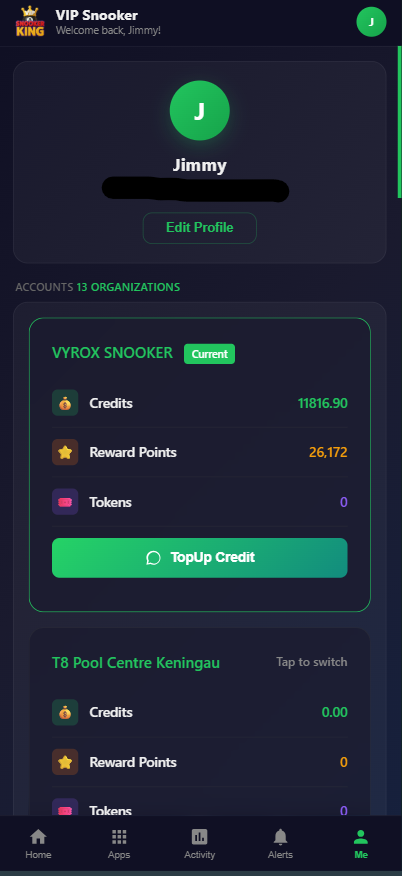
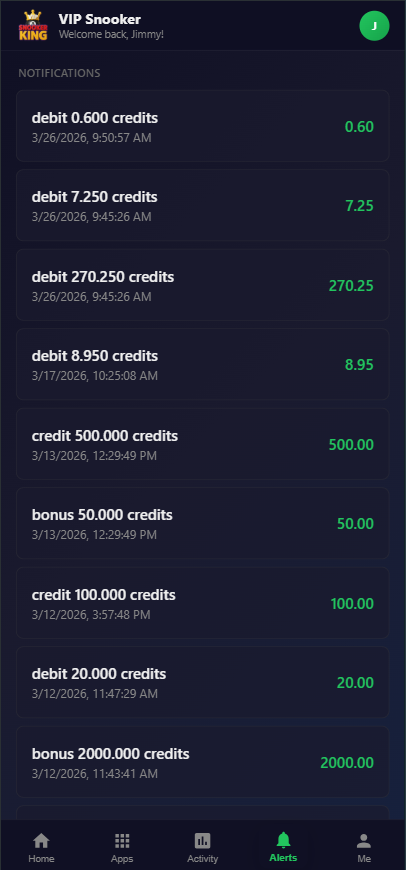
All eighty-six screenshots above are taken from the production Snooker King operator console and the member mobile app, with no mock-ups or stock imagery.
A day in the life of a centre on Snooker King
A walkthrough of an ordinary trading day from open to close, showing how the platform supports every counter-side moment without the operator switching tools.
-
09:00 — Open the centre
The manager taps the open-shift action. Yesterday cash is reconciled, today float is entered, the day rate band loads automatically and the table grid switches from overnight closed to free. Lighting controllers report online status.
-
11:30 — First member walks in
A gold-tier member taps their RFID card. The start-game dialog auto-fills the member, applies their tier rate, suggests the prepaid hours package on their wallet and starts the count-down timer. Lighting turns on for table seven within a second.
-
13:15 — Lunch rush at the F&B counter
Three tables order food. Each order is sent to the kitchen printer with the table number, the items appear on the running table tab, and the F&B charge sits beside the table charge on the same invoice.
-
15:00 — Walk-in stag party of eight
Two tables booked together. Split-bill is opened on table close so each of the eight payers picks their items, and three of them pay in cash while five pay by e-wallet. The invoice writes one signed record reconciling to the total.
-
18:00 — Peak rate kicks in
The rate matrix transitions to peak. Already-running tables continue at the started rate (configurable), new sessions start at peak. The dashboard surfaces the rate change so the counter never argues a price.
-
20:30 — Member top-up via mobile app
A regular tops up RM 200 from the member app and the wallet credit appears immediately. The counter never touches it. Reward points earned tonight on the running session add to her balance at the configured rate.
-
22:45 — Closeout begins
Open tables go through end-game closeout one by one. Each closed sale submits to LHDN MyInvois, the IRBM unique identifier comes back within seconds, and the receipt prints with the validated QR.
-
23:30 — Reconcile and close shift
Cash drawer reconciliation runs in one click. Stock movement is auto-logged. The owner gets a push notification with today revenue and yesterday comparison. The operator console locks for the night.
Snooker King vs. generic POS vs. paper
Most centres come to us from either a paper logbook or a generic restaurant POS. Here is how the three options compare on the moments that actually matter on the floor.
| Capability | Paper logbook | Generic restaurant POS | Snooker King |
|---|---|---|---|
| Live tables grid | No | No (treats tables as covers, not as billable entities) | Yes — every table, second-accurate |
| Count-up and count-down billing | Manual stopwatch | No | Both, per table, automated |
| Smart lighting integration | No (lights on all night) | No | MQTT round-trip to every table |
| Member wallet with bonus credit | No | Limited (gift cards only) | Full base + bonus + expiry engine |
| Reward points | No | Add-on module | Built-in, configurable per category |
| Split bill across payers | No | Yes (basic equal split) | Equal, percentage, item-level |
| LHDN e-Invoice (Malaysia) | No | Sometimes (manual export) | Native MyInvois submission |
| Multi-centre roll-up | No | Yes (separate licenses) | One head-office dashboard |
| Member mobile app | No | Add-on | Included (iOS + Android) |
| Activity audit log | No | Limited | Per-action, immutable, forensic |
| Three languages (EN/中文/BM) | No | Often EN only | All three first-class |
| Onboarding time | Zero (already exists) | 2–4 weeks | 3–5 business days |
| Disputes at the counter | Frequent | Occasional | Rare — same number on every screen |
Integrations and connectivity
The platform connects to the hardware, the payment rails, the regulator and the messaging channels that snooker centres actually use. Custom integrations can be added on the integrations layer.
Payment terminals
- Card terminals via integrated tap
- QR-based e-wallet
- FPX
- Regional e-wallets
- Manual card entry fallback
Regulators
- Malaysian LHDN MyInvois
- SST and GST profiles
- Configurable per-country tax
- Per-invoice IRBM unique ID
Hardware
- Thermal receipt printers (80mm)
- A4 invoice printers
- Kitchen printers
- USB and Bluetooth RFID readers
- USB barcode scanners
- ESP32 lighting controllers
Messaging
- WhatsApp Business notifications
- SMS OTP and alerts
- Email transactional via SMTP
- Mobile push (APNs and FCM)
Implementation checklist
The full pre-launch checklist we walk every centre through. Every item is mandatory and has a specific owner from your team and ours.
- Centre legal name, address and TIN captured
- SST or GST registration verified
- LHDN MyInvois credentials provisioned
- Default operating time zone confirmed
- Default currency selected
- Centre logo and brand colours uploaded
- Number of tables and table types enumerated
- Per-table-type hourly rates documented
- Peak vs off-peak hour bands defined
- Public holiday calendar imported
- Membership tier ladder defined
- Per-tier joining fee and validity confirmed
- Per-tier discount rules documented
- Reward-point earn rate and redemption rate set
- Credit-package SKUs and bonus structure defined
- F&B menu items, categories, prices and modifiers imported
- Combo packages assembled
- Kitchen printer routing per category confirmed
- Receipt and invoice template approved
- Auto-print rules per event confirmed
- Hardware peripherals listed (printers, RFID, scanners)
- ESP32 lighting controllers procured and wired
- MQTT broker connectivity tested
- Each table mapped to its lighting device
- Staff roles defined and per-role permissions confirmed
- Staff accounts created and assigned to roles
- Manager-override threshold set
- Cash drawer reconciliation workflow agreed
- Member-app branding and download links published
- Member acquisition campaign for launch week prepared
- Staff training session 1: tables and rates completed
- Staff training session 2: membership and wallet completed
- Staff training session 3: F&B and printers completed
- Staff training session 4: payments and split-bill completed
- Staff training session 5: closeout and reports completed
- Soft launch on a quiet weekday confirmed
- Full launch weekend with our team on standby confirmed
- Day-after debrief scheduled with the owner
What we teach your team
Five training sessions over the first week of onboarding, each scoped to one operator role and tested with a knowledge check at the end.
Session 1 — Tables and rates
- Reading the live tables grid
- Starting and stopping a session
- Count-up vs count-down mode
- Applying a prepaid package
- Handling rate disputes at the counter
Session 2 — Membership and wallet
- Member sign-up at the counter
- RFID and QR identification
- Wallet top-up flow
- Reward-point earning and redemption
- Per-tier discount application
Session 3 — F&B and printers
- POS workflow from order to send
- Modifier popups
- Sending tickets to the kitchen
- Recovering from a printer jam
- Stock adjustment with reason capture
Session 4 — Payments and split-bill
- Selecting the right payment method
- Card terminal failure recovery
- Split-bill across multiple payers
- Refund and void with manager override
- Outstanding-balance recovery on next visit
Session 5 — Closeout and reports
- End-of-shift cash reconciliation
- LHDN MyInvois submission verification
- Stock movement check
- Daily revenue export for the owner
- Locking the operator console for the night
Optional — Marketing and campaigns
- Building an audience segment
- Creating an announcement
- Running a coupon campaign
- Reading the conversion funnel
- Birthday and re-engagement automations
Country coverage
The platform runs in twenty-three countries today. Each entry below lists the country, the operating currency and the regional features pre-configured for that market.
| Country | Currency | Regional features |
|---|---|---|
| Malaysia | MYR | LHDN MyInvois e-Invoice with IRBM ID, SST profile, Bahasa Malaysia UI, QR-based e-wallet. |
| Singapore | SGD | GST profile, English UI, regional QR-payment support, IRAS-friendly invoice format. |
| Thailand | THB | VAT profile, Thai date format, regional QR-payment support. |
| Indonesia | IDR | PPN profile, Bahasa Indonesia date format, QRIS-friendly receipt template. |
| Vietnam | VND | VAT profile, Vietnamese date format, VietQR-friendly receipt. |
| Philippines | PHP | VAT profile, BIR-friendly invoice format, e-wallet receipts. |
| Brunei | BND | No GST or VAT profile by default, English UI. |
| Cambodia | KHR | VAT profile, English UI. |
| Laos | LAK | VAT profile, English UI. |
| Myanmar | MMK | Commercial tax profile, English UI. |
| Hong Kong | HKD | No VAT profile, traditional Chinese UI, FPS-friendly receipt. |
| Taiwan | TWD | Uniform invoice format, traditional Chinese UI. |
| China | CNY | VAT-style fapiao note on receipt, simplified Chinese UI. |
| Australia | AUD | GST profile, English UI, BPAY-friendly receipt. |
| New Zealand | NZD | GST profile, English UI. |
| United Kingdom | GBP | VAT profile, English UI, BACS-friendly receipt. |
| UAE | AED | VAT profile, English and Arabic dates on receipt. |
| Saudi Arabia | SAR | VAT profile, ZATCA-friendly invoice template. |
| Japan | JPY | Consumption tax profile, Japanese date format. |
| Korea | KRW | VAT profile, Korean date format. |
| India | INR | GST profile, English UI, UPI-friendly receipt template. |
| Bangladesh | BDT | VAT profile, English UI. |
| United States | USD | State-tax profile, English UI, ACH-friendly receipt. |
Operator keyboard shortcuts
Power-user shortcuts that cut counter time on the busiest shifts. Every shortcut is rebindable per centre and respects role permissions.
Navigation
- G then T — Go to tables grid
- G then P — Go to F&B POS
- G then M — Go to members
- G then R — Go to reports
- / — Open quick search
Table-side
- S — Start session on focused table
- E — End session on focused table
- P — Open payment for focused table
- B — Open split-bill for focused table
- L — Toggle lighting on focused table
POS
- F1 — Send to kitchen
- F2 — Hold order
- F3 — Recall held order
- F4 — Open discount dialog
- F5 — Open void dialog (manager)
Global
- Ctrl + K — Command palette
- Ctrl + L — Lock console
- Esc — Cancel current dialog
- ? — Show shortcut help
- Shift + L — Switch language
Privacy, data ownership and security
Your data is your data. The platform is built around the principle that the centre owns every record and can export, restrict or erase it on request.
- Data ownership
- Every record produced by your centre — members, sales, audit log, stock, campaigns — is yours. We process it on your behalf. You can request a full encrypted export at any time and the export is yours to keep.
- Data residency
- Hosting region is chosen per customer. By default Malaysian centres run on Malaysian or Singaporean data centres. Other regions are available on request and documented in your contract.
- Encryption
- All connections use TLS 1.2 or higher. Database backups are encrypted at rest. Secrets are stored outside the code base and rotated on a regular cadence.
- Audit trail
- Every meaningful action writes an immutable audit row containing operator, IP, action type, target record and changed fields. The audit log is available to your authorised staff and to the platform support team for incident review.
- Member consent
- Marketing opt-in, terms acceptance and per-channel notification preferences are captured at member sign-up and respected across every channel. Members can withdraw consent at any time from the mobile app.
- Erasure and access requests
- A member can request a copy of their data or full erasure. The request flow is built in. Audit-required records (LHDN invoices, financial records) are retained per regulator timeline and clearly marked.
Our design philosophy
Three principles shape every product decision we make on Snooker King.
Same number on every screen
The price the customer sees is the price the operator charges is the price the owner reports. One source of truth, never two.
Boring done right
Backups, audits, permissions, encryption, validation — the boring layer is where most software fails. We invest in the boring layer first.
Counter-time is sacred
Every flow is timed. If a workflow adds five seconds at the counter on a Friday night, we redesign it. Speed at the counter is revenue.
Built to the standards your accountant and regulator expect
A short list of the standards and integrations the platform conforms to today.
-
LHDN MyInvois
Malaysian e-Invoice with IRBM unique ID
-
WCAG 2.1 AA
Accessibility audited for operator console and member app
-
TLS 1.2+
Every connection encrypted
-
Daily backups
Point-in-time recovery enabled
Migrating from an existing system
Most centres come from a generic restaurant POS, an in-house spreadsheet system or a paper logbook. The migration path is documented, the data formats are open, and the cutover is rehearsed before it goes live.
- Export your member database (CSV with phone, name, balance, tier).
- Export your historical sales (CSV with date, table, total, payment method).
- Export your F&B menu (CSV with item, category, price, modifiers).
- Export your staff roster (CSV with name, role, contact).
- Run the dedup script (we handle phone-number normalisation).
- Import into a sandbox copy of the new platform.
- Run a parallel-day test on a quiet weekday.
- Cutover on a planned weekend with our team on standby.
- Day-after debrief with the owner and an action list for any rough edges.
The twelve KPIs every snooker owner should watch
The reports are designed around these twelve numbers. Each one is surfaced as a tile on the dashboard with the prior-period comparison built in.
Daily revenue
Today total revenue vs yesterday and vs same day last week.
Table utilisation
Percentage of available table-hours actually billed today.
Average revenue per session
Includes table charge and any attached F&B.
F&B attach rate
Percentage of table sessions that included an F&B order.
Active members
Members who visited at least once in the last thirty days.
Member visit frequency
Average visits per active member in the last thirty days.
Wallet liability
Outstanding wallet credit (base + bonus) you owe to members.
Reward-point liability
Outstanding reward points and their cash-equivalent redemption value.
Campaign conversion
Percentage of campaign recipients who claimed and converted.
Stock days-of-supply
Days of supply at current burn rate for each F&B SKU.
Staff sales attribution
Revenue attributed to each operator, corrected for shift swaps.
Lighting on-time
Total table-light on-time today, used as a sustainability proxy.
Accessibility statement
The operator console and this marketing page are designed and reviewed against WCAG 2.1 AA. We treat accessibility as a correctness problem, not a checklist.
Keyboard navigation
Every interactive element is reachable by tab and operable by Enter, Space or arrow keys where appropriate. Focus rings are visible and never hidden.
Colour contrast
Every text and background pair is audited to WCAG AA. The primary teal on white reads at 4.6:1, white on the dark surface at 17.5:1.
Screen reader semantics
Sections use aria-labelledby, tablists use role="tablist" and matching panels, modals trap focus and restore it on close.
Reduced motion
prefers-reduced-motion disables transition, marquee scroll and hover lift. The interface remains fully functional.
Image alt text
Every image carries descriptive non-empty alt text using the consistent format "Snooker King software — feature name — factual description".
Heading hierarchy
Exactly one H1, one H2 per section, H3 per feature card. The DOM outline is meaningful with no skipped levels.
Glossary
Plain definitions for every term used in the operator console, the member app and the reports.
- Centre
- A physical snooker, pool or billiard venue managed inside the platform. Each centre has its own tables, rates, staff, POS menu and reports.
- Operator
- A logged-in staff member who runs the floor — opens tables, takes payment, manages F&B and serves customers. Operators are assigned a role with granular permissions.
- Tier
- A named membership level (e.g. silver, gold, platinum). Tiers carry a price, validity period, included credits, discount rules and earn-rate multipliers.
- Wallet
- The member-credit balance attached to a member profile. Made of base credit (paid for) and bonus credit (promotional), each with its own expiry.
- Reward Points
- Loyalty points earned on table charges and F&B at configurable rates and redeemable at checkout against the running invoice.
- Countdown Package
- A prepaid block of hours sold up front, applied automatically on the next visit and counted down to zero before the table auto-stops.
- Holiday Overlay
- A non-destructive layer over the base rate matrix that applies a percentage uplift or fixed surcharge on named dates without rewriting the matrix.
- Split Bill
- A facility for dividing one running table session across multiple payers by equal share, percentage or item-level pick.
- LHDN e-Invoice
- The Malaysian inland revenue (LHDN) requirement that closed sales are submitted to the MyInvois portal, receiving an IRBM unique identifier for legal validity.
- MQTT
- A lightweight publish-subscribe messaging protocol used between the platform, the broker and the ESP32 lighting controllers on every table.
- ESP32
- The micro-controller flashed and wired into each table light. Subscribes to its table topic and reports its real status back to the broker.
- Audit Log
- The immutable system-log table that records every meaningful action with operator, IP, action type and before-and-after values for forensic review.